LTX 2.5 AI Video Generator
Generate up to 4K video with dialogue and sound made in the same pass, animate a photo between a start and end frame, or let your own audio drive the scene.
 Video de ejemplo
Made with LTX 2.5
Every clip below was generated on Veevid with the settings in its caption. No editing, no added sound.
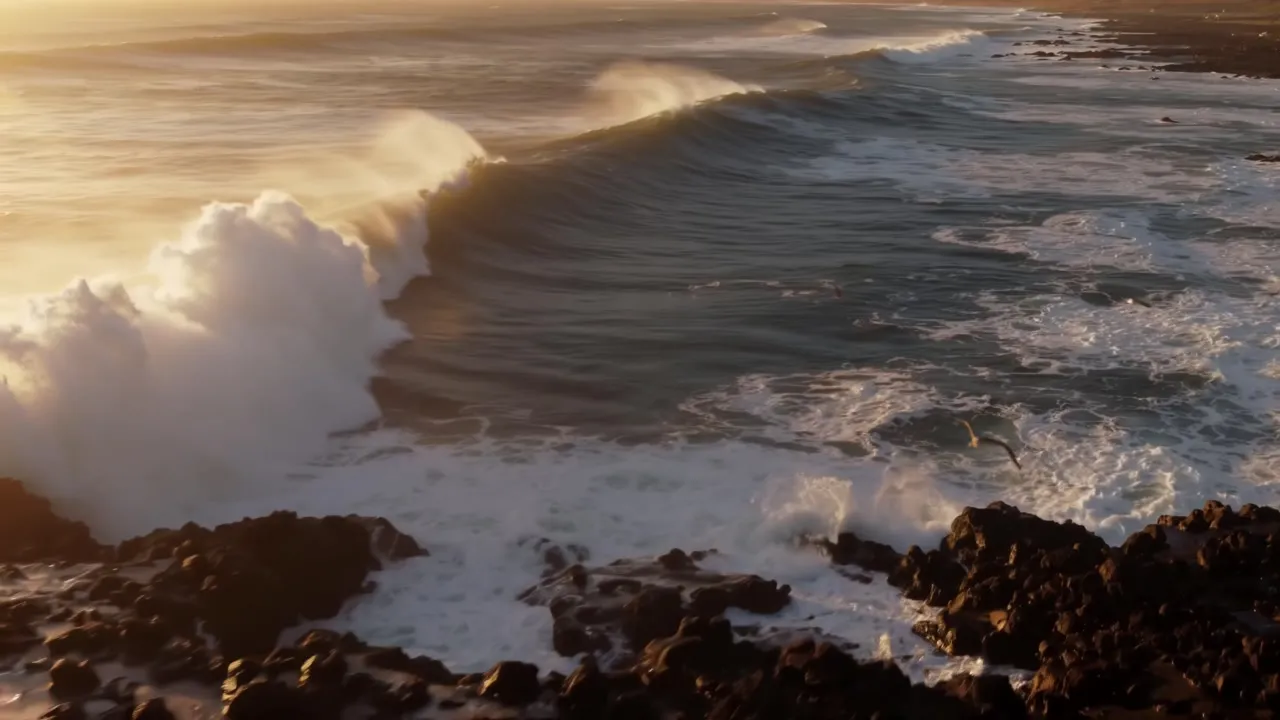
4K text to video
LTX 2.5 Fast, 4K, 6 seconds. Waves, spray and surf sound from one text prompt. Tap the speaker to hear it.

Native dialogue
LTX 2.5 Pro, 1080p, 8 seconds. The line is written in the prompt and spoken in sync on screen. Tap the speaker to hear it.

Start and end frame
LTX 2.5 Fast, 1080p, 8 seconds. A wide photo as the start frame and a closer crop as the end frame become one smooth push-in.

Audio to video
LTX 2.5 Fast. A start image plus a recorded voice line: the character speaks the line and the clip runs as long as the audio. Tap the speaker to hear it.
What LTX 2.5 Can Do
One model for text-to-video, image-to-video and audio-to-video, with sound generated alongside the picture.
Sound in the same pass
Dialogue, ambience and sound effects are generated together with the picture, so lips, footsteps and impacts land on the right frame. Turn audio off when you only need the visuals.
720p up to 4K
LTX 2.5 Fast renders at 720p, 1080p, 1440p or 4K. Pro renders at 720p or 1080p with the highest fidelity per frame.
Clips up to 20 seconds
Fast generates 6 to 20 seconds at 720p or 1080p, and up to 10 seconds at 1440p and 4K. Pro generates 6, 8 or 10 seconds.
Drive it with your own audio
Upload 2 to 20 seconds of speech, music or sound effects in the Audio to Video tab. The video follows the audio's timing and runs about as long as the clip, with or without a start image.
Start and end frame
Give it a starting photo and, if you want, an ending photo. LTX 2.5 animates the move between them while keeping the subject consistent.
Camera moves and frame rates
Pick a dolly, jib, static or focus-shift camera move, and output at 24, 25, 48 or 50 FPS for cinematic or smoother motion.
How to Use LTX 2.5
Three steps from idea to finished clip.
Choose text, image or audio
Write a prompt for text-to-video, switch to Image to Video and upload a start frame (and an optional end frame), or switch to Audio to Video and upload your own sound to drive the video.
Pick Fast or Pro and set the shot
Choose LTX 2.5 Fast for up to 4K and 20 seconds, or Pro for top quality at 1080p. Set duration, aspect ratio, resolution, frame rate and an optional camera move.
Generate and download
The price in credits is shown on the button before you start. Your video is saved to your creations when it finishes, so you can close the page while it renders.
LTX 2.5 FAQ
Answers to the questions people search for most about LTX 2.5.
LTX 2.5 is a 22B-parameter open-weights video model that generates video and audio together. On Veevid you can use it for text-to-video, image-to-video with an optional end frame, and audio-to-video, in up to 4K and up to 20 seconds.
Open the generator at the top of this page, write a prompt or upload a start image, choose LTX 2.5 Fast or Pro, set the duration, resolution and frame rate, and click Generate. There is nothing to install and no GPU to set up.
Yes. Open the Audio to Video tab in the generator and upload a 2 to 20 second audio file (up to 10 seconds on Pro). With a prompt only, LTX 2.5 builds the scene around the audio. Add a start image and it animates that image to the audio, which works well for talking characters and music clips. The video is about as long as the audio and is rendered at 1080p. The same generator is also on our Audio to Video page.
Yes. LTX 2.5 Fast outputs native 4K (2160p) and 1440p for clips up to 10 seconds, and 720p or 1080p for clips up to 20 seconds. LTX 2.5 Pro outputs 720p or 1080p.
Fast is built for speed and range: 720p to 4K, 6 to 20 seconds, and up to 50 FPS. Pro is tuned for final quality: 720p or 1080p, 6 to 10 seconds, at 24, 25 or 50 FPS. Both generate audio and support start and end frames, camera moves and audio-driven video.
LTX 2.5 is the newer generation of the model. Compared with LTX 2.3 it adds a 720p tier for faster, cheaper drafts and eight built-in camera moves, and on Veevid it also supports audio-driven video. 4K output, 20-second Fast clips and native audio carry over.
The model weights are openly available, so you can run LTX 2.5 yourself if you have suitable GPUs. On Veevid you can use it in the browser without downloading weights or building a workflow.
Describe the shot like a director: subject, action, setting, lighting and camera. Put any spoken line in quotes and say who says it, and name the sounds you want to hear, such as rain on a window or a crowd cheering. Use the Camera motion setting for a fixed move instead of describing it in the prompt.
LTX 2.5 is charged per second of video. Fast costs 18 credits per second at 720p, 26 at 1080p, 38 at 1440p and 60 at 4K. Pro costs 24 credits per second at 720p and 34 at 1080p. Audio-to-video is charged by the length of your audio at the 1080p rate. The exact price is shown on the Generate button, and credits are returned if a generation fails.
More Ways to Create
Tools that pair well with LTX 2.5.
Make Your Next Clip With LTX 2.5
Up to 4K, up to 20 seconds, with sound generated in the same pass.
Start Creating