Image to Image AI
Transform any image into a new style in seconds. No editing skills needed.
 サンプル画像
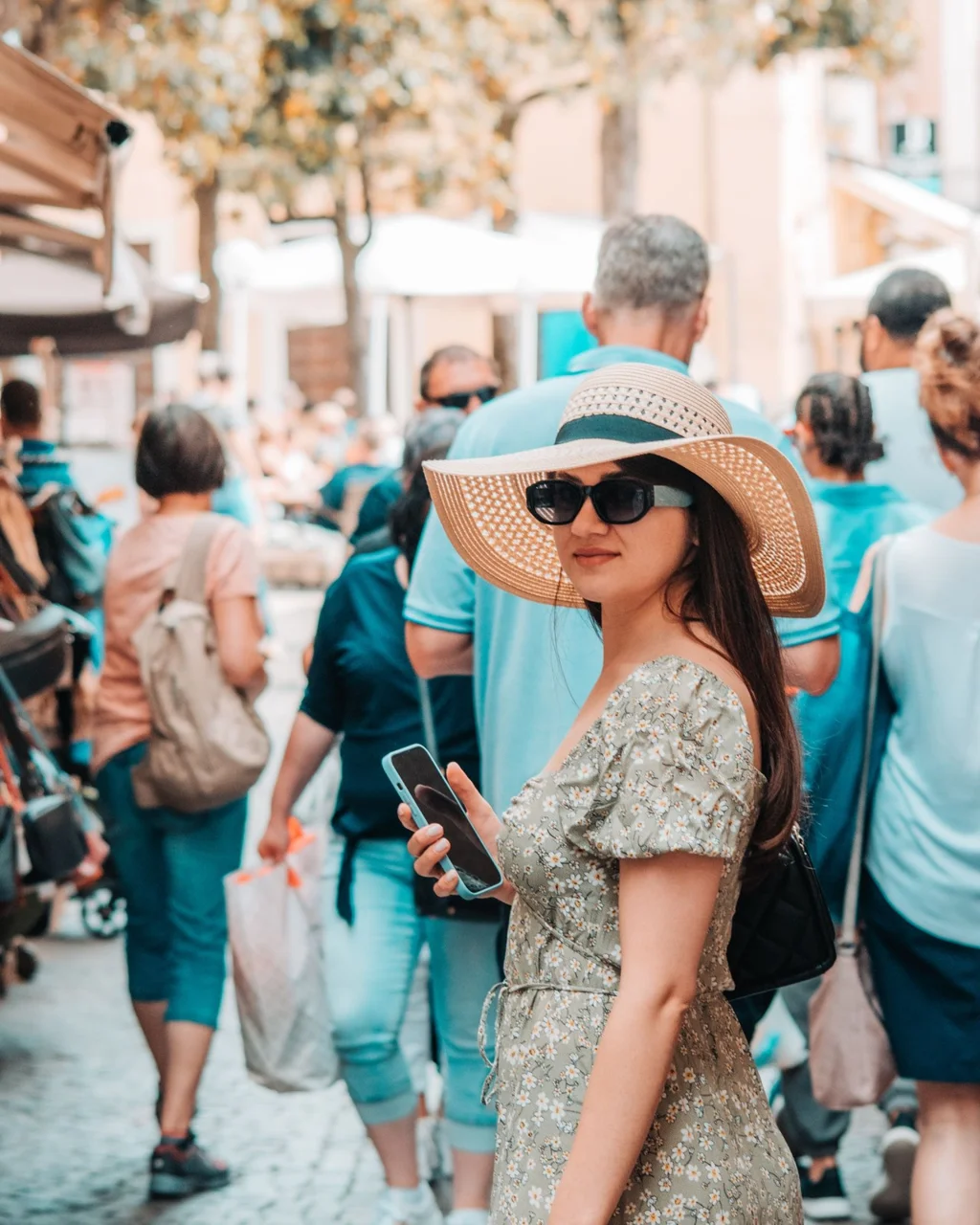
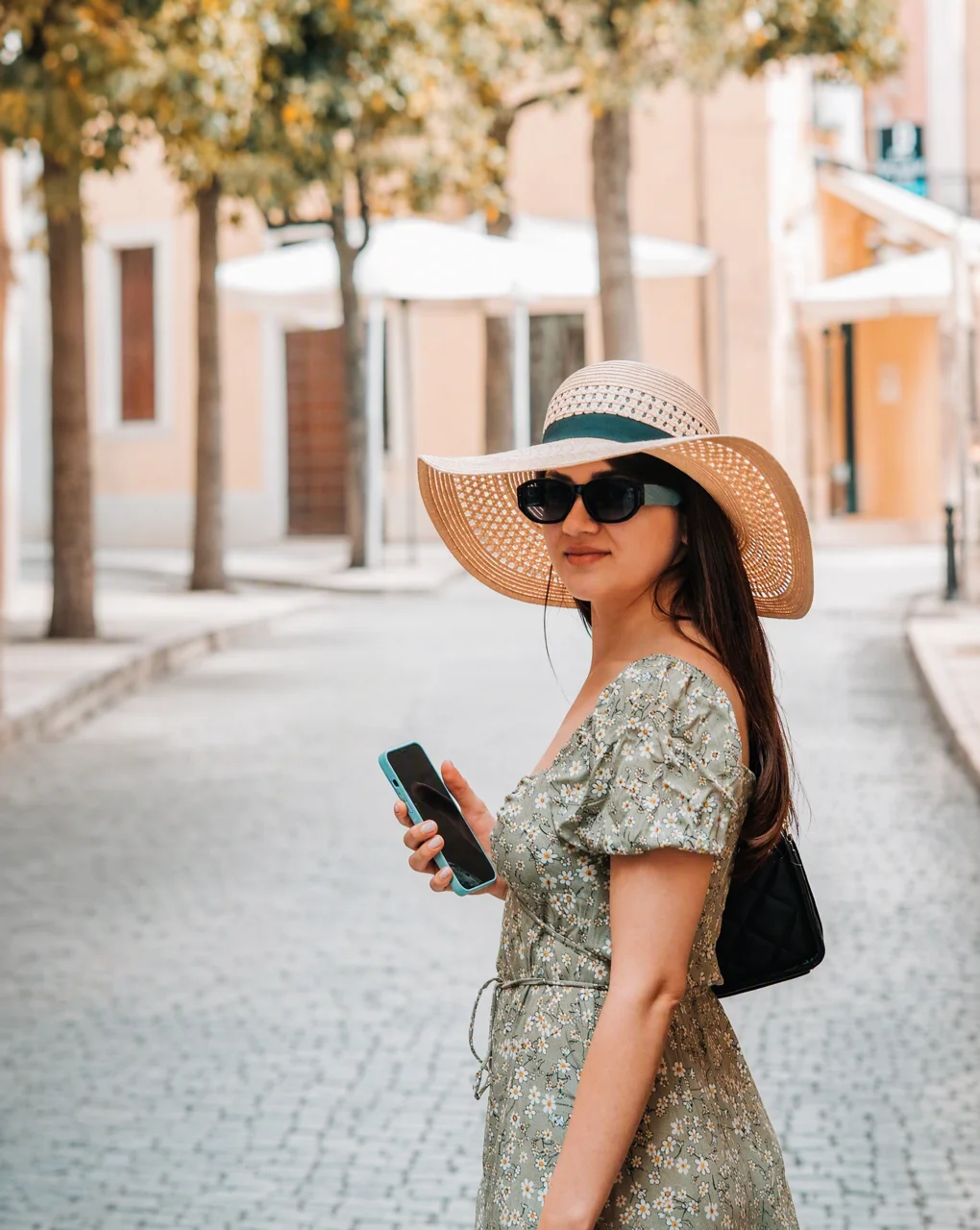
プロンプト: Remove all the other people and the clutter in the background of this photo. Keep the main subject, their pose and expression, the lighting and the scenery exactly the same.
画像のどこをどう変えたいかを入力してください
ドラッグ&ドロップまたはファイルを選択
PNG、JPG、JPEG、WEBP(各10MBまで)
複数の画像に対応 • 0/16枚アップロード済み
画像のどこをどう変えたいかを入力してください
注:1:1では4Kを生成できません。「自動」は1Kのみ対応です。5:4、4:5、3:1、1:3、9:21は1Kのみ対応です。
注:背景の設定は1Kでのみ利用できます。2Kや4Kで透明背景を出力するには、GPT Image 2.5を使ってください。
Image to Image AI Examples: One Photo, Endless Edits
Real before-and-after results made on Veevid. Each example shows the exact prompt and model we used - pick one and try it on your own photo.
Remove Tourists and Strangers from Travel Photos
Crowded landmark? Clear out the people and clutter behind you while your face, pose and the scenery stay exactly as they were. It works for photobombers, trash bins and parked cars too.
Model: GPT Image 2
Remove all the other people and the clutter in the background of this photo. Keep the main subject, their pose and expression, the lighting and the scenery exactly the same.
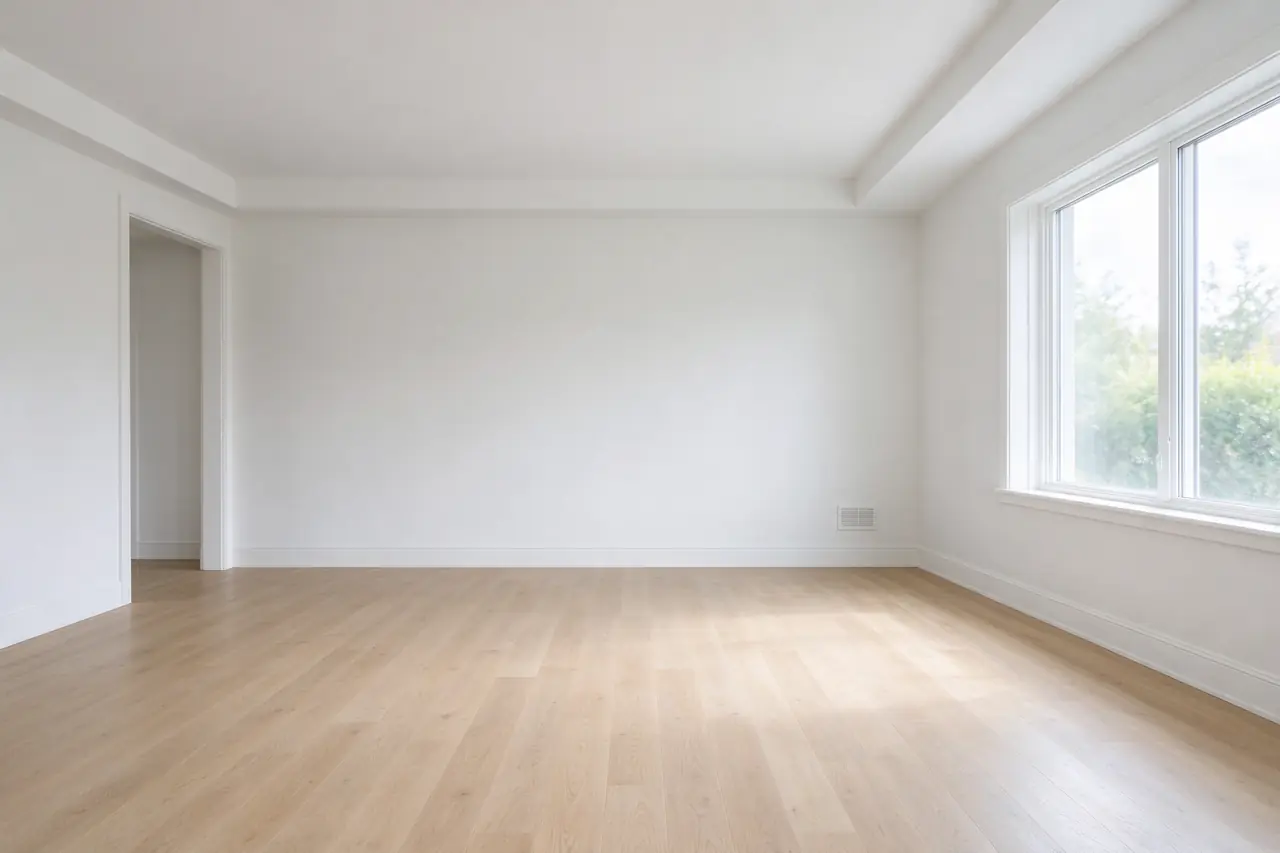
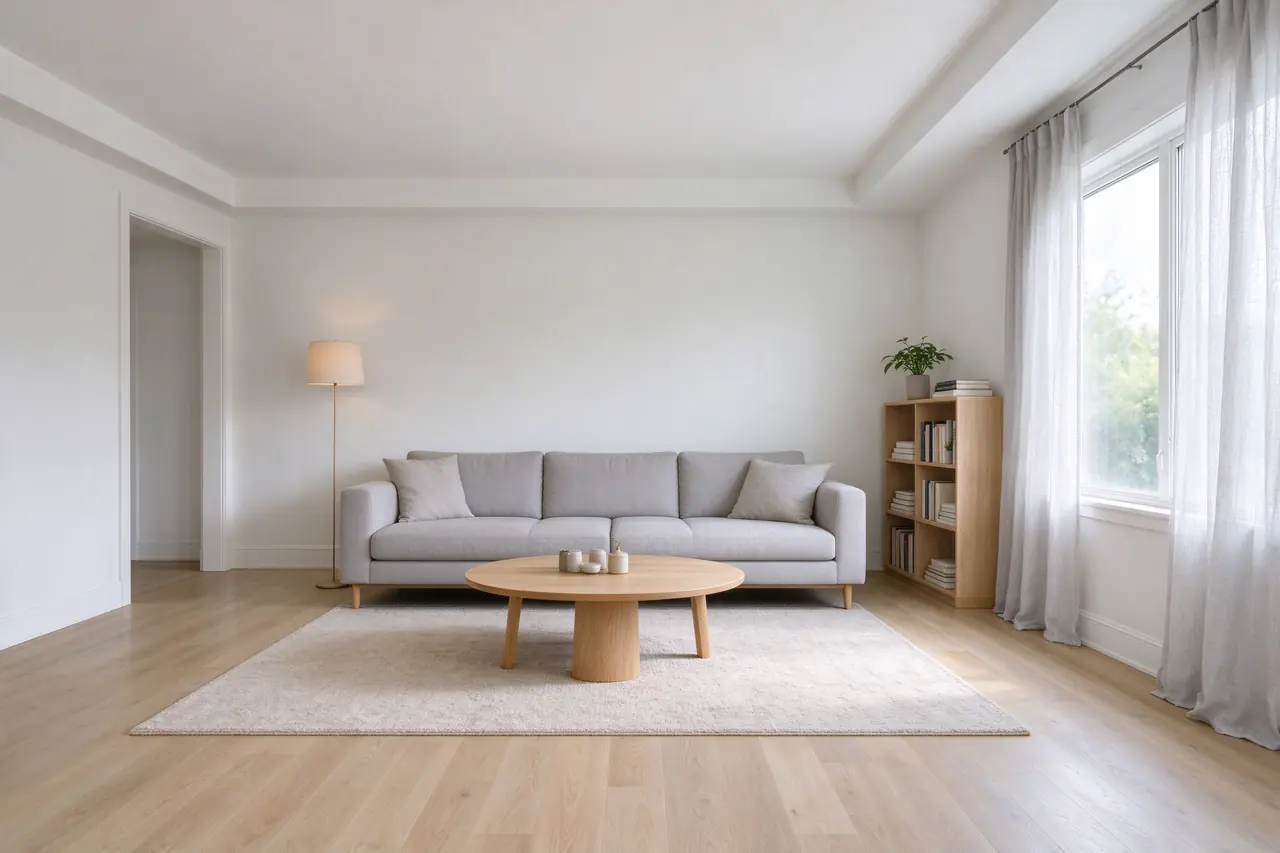
Furnish an Empty Room in 2K
Turn a bare listing photo into a furnished, move-in-ready room. The walls, floor, window and camera angle stay put while the furniture is added in, and Seedream 5.0 Flash renders it in sharp 2K for the same 4 credits as 1K.
Model: Seedream 5.0 Flash
Furnish this empty room as a cozy Scandinavian living room: a light gray sofa, a round oak coffee table, a wool rug, a floor lamp, a bookshelf with plants and books, and linen curtains. Keep the walls, floor, window and camera angle exactly the same.
Change a Sign and the Season
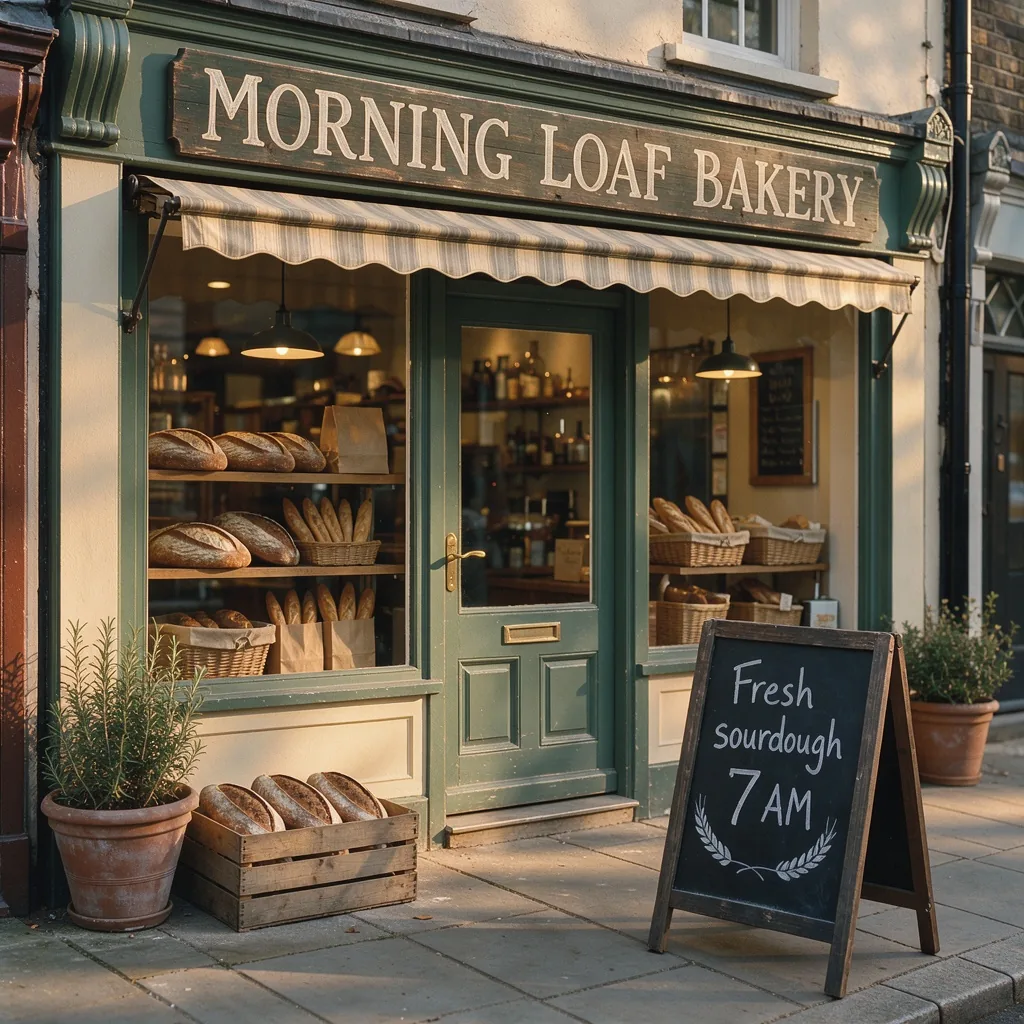
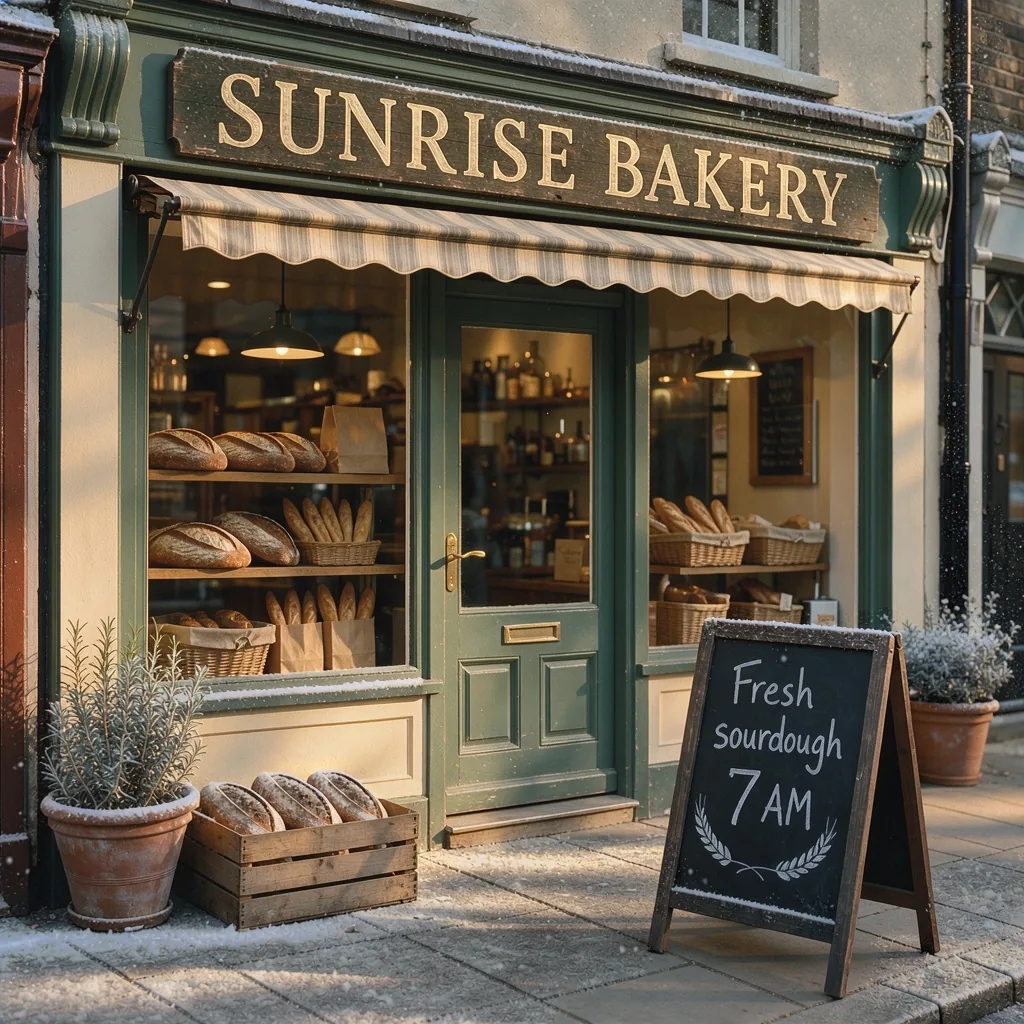
Rewrite the text on a shop sign and move the scene to another season in one instruction. FLUX 3 Image redraws the lettering in the style of the original sign and keeps the look of the storefront and the wording on the chalkboard.
Model: FLUX 3 Image
Change the sign above the door to read "SUNRISE BAKERY" and make it a snowy winter evening. Keep the storefront and the chalkboard the same.
Rewrite a Label with a Painted Mask
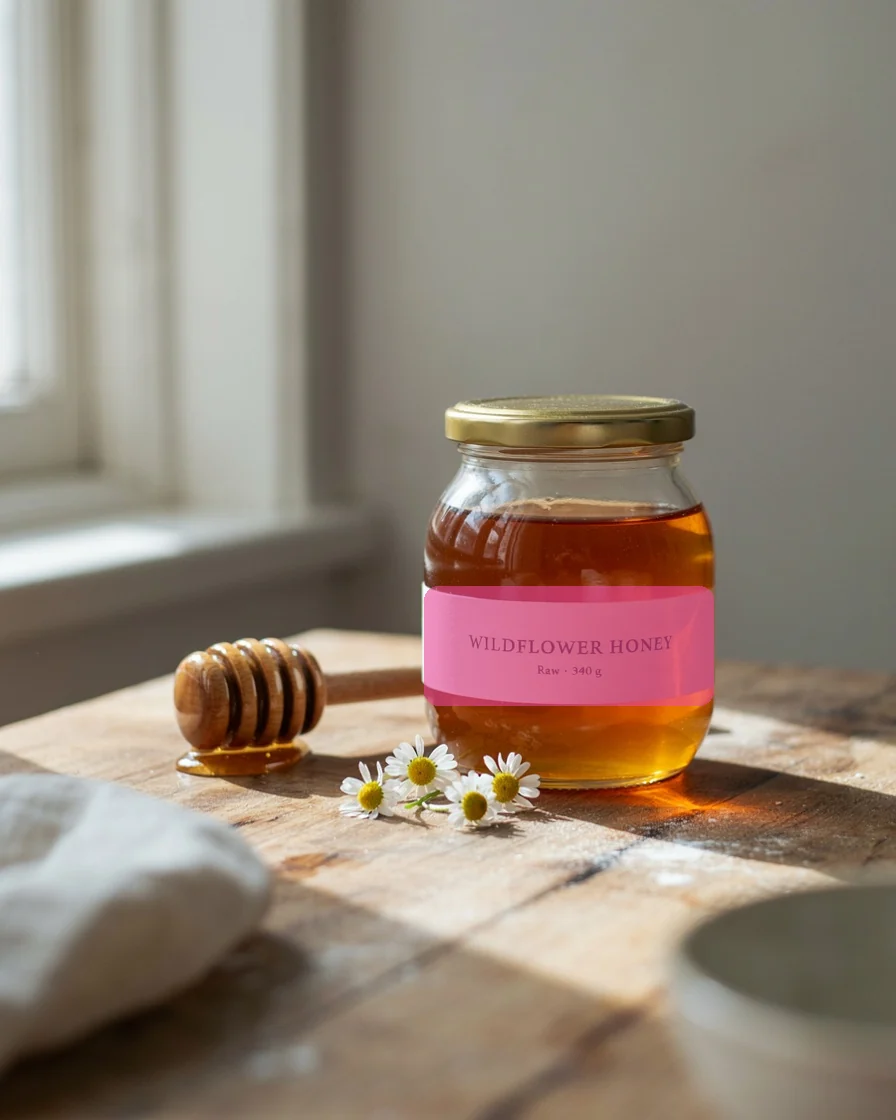
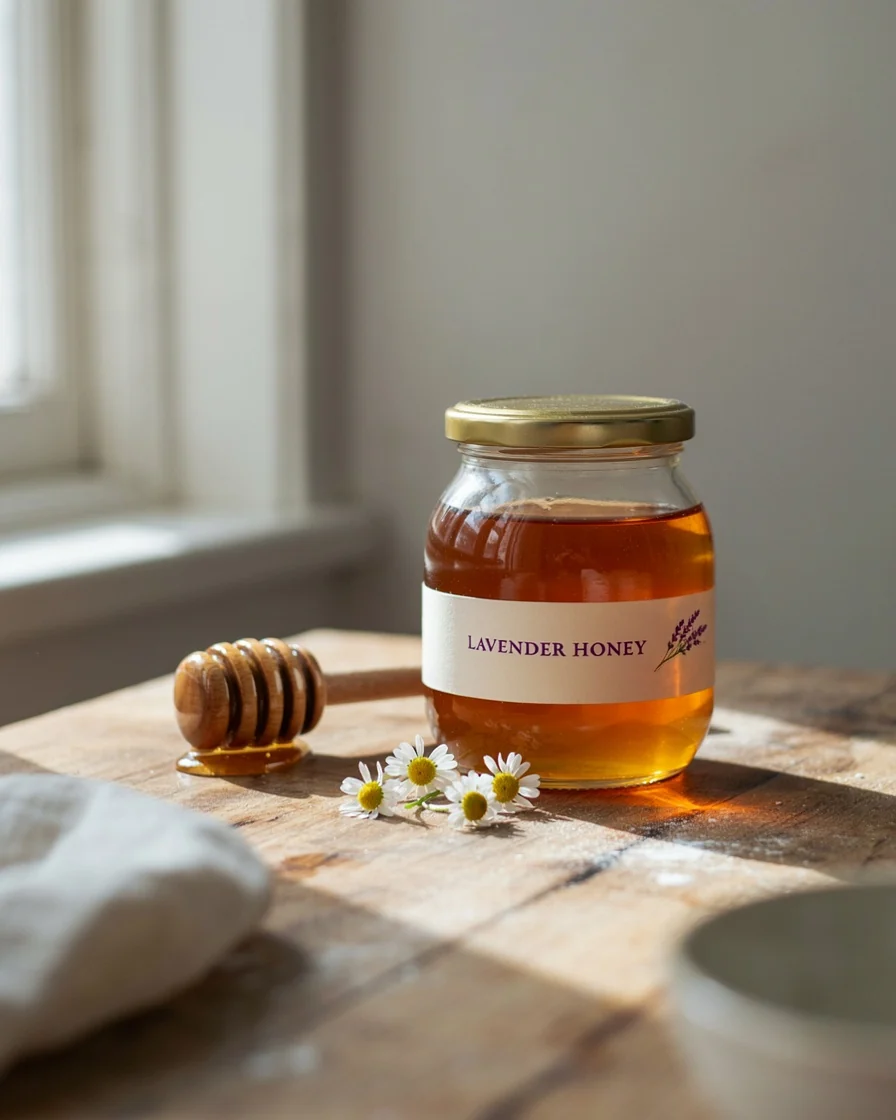
Paint over just the part you want to change and describe the new version. Ideogram 4.5 rewrites the lettering on the jar label and adds a lavender sprig, while High edit precision keeps everything outside the painted area exactly as it was: the jar, the honey, the light and the table.
Model: Ideogram 4.5
Turn the label into a lavender honey label: the words "LAVENDER HONEY" in deep purple serif letters and a small sprig of lavender beside them.
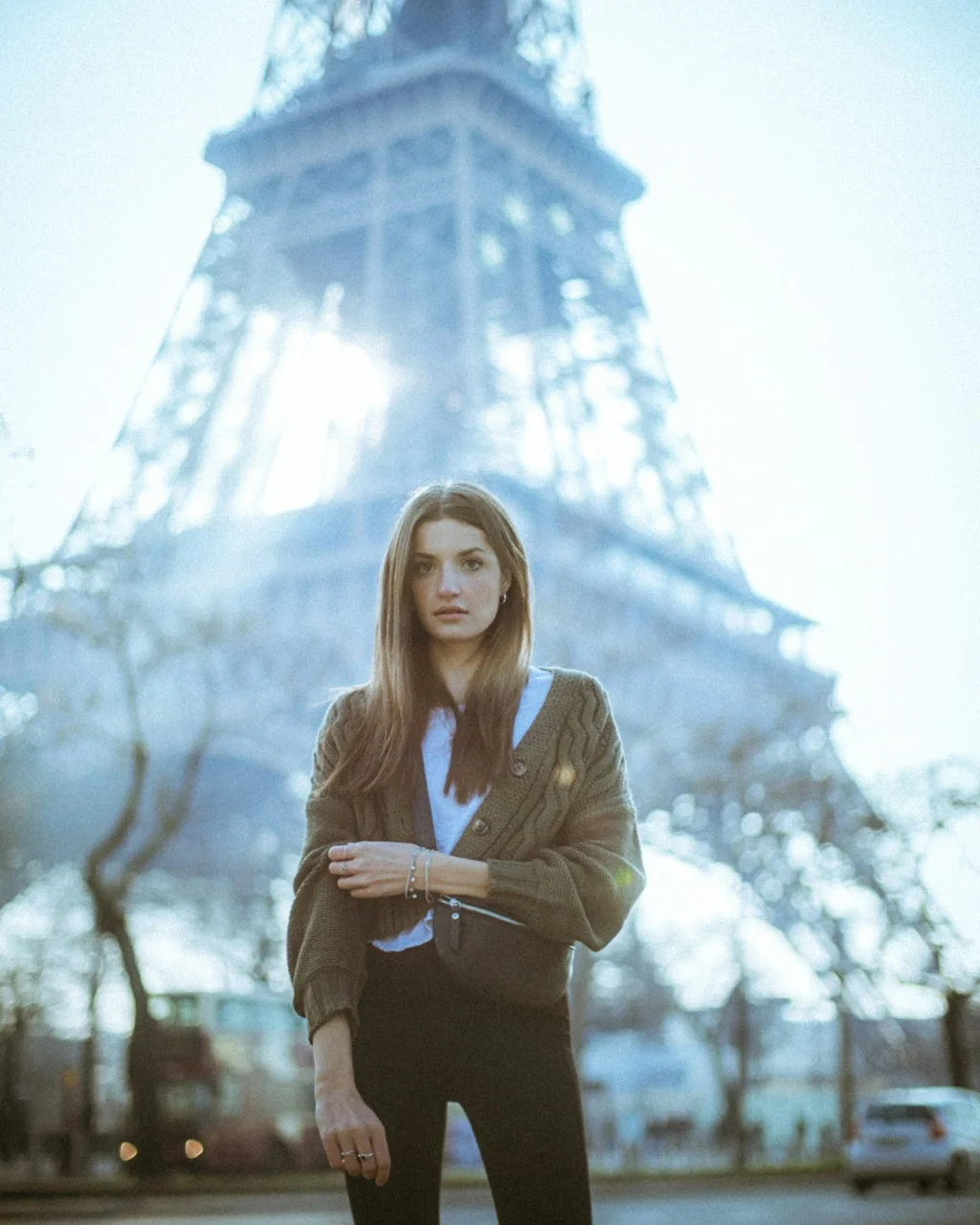
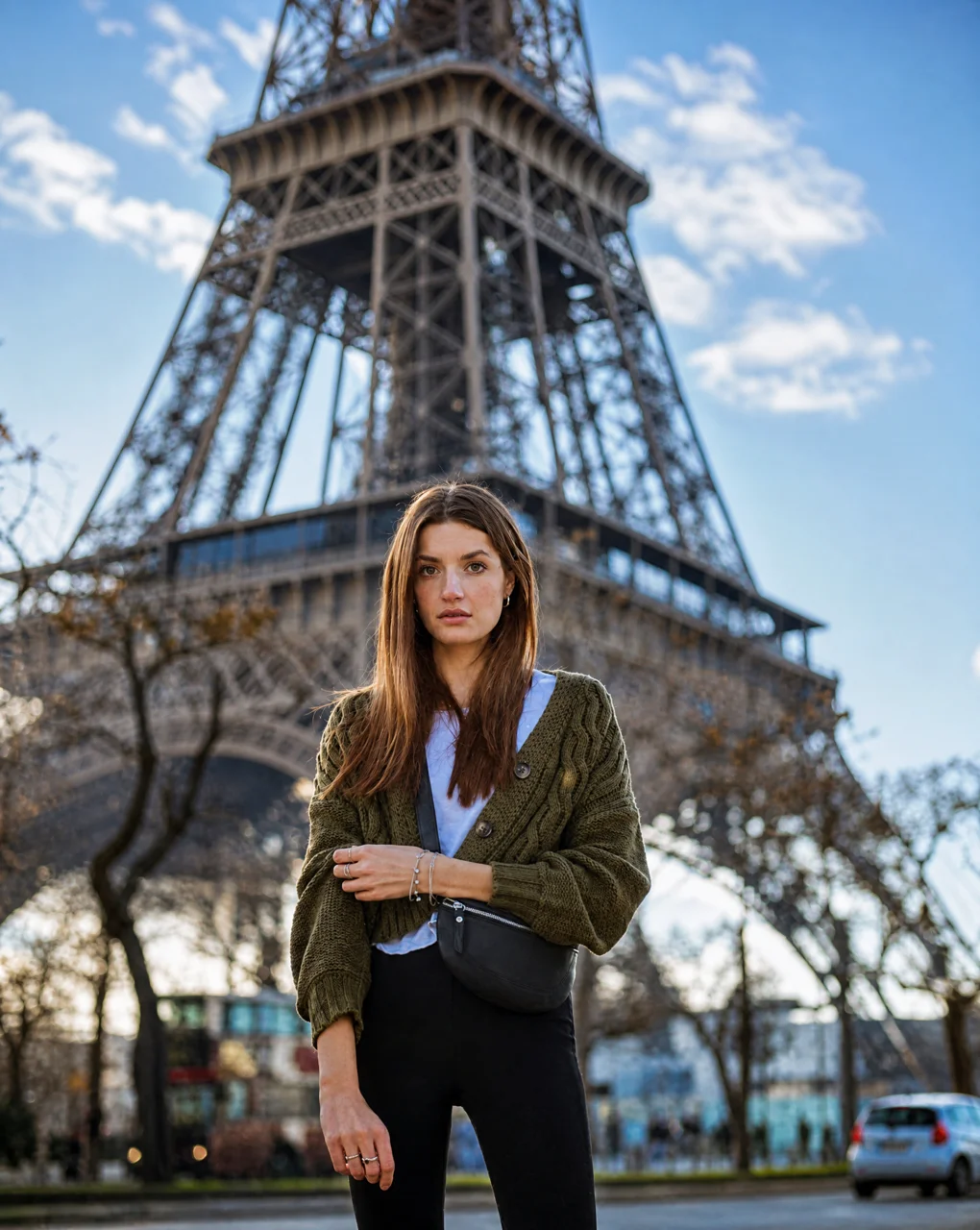
Fix Overexposed or Dark Photos
Rescue a washed-out shot taken against the sun. The AI recovers the sky and highlights, balances the exposure and brings back natural colors without changing the person in the photo.
Model: GPT Image 2
Fix the lighting of this photo like a professional photo editor: recover the blown-out or dark areas, balance the exposure, and make the colors natural and vivid with crisp detail. Keep the people, their faces, the pose and the composition unchanged.
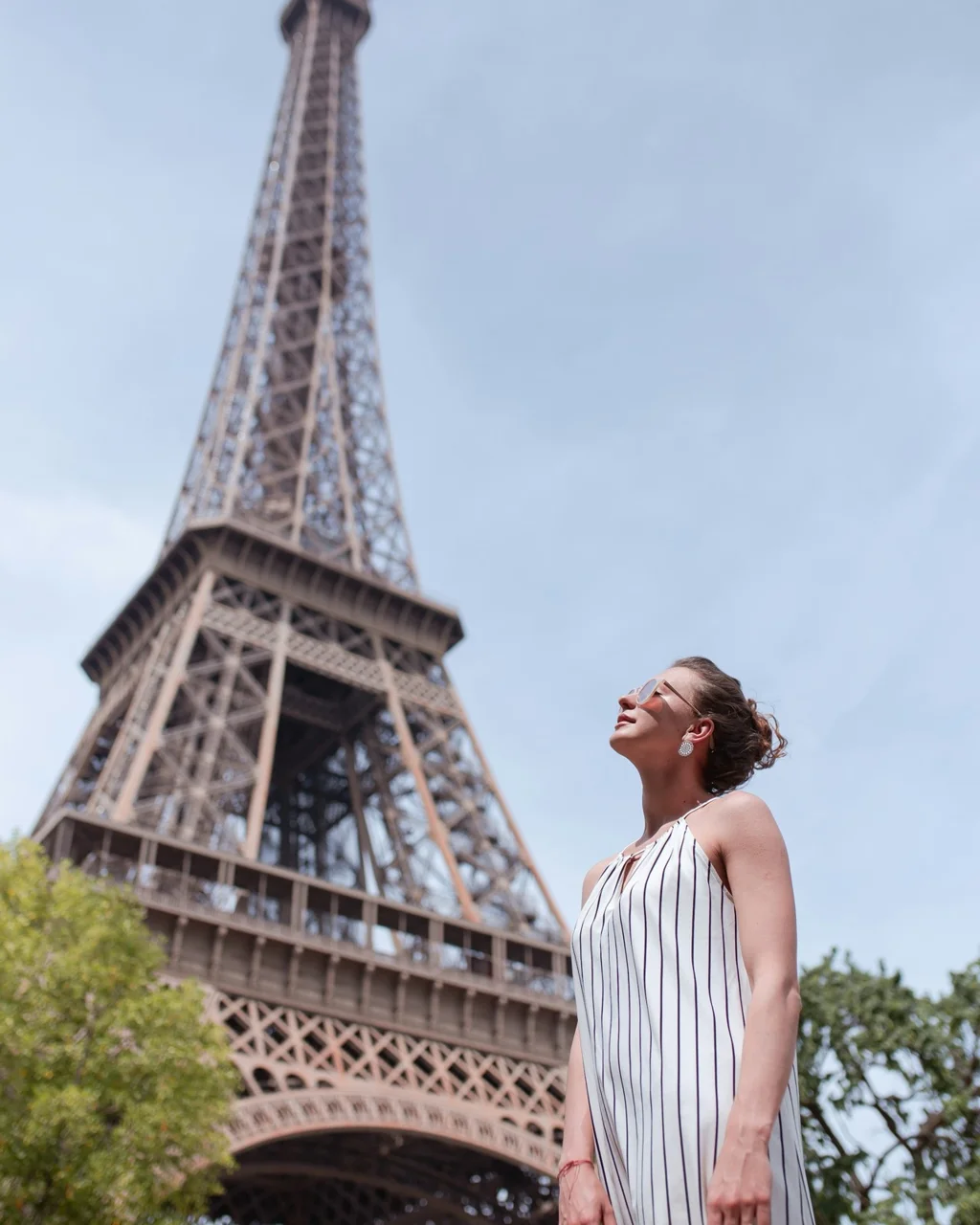
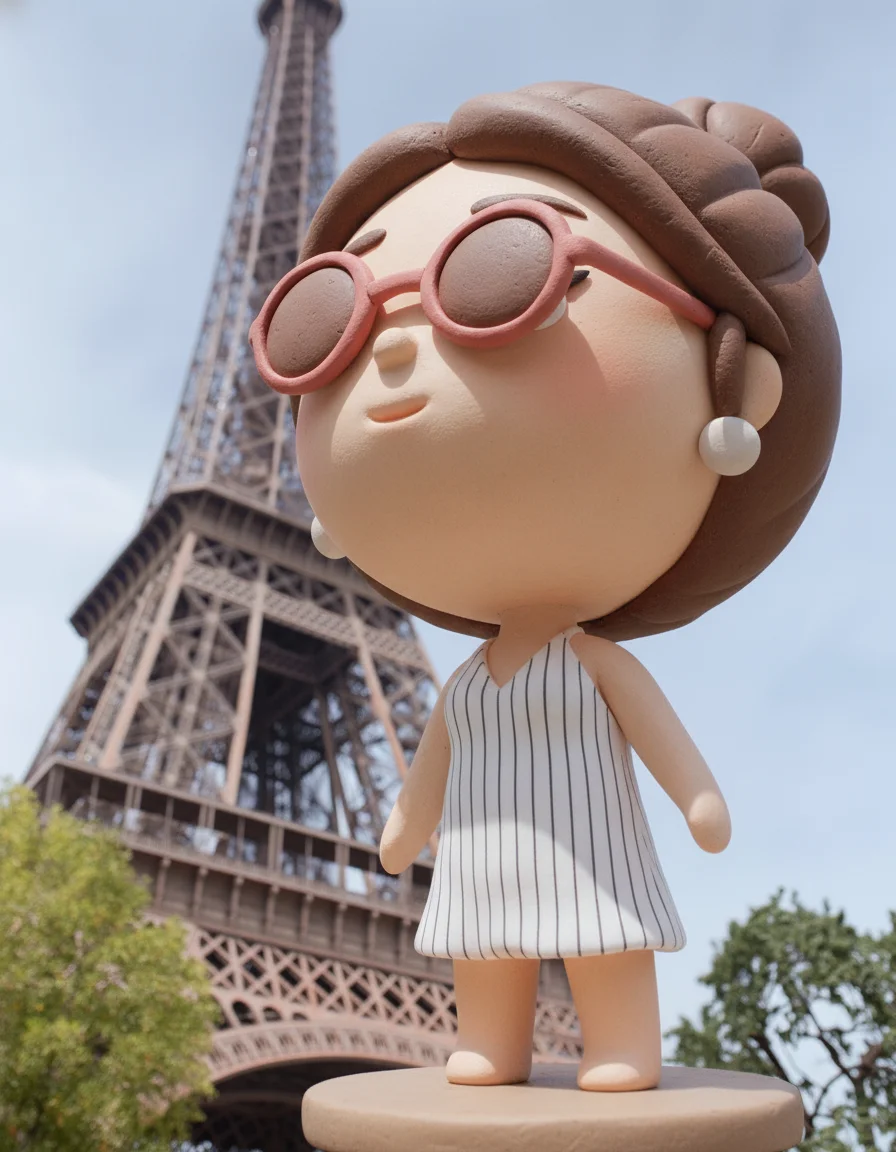
Turn Yourself into a 3D Figurine
Transform a travel photo into a cute clay-style collectible standing in the same spot, with your hairstyle and outfit still recognizable - a fun way to share a trip.
Model: Google Nano Banana
Turn the person in this photo into a cute 3D clay chibi figurine with a big head and a small body, standing on a small round base. Keep their face, hairstyle and outfit recognizable. Place the figurine in the same spot in the original scene, with the real background unchanged.
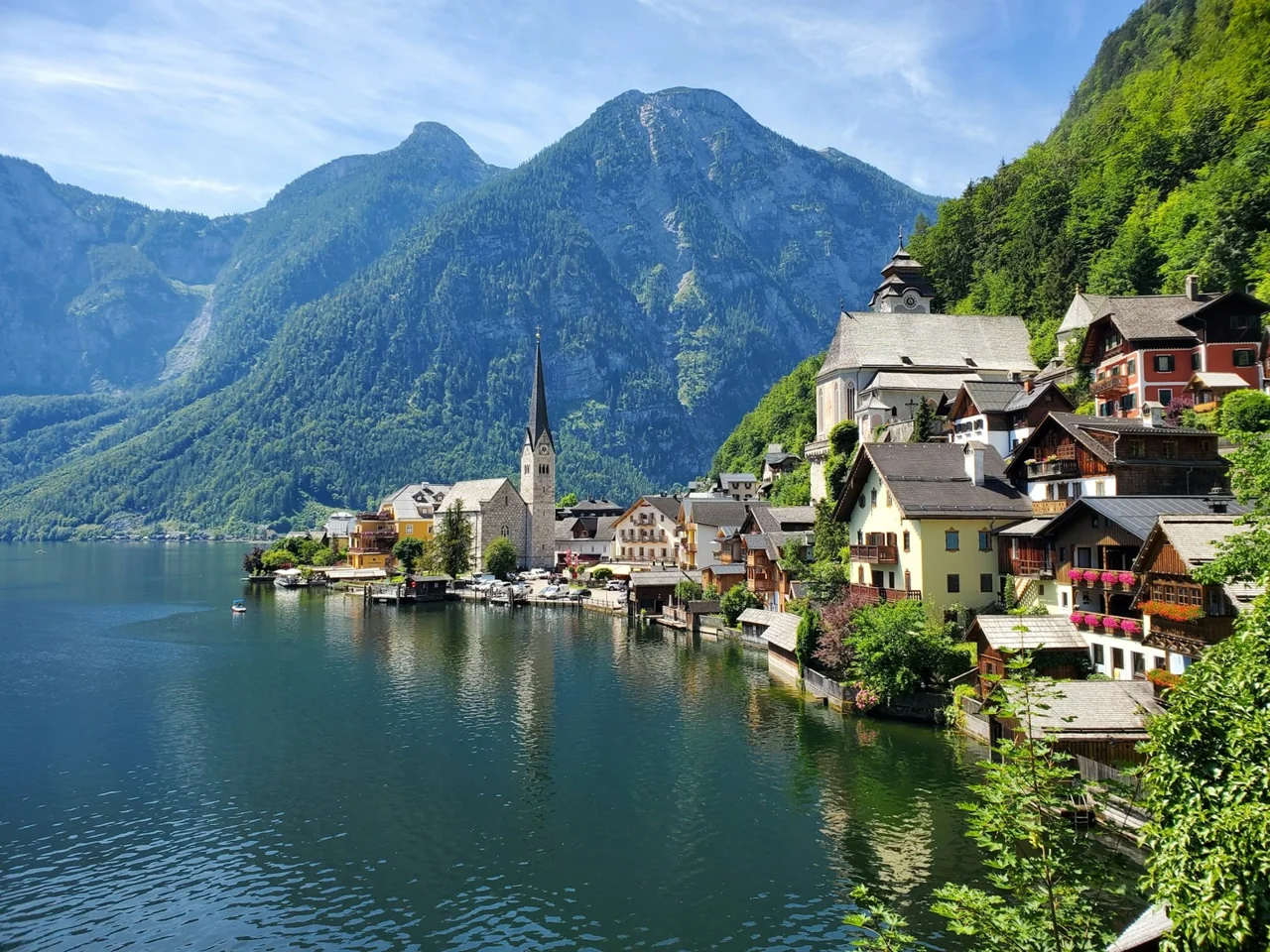
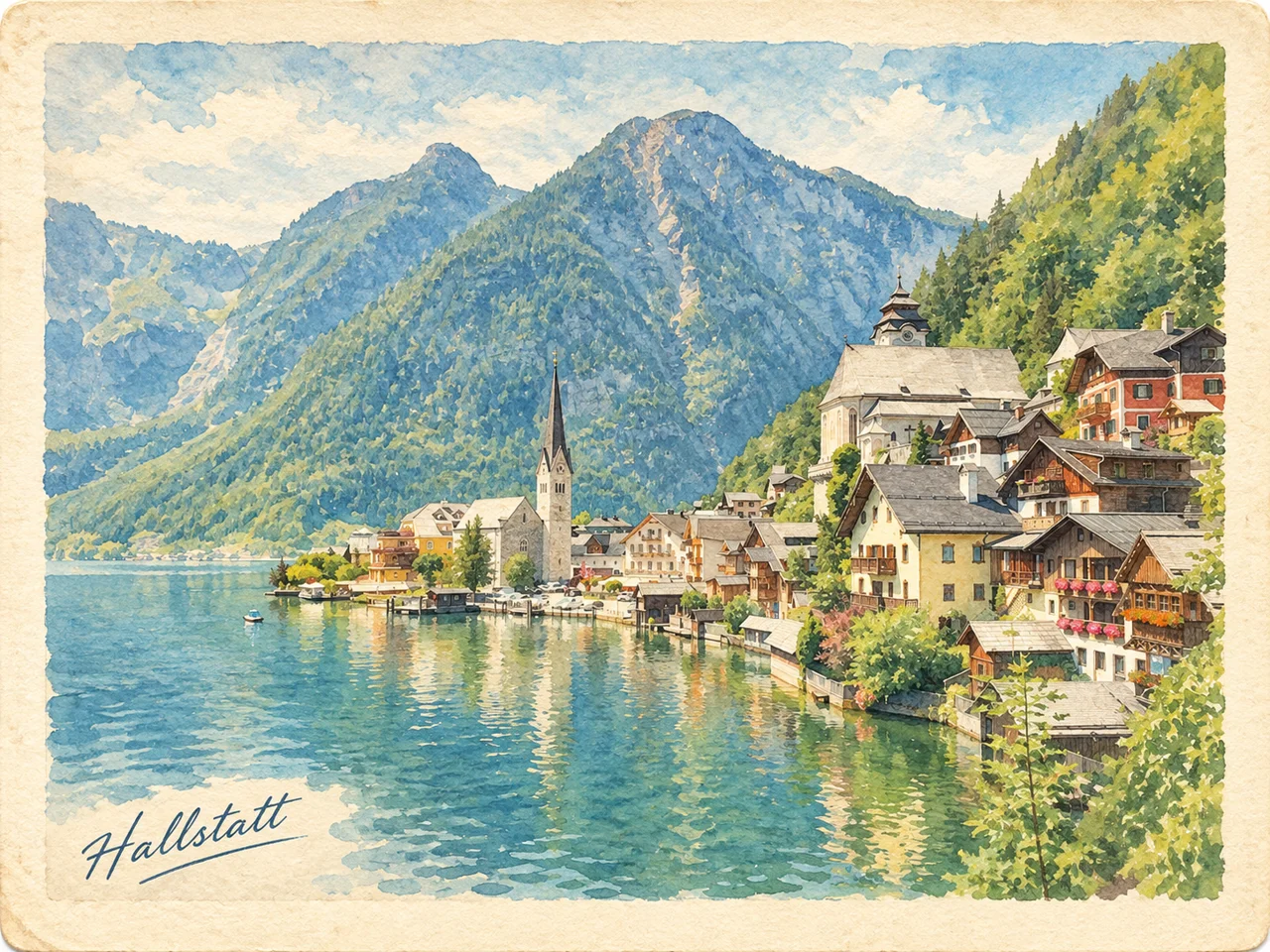
Make a Watercolor Travel Postcard
Turn a landscape photo into a vintage watercolor postcard with a handwritten place name. Change the prompt to use any other art style - oil painting, anime, pencil sketch or pixel art.
Model: GPT Image 2
Turn this photo into a vintage travel postcard: redraw the scene as a soft watercolor illustration on warm off-white paper with a wide paper border, and add a short handwritten-style title with the place name in one corner. Keep the original composition.
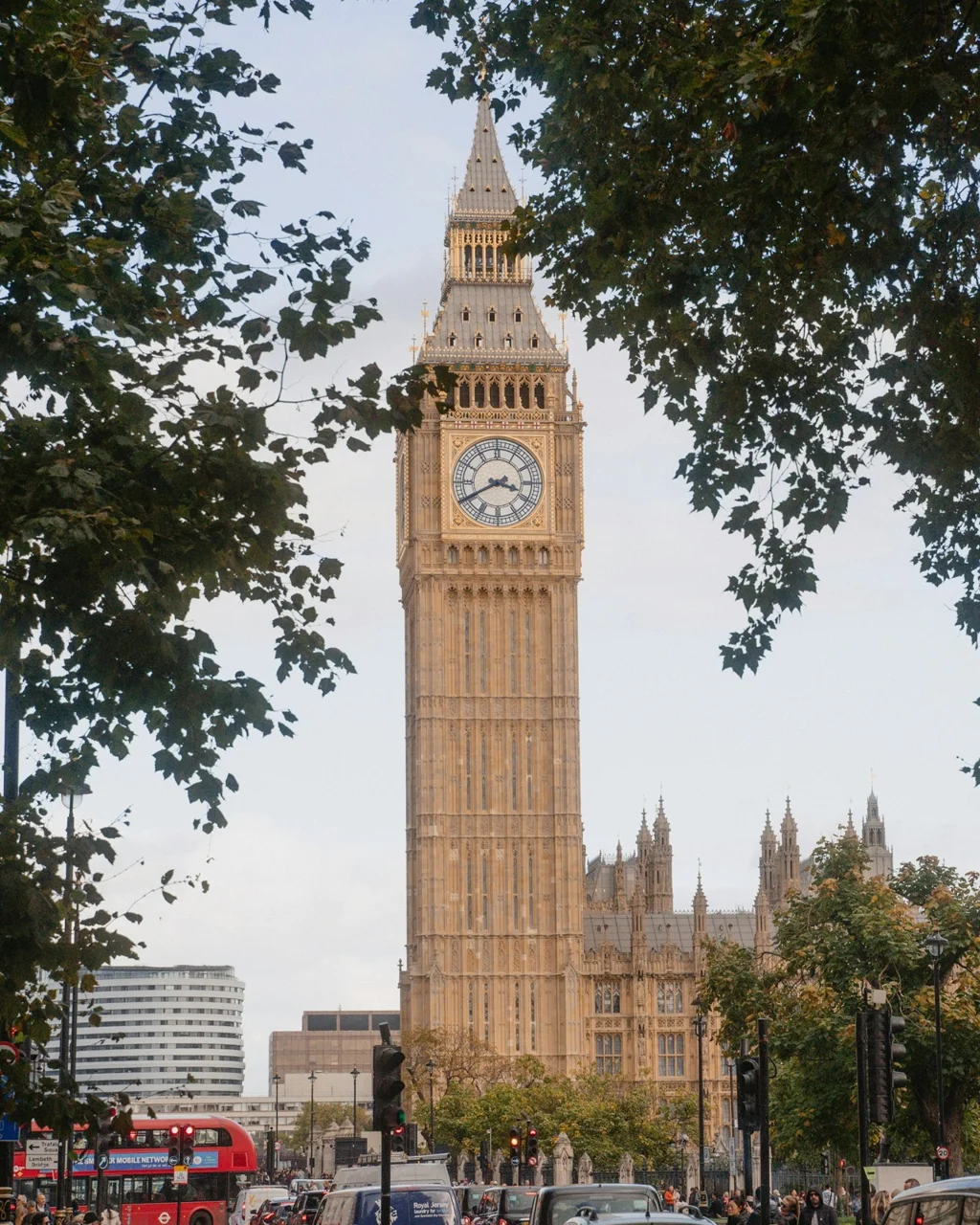
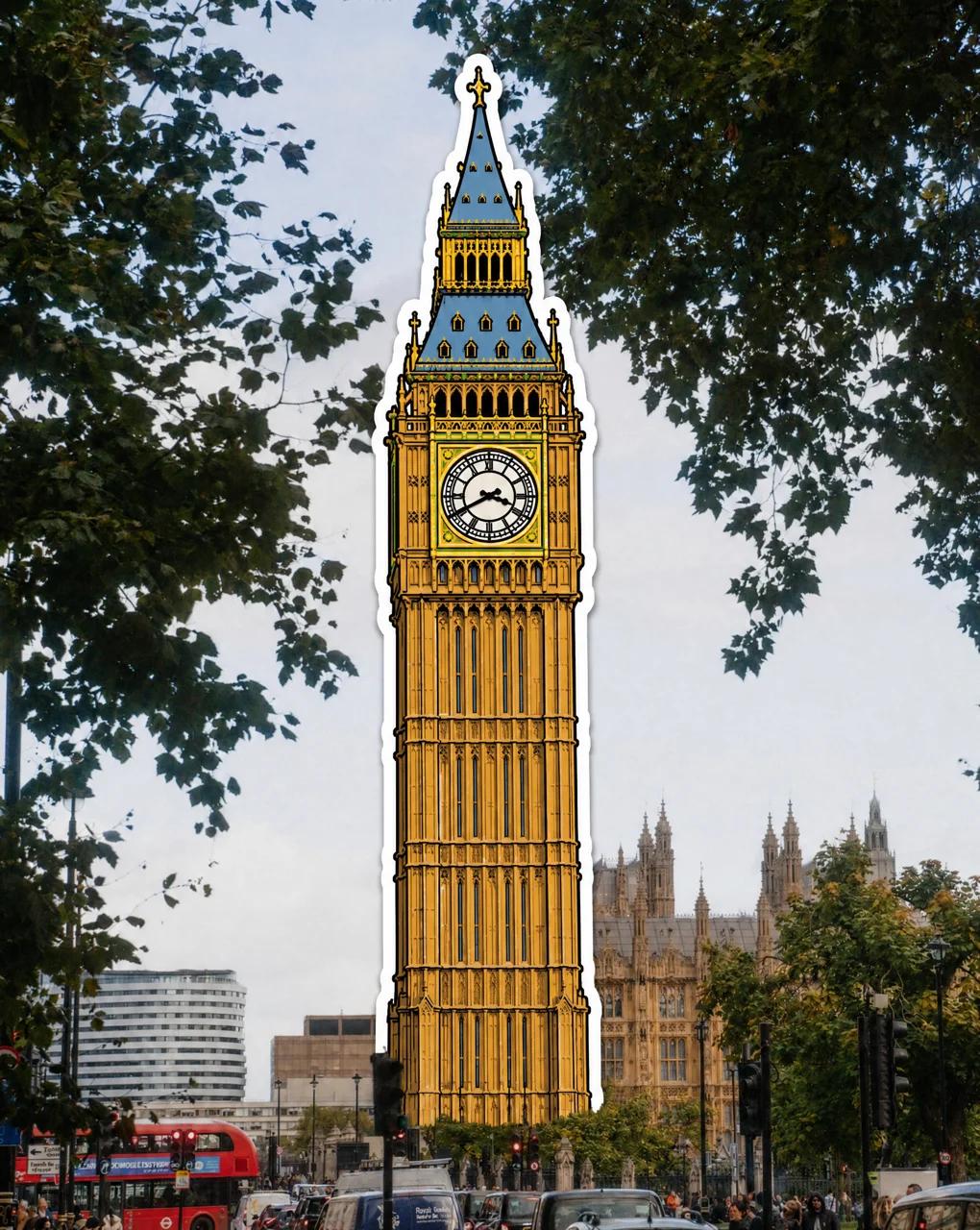
Turn a Landmark into a Sticker
Redraw just the landmark as a bold, hand-drawn sticker with a white die-cut border while the rest of the photo stays real. Great for travel posts and scrapbook-style stories.
Model: GPT Image 2
Turn only the main landmark in this photo into a hand-drawn travel sticker: bold black outlines, bright flat colors and a thick white die-cut border, placed over the landmark in the same spot. Keep the rest of the photo real and unchanged. No text.
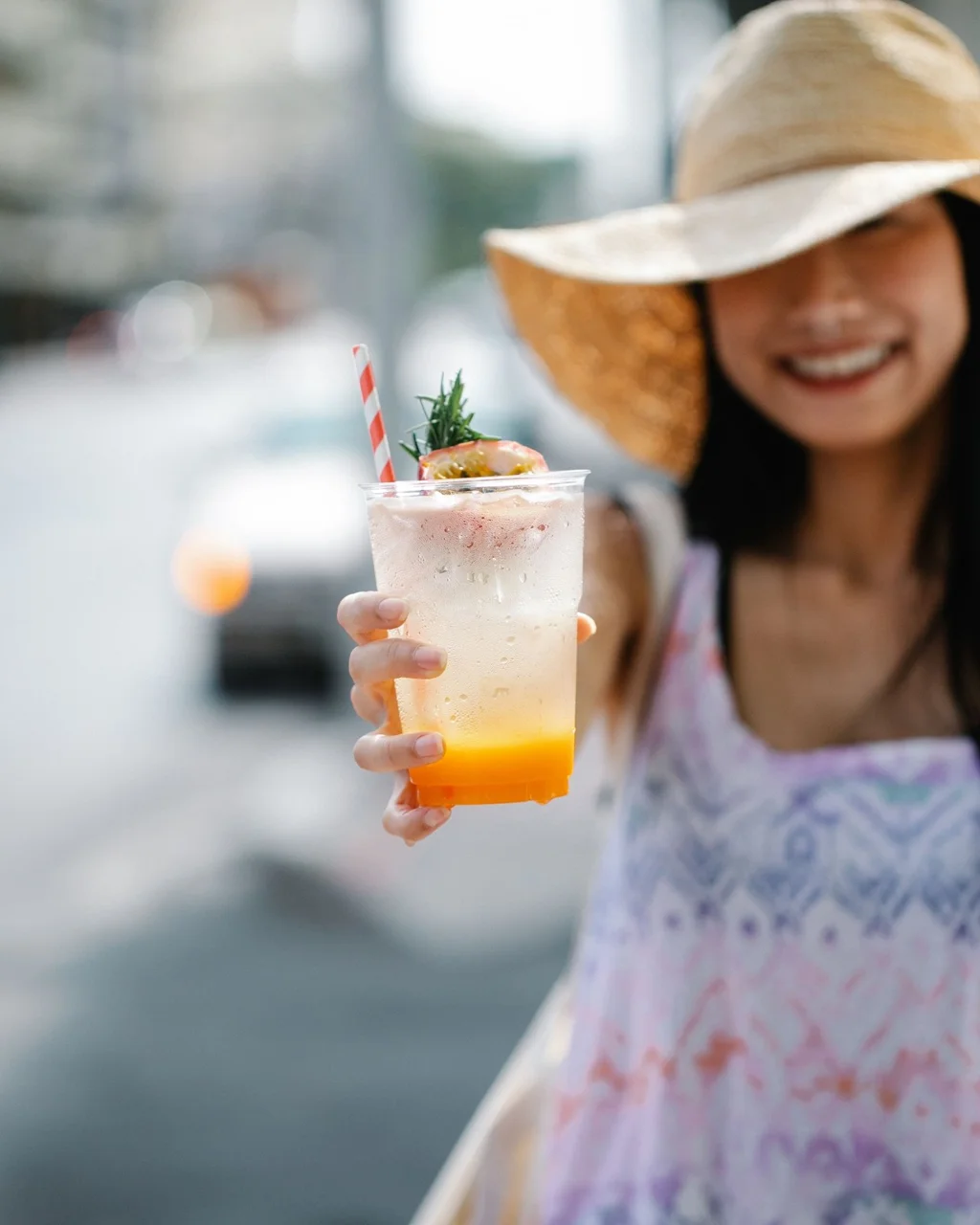
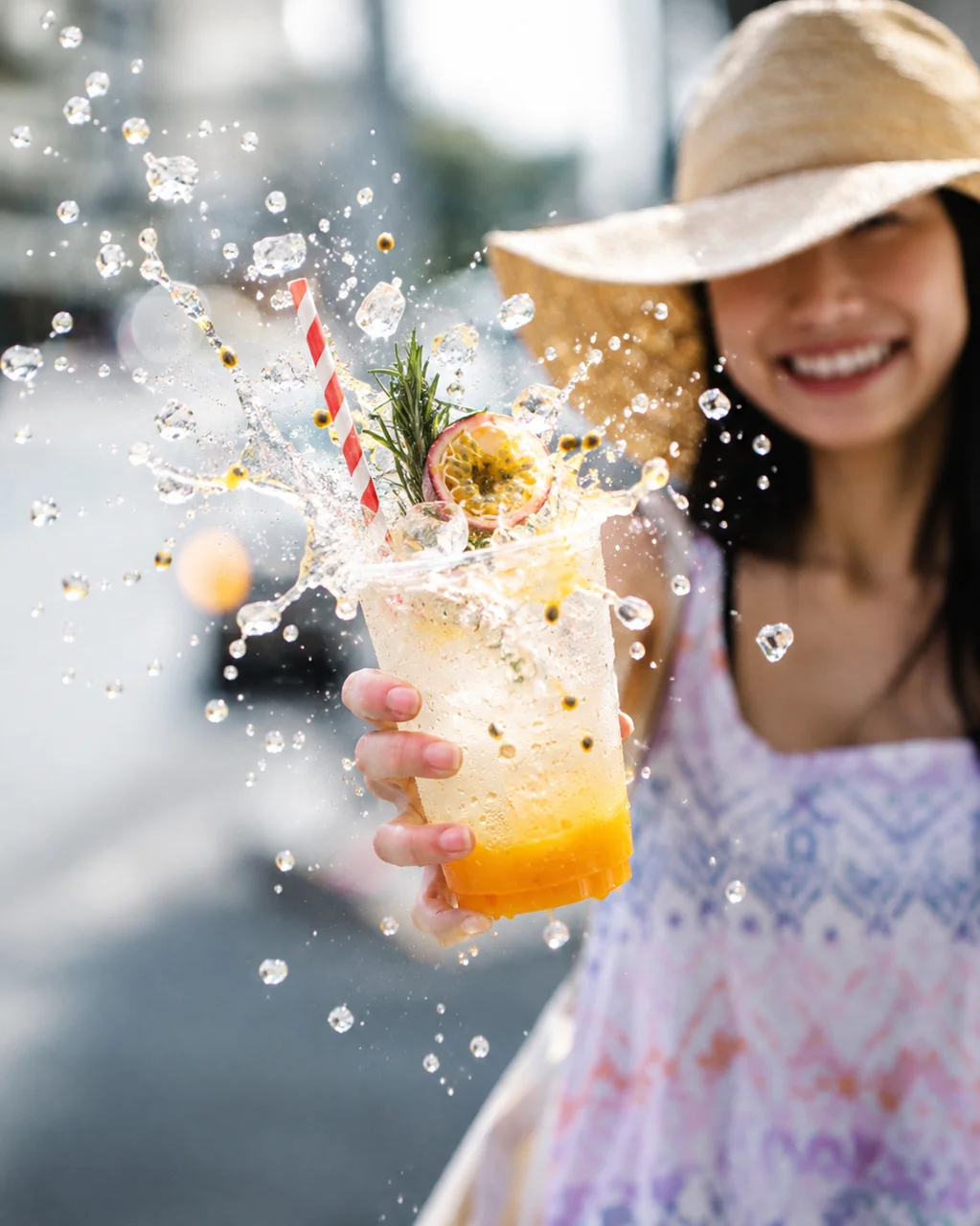
Create a High-Speed Drink Splash Shot
Make the drink or snack you are holding burst toward the camera like a commercial, frozen mid-air with crisp droplets. Only the ingredients already in your cup or on your plate are used.
Model: GPT Image 2.5
Keep the photo the same, and turn the drink or food the person holds toward the camera into a hyper-realistic mid-air splash: the contents burst up and out toward the lens in smooth arcs with fine droplets, using only what is already in the cup or on the plate. Keep the container intact and the face uncovered, match the original lighting, with the crisp detail of high-speed product photography.
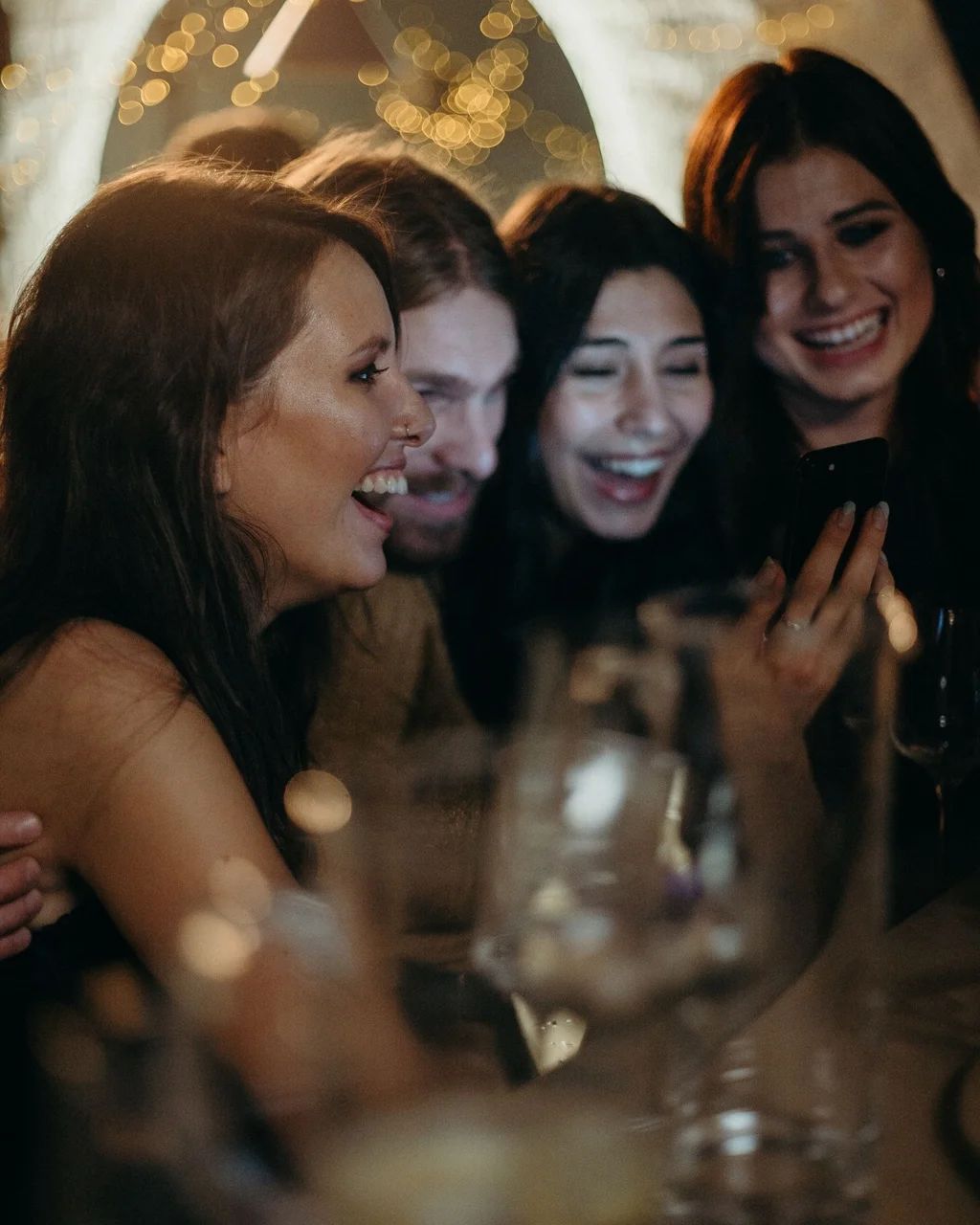
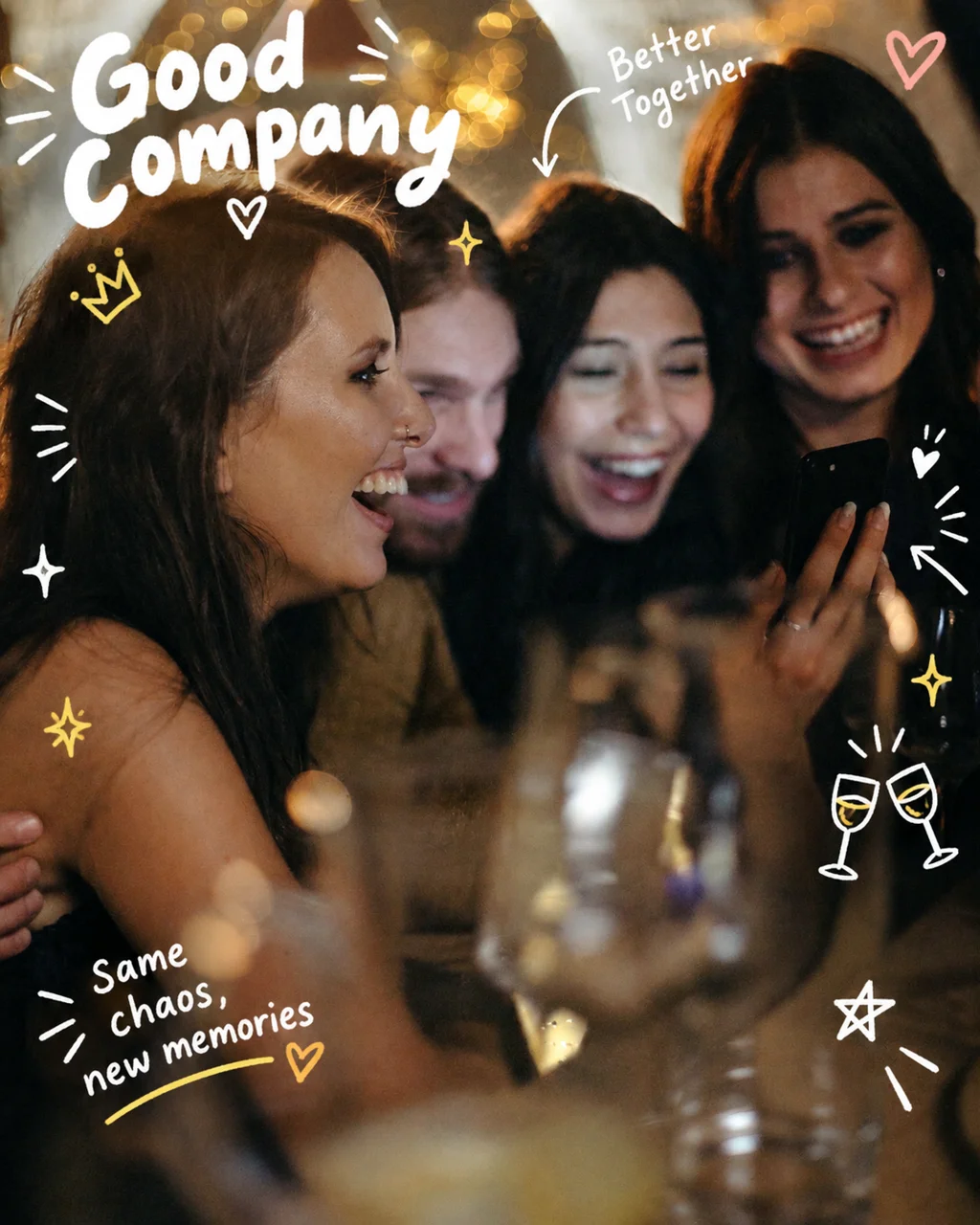
Add Doodle Captions for Social Posts
Give a casual group photo a scrapbook feel with a handwritten title, a short caption, arrows and sparkles - placed around faces instead of on top of them.
Model: GPT Image 2
Add playful hand-drawn doodle notes to this photo, like a social media scrapbook: a bold white handwritten title and one short caption that fit the scene, plus a few arrows, stars, sparkles and small icons, mostly white with a few color accents. Keep the photo real, keep it airy, and do not cover faces.
Want to bring your edited photo to life? Animate it with Image to Video. Starting from an idea instead of a photo? Try Text to Image.
How to Use Image to Image AI Editor
Transform your existing images in 3 simple steps with our AI-powered image to image generator

Upload Your Image
Start by uploading the photo or image you want to transform. Our image to image AI supports JPG, PNG, and WEBP formats up to 10MB.

Describe the Changes
Write a prompt describing how you want the image transformed - change the style, background, colors, or reimagine it entirely. Or pick one of the examples to prefill the prompt and model.

Generate & Download
Click "Generate" and our AI will create the transformed version in seconds. Preview the result and download it in high quality.
Why Choose Veevid Image to Image Generator?
Transform your existing images with AI precision - no Photoshop skills, no complex tools, no creative limits.
AI-Powered Precision
Our image to image AI understands both your source image and your prompt, delivering transformations that respect the original composition while applying exactly the changes you describe.
Unlimited Style Options
From photorealistic edits to artistic transformations - oil painting, anime, sketch, 3D render, and more. Describe any visual style and our AI will apply it to your image.
High-Resolution Output
Generate transformed images at high resolution, ready for social media, print, or professional use. Every detail is preserved and enhanced during the transformation.
No Editing Skills Required
Skip Photoshop and complex editing tools. Simply upload an image, describe what you want, and let AI handle the rest. Professional-quality results in seconds.
Frequently Asked Questions About Image to Image AI
Everything you need to know about transforming images with Veevid's AI
Veevid's Image to Image AI is an advanced tool that transforms existing images into new versions using artificial intelligence. Upload an image, describe the transformation you want in a text prompt, and the AI analyzes both the visual content and your request to generate a new image that matches your vision.
Be specific about what you want to change and what you want to keep. Describe the target style, mood, colors, and key modifications. For example, instead of 'make it better,' try 'transform into a watercolor painting with warm autumn colors, keeping the original composition.' The more context you provide, the better the result.
You can choose from nine models: GPT Image 2 (photoreal results and sharp text), GPT Image 2.5 (sharper detail and stronger fidelity to your photo), Google Nano Banana and Nano Banana 2 (strong character consistency), Seedream 5.0 and Seedream 5.0 Pro (multi-image blending and text-heavy designs), Seedream 5.0 Flash (low-cost edits up to 2K), Flux Kontext (consistent, in-context edits) and Qwen Image 2.1 (transparent PNGs and local edits). Each example on this page shows which model it was made with.
Yes. Upload your photo and describe what to remove and what to keep, for example: "Remove all the other people in the background. Keep the main subject, their pose and the scenery exactly the same." The Remove Tourists example above uses this kind of prompt.
Yes. Most models accept several images at once - GPT Image 2 and GPT Image 2.5 take up to 16 - so you can combine a person, an outfit and a background in a single edit, or keep a character consistent across images.
Yes, Veevid's image to image generator produces high-resolution outputs suitable for social media, marketing, and professional use. The output quality depends on your input image resolution - uploading a higher quality source image will yield better results.
You can apply style transfers (oil painting, anime, sketch, etc.), change backgrounds, modify lighting and colors, add or remove elements, change seasons or time of day, convert to different art styles, enhance product photos, and much more. The possibilities are limited only by your imagination and prompt.
Yes, you can start for free. New accounts get free credits - enough to try an example with GPT Image 2. For more edits, you can buy a credit pack or subscribe to a plan with monthly credits.
Absolutely. All images you create with Veevid's image to image AI are yours to use for both personal and commercial purposes - including marketing materials, social media content, product listings, and client projects - with no watermarks or additional licensing fees.
Transform Your Images with AI
Upload any image and describe how you want it transformed - our image to image AI does the rest in seconds. No editing skills needed.