Krea 3
Krea 3 AI Image Generator & Editor
Generate images from text or edit your photos with Krea 3 online. Change only the part you ask for, combine up to 8 reference images, and keep the same person or product across new scenes.
 Sample Image
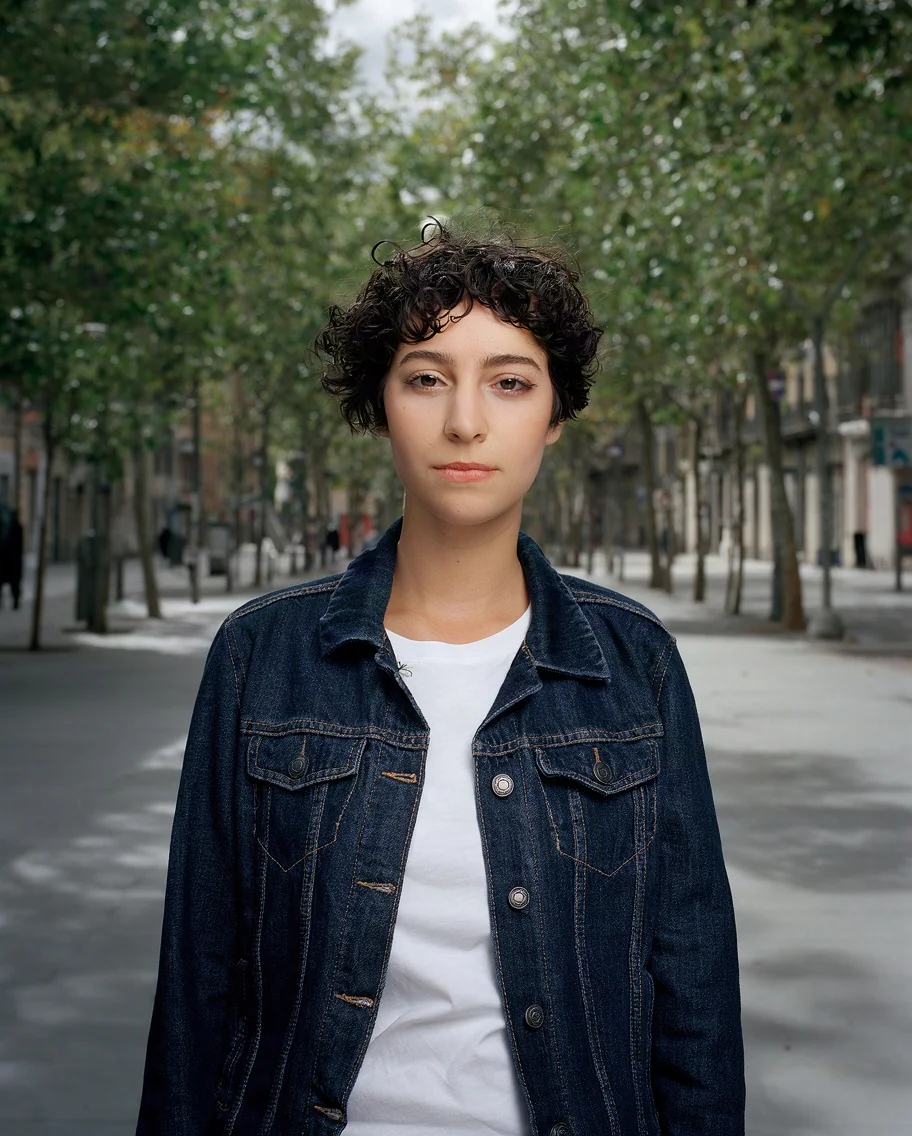
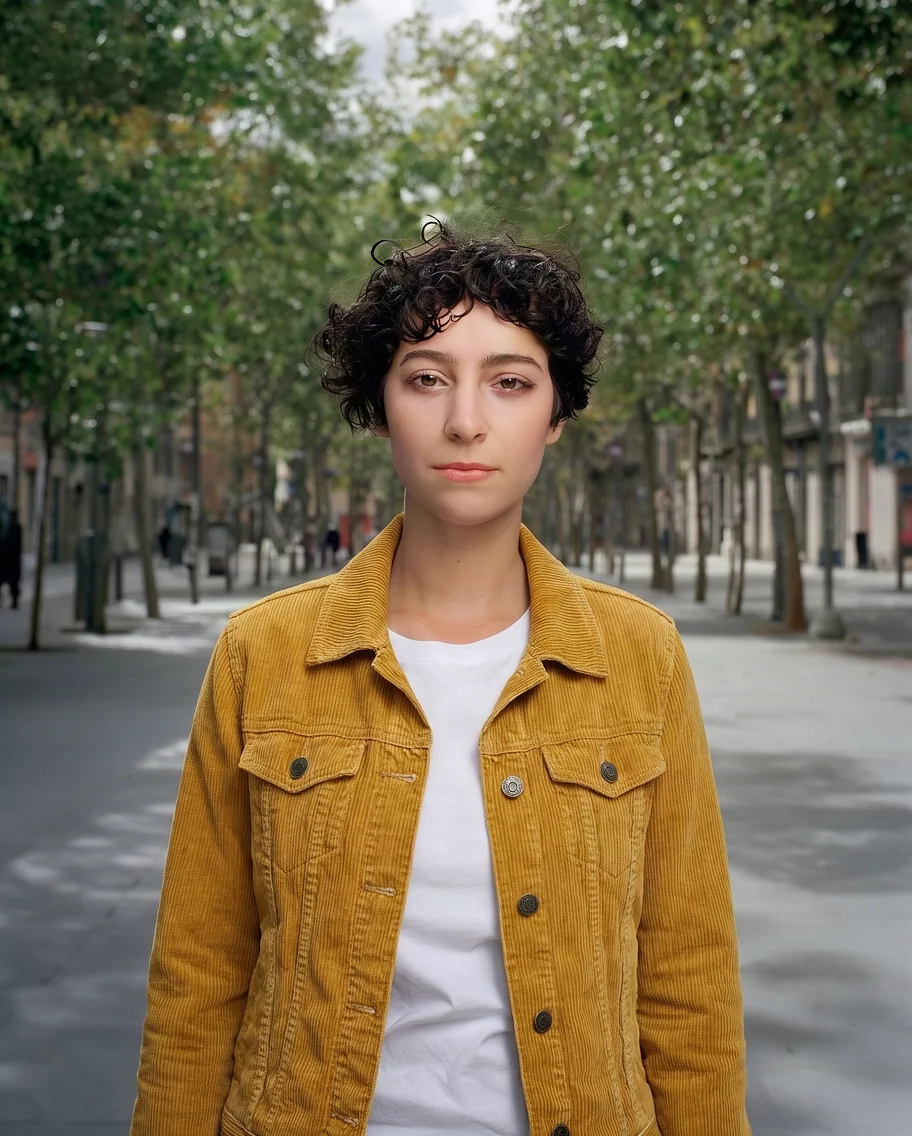
Prompt: Change only her jacket to a mustard-yellow corduroy jacket. Keep her face, hair, pose, the white t-shirt and the street background exactly the same.
Upload up to 8 reference images. Refer to them in your prompt as <image-1>, <image-2> and so on, in upload order. Each reference image adds the output price once.
Drag & drop or browse
PNG, JPG, JPEG or WEBP (max 10MB each)
Support multiple images • 0/8 uploaded
Describe what you want to change in the image
Made With Krea 3
Real Krea 3 outputs, with the exact prompts we used. No retouching.
Change Only What You Ask For
Krea 3 edits the part you name and leaves everything else alone. Here only the jacket changed: the face, hair, pose, t-shirt and street are the same as in the original.
BeforeAfterPrompt: Change only her jacket to a mustard-yellow corduroy jacket. Keep her face, hair, pose, the white t-shirt and the street background exactly the same.
Combine Several Reference Images
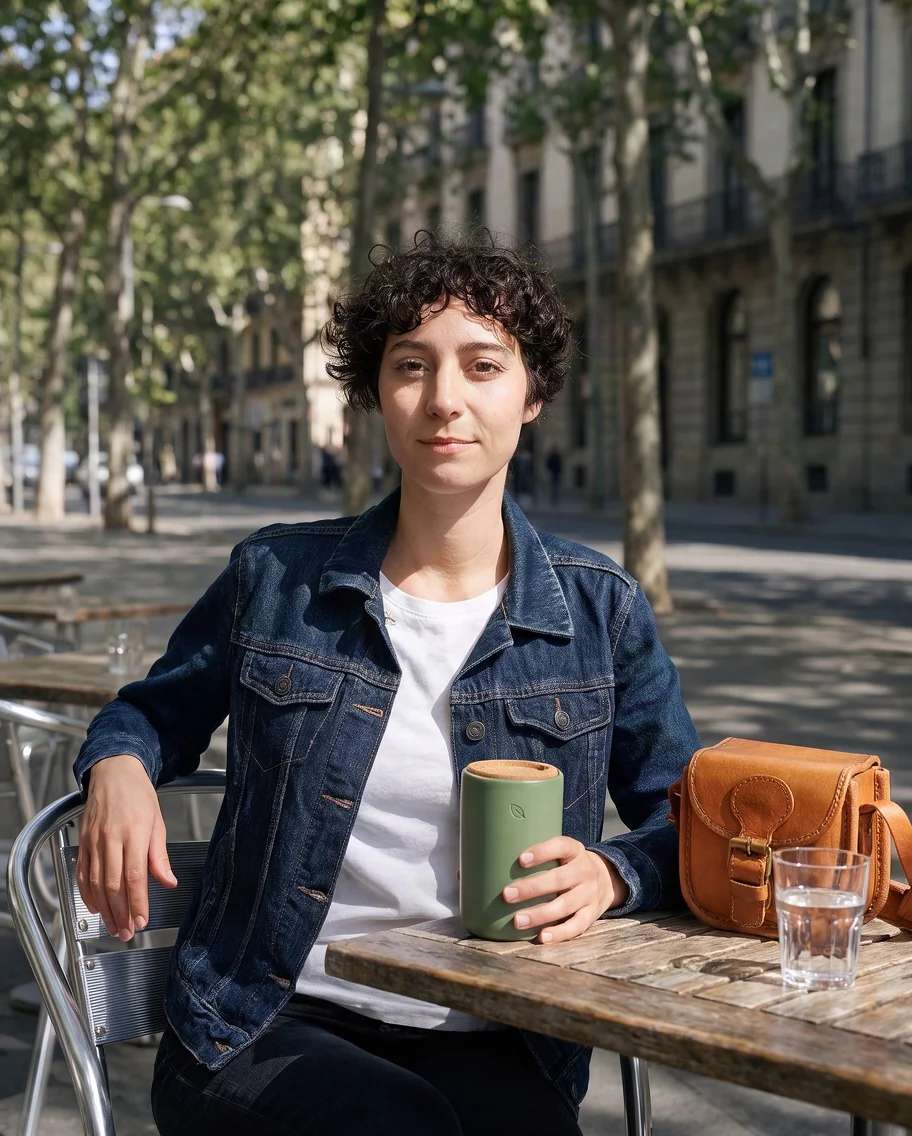
Upload up to 8 images and point to each one in your prompt as <image-N>, numbered in upload order. Krea 3 puts the person and both products into one natural photo.
Image 1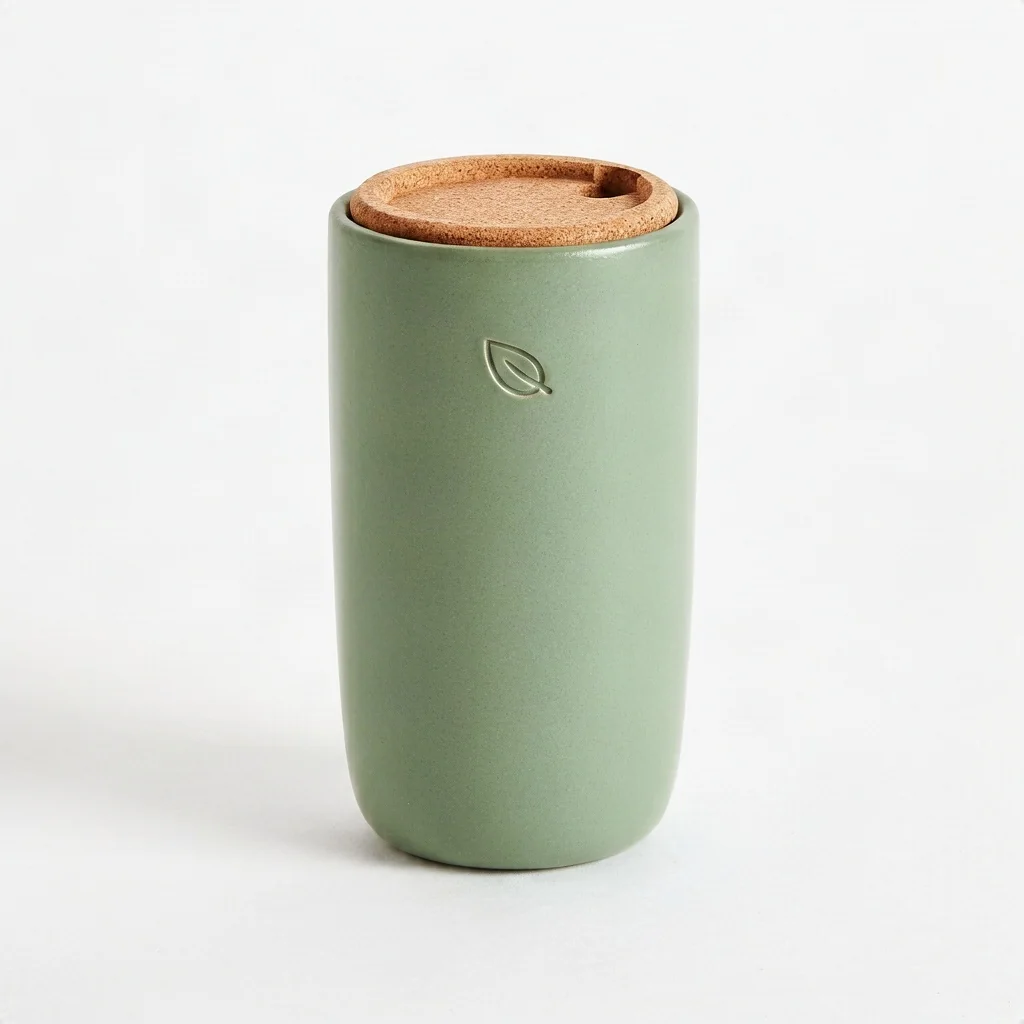 Image 2
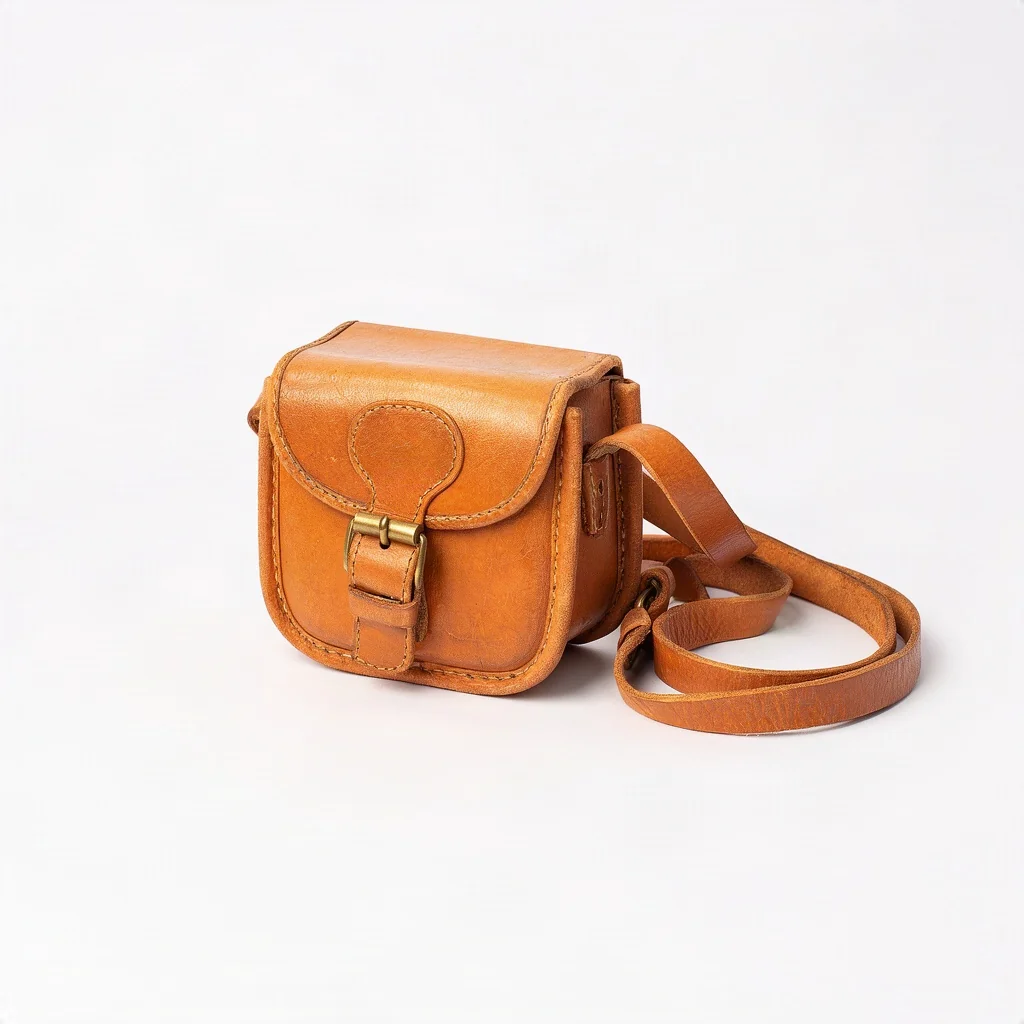 Image 3
 Result
Prompt: The woman from <image-1> sits at a sunny outdoor cafe table, holding the travel mug from <image-2>, with the camera bag from <image-3> on the table next to her. Candid lifestyle photo, natural light.
Same Person, New Scenes
Start from one photo and place the same person somewhere new. Her face, hair and jacket carry over from the reference to each scene.
Reference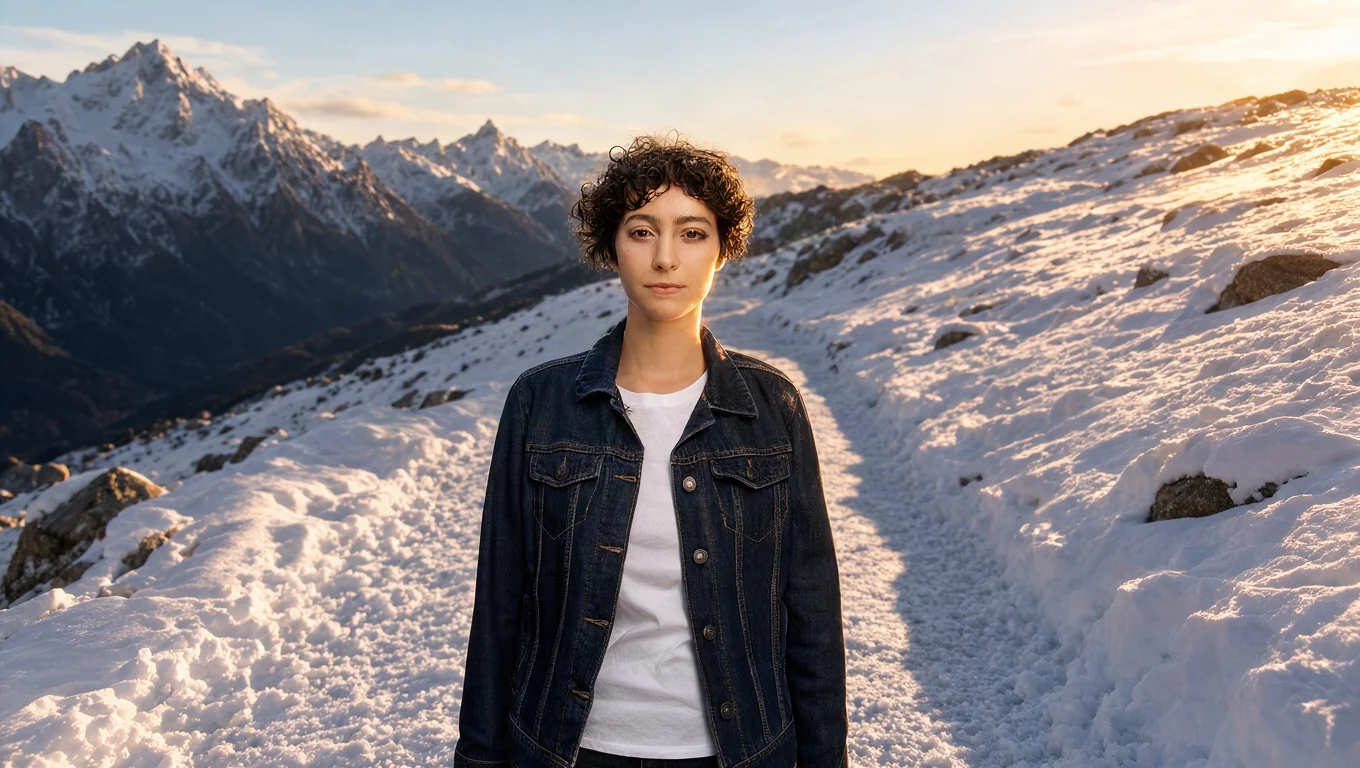
Prompt: Place the woman from <image-1> on a snowy mountain trail at golden hour, in the same navy denim jacket. Keep her face and hair exactly the same.
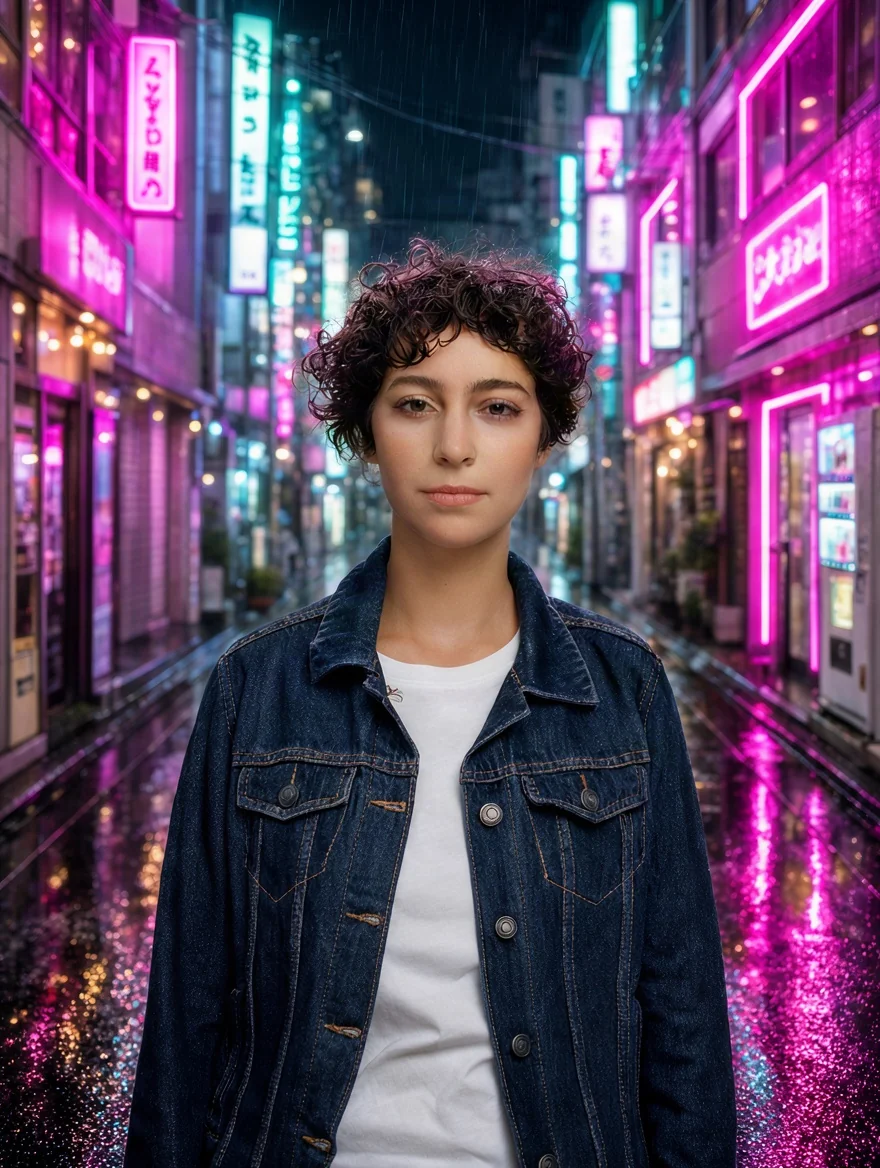
Prompt: Place the woman from <image-1> in a neon-lit Tokyo alley at night, rain on the ground, in the same navy denim jacket. Keep her face and hair exactly the same.
Put a Product in Any Setting
Turn a plain product photo into a lifestyle shot. The mug, its cork lid and the leaf logo stay exactly as they were.
Before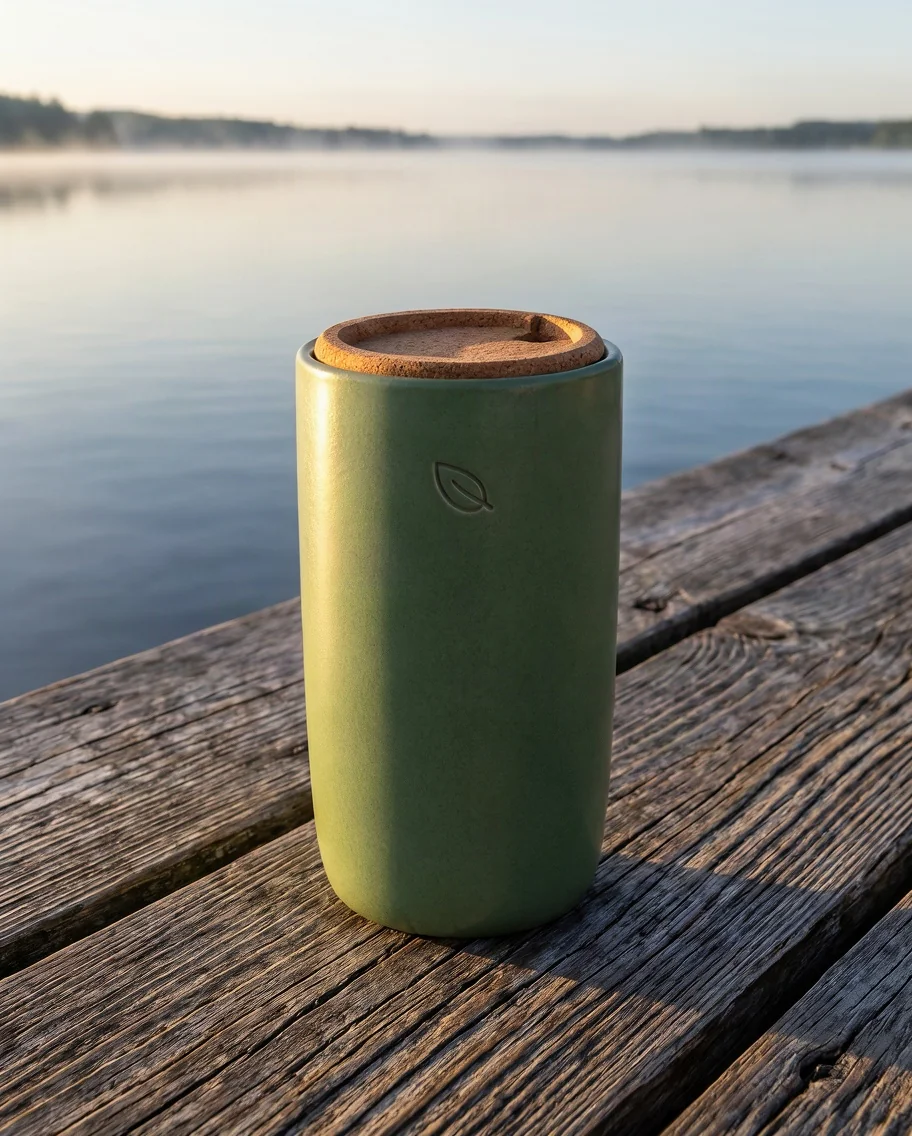 After
AfterPrompt: Put the travel mug from <image-1> on a weathered wooden dock by a calm lake at sunrise, with soft mist over the water. Keep the mug, its cork lid and the leaf logo exactly the same.
Text to Image
Krea 3 also generates images from a prompt alone, with natural light and realistic texture.
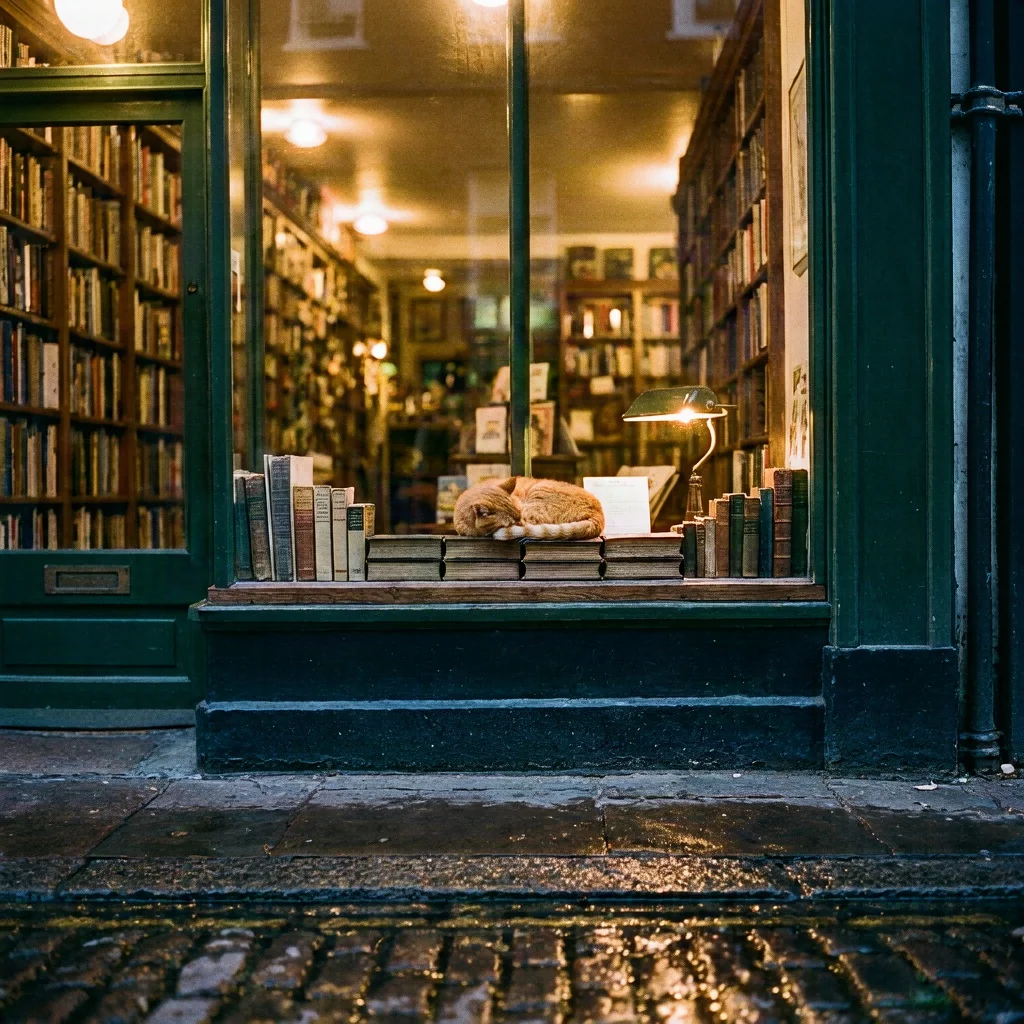
Prompt: A cozy bookshop window at dusk, warm light spilling onto a wet cobblestone street, a ginger cat asleep on a stack of books in the window, 35mm photo
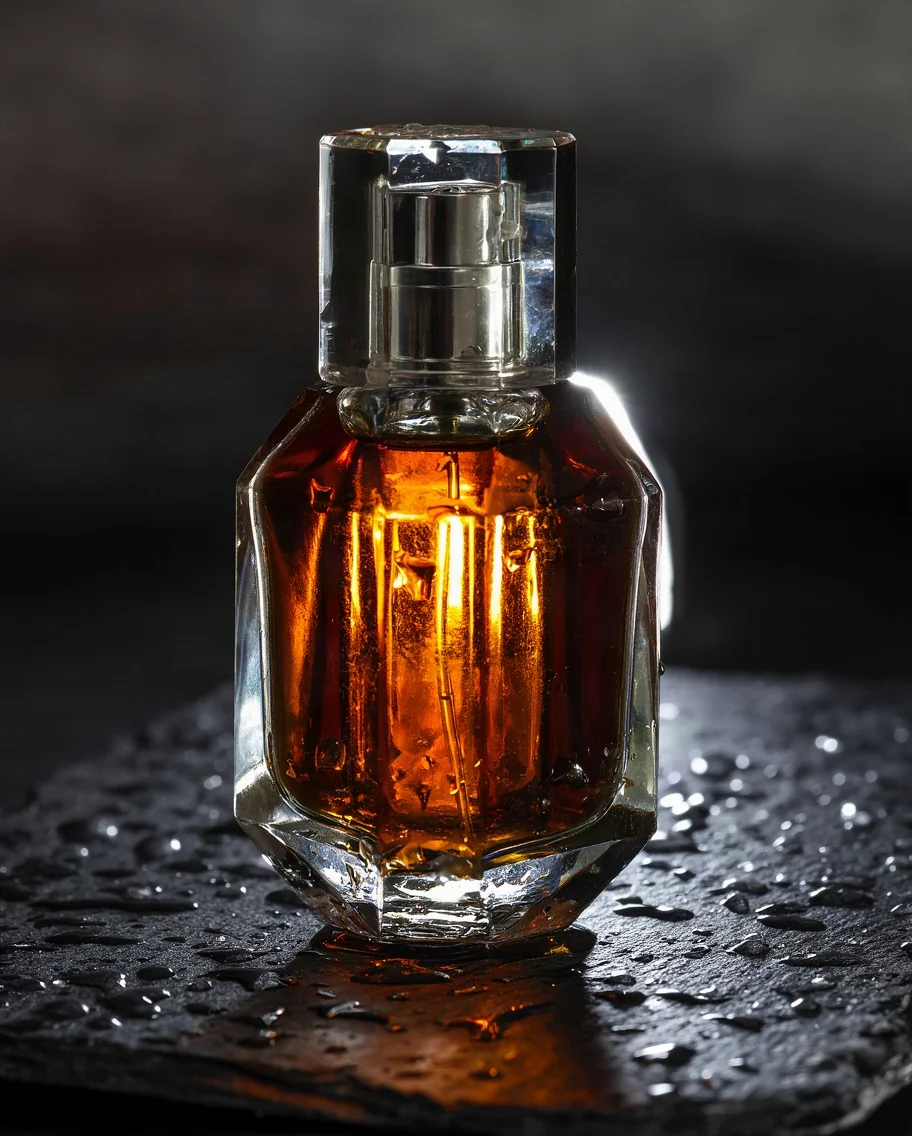
Prompt: Close-up product shot of a faceted glass perfume bottle with amber liquid on wet black slate, water droplets, dramatic rim light, dark moody background
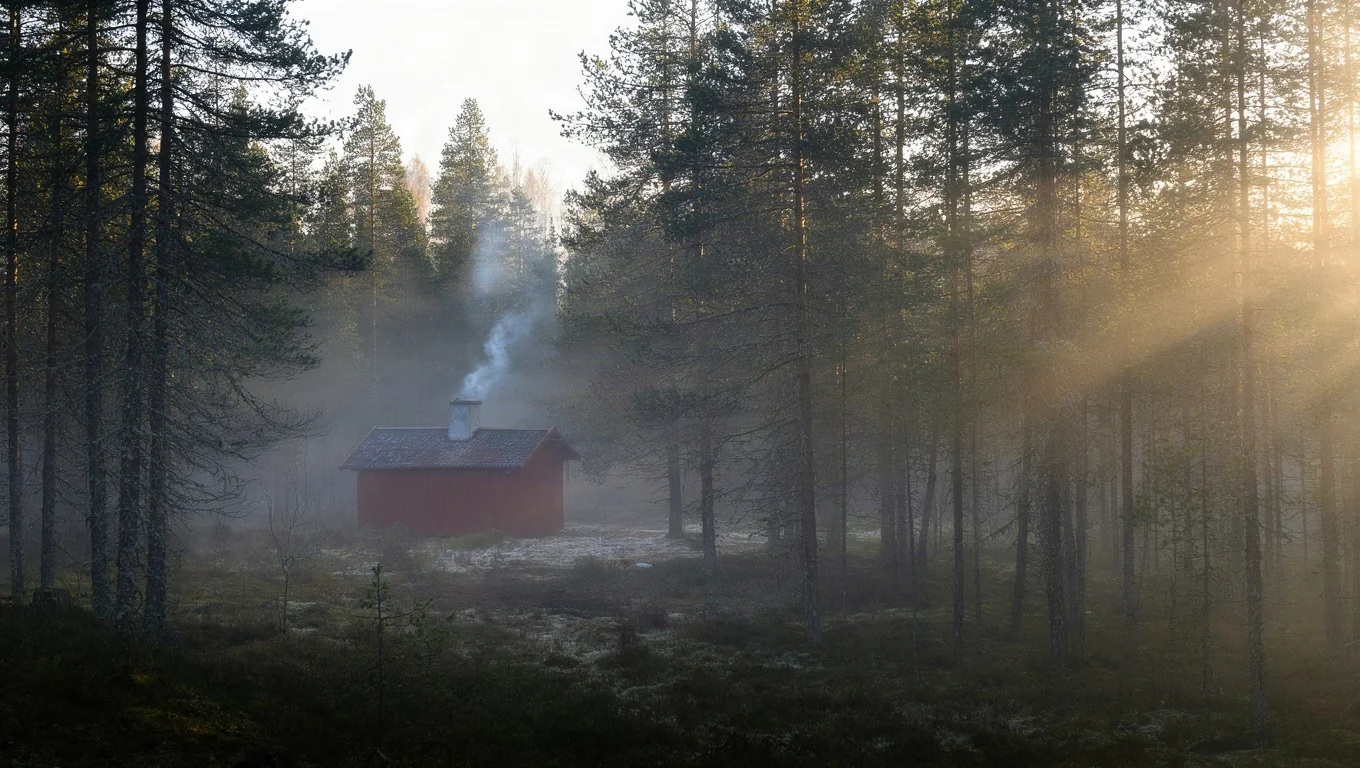
Prompt: A misty pine forest at sunrise, a small red wooden cabin with smoke rising from the chimney, golden light breaking through the fog, wide landscape photo
What Krea 3 Does Well
Krea's latest image model for editing and generating images.
Precise Edits
Say what to change, like an outfit, a color or the background. Krea 3 changes that part and keeps the rest of the photo as it was.
Up to 8 Reference Images
Combine people, products and places from as many as 8 uploads. Refer to each one by its number in upload order, for example image 1 and image 2.
Consistent Subjects
Keep the same face, outfit or product across new scenes. Add "keep her face unchanged" or "keep the logo the same" to the prompt.
Fast Results
The model renders an image in a few seconds, so you can try several versions of an idea in a row.
Photoreal Text to Image
Natural light, real-looking materials and clean compositions from a short prompt. Good for product shots, portraits and scenes.
10 Aspect Ratios
Choose 1:1, 16:9, 9:16, 4:3, 3:4, 3:2, 2:3, 5:4, 4:5 or 21:9. Download as JPEG or PNG.
How to Use Krea 3 Online
From photo or prompt to finished image in three steps.
Upload Photos or Write a Prompt
Use the generator at the top of this page. In Image to Image, upload up to 8 photos and describe the edit. In Text to Image, just describe the picture. Not sure what to type? Click one of the examples.
Pick a Ratio and a Resolution
Choose an aspect ratio and a resolution. The price on the button updates with the resolution and the number of photos you uploaded.
Generate and Download
Most images are ready in under a minute. Your image is saved to Creations, so you can close the tab and download it later.
Frequently Asked Questions
What to know before you run Krea 3 on Veevid.
Krea 3 is the third-generation image model from Krea, released in October 2026. It generates images from text and edits images from one or more reference photos, with a focus on precise edits and fast output.
Use the generator at the top of this page: Krea 3 is already selected. Upload photos or write a prompt, pick a ratio and a resolution, and generate. Veevid runs the model for you, so there is nothing to install.
Yes. Switch to the Text to Image tab, write a prompt, pick an aspect ratio, and generate. No upload needed. It starts at 5 credits per image.
It is built to change only what you ask for. Name the part to edit and add what should stay, for example "keep her face, hair and the background exactly the same". The jacket example above was made this way.
Up to 8 per edit. Refer to them by upload order in the prompt: image 1 is the first photo you uploaded, image 2 the second, and so on. Each reference image adds to the price, see pricing below.
Yes. Upload a photo of the person or product, describe the new scene, and say what must stay the same. The two scenes in the showcase above were each made from the same single portrait.
The model itself renders an image in a few seconds. On Veevid most results appear in under a minute, including upload and download.
10 aspect ratios: 1:1, 16:9, 9:16, 4:3, 3:4, 3:2, 2:3, 5:4, 4:5 and 21:9, for both text to image and editing.
Yes. Click To Video under your result, or upload the image in Veevid's Image to Video tool, and animate it with a video model of your choice.
Text to image costs 5 credits at 1K and 20 at 2K. Editing adds one more output's worth for each reference image: with one photo it is 10 credits at 1K and 40 at 2K. The aspect ratio does not change the price, and the exact cost is shown before you generate.
Discover More Image Tools
Explore the full suite of AI image and video generators on Veevid.
Try Krea 3 now
Precise edits, up to 8 reference images and consistent subjects, from 5 credits per image.
Try Krea 3