
Kling 4.0
Kling 4.0 AI Video Generator
Make Kling 4.0 videos of up to 30 seconds in a single generation, at 720p or 1080p with native audio and lip-synced dialogue. Start from a prompt, or from a first frame with up to 8 middle keyframes and an optional last frame. To guide it with reference images, videos and voices, use Reference to Video. For lower-priced 720p clips of up to 20 seconds, switch to Kling 4.0 Flash.
Kling 4.0 Video Examples
Every clip here was made with Kling 4.0 at 720p. The prompt under each one is the exact prompt we used, and nothing was edited afterwards.
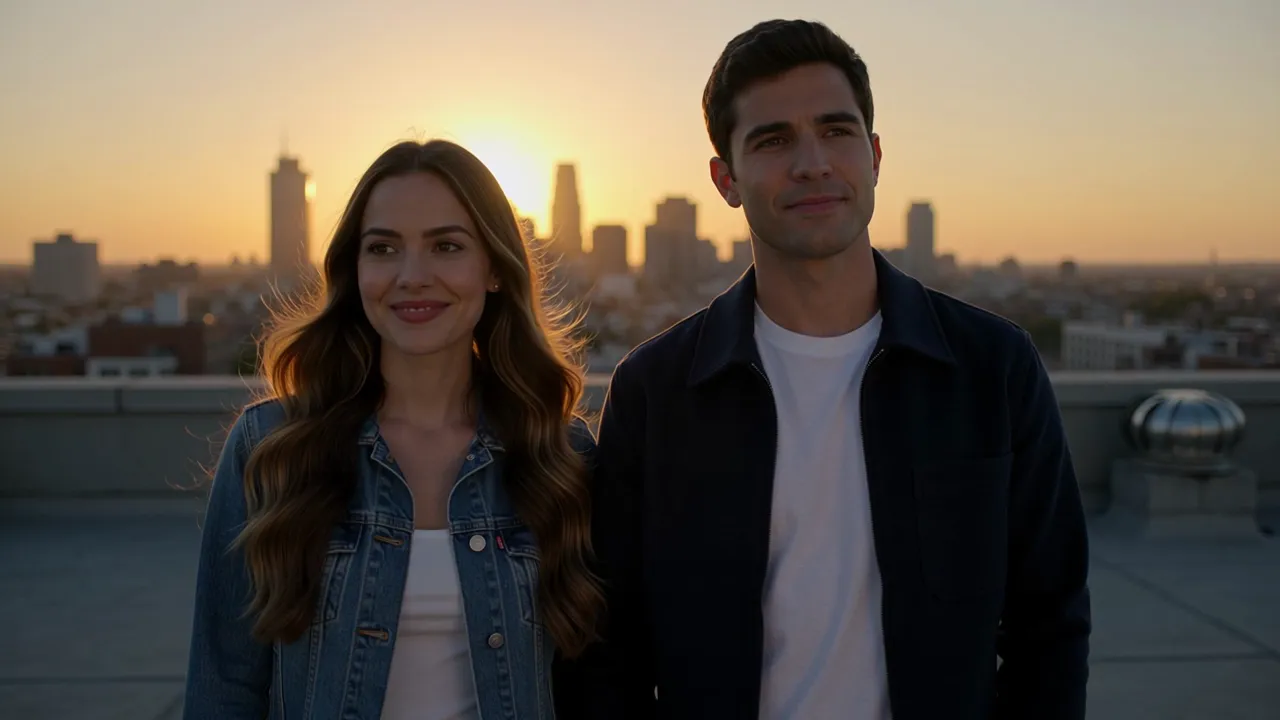
Rooftop dialogue with lip sync
Both lines written in the prompt are spoken on screen, with wind and city noise underneath. 10 seconds from one prompt.
Prompt: On a city rooftop at sunset, a young woman in a denim jacket turns to her friend and says: "We actually made it up here before the sun went down." He laughs and replies: "Told you we would." Wind brushes their hair, distant traffic hums below. Medium two-shot, warm golden light, natural lip movement.
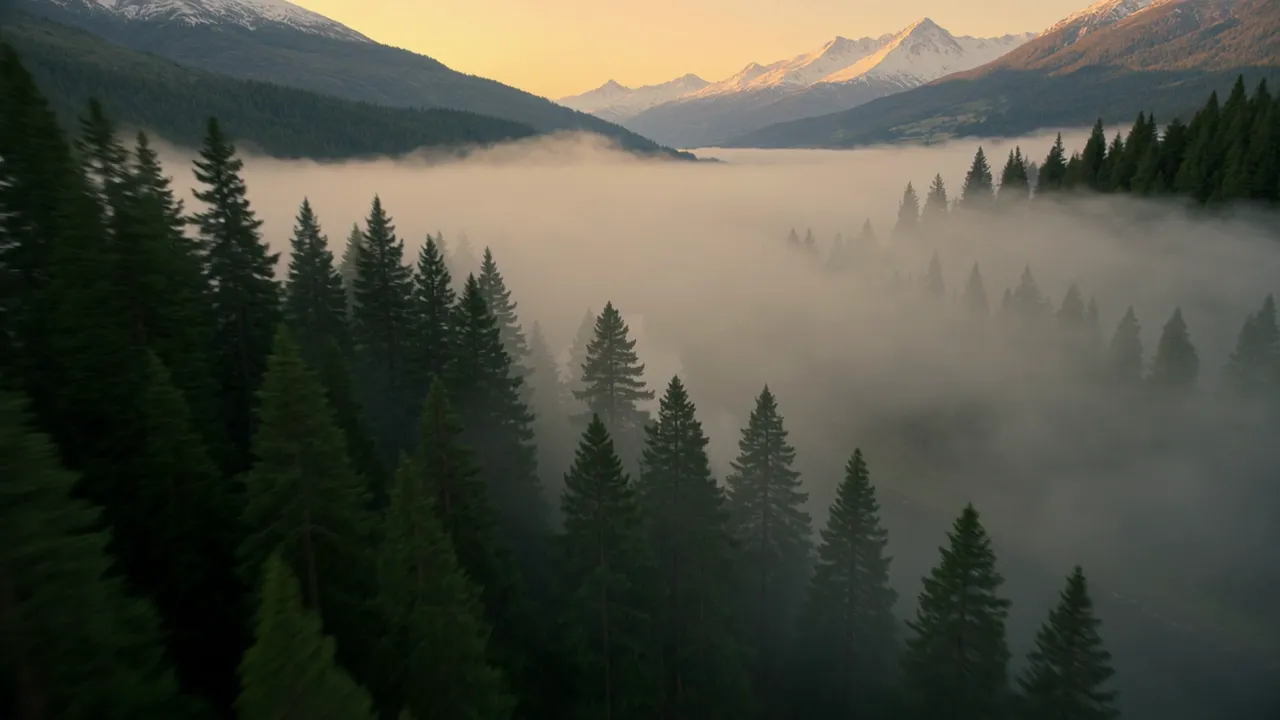
A 15 second single take
One continuous drone shot from the forest, along the river and down the village street, with no cuts and its own sound.
Prompt: One continuous 15-second drone shot with no cuts. The camera starts high above a misty pine forest at sunrise, glides down over a river, follows a small wooden boat drifting toward a stone village, then flies low through the narrow village street past a bakery with steam rising from its door, and ends rising above the rooftops to reveal snowy mountains. Birdsong, rushing water and morning village sounds.
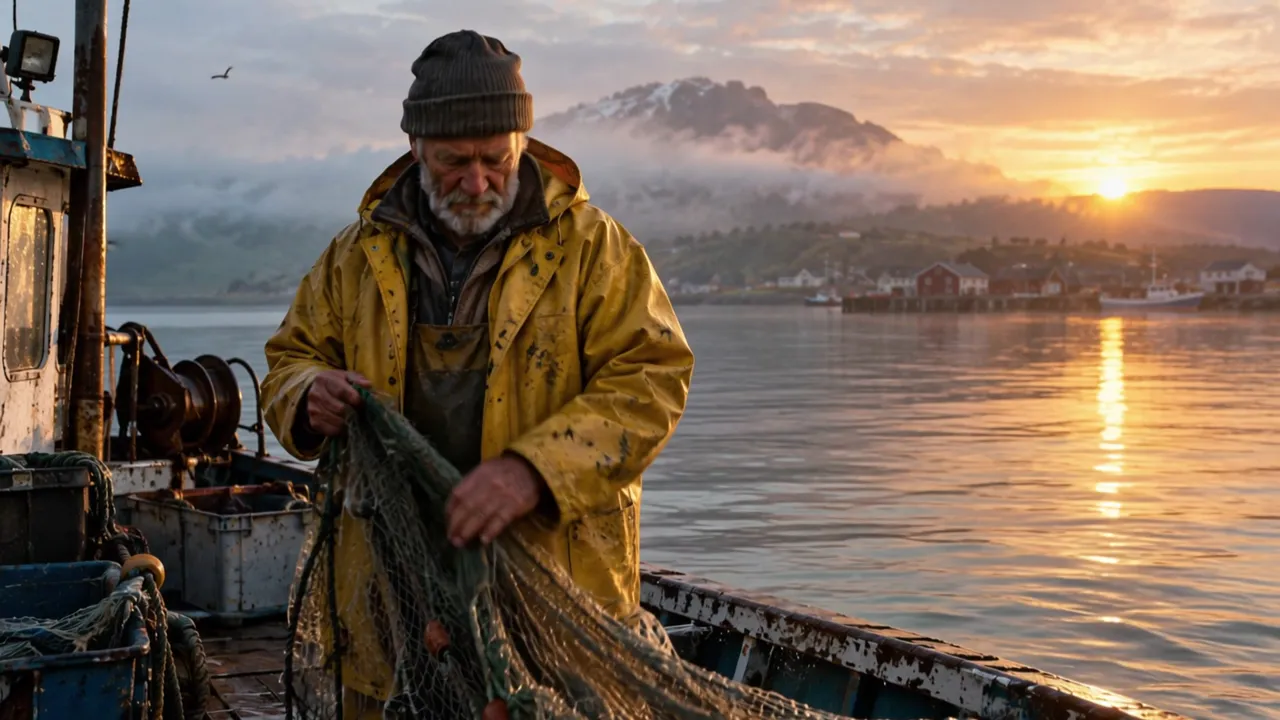
Harbor fisherman from one photo
A still photo becomes a 5 second shot with seagulls, lapping waves and a slow push in.
Input images, in order
Prompt: The old fisherman hauls the wet net over the side of the boat, water drips from the mesh, he glances out at the sunrise and smiles. Seagulls cry overhead, gentle waves slap against the hull. Slow push in.
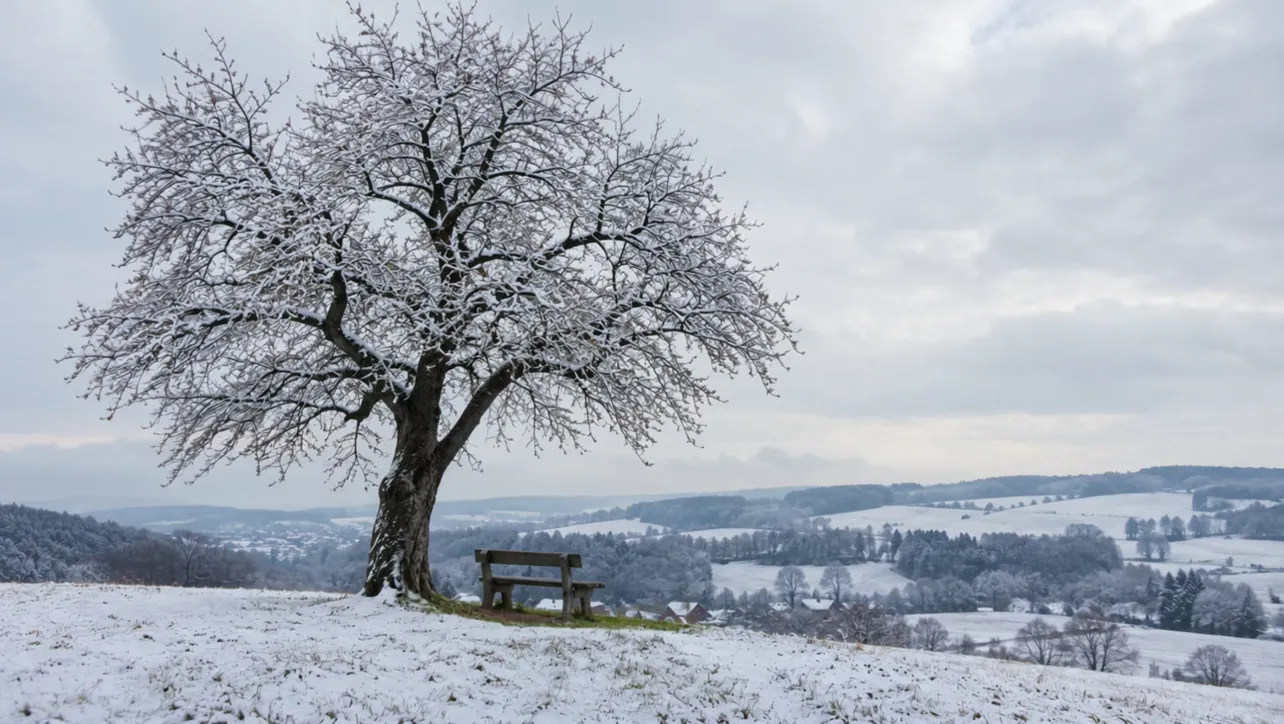
Winter to spring with a first and last frame
Give it a winter first frame and a spring last frame, and it fills the 5 seconds between them while the tree and camera stay put.
Input images, in order


Prompt: Static camera time-lapse. The snow on the hill melts away, the grass turns green, and the bare cherry tree slowly bursts into full pink bloom as the grey winter sky clears to a sunny spring day. Birds begin to sing.
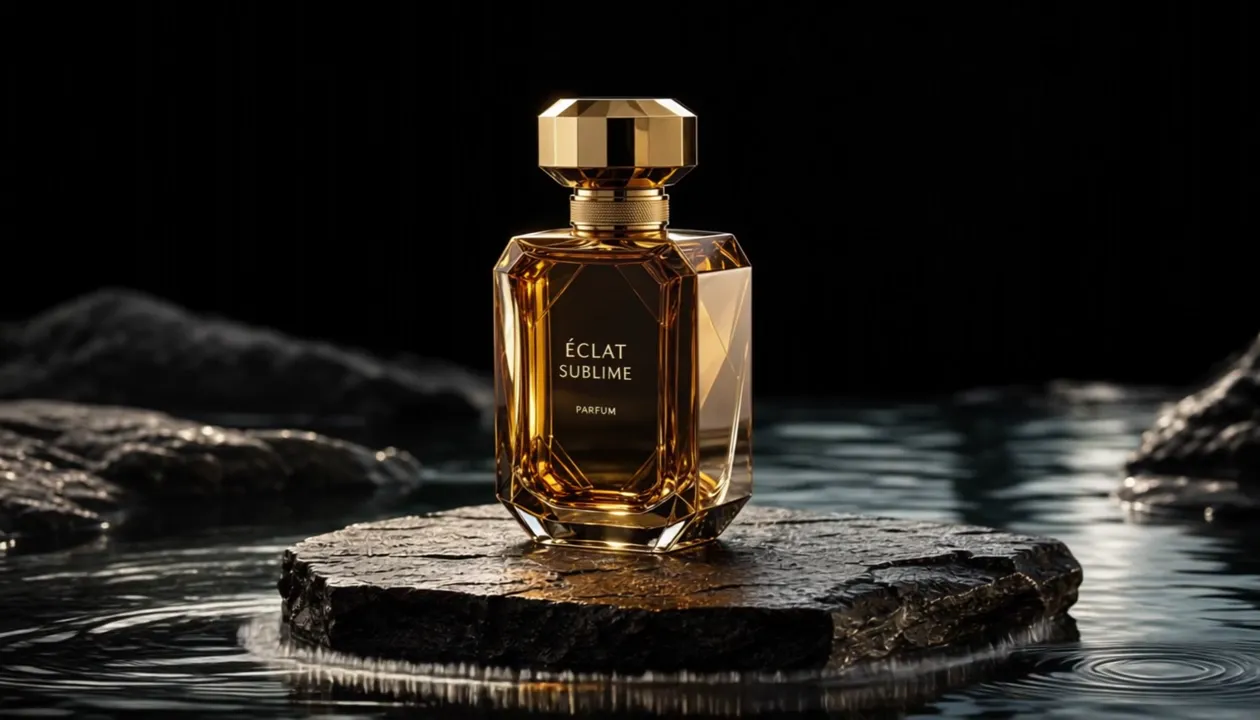
Product photo to ad shot
A product photo turned into a 5 second slow motion splash, ready for an ad.
Input images, in order

Prompt: A slow-motion splash of crystal clear water bursts around the perfume bottle, droplets catch the golden rim light, the camera slowly orbits the bottle. Elegant luxury commercial, deep cinematic sound design.
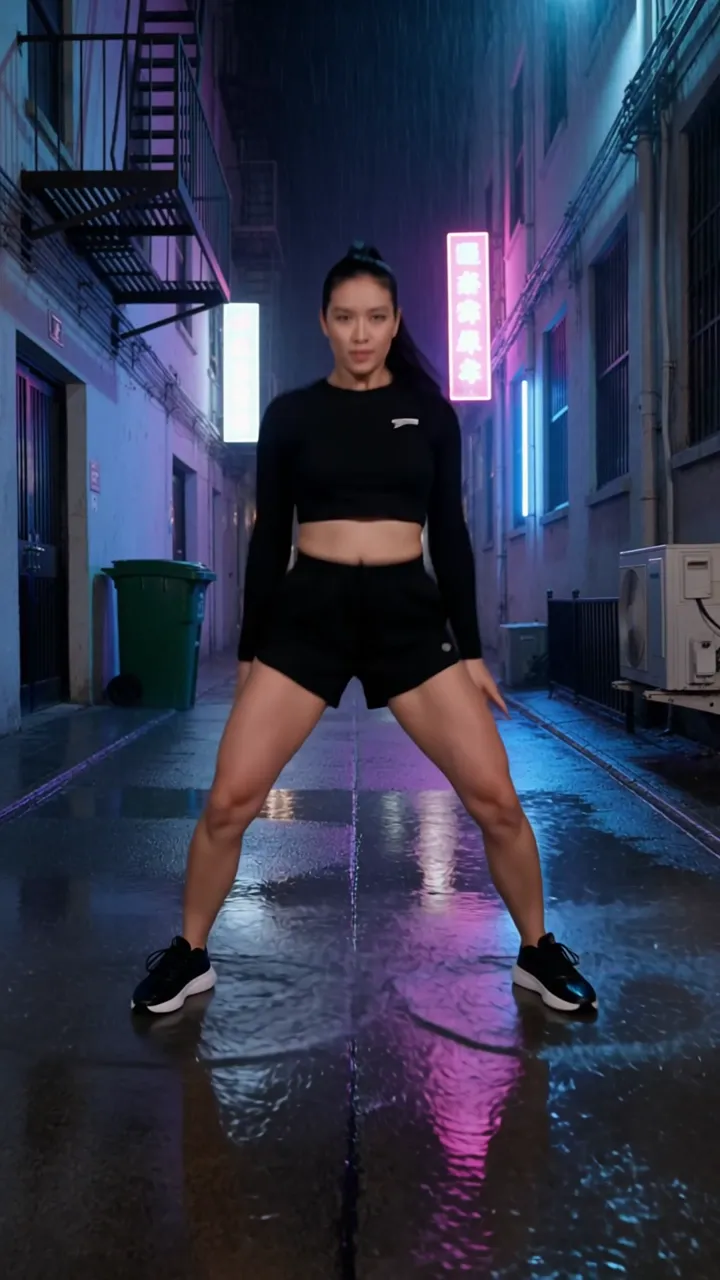
Vertical 9:16 for social
A 6 second portrait clip with its own beat, ready for Reels, Shorts and TikTok without cropping.
Prompt: A street dancer spins and pops to an upbeat electronic beat in a rainy neon-lit alley at night, puddles splash under her sneakers, pink and blue reflections on wet ground. Vertical handheld phone footage, energetic, slight camera shake.
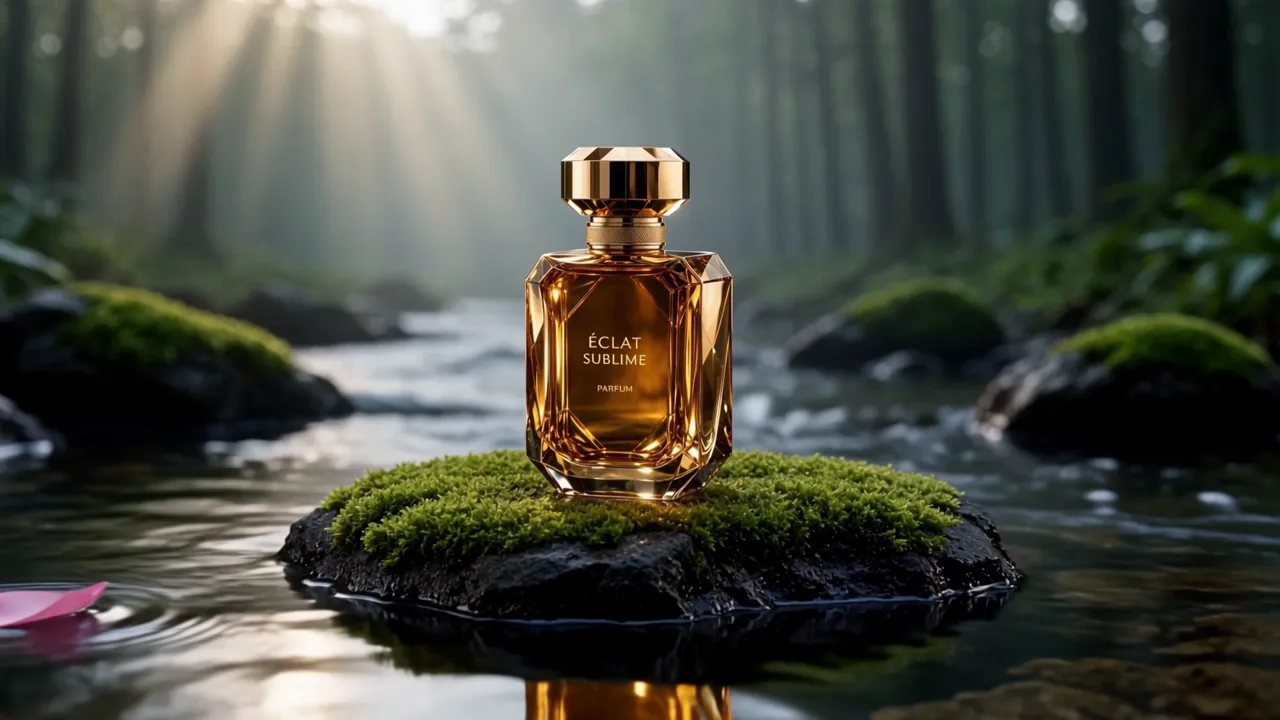
Product photo placed in a new scene
One product photo as @Image1. Kling 4.0 keeps the bottle and label and builds a misty forest stream around it.
References, in order (images first, then videos)
Prompt: The perfume bottle from @Image1 stands on a mossy rock in the middle of a misty forest stream at dawn. Soft sunbeams cut through the trees, clear water flows gently around the rock and a few petals drift past. Slow cinematic push in, the bottle keeps the exact shape and golden label from the reference. Gentle water and birdsong.
Try it in Reference to Video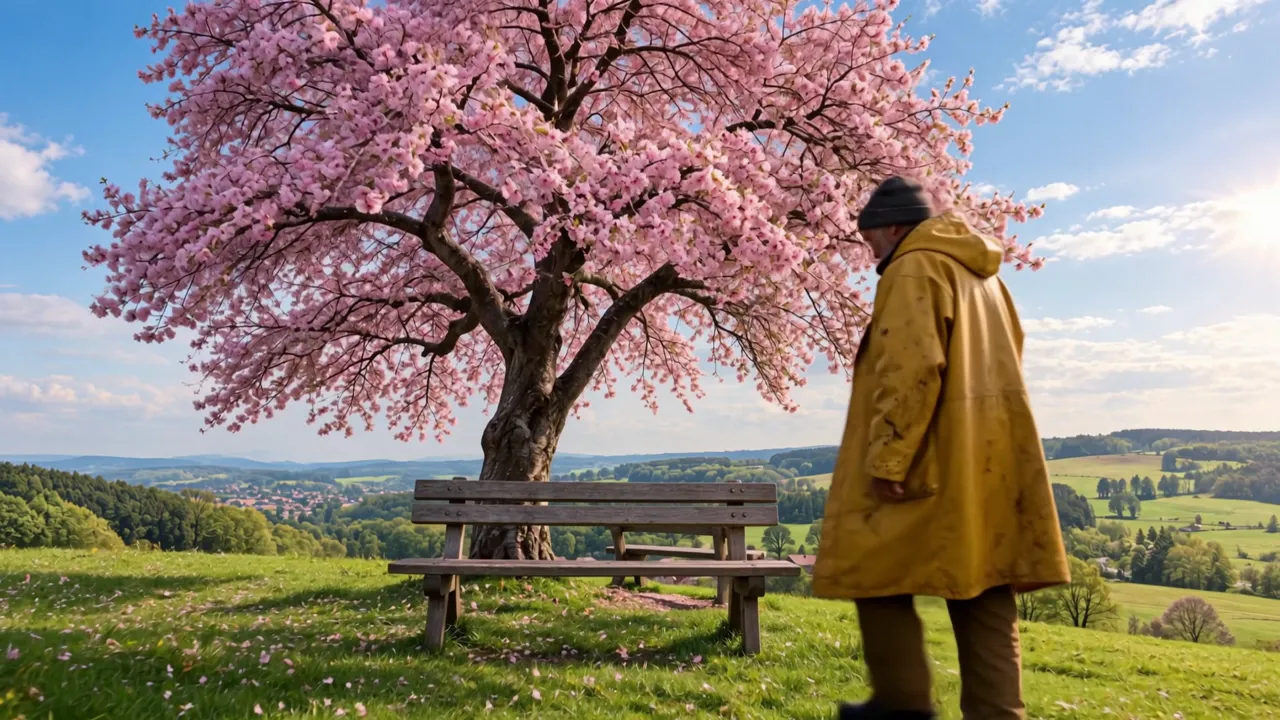
Character from one photo, location from another
The fisherman from @Image1 walks into the cherry tree hill from @Image2, with sound generated for the scene.
References, in order (images first, then videos)
Prompt: The old fisherman from @Image1, in his yellow raincoat and knit cap, on the green hill with the blooming cherry tree from @Image2. A wooden bench stands on the grass in front of the cherry tree, facing the camera, with the tree trunk behind it. 0-2s: the fisherman walks slowly across the grass from the right toward the bench. 2-4s: he stops in front of the bench, turns around with his back to the backrest and sits down on the seat, facing the camera. 4-5s: he rests his hands on his knees and smiles as pink petals drift down around him. Warm spring afternoon, gentle breeze, birdsong. Wide shot with a very slow push in, the whole bench stays in frame.
Try it in Reference to Video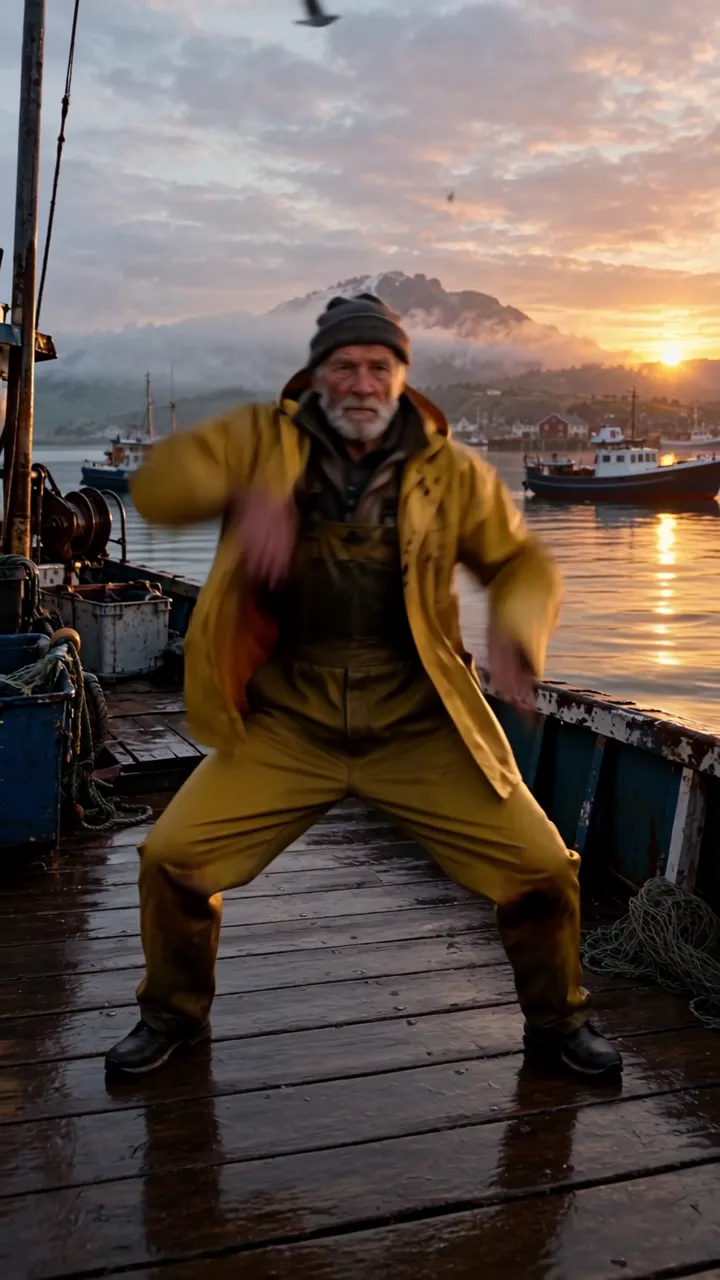
Moves copied from a reference video
A 4 second dance clip as @Video1 drives the motion, and the fisherman from @Image1 performs it.
References, in order (images first, then videos)
Prompt: The old fisherman from @Image1 dances on a wooden harbor pier at sunrise, copying the exact moves, rhythm and camera framing of the dancer in @Video1. His yellow raincoat swings as he moves and fishing boats bob in the background. Upbeat electronic beat, seagulls calling.
Try it in Reference to VideoWhat's New in Kling 4.0
Everything in this list works on Veevid today: in the generator at the top of this page, in Reference to Video for references, and in the AI Video Editor for editing your own clips.
Up to 30 seconds in one generation
Pick any length from 3 to 30 seconds. A full scene plays out as one continuous shot, with no stitching and no extend step, twice as long as a single Kling 3.0 clip.
Native audio and lip sync
Every video comes back with stereo sound: dialogue, ambience, effects and music. Write the lines in your prompt and the characters speak them with matching mouth movement, in more than 10 languages including English, Chinese, Japanese, Korean, Spanish, Portuguese, German and French.
Fast motion that holds together
Sprints, spins, splashes, tracking shots and orbit shots stay smooth and stable, even when the action is fast and the camera moves a lot.
Up to 10 keyframes: first, middle and last
Upload a first frame to set the look of the opening shot, add up to 8 middle keyframes for the video to pass through, and a last frame if you want it to land on a specific image. Drag the middle keyframes into the order you want and Kling 4.0 fills in the motion between them. Longer videos allow more frames: 4 in total at 3 seconds, one more for each extra second, up to 10 from 9 seconds.
720p or 1080p, four aspect ratios
Render at 720p for quick drafts or 1080p for sharper detail. Text to video comes in 16:9, 9:16, 1:1 and 21:9 ultrawide, image to video keeps the shape of your first frame, and reference to video can also follow the shape of your references.
Reference images, videos and voices
In the Reference to Video tool, pick Kling 4.0 and add up to 10 images, 5 video clips and 3 voice clips, 15 in total. Call them out as @Image1, @Video1 or @Audio1 in the prompt to keep a face, a product, a scene or a voice the same in the new shot.
Try it in Reference to VideoFollow a reference video
Add a clip and Kling 4.0 can reuse its camera moves, pacing or setting with your own characters and products, or carry the scene on from where the clip ends. The clip can also be a plain untextured 3D render or a depth map video, so you can block out the motion and let your images set the look.
Try it in Reference to VideoEdit a video you already have
In the AI Video Editor, pick Kling 4.0 and upload a 3 to 30 second clip of at least 700×700. Describe the change with your clip as @Video1: swap a person, restyle the scene, change the season or remove an object. The result keeps the length and camera move of your clip, and you can add up to 4 reference videos and 10 reference images to show what you want.
Try it in the AI Video EditorReadable text and logos
Signs, captions, labels and logos come out cleaner and stay legible as the camera moves, which helps with product shots and ads.
Coming soon to Veevid
Kling AI lists these as part of Kling 4.0, but they are not available in our generator yet.
- Saved characters: build a character from 2 to 4 photos or a short clip and call it by name in the prompt
- 4K output, and 10-bit HDR at 1080p and 4K
- Extending a video to as long as 2 minutes
Kling 4.0 Flash: a lower-priced version of Kling 4.0
Kling 4.0 Flash is the lighter version of Kling 4.0. Pick Kling 4.0 Flash under Version in the generator above to make 720p clips of 3 to 20 seconds with native audio from a prompt or a start image. On Reference to Video, Kling 4.0 Flash also takes reference images and videos. Switch back to Kling 4.0 when you need 1080p, shots longer than 20 seconds, an end frame, middle keyframes or voice references.
Lower price per second
At 720p, a Flash second costs about a third less than a Kling 4.0 second. Clips with reference videos are billed at a lower rate per second, counting the reference length too.
720p, 3 to 20 seconds
Every clip renders at 720p with native audio. Text to video offers 16:9, 9:16, 1:1 and 21:9; image to video follows your start image.
Prompt, start image or references
Use a prompt or a start image here, or up to 10 reference images and 5 reference videos (20 seconds in total) on Reference to Video, named in the prompt as @Image1 and @Video1.
Kling 4.0 vs Kling 4.0 Flash vs Kling 3.0
The specs side by side.
| Spec | Kling 4.0 | Kling 4.0 Flash | Kling 3.0 |
|---|---|---|---|
| Length per generation | 3 to 30 seconds per shot, any whole second | 3 to 20 seconds | 3 to 15 seconds |
| Resolution | 720p, 1080p (4K and 10-bit HDR coming soon) | 720p, 8-bit SDR | 720p, 1080p, native 4K |
| Aspect ratios | 21:9, 16:9, 1:1, 9:16 (image to video follows the first frame; reference to video can also follow the references) | 21:9, 16:9, 1:1, 9:16 (image to video follows the start image; reference to video can also follow the references) | 16:9, 9:16, 1:1 |
| References | Up to 15 references: 10 images, 5 video clips (30 s total) and 3 voices (saved characters coming soon) | Up to 10 images and 5 video clips (20 s total); no voices | Omni: up to 7 images and 1 clip of 3 to 10 s |
| Frame control | Up to 10 keyframes: first frame, up to 8 middle keyframes and an optional last frame; multiple shots can be written into one prompt | Start frame only | First and last frame; multi-shot up to 6 shots |
| Audio | Native stereo audio, lip sync in 10+ languages plus accents and dialects | Native audio | Native audio in 5 languages |
The Kling 4.0 and Kling 4.0 Flash columns show what runs on Veevid today; items marked coming soon are in Kling AI's release note but not in our generator yet. The Kling 3.0 column shows Kling AI's official specs; on Veevid, Kling 3.0 runs text to video and image to video at 3 to 15 seconds in Standard or Pro, without 4K output or Omni Reference.
How to Use Kling 4.0
Three steps from idea to video.
Write a prompt, add frames or references
Describe the shot for text to video, or switch to image to video and upload a first frame. Add up to 8 middle keyframes and drag them into order, turn on Add end frame to set where the shot ends, and name them in the prompt as @FirstFrame, @Keyframe1 and @LastFrame. To keep a face, product or voice, open Reference to Video, pick Kling 4.0 and name your files as @Image1, @Video1 or @Audio1 in the prompt.
Pick length and resolution
Choose any length from 3 to 30 seconds and 720p or 1080p. For text to video, pick 16:9, 9:16, 1:1 or 21:9; image to video keeps the shape of your first frame. Longer videos allow more keyframes: 4 frames in total at 3 seconds, up to 10 from 9 seconds.
Generate and download
Click Generate. The video comes back with native audio and lip-synced dialogue and lands in your creations, ready to download.
Kling 4.0 FAQ
Common questions about Kling 4.0 on Veevid.
Use Kling on Veevid
Kling 4.0, Kling 3.0 and Kling Motion Control are all available now.
Start Creating With Kling 4.0
Kling 4.0 is live on Veevid. Write a prompt, or upload a first frame and optional keyframes, and get up to 30 seconds of video with sound and lip-synced dialogue.
Try Kling 4.0