Qwen Image 2.1 AI Image Generator
Transparent PNGs. Ten references. Paint-to-edit.
Alibaba's Qwen team released Qwen Image 2.1 on September 20, 2026. Run it here in your browser, with no GPU or local setup: generate images with a real alpha channel, combine up to 10 reference photos in one edit, and change just the area you paint. From 4 credits per image.
Text to Image
Made with Qwen Image 2.1 on Veevid
Every image below was generated on this page with the prompt shown. Nothing was retouched afterwards.
Transparent PNG, straight from the prompt
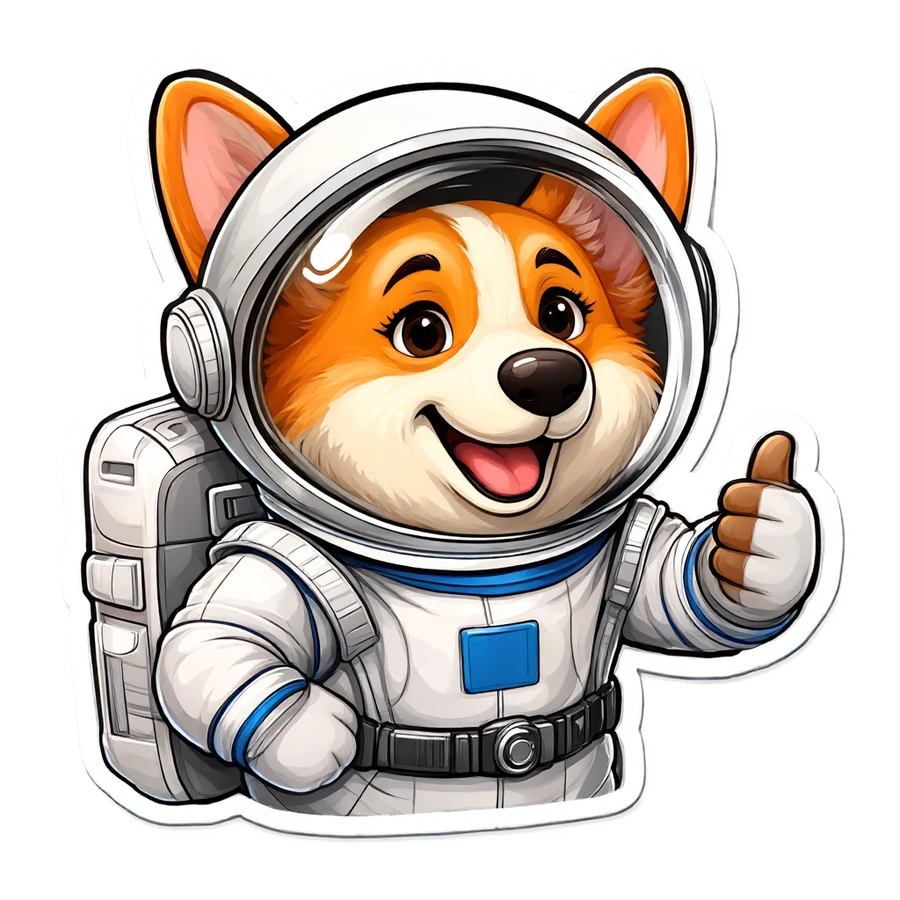
Set Background to Transparent and the file comes back with a real alpha channel. The checkerboard is the page showing through, not part of the image.
Prompt: A glossy die-cut cartoon sticker of a corgi astronaut giving a thumbs up, thick white outline, vibrant colors
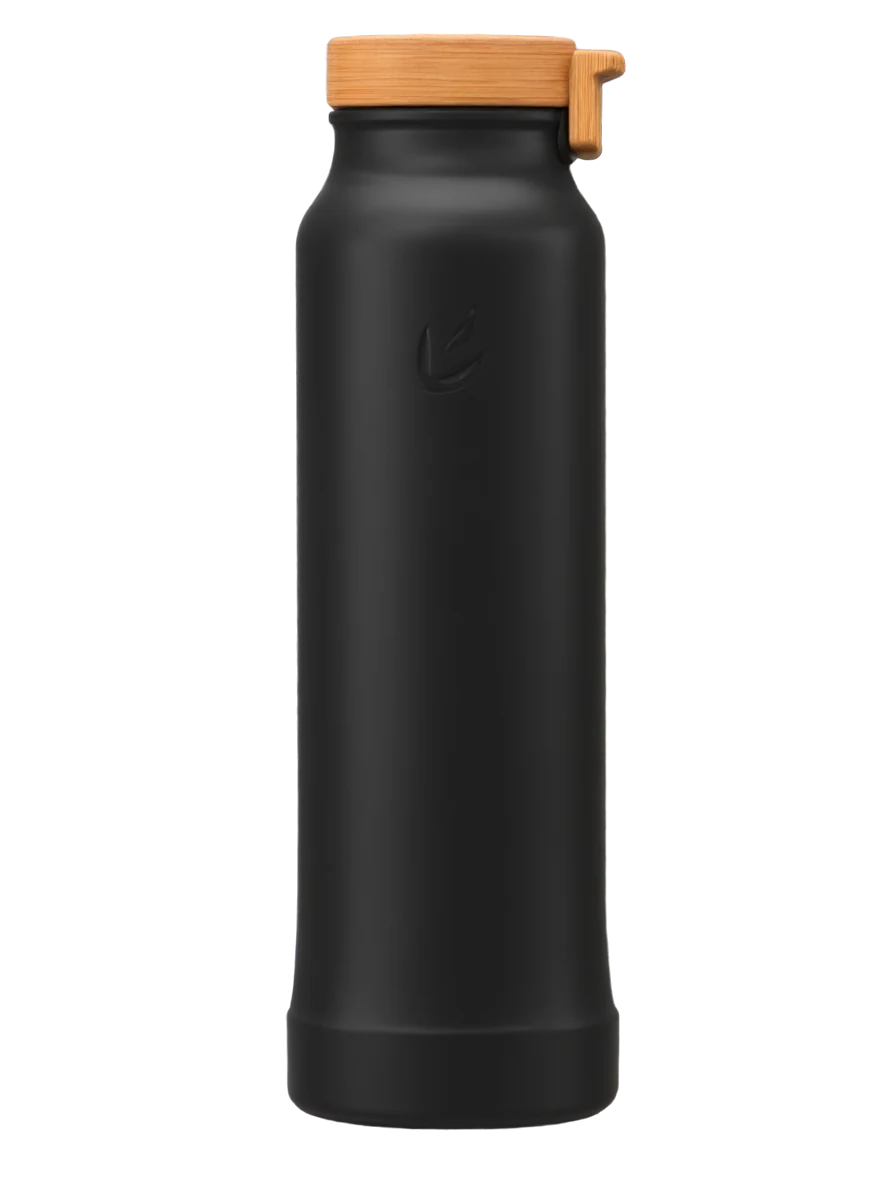
Prompt: Product cutout of a matte black insulated water bottle with a bamboo lid and a small embossed leaf logo, soft studio lighting, e-commerce catalog shot
Combine reference photos in one edit
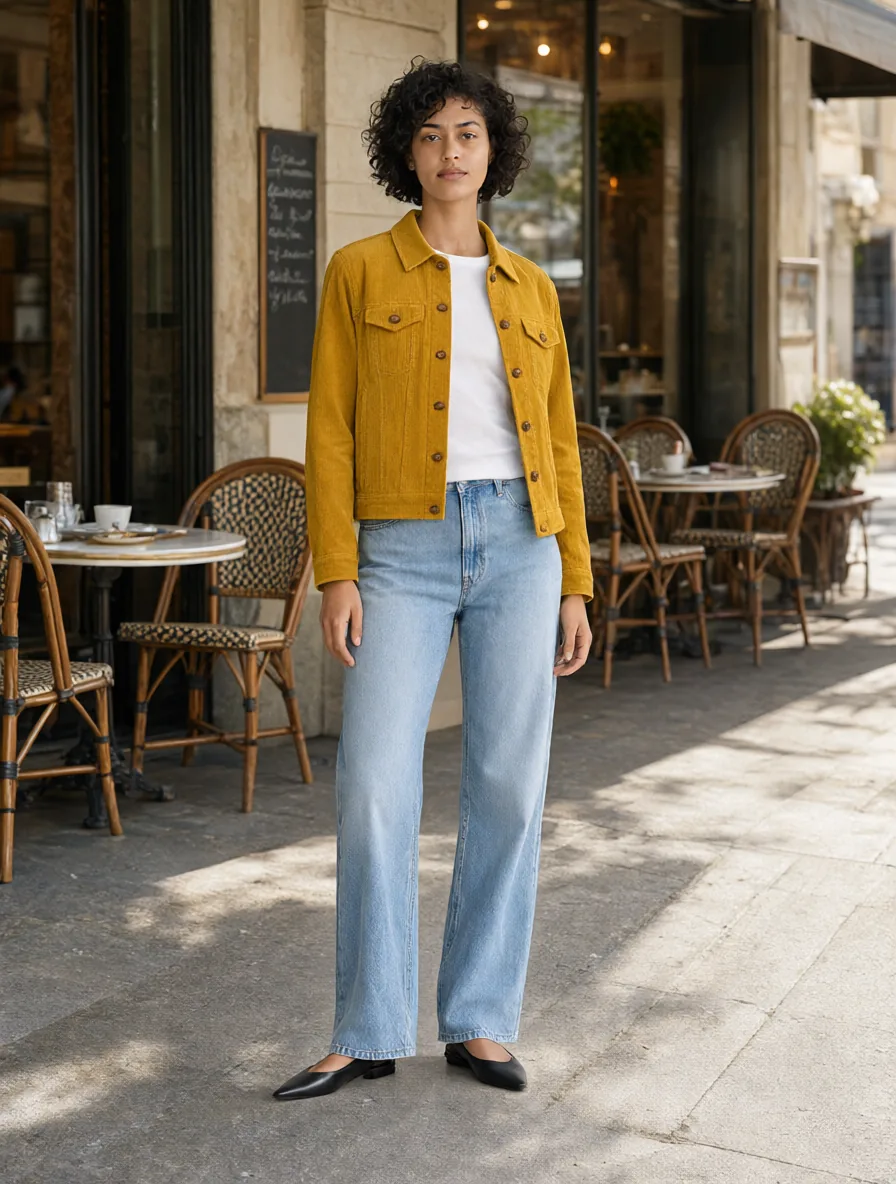
Two references in, one picture out: the person keeps her face, hair, jeans and shoes, the jacket keeps its corduroy and buttons, and the scene is new.
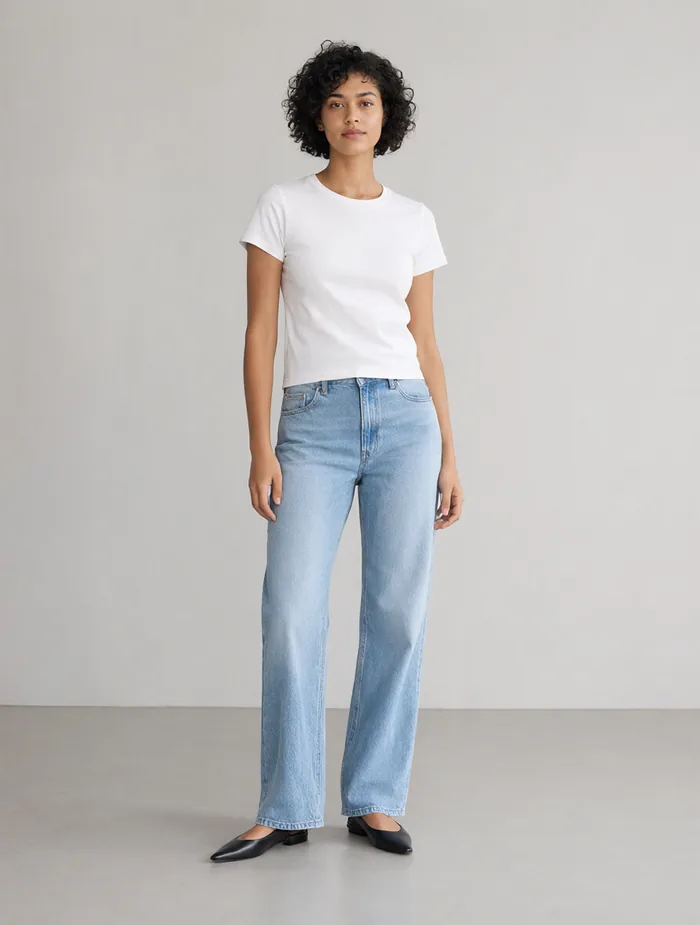
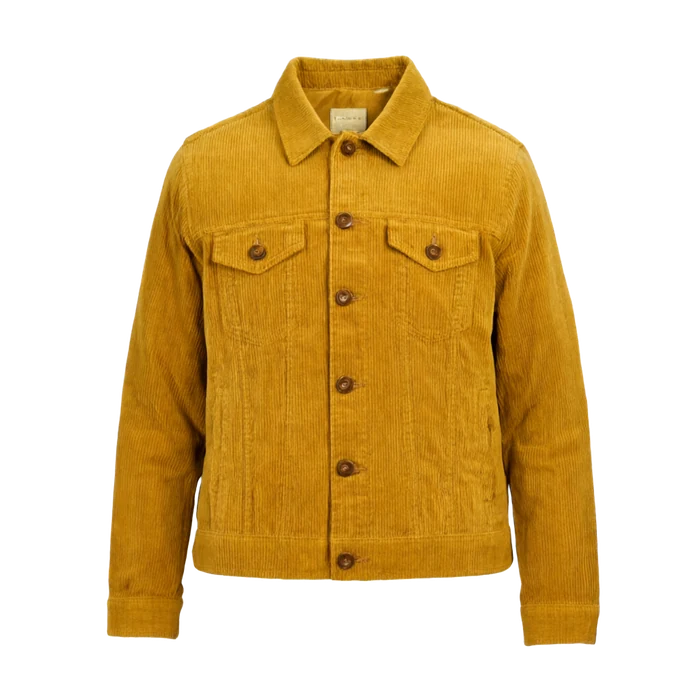
Prompt: Dress the woman from the first image in the mustard corduroy jacket from the second image, worn open over her white t-shirt. Keep her face, curly hair, jeans, shoes and pose unchanged. Place her on a sunny European street with cafe tables behind her.
Paint the area, change only that
Brush over the sofa, describe the replacement, and everything outside the painted area comes back pixel for pixel unchanged.
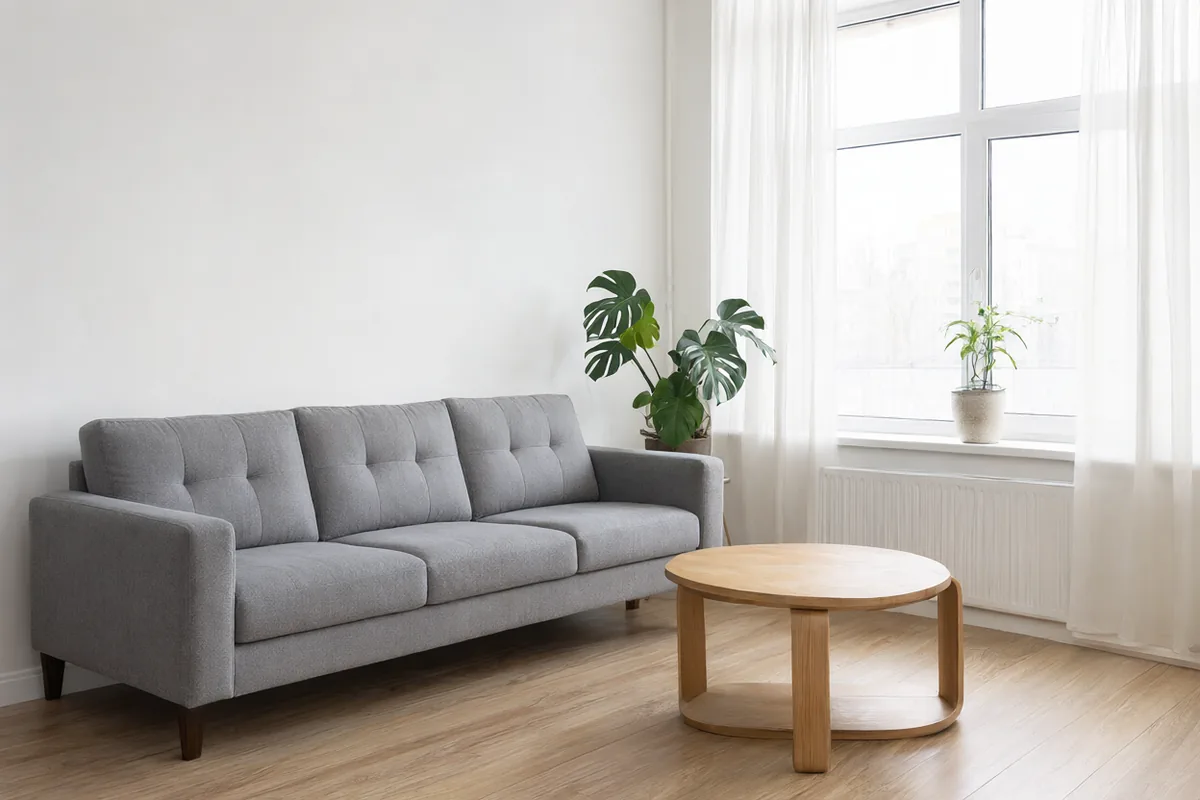
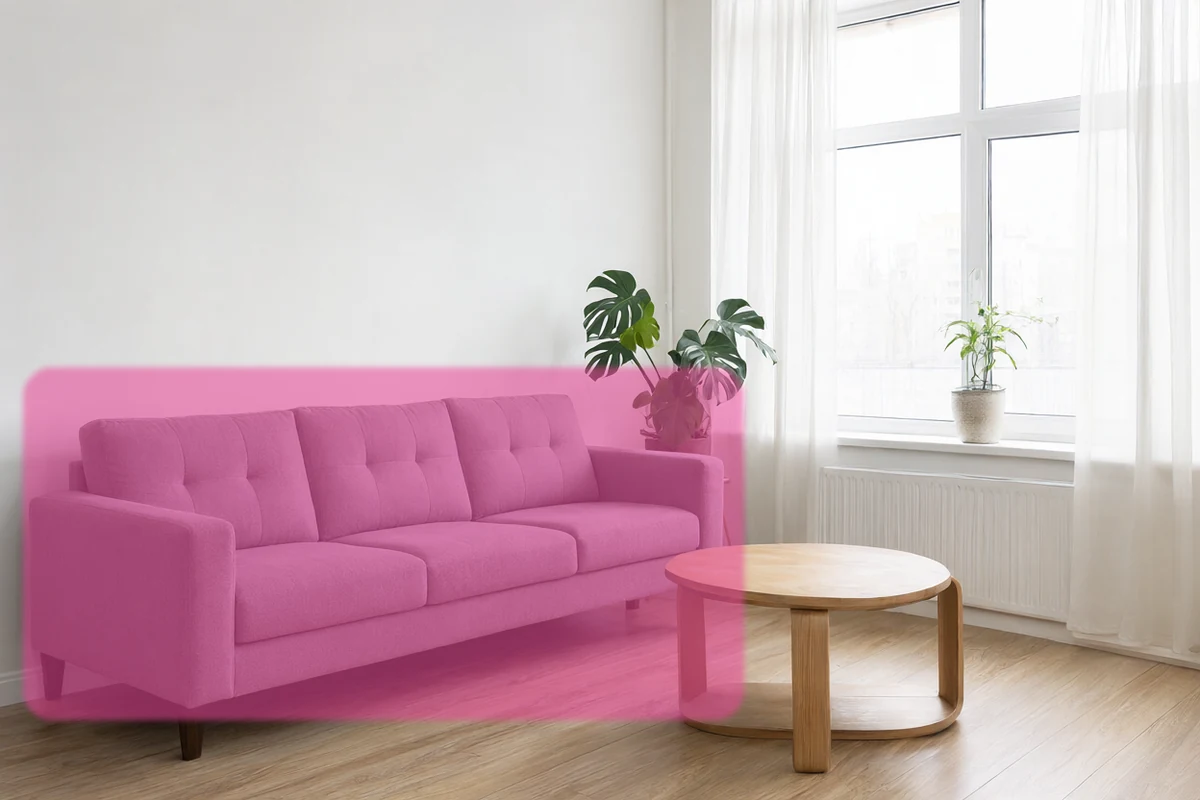
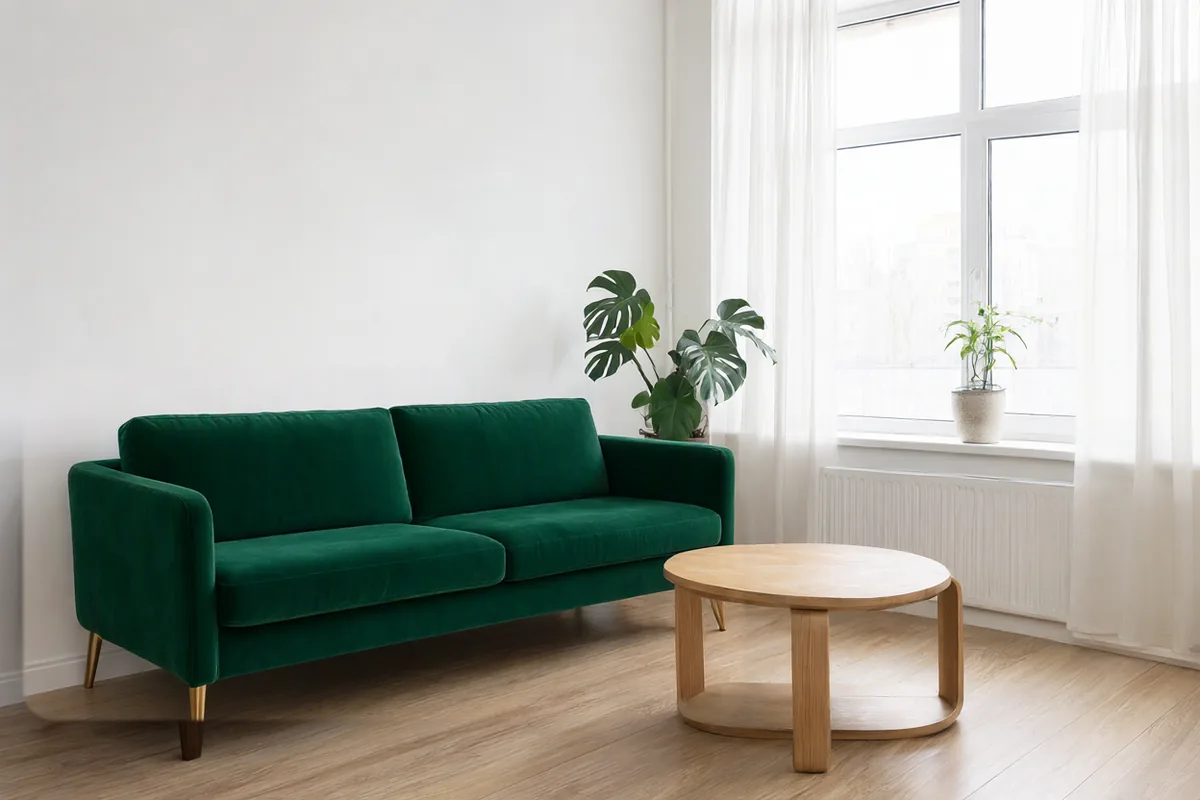
Prompt: A deep emerald green velvet sofa with curved arms and brass legs
Clean type and 2K detail
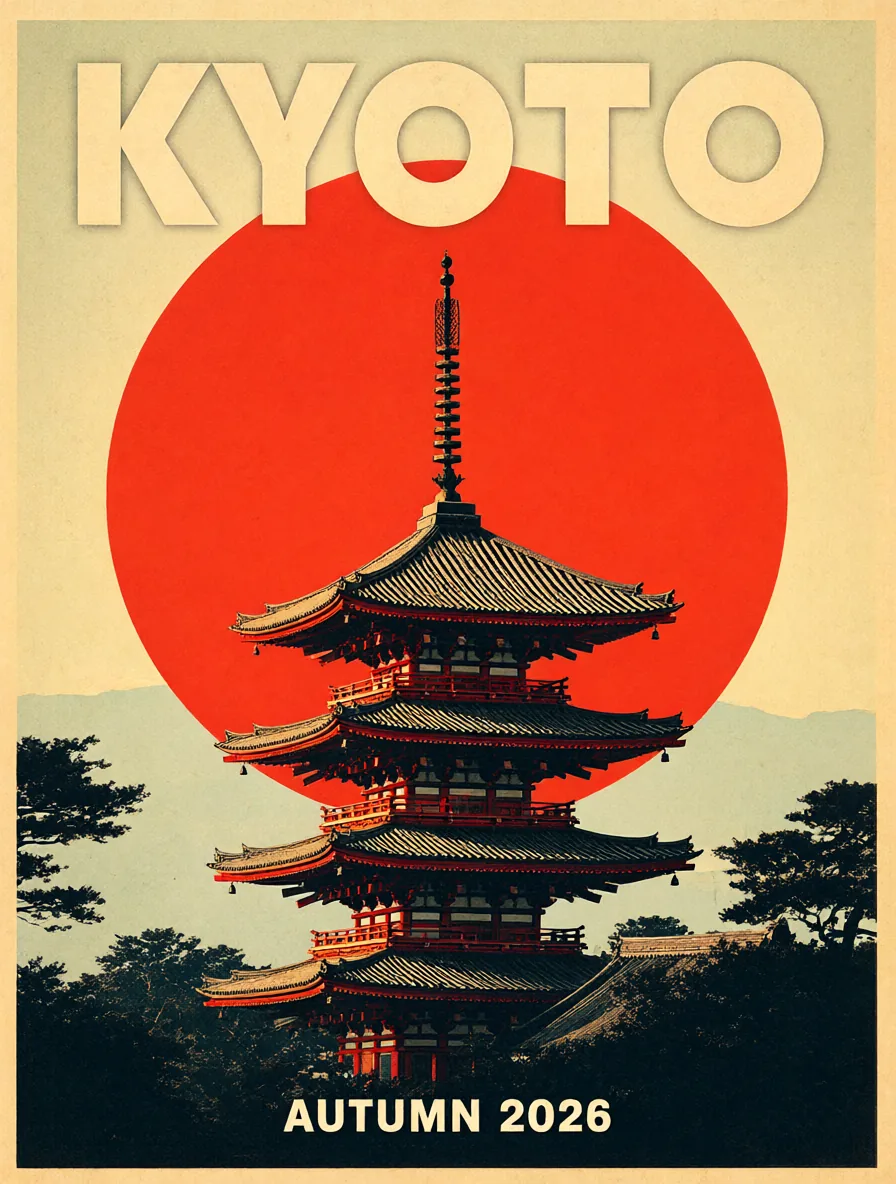
Prompt: A retro mid-century travel poster for Kyoto: a red pagoda under a huge setting sun, flat screen-print style with paper grain, bold title text "KYOTO" at the top and smaller text "AUTUMN 2026" at the bottom
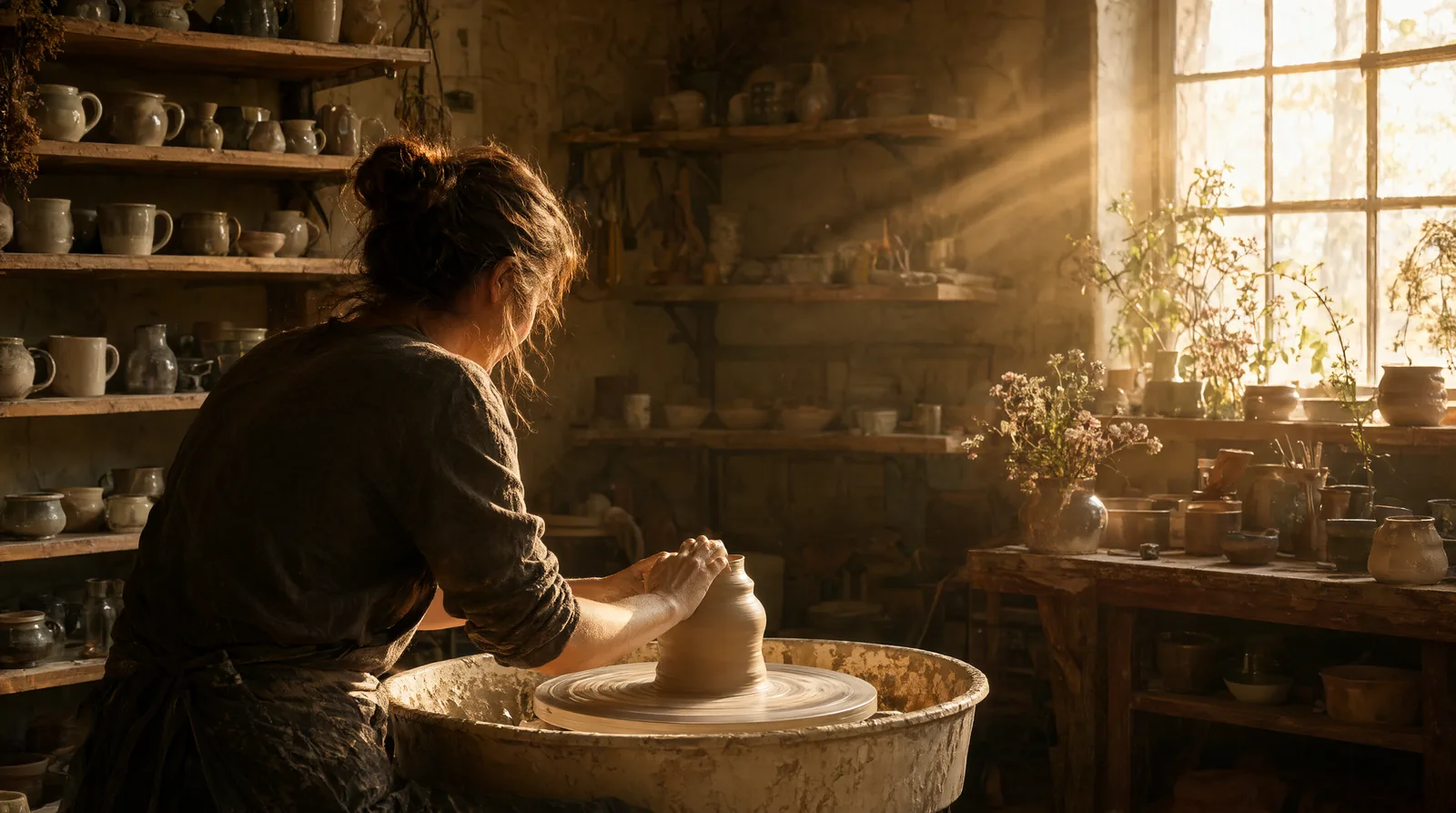
Prompt: A cozy handmade ceramics studio at golden hour, shelves of glazed mugs and bowls, a potter shaping clay on a wheel, warm sunlight through dusty windows, cinematic photo (2K, 16:9)
What Qwen Image 2.1 Does Well
One compact model for generating, editing, and cutting out images.
Native Transparent Backgrounds
Qwen Image 2.1 generates RGBA images directly, so stickers, logos, icons and product cutouts arrive as PNGs with a real alpha channel. No background remover, no fringe cleanup.
Up to 10 Reference Images
Upload as many as ten photos and refer to them in the prompt as the first image, the second image, and so on. Put a person in a product, a product in a room, or several people in one group shot.
Brush-to-Edit Local Changes
Paint over the part you want to change and describe what goes there. Only the painted area is regenerated, and the rest of the photo stays exactly as it was.
Sharper Typography
Titles, labels and signage render as real, readable words, which matters for posters, packaging mockups and social graphics.
Low Cost per Image
A 1K image costs 4 credits and a 2K image 8. Text-to-image, multi-image editing and local edits are all priced the same, and extra references are free.
7 Ratios, 1K or 2K
Square, 4:3, 3:4, 3:2, 2:3, 16:9 and 9:16, at 1K or 2K. When editing, Auto matches the ratio of your first reference image.
How to Use Qwen Image 2.1 Online
From prompt to finished image in three steps.
Write a Prompt or Upload References
Use Text to Image to start from a description, or switch to Image to Image and upload up to 10 reference photos.
Choose Background, Ratio and Resolution
Pick Transparent for a PNG with an alpha channel, choose an aspect ratio, and select 1K or 2K. With a single reference, you can also paint a mask to edit just one area.
Generate and Download
Your image is saved to Creations when it finishes, so you can close the tab and come back to download it later.
How to Make a Transparent PNG with Qwen Image 2.1
Qwen Image 2.1 draws the alpha channel itself, so there is no background to remove afterwards. Set Background to Transparent, then keep these points in mind for a clean cutout.
Describe only the subject
Write what the object or character looks like and leave the setting out. Mentioning a background, a scene or a surface it sits on, such as "on a wooden table" or "in a kitchen", can bring a background back, and the result may not come out transparent.
Say what kind of asset you want
Name the standalone thing you want, with phrases like "die-cut sticker" or "product cutout", instead of describing a whole picture. The corgi sticker and the water bottle above were made with prompts written this way.
Works in Text to Image and Image to Image
Transparent output is available when you generate from a prompt and when you edit with reference images. It can't be combined with a painted local-edit mask, so the option is disabled while a mask is in place.
Keep the file as PNG
The download is a PNG with a real alpha channel. Converting it to JPG fills the transparent area with a solid color, so keep it as PNG when you place it in your design.
Frequently Asked Questions
What to know before you run Qwen Image 2.1 on Veevid.
Qwen Image 2.1 is an image generation and editing model released by Alibaba's Qwen team on September 20, 2026. Its visual generation component has about 7 billion parameters, and a single model handles text-to-image, editing with up to 10 reference images, local edits with masks, and native transparent (RGBA) output.
Yes. Veevid runs the model for you, so there is nothing to download, no ComfyUI workflow to set up, and no graphics card required. Sign in, write a prompt or upload images, and generate from any browser.
Set Background to Transparent before you generate. The result is a PNG with a real alpha channel, ready to drop onto any design. It works for text-to-image and image-to-image, but not together with a local-edit mask.
Up to 10 per image-to-image request. Refer to them in order in your prompt, for example "the woman from the first image wearing the jacket from the second image". Fewer references keep more detail from each one, so use only the ones you need.
Yes. Upload one reference image, click Paint area to edit, and brush over the region to change. Describe what should appear there in the prompt. Everything outside the painted area is kept, and the output keeps the original image's aspect ratio.
1:1, 4:3, 3:4, 3:2, 2:3, 16:9 and 9:16, at 1K or 2K. Image-to-image also offers Auto, which follows your first reference image. 1K is the faster option; 2K has four times the pixels and takes longer.
Each image costs 4 credits at 1K and 8 credits at 2K. Text-to-image, image-to-image, transparent output and local edits all cost the same, and adding more reference images does not add to the price.
Discover More Image Tools
Explore the full suite of AI image and video generators on Veevid.
Try Qwen Image 2.1 now
Transparent PNGs, multi-image edits and paint-to-edit changes, from 4 credits per image.
Generate Now