FLUX 3 Image
FLUX 3 AI Image Generator
Generate and edit images with Black Forest Labs' FLUX 3 Image online. Native 2K and 4K output, up to 10 reference images, edits that hold up over several rounds, and bounding-box layout control. From 10 credits per image.
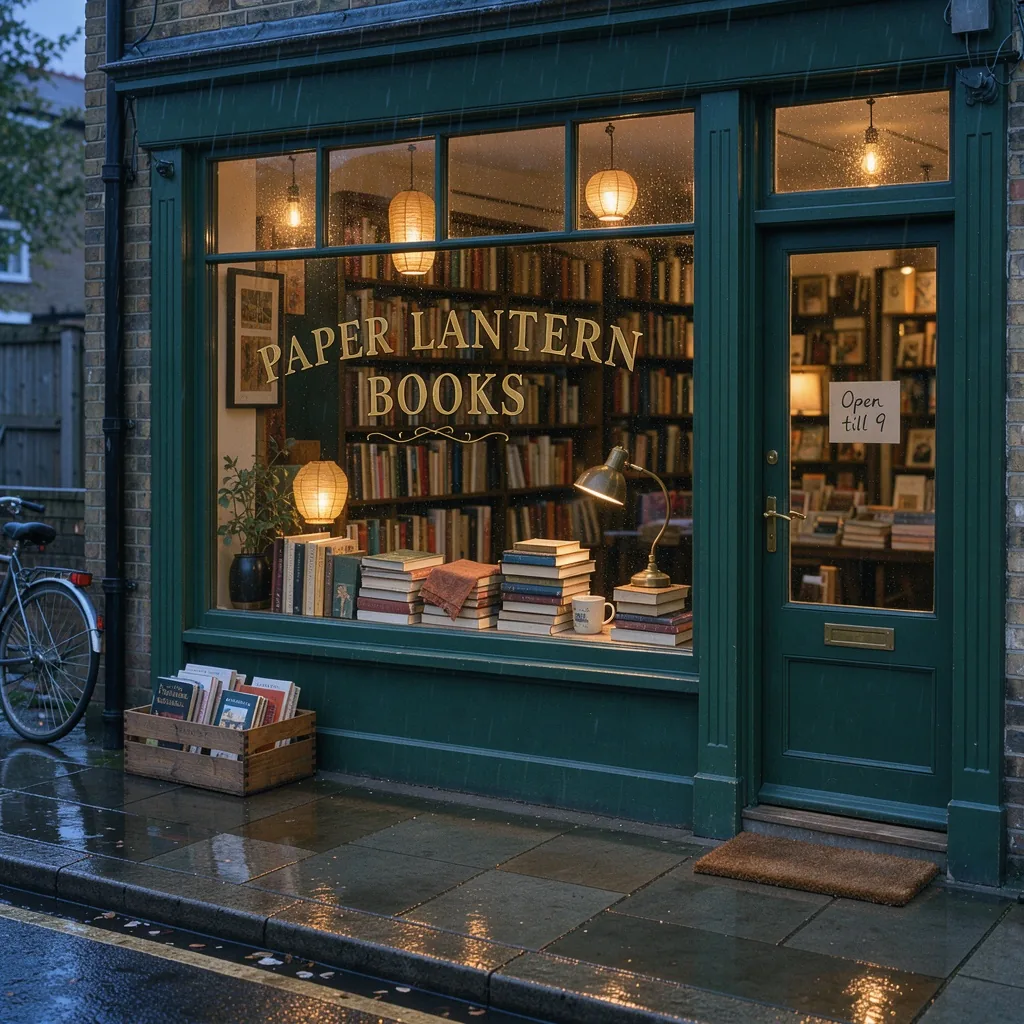
A cozy bookshop window at dusk. Gold lettering on the glass reads "PAPER LANTERN BOOKS". A small sign on the door reads "Open till 9". Warm light, light rain, 35mm photo.
 Sample Image
Describe what you want to generate
Made with FLUX 3 Image
Every image below came out of FLUX 3 Image with the prompt shown. Nothing was retouched afterwards.
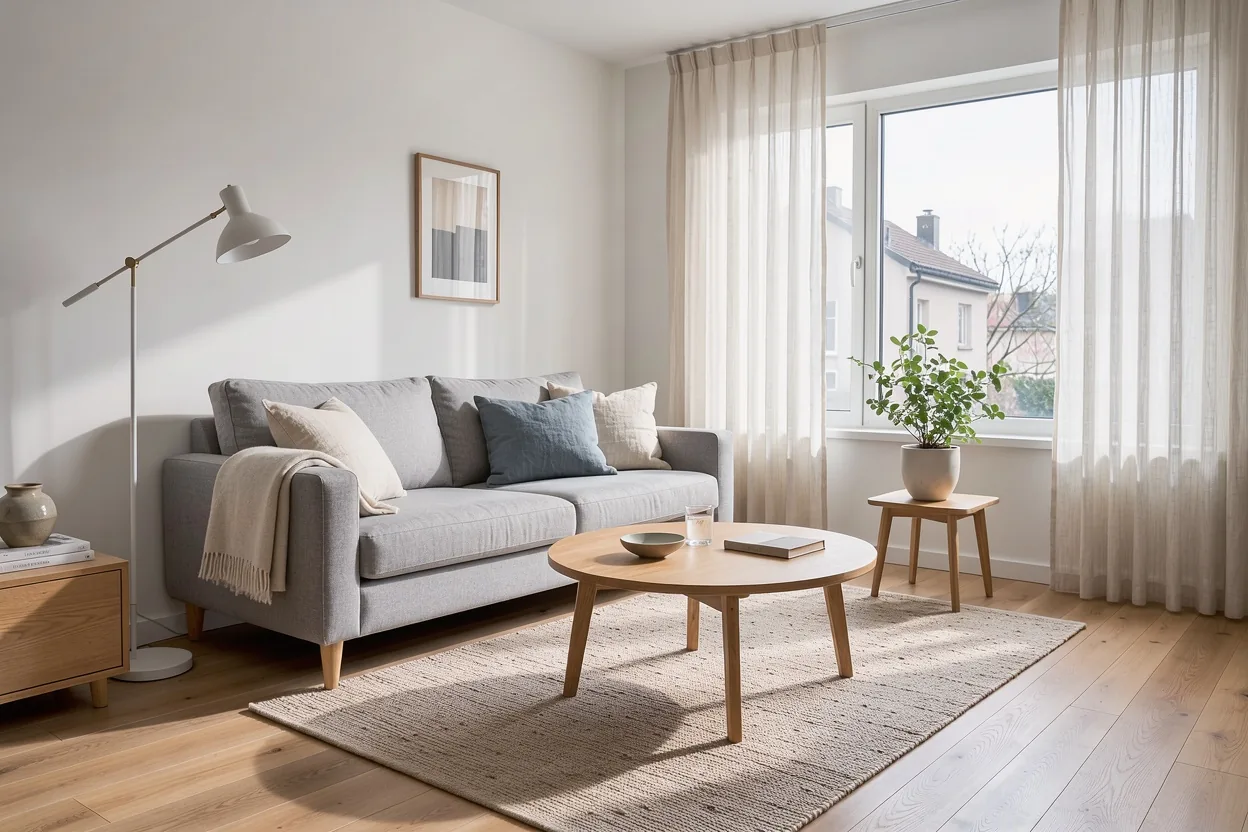
Three edits in a row, same room
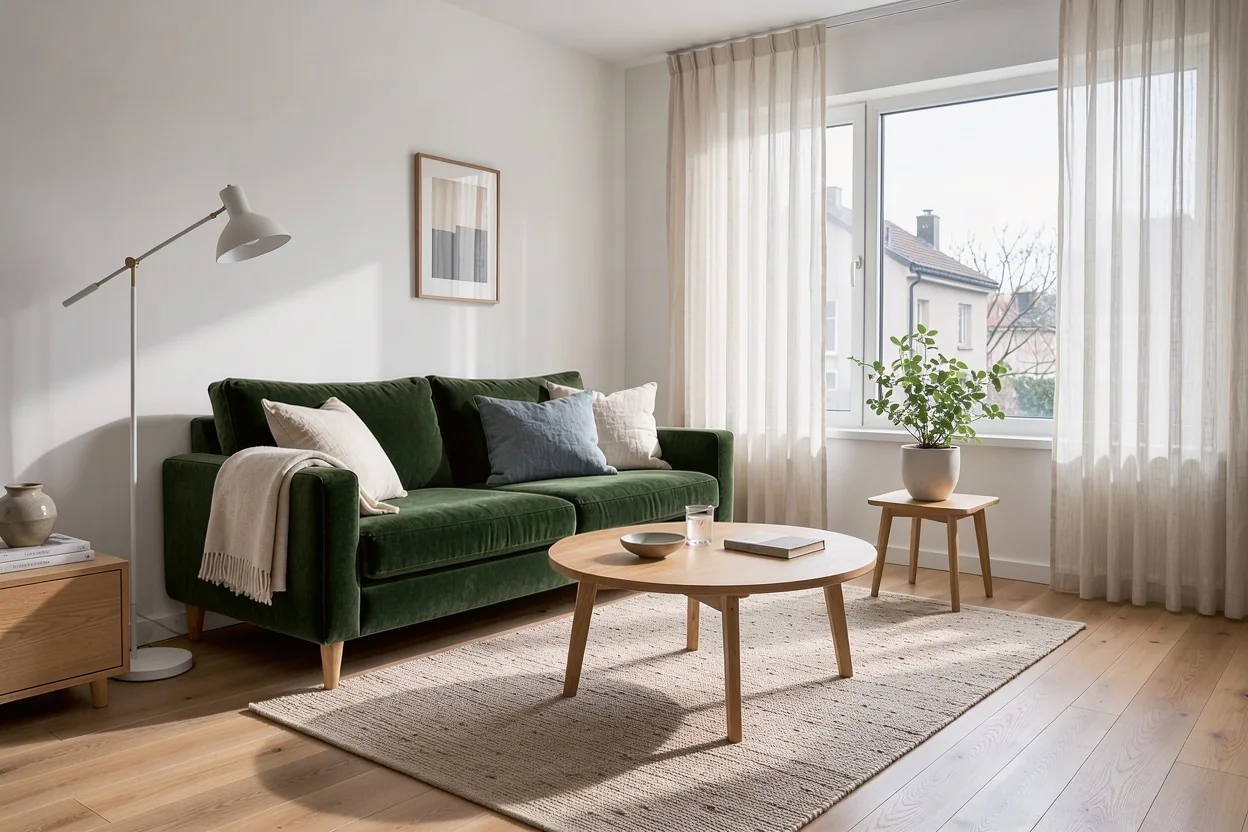
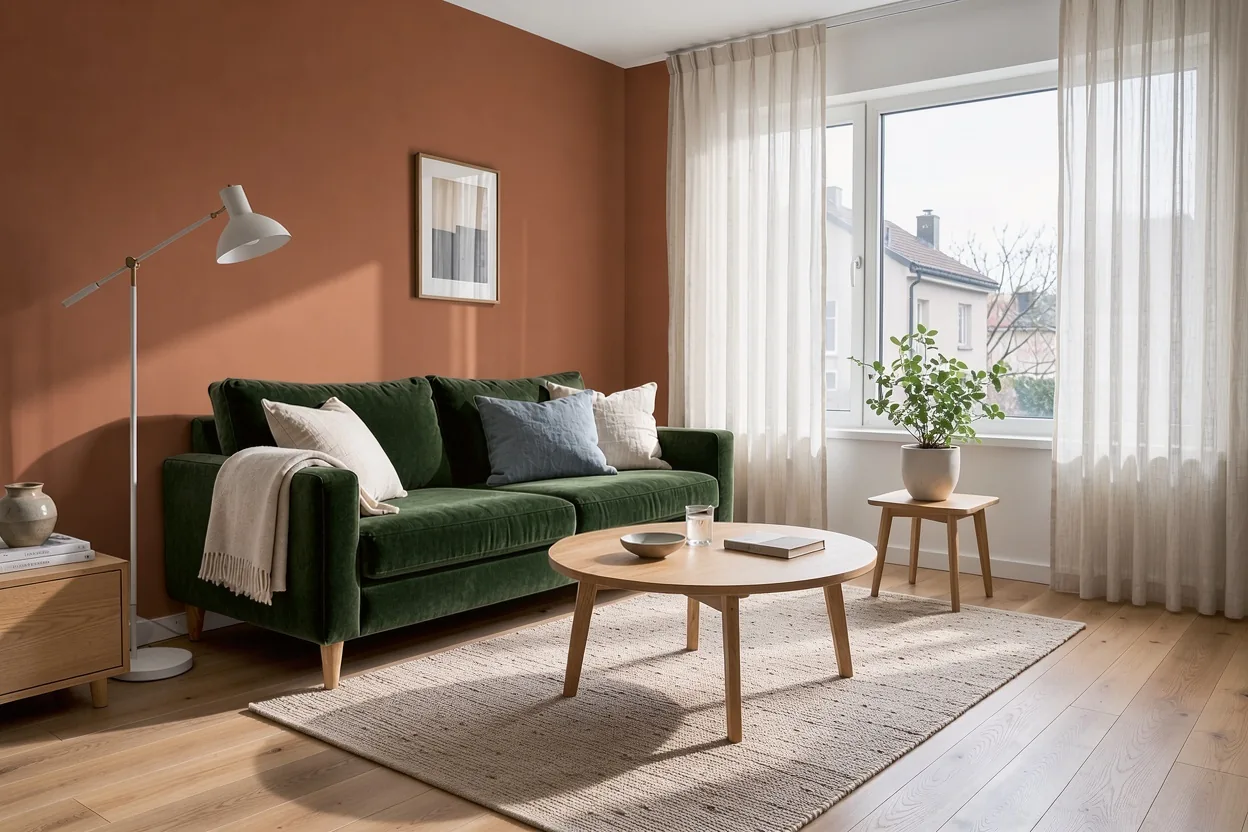
Each edit was applied to the previous result. The room, the light and the rest of the furniture stayed in place.
 Original
Generated with FLUX 3 Image at 1K.
 Edit 1
Replace the grey sofa with a dark green velvet sofa. Keep everything else the same.
 Edit 2
Paint the wall behind the sofa a warm terracotta color. Keep everything else the same.
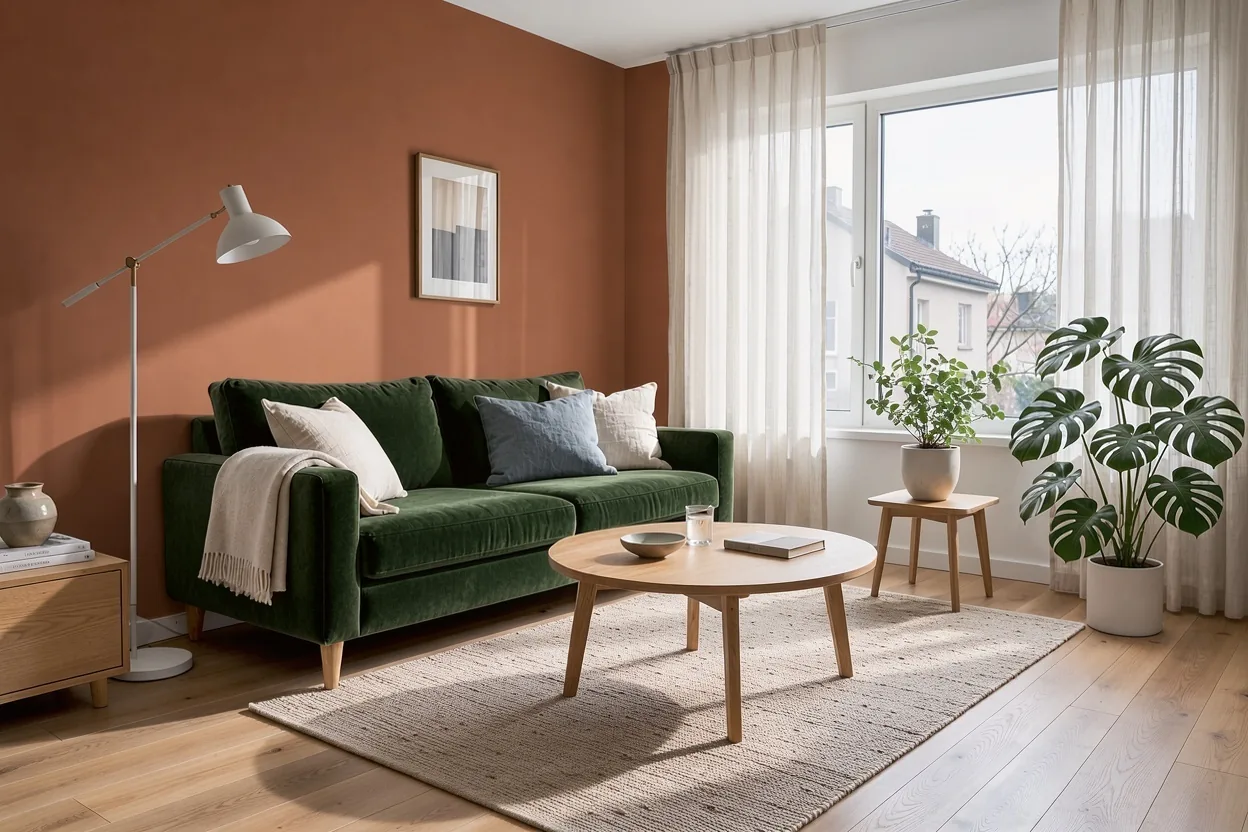 Edit 3
Add a tall monstera plant in a white pot in the right corner. Keep everything else the same.
Combine reference photos in one picture
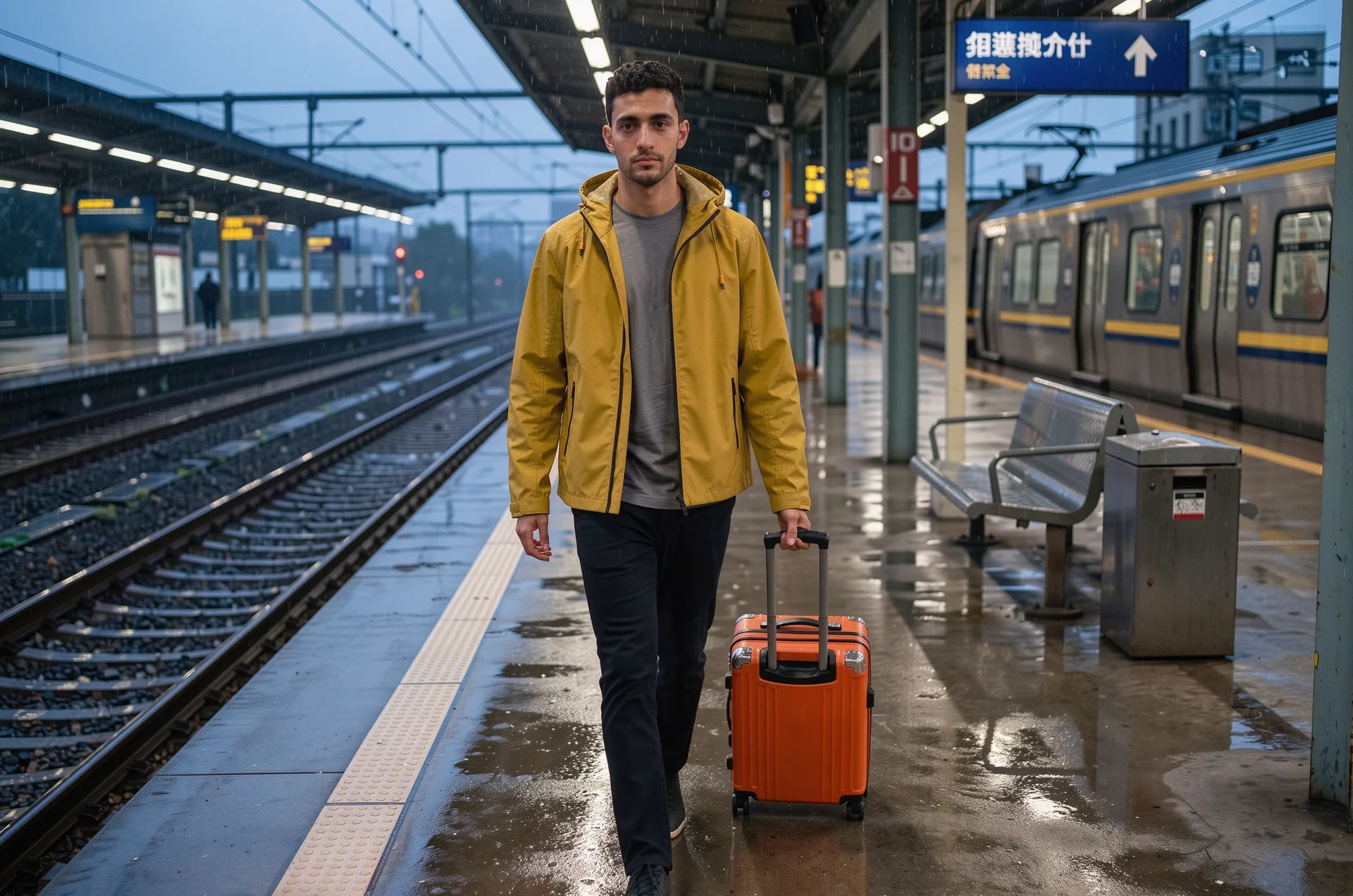
Three references in, one picture out. Refer to each upload by its order in the prompt: ref_image_0 is the first image, ref_image_1 the second, and so on.
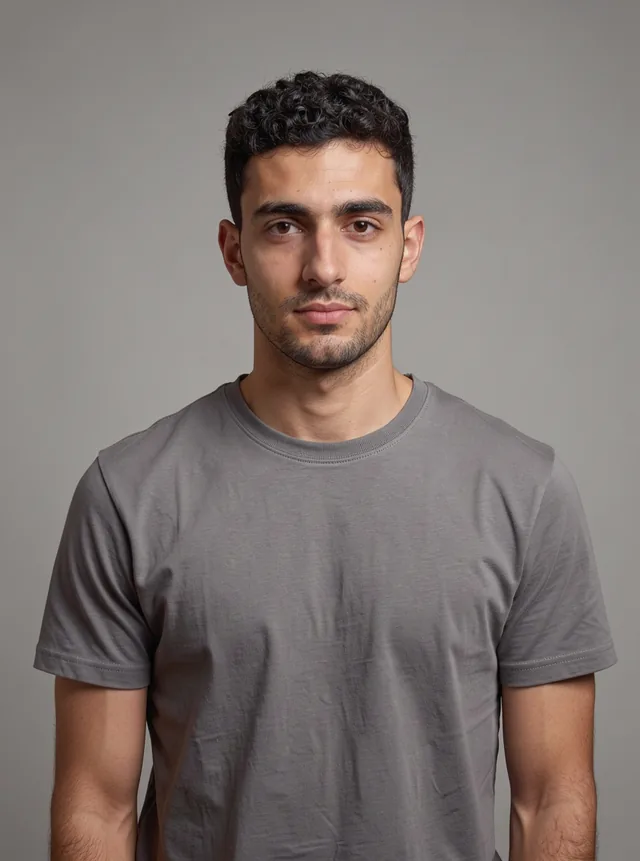 ref_image_0
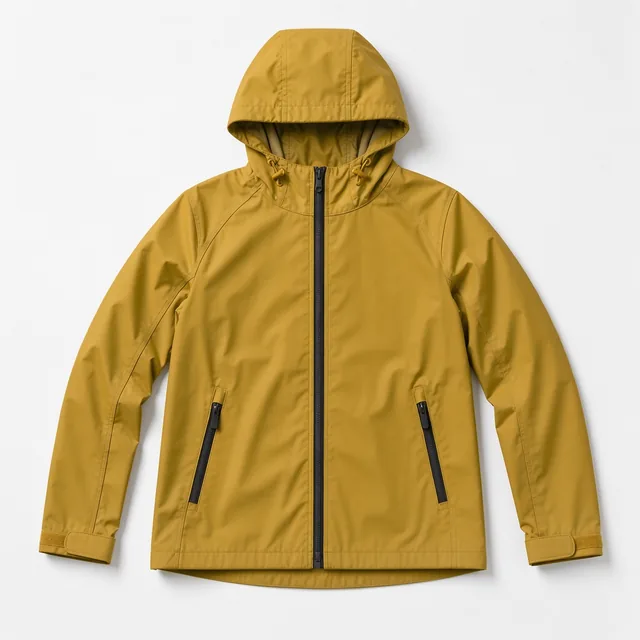 ref_image_1
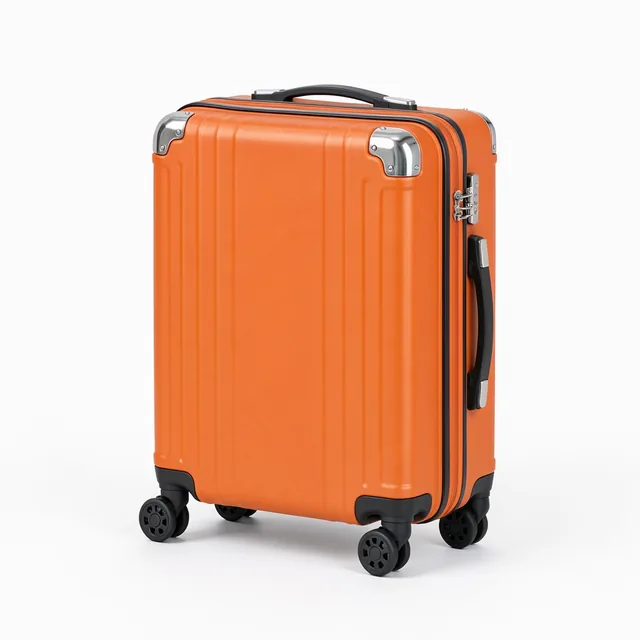 ref_image_2
 Result
Prompt: The man from ref_image_0 wearing the yellow rain jacket from ref_image_1 and pulling the orange suitcase from ref_image_2 along a rainy train platform at dusk. Keep his face and hair unchanged. Cinematic photo.
Edit a photo with one instruction
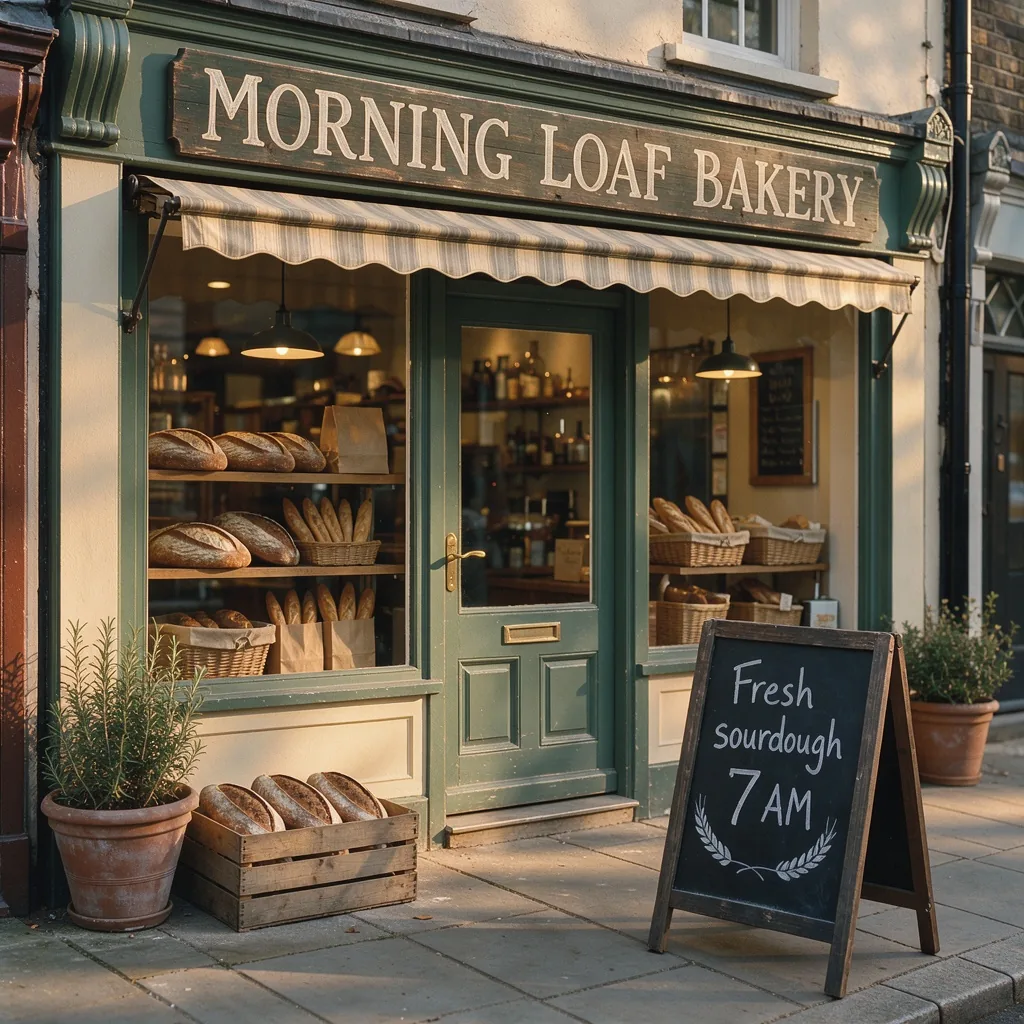
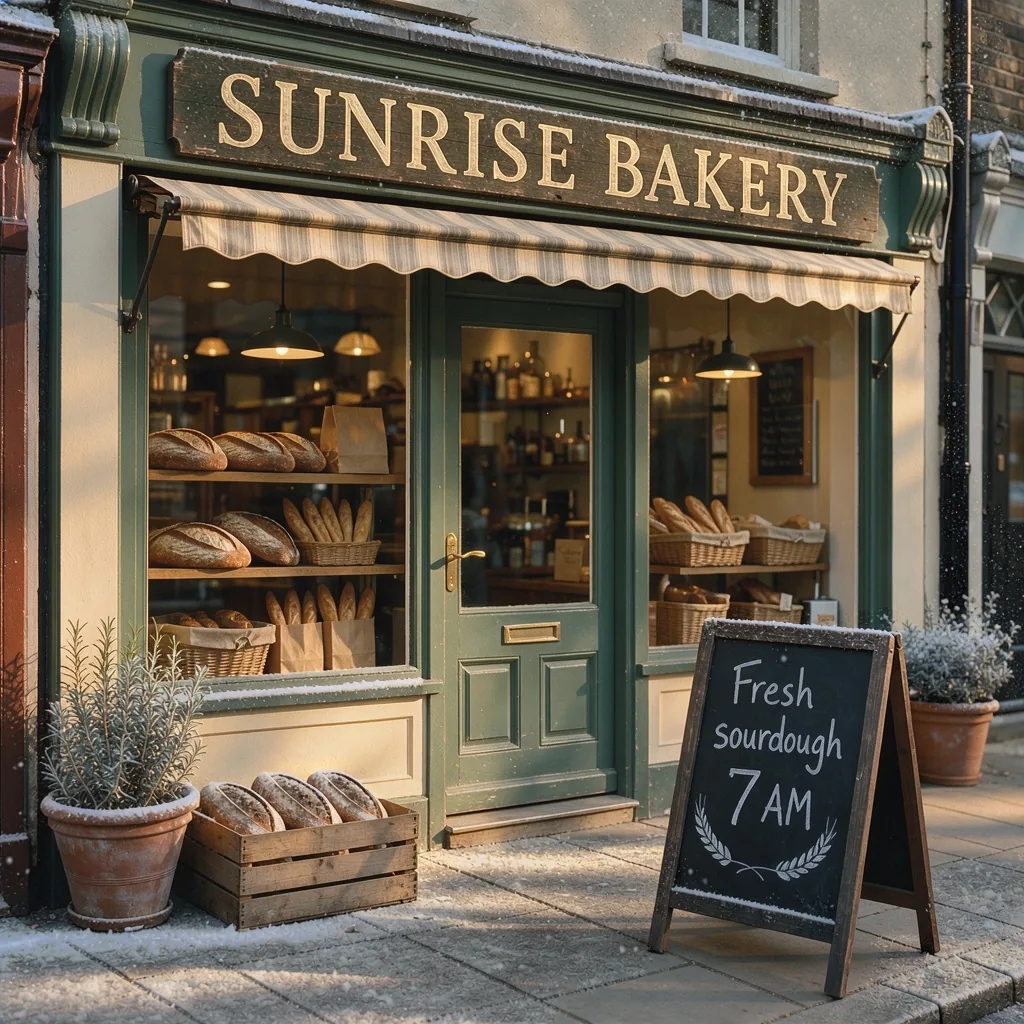
Upload a picture and say what to change. Here the sign text and the season changed, and the storefront kept its look.
 Before
 After
AfterPrompt: Change the sign above the door to read "SUNRISE BAKERY" and make it a snowy winter evening. Keep the storefront and the chalkboard the same.
Lettering that reads right
Shop signs, labels and headlines come out as real words. This one was generated at 2K in 16:9.
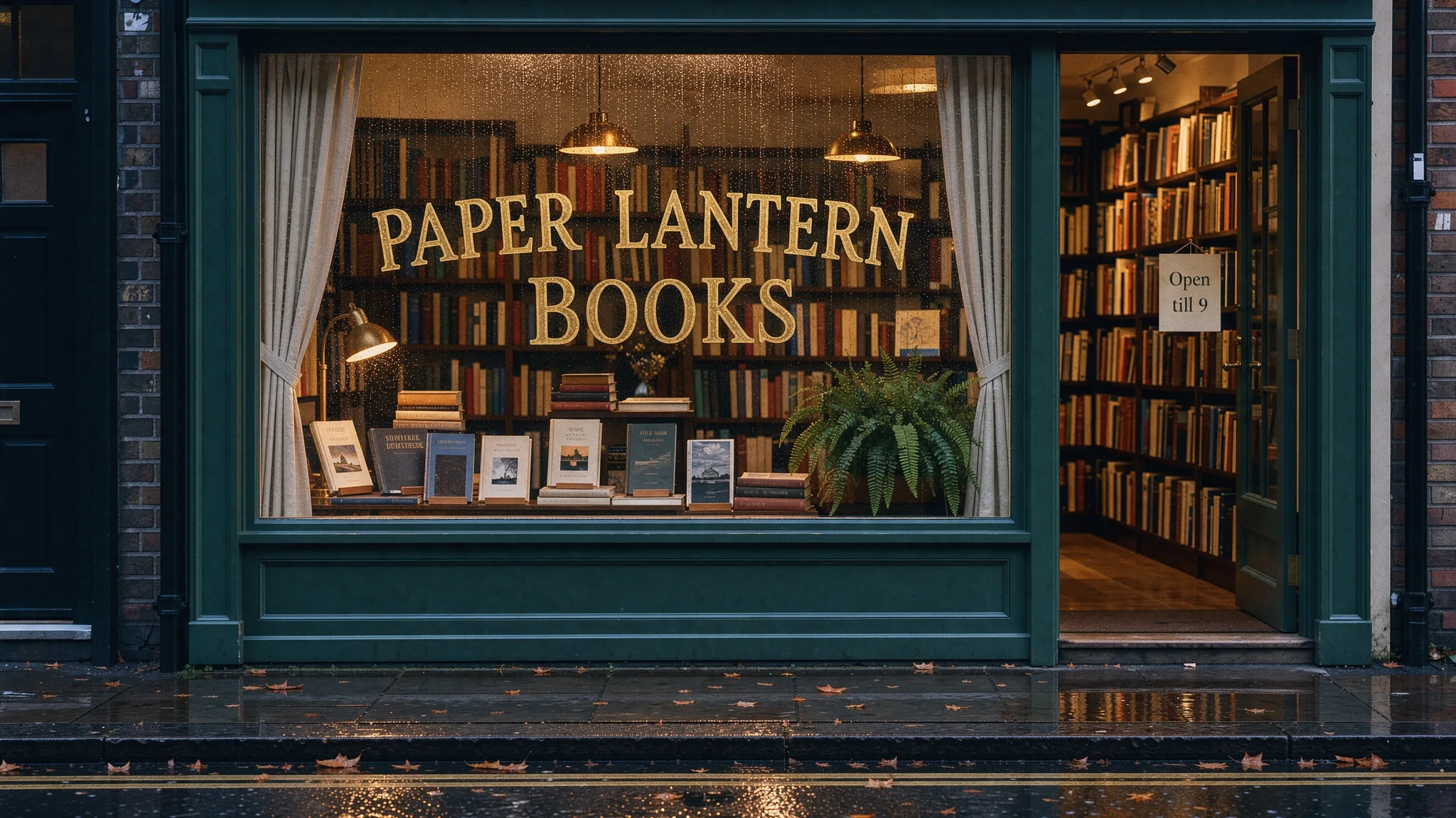
Prompt: A cozy bookshop window at dusk. Gold lettering on the glass reads "PAPER LANTERN BOOKS". A small sign on the door reads "Open till 9". Warm light, light rain, 35mm photo.
Native 4K detail
This frame is 5456 x 3072 pixels. On the left is the whole frame scaled down to fit the page; on the right is a crop from the same file.
 Full frame
 Crop
CropPrompt: A watchmaker's workbench seen from above in soft window light: an open mechanical pocket watch with visible gears and jewels, tiny screwdrivers, a loupe, brass tweezers, and a handwritten paper tag that reads "Serviced 02 Oct 2026". Macro product photography, extremely fine detail.
Place every element with bounding boxes
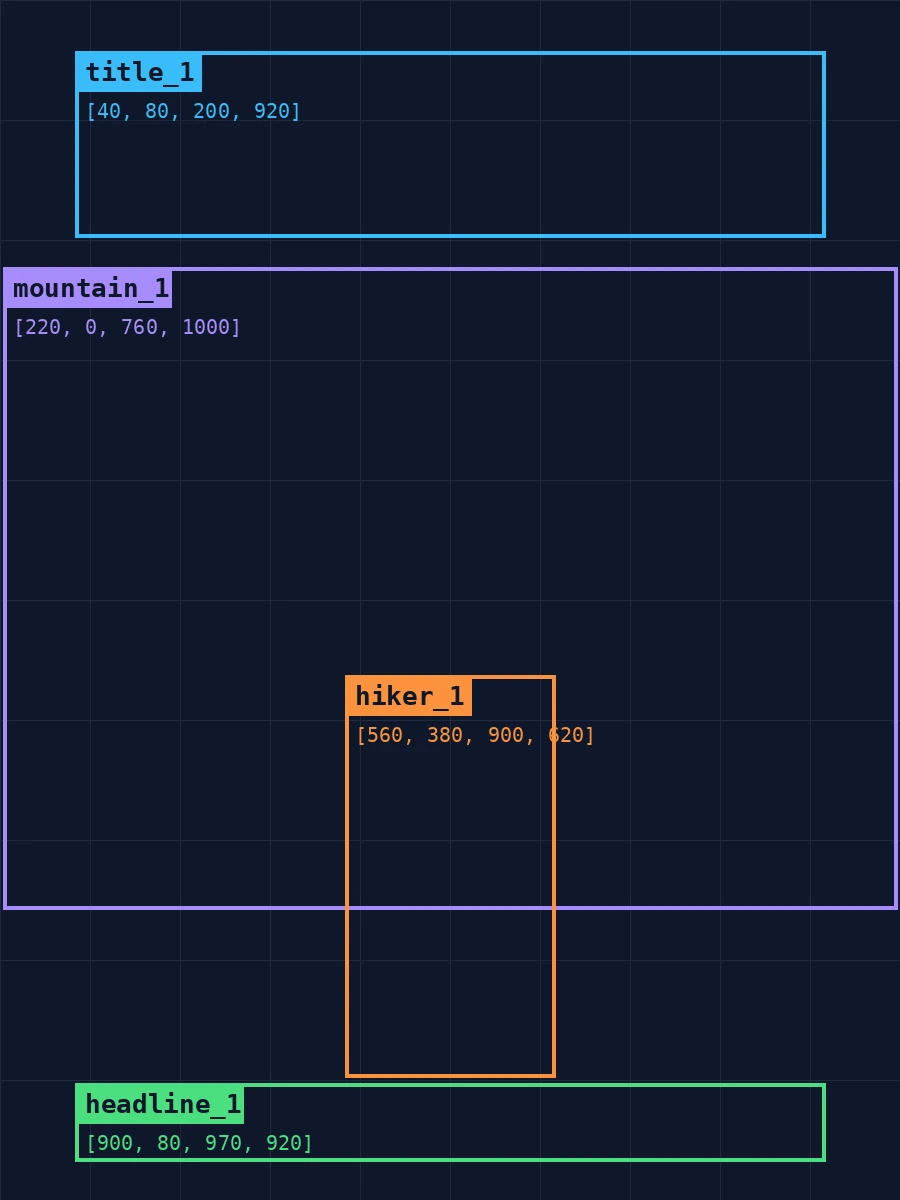
Add a list of boxes to your prompt, each with an id, a position on a 0 to 1000 grid and a description. FLUX 3 Image put the masthead, the mountain, the hiker and the headline where the boxes say.
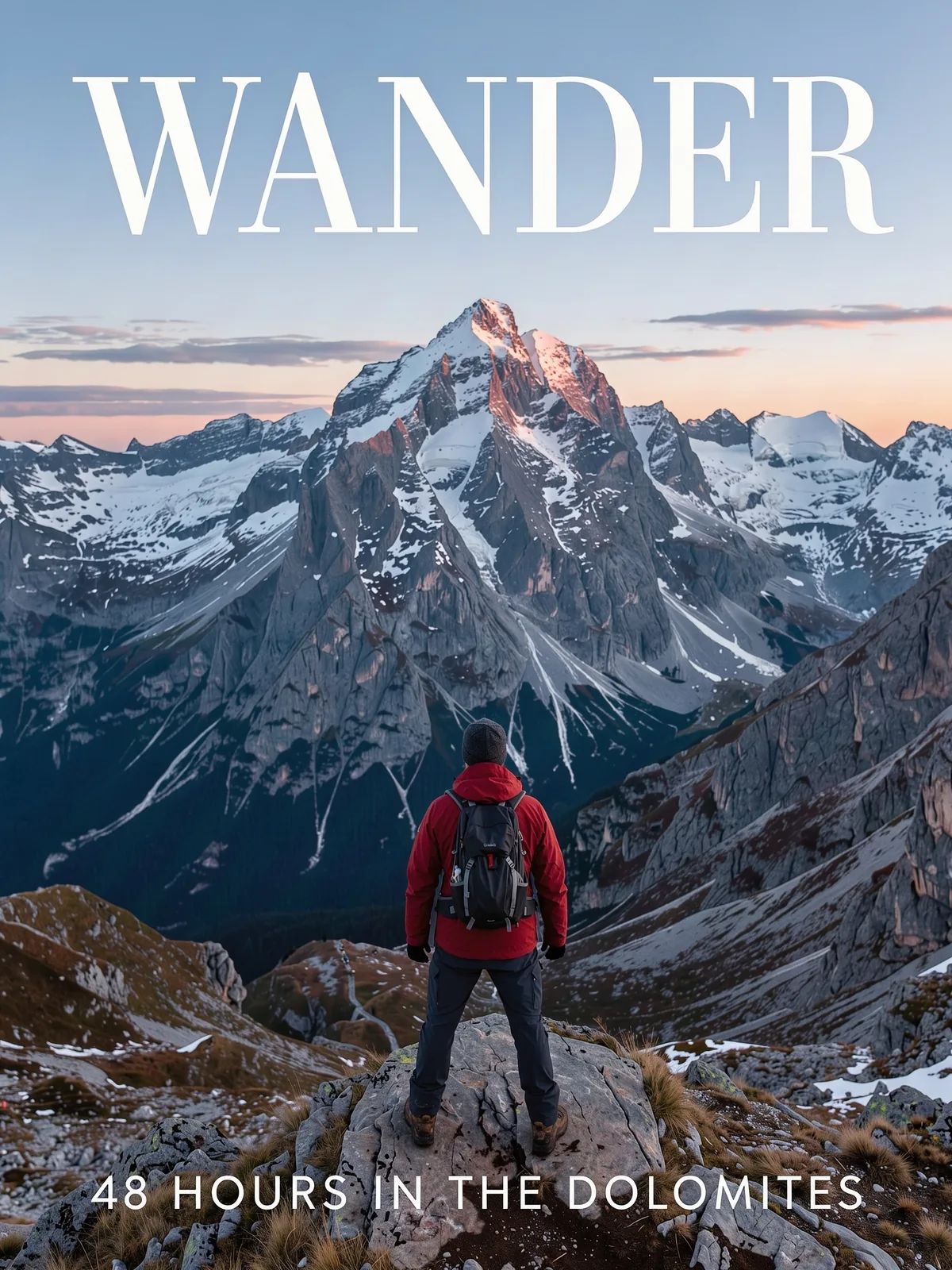 Result
A travel magazine cover, clean editorial design, photographic.
[
{
"id": "title_1",
"bbox": [
40,
80,
200,
920
],
"desc": "large white serif masthead text that reads \"WANDER\""
},
{
"id": "mountain_1",
"bbox": [
220,
0,
760,
1000
],
"desc": "a snow-capped mountain at sunrise with pink light on the peak"
},
{
"id": "hiker_1",
"bbox": [
560,
380,
900,
620
],
"desc": "a hiker in a red jacket seen from behind, standing on a rock"
},
{
"id": "headline_1",
"bbox": [
900,
80,
970,
920
],
"desc": "small white text that reads \"48 HOURS IN THE DOLOMITES\""
}
]What FLUX 3 Image Does Well
One model for generating and editing images, at up to 4K.
Native 2K and 4K Output
FLUX 3 Image renders at the size you pick instead of upscaling afterwards. 4K is about 16 megapixels, for example 5456 x 3072 at 16:9, so small text and fine texture hold up when you zoom in.
Up to 10 Reference Images
Upload as many as ten photos and refer to them in order in the prompt as ref_image_0, ref_image_1 and so on. Put a person, a product and a place into one picture.
Bounding-Box Layout Control
Give each element an id, a box on a 0 to 1000 grid and a short description, and add the list to your prompt. Useful for covers, ads and product composites where position matters. Try the Magazine cover example at the top of this page.
Readable Text in Images
Headlines, shop signs, labels and handwriting come out as real words. Put the exact wording in quotation marks.
Edits That Stay Put
Upload a photo and say what to change. In our three-step test the sofa, the wall color and a new plant were changed one after another, and the rest of the room stayed the same.
14 Aspect Ratios, JPEG or PNG
From 21:9 to 1:2, including 16:9, 9:16, 4:5 and 1:1. Download the result as JPEG or PNG.
How to Use FLUX 3 Image Online
From prompt to finished image in three steps.
Write a Prompt or Upload References
Use the generator at the top of this page. Start from a description in Text to Image, or switch to Image to Image and upload up to 10 reference photos. Not sure what to type? Click one of the examples.
Pick a Ratio and a Resolution
Choose one of 14 aspect ratios and 1K, 2K or 4K. Each resolution button shows what it costs at the ratio you picked.
Generate and Download
1K and 2K usually take about a minute; 4K can take a few minutes. Your image is saved to Creations, so you can close the tab and come back to download it later.
Frequently Asked Questions
What to know before you run FLUX 3 Image on Veevid.
FLUX 3 Image is the image generation and editing model in Black Forest Labs' FLUX 3 family, released on October 1, 2026. One model handles text-to-image and editing with up to 10 reference images, renders natively at up to 4K, and accepts bounding boxes in the prompt to control layout.
Use the generator at the top of this page: FLUX 3 Image is already selected. Write a prompt or click an example, pick a ratio and a resolution, and generate. Veevid runs the model for you, so there is nothing to install and no graphics card required.
Not yet. Black Forest Labs has said an open-weight version will follow, without giving a date. Until then the model is available through hosted services like this one.
Yes. Download a result, upload it as the next input and edit again. In our test, three edits in a row (new sofa, new wall color, added plant) left the rest of the room looking the same.
Up to 10 per image-to-image request. Refer to them in upload order as ref_image_0, ref_image_1 and so on, for example "the man from ref_image_0 wearing the jacket from ref_image_1". Use only the references you need.
Add a JSON list to your prompt where each element has an id, a bbox written as [y_min, x_min, y_max, x_max] on a 0 to 1000 grid, and a description. The grid is the same for every aspect ratio. Click the Magazine cover example at the top of this page to load a full prompt you can edit.
1K, 2K and 4K, in 14 aspect ratios: 21:9, 2:1, 16:9, 3:2, 7:5, 4:3, 5:4, 1:1, 4:5, 3:4, 5:7, 2:3, 9:16 and 1:2. A 4K image is about 16 megapixels, for example 4096 x 4096 or 5456 x 3072.
No. FLUX 3 Image makes still images. To animate one, download it and use Image to Video on Veevid.
FLUX 3 Image is priced by output size, so the cost depends on both resolution and aspect ratio: 10 or 20 credits at 1K, 39 or 48 at 2K, and 154 or 164 at 4K. Editing costs the same as generating, and reference images do not add to the price. The exact cost is shown before you generate.
Discover More Image Tools
Explore the full suite of AI image and video generators on Veevid.
Try FLUX 3 Image now
Native 4K, up to 10 references and layouts you control, from 10 credits per image.
Try FLUX 3 Image