
MAI Image 2.7 Flash
MAI Image 2.7 Flash Fast AI Image Generator
The faster, lower-cost version of MAI Image 2.7. Draft product shots, ads and social posts quickly, try many variations, and edit with the same controls: up to 5 reference images, 7 aspect ratios and transparent PNGs.
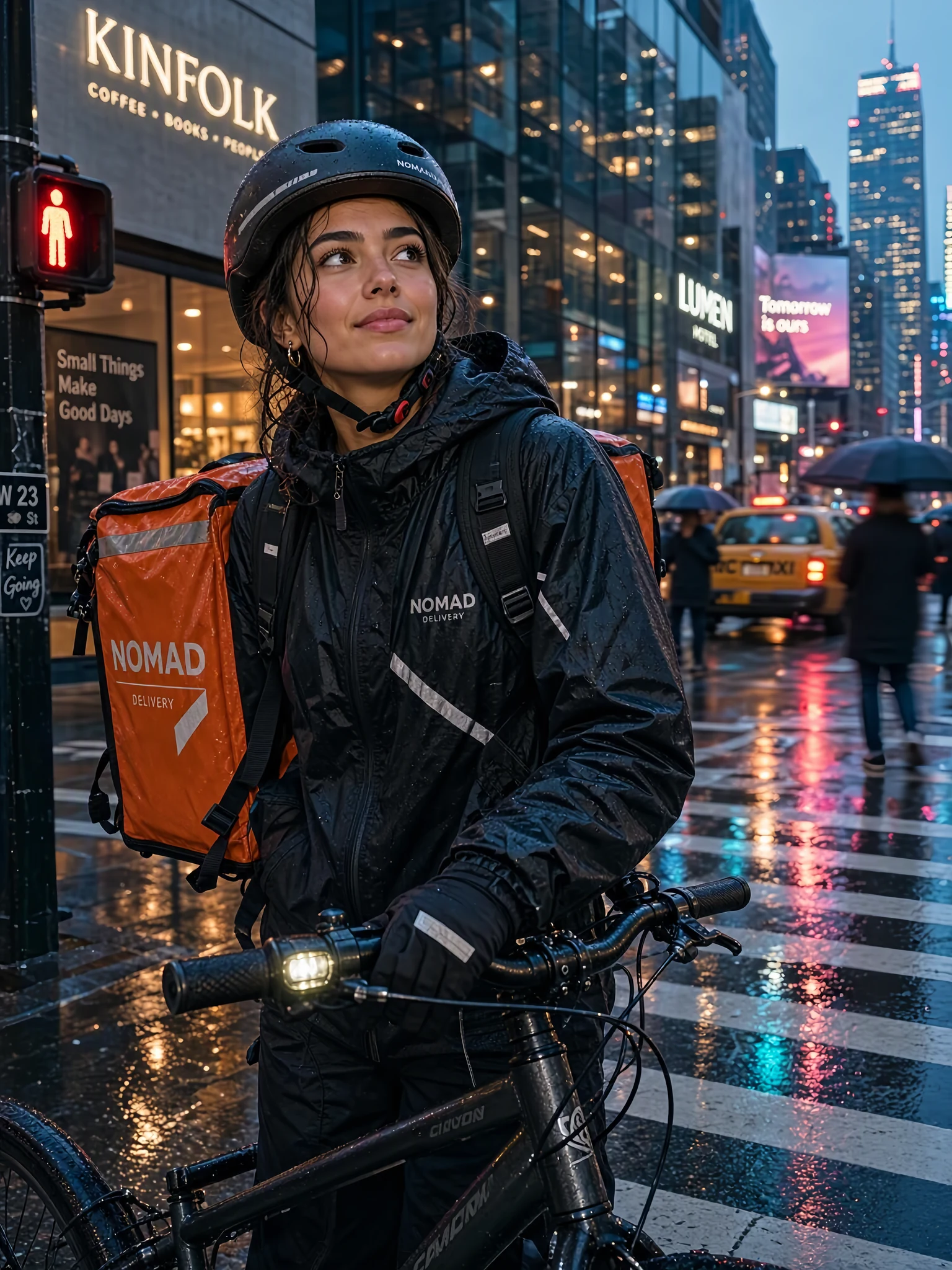
A candid photorealistic portrait of a young bike courier pausing at a rainy city crosswalk at dusk, neon reflections on wet asphalt, water droplets on her helmet, 50mm lens
 Sample Image
0/4000
Output: 1024 × 1024 PNG
Cut-out subject on a transparent PNG, ready for product pages and design files.
Generation time varies. You can leave this page; results are saved to My Creations.
Made with MAI Image 2.7 Flash
Every image below is a real MAI Image 2.7 Flash output with the exact prompt shown. Nothing was retouched; images were only converted to WebP for this page.
Many variations, fast
Change one or two words and run it again. These four tote mockups came from the same prompt template with a different color and surface each time, at 1K, and the printed text stayed correct in all of them.
 1 / 4
 2 / 4
 3 / 4
 4 / 4
Prompt 1: Flat lay product photo of a sage green canvas tote bag with the words "MARKET DAY" printed on it, on a light oak table, soft daylight
Prompt 2: Flat lay product photo of a navy blue canvas tote bag with the words "MARKET DAY" printed on it, on a white marble counter, soft daylight
Prompt 3: Flat lay product photo of a terracotta canvas tote bag with the words "MARKET DAY" printed on it, on a linen bedsheet, soft daylight
Prompt 4: Flat lay product photo of a mustard yellow canvas tote bag with the words "MARKET DAY" printed on it, on grey concrete, soft daylight
Good enough to ship, not just to sketch
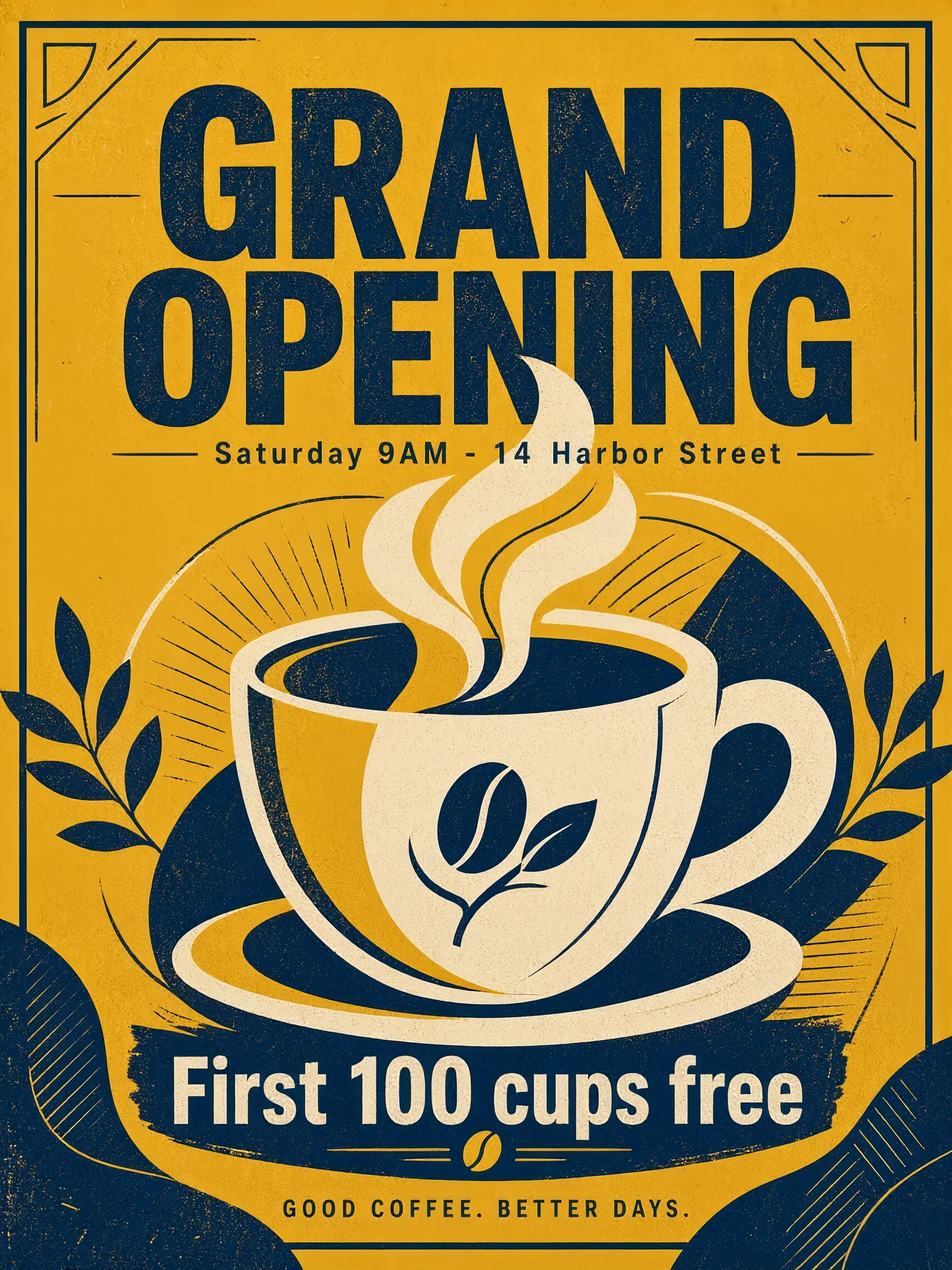
Flash can still produce realistic light and in-image text. Both images below are 2K (1536 × 2048).
2KStreet portrait
Prompt: A candid photorealistic portrait of a young bike courier pausing at a rainy city crosswalk at dusk, neon reflections on wet asphalt, water droplets on her helmet, 50mm lens
 2K
Opening-day poster
Prompt: A bold minimalist poster for a coffee shop opening. Headline "GRAND OPENING", subheading "Saturday 9AM - 14 Harbor Street", and a line "First 100 cups free". Large illustration of a steaming cup, mustard yellow and deep navy palette, clean sans-serif typography.
Transparent cut-out, then a lifestyle shot
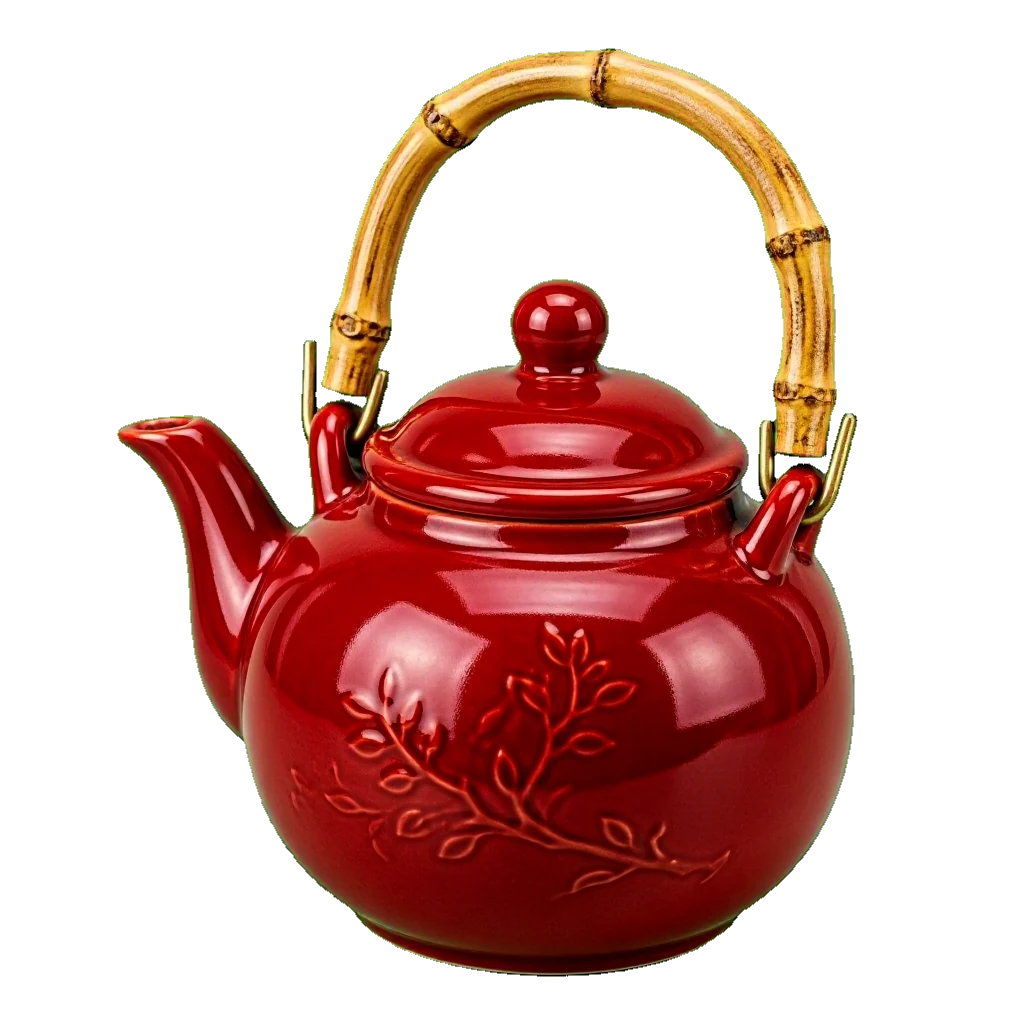
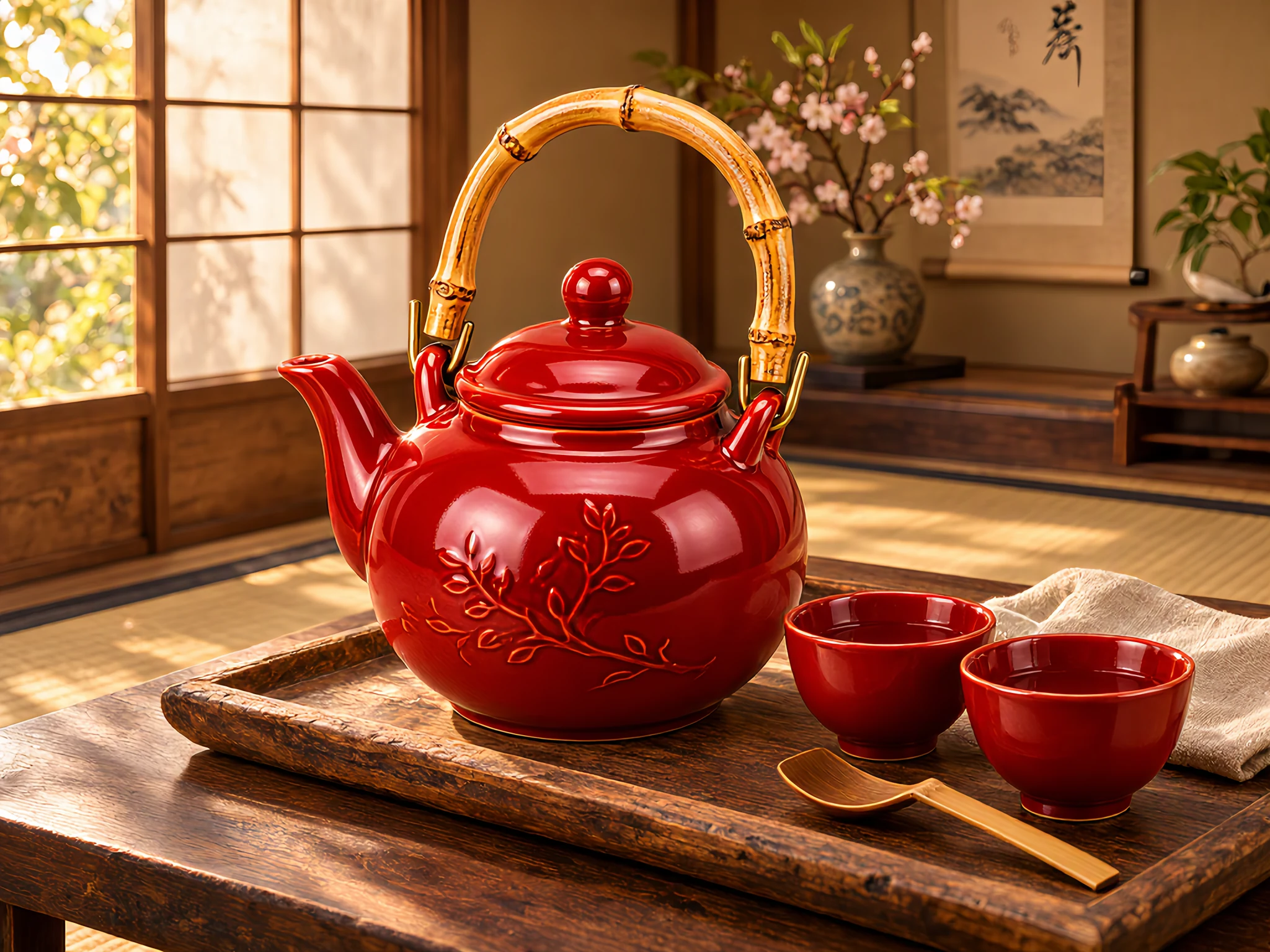
Generate the product on a transparent background, then send the PNG back in as a reference to stage it. In this example the teapot kept its shape, glaze and bamboo handle.
 Transparent PNG
 Result
Prompt 1: A glossy red ceramic teapot with a bamboo handle, three-quarter view, studio product shot, product only, no shadow
Prompt 2: Place this teapot on a rustic wooden tray beside two small tea cups, soft afternoon light in a Japanese-style tea room, lifestyle product photography. Keep the teapot exactly the same.
The same editing controls as MAI Image 2.7
Put a product in a new setting or combine up to 5 reference images, used in upload order.
Product in a new scene
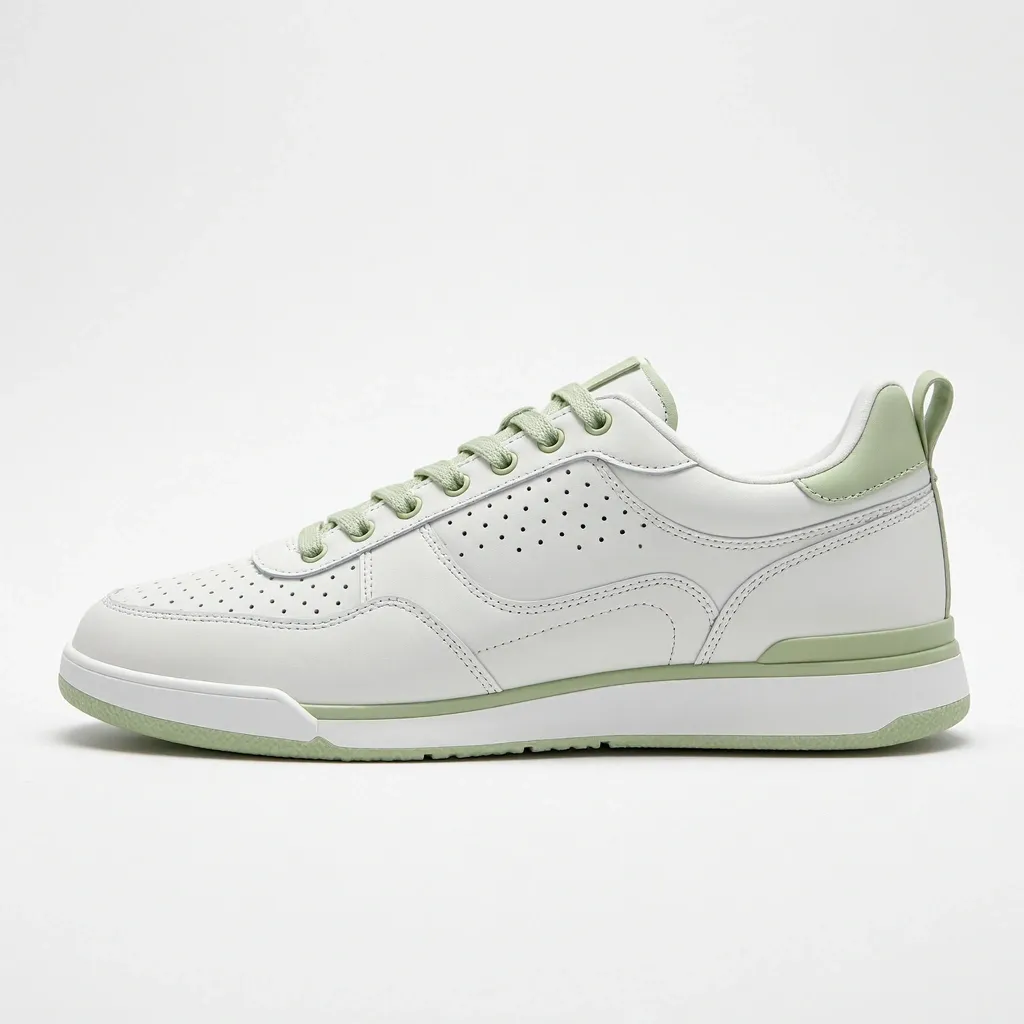 Original
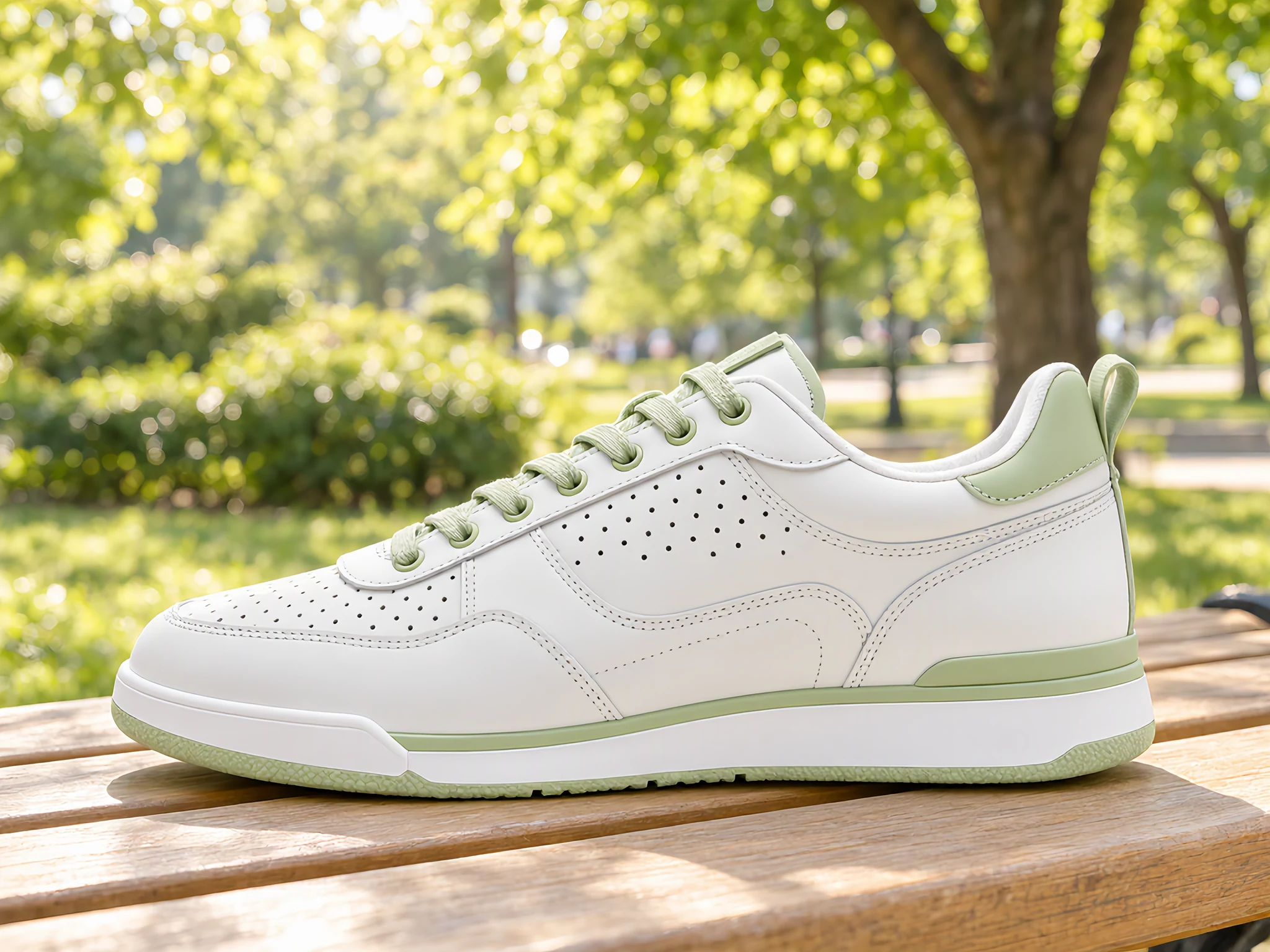 Result
Prompt: Place this sneaker on a light wooden park bench in bright morning sunlight, green trees softly blurred in the background, lifestyle product photography. Keep the sneaker design unchanged.
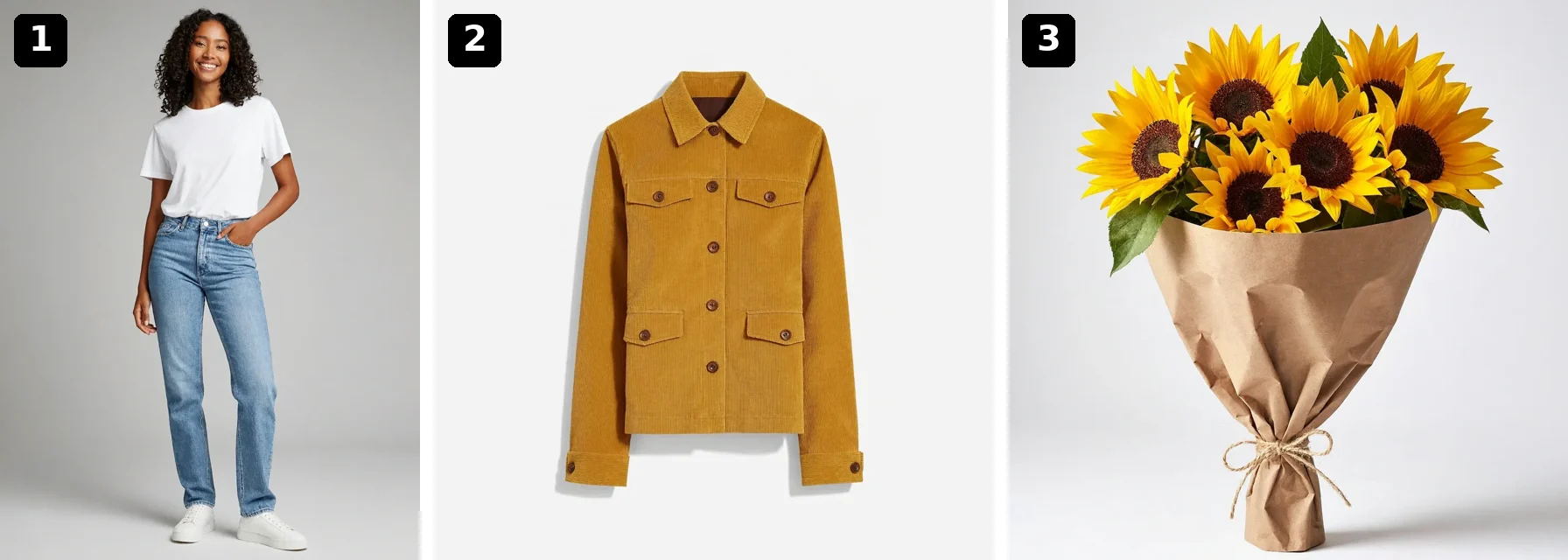
Three references, one photo
 Result
Prompt: The woman from the first image wearing the jacket from the second image and holding the sunflower bouquet from the third image, standing in a sunny park, candid fashion photography.
Why Use MAI Image 2.7 Flash
The fast, lower-cost member of Microsoft's MAI Image 2.7 family, built for high-volume work and quick iteration.
Faster Results
Flash returns images sooner than MAI Image 2.7, so you can test ideas, compare layouts and refine prompts without long waits.
Lower Cost per Image
Flash uses fewer credits per image than MAI Image 2.7 at the same size. Microsoft positions it for high-volume image generation.
Made for Volume and Iteration
Produce colorways, ad variants, thumbnails and social posts in batches, then move the winners to MAI Image 2.7 if you want extra polish.
Same Editing Controls
Edit a photo or combine up to 5 reference images with the same settings as MAI Image 2.7: describe the change and keep the rest.
Transparent PNG Output
Turn on Transparent background for cut-out product images and stickers with a real alpha channel.
7 Aspect Ratios, 1K or 2K
Square, portrait and landscape formats from 9:16 to 16:9, at 1K for quick drafts or 2K for final assets.
How to Use MAI Image 2.7 Flash
Draft, compare and refine images quickly in three steps.
Start from Text or Photos
Use the generator at the top of this page. Write a prompt on Text to Image, or switch to Image to Image and upload 1 to 5 reference images.
Generate a First Draft at 1K
Pick an aspect ratio and keep 1K for speed. Turn on Transparent background if you need a cut-out PNG.
Iterate, Then Finalize
Change a word or two and run it again until it looks right, then switch to 2K for the final image. Results are saved to My Creations.
Frequently Asked Questions
What to know before you create with MAI Image 2.7 Flash on Veevid.
MAI Image 2.7 Flash is the faster, lower-cost version of Microsoft AI's MAI Image 2.7, released in public preview in November 2026. It generates images from text and edits images with reference photos. On Veevid you can use it in your browser with no setup.
Use Flash for drafts, variations and high-volume work where speed and cost matter most. Use MAI Image 2.7 when you need the most detail or a demanding edit. Both have the same settings, and you can switch models in the menu without losing your prompt.
Yes. Switch to Image to Image, upload a photo and describe the change. Flash uses the same editing inputs as MAI Image 2.7, including up to 5 reference images.
1 to 5 per edit, used in upload order. Photos larger than about 4 megapixels are resized in your browser before upload.
Yes. Turn on Transparent background and the result is a PNG with an alpha channel, for both text-to-image and editing.
7 aspect ratios (1:1, 3:4, 4:3, 2:3, 3:2, 9:16 and 16:9) at 1K or 2K, for example 1024 × 1024 at 1K and 2048 × 2048 at 2K for square images. Each request returns one PNG.
It varies with the queue and the size. In our tests Flash images took about 10 to 30 seconds, less than MAI Image 2.7 for the same settings; you can leave the page and find results in My Creations.
It is credit-based and costs less per image than MAI Image 2.7. The price depends on the output size, the prompt length and, for edits, the size of your reference images. The generator shows the cost before you click Generate.
Discover More AI Image Tools
Need the most detail? Try MAI Image 2.7, or explore other image models on Veevid.
Iterate Faster with MAI Image 2.7 Flash
Draft, compare and edit images quickly, then export the one you like as a PNG.
Start Creating