
Kling Image 4.0
Kling Image 4.0 AI Image Generator
Generate photorealistic images up to native 8K, posters and infographics with long readable text, and consistent 2-10 image series, or edit with up to 10 reference images.
A photorealistic close-up portrait of an elderly fisherman at golden hour on a wooden pier, a small chalkboard sign beside him reading "FRESH CATCH TODAY - OPEN 6AM", soft natural light, 35mm film look
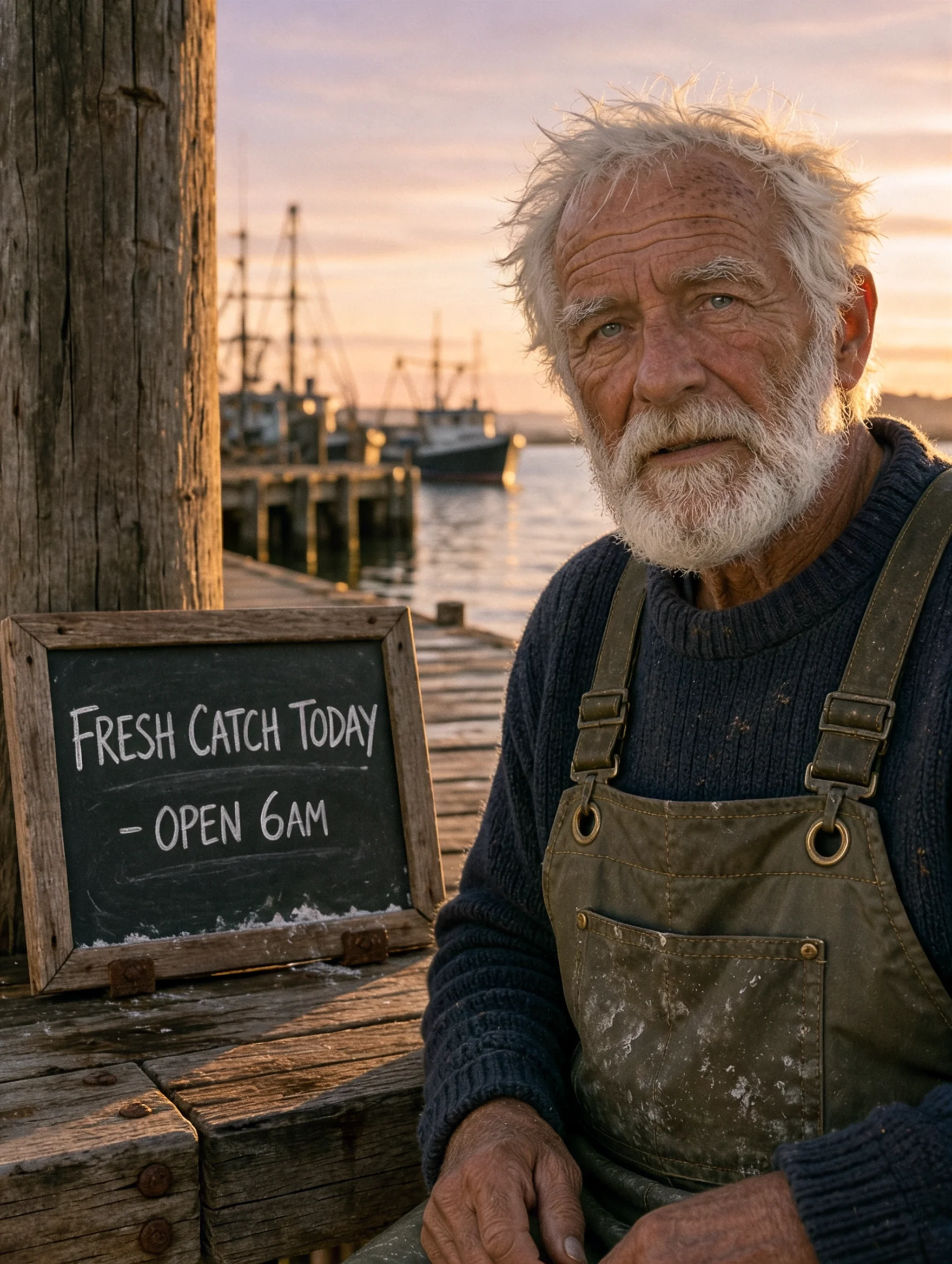
 Sample Image
0/20000
Independent images from the same prompt.
Usually about a minute at 2K; 4K and multiple images take longer. You can leave this page; results are saved to My Creations.
Made with Kling Image 4.0
Every image below is a real Kling Image 4.0 output with the prompt shown. Nothing was retouched; images were only converted to WebP, and some are resized or cropped for display.
Native 8K: crop in and keep the detail
The same portrait prompt rendered at 8K (7040 × 9344 at 3:4). The first image is the whole frame scaled down for this page; the second is a section cut out at original pixels with no upscaling. Skin texture, eyebrow hairs and freckles hold up under a heavy crop.
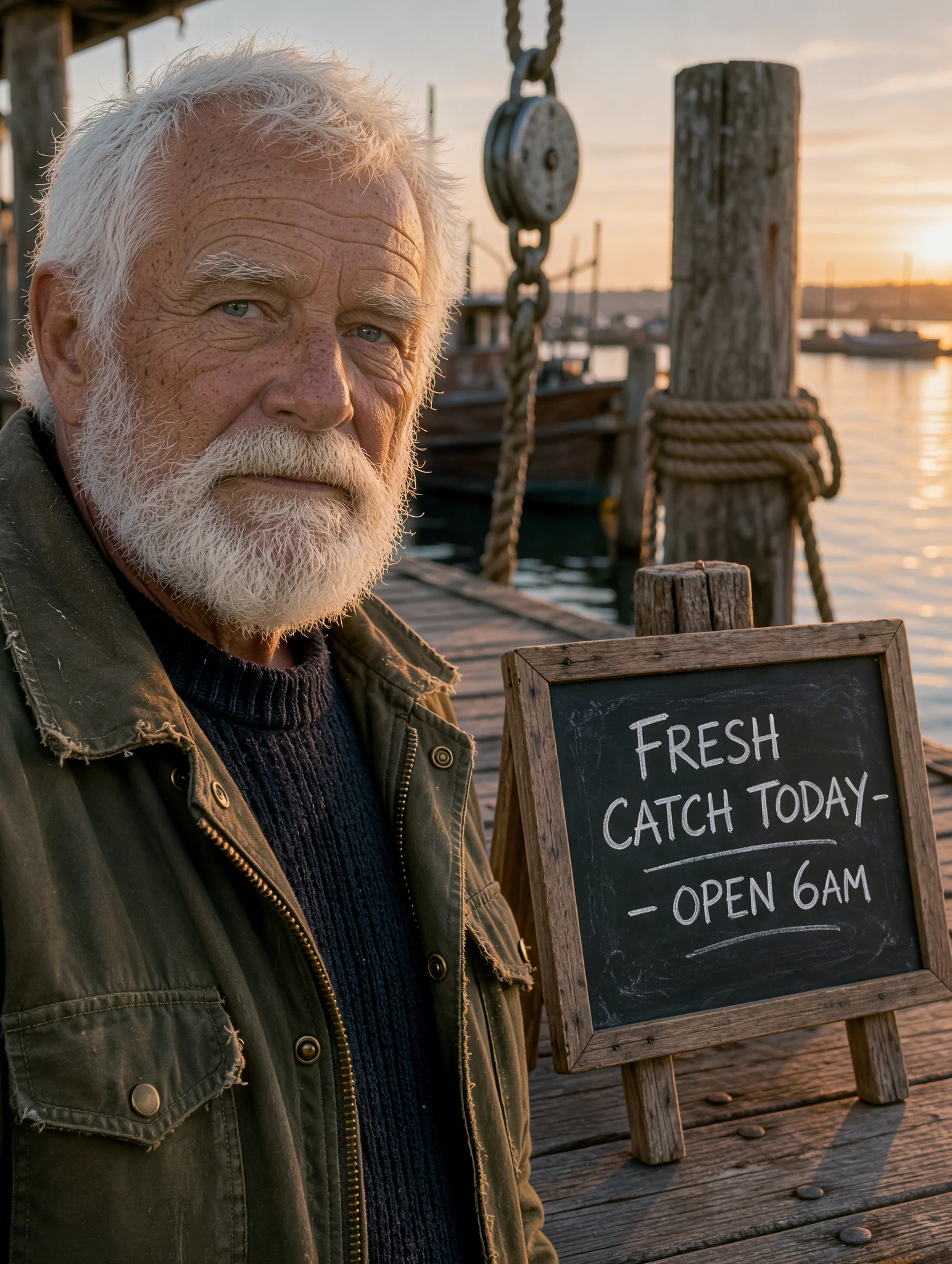 8K full frame
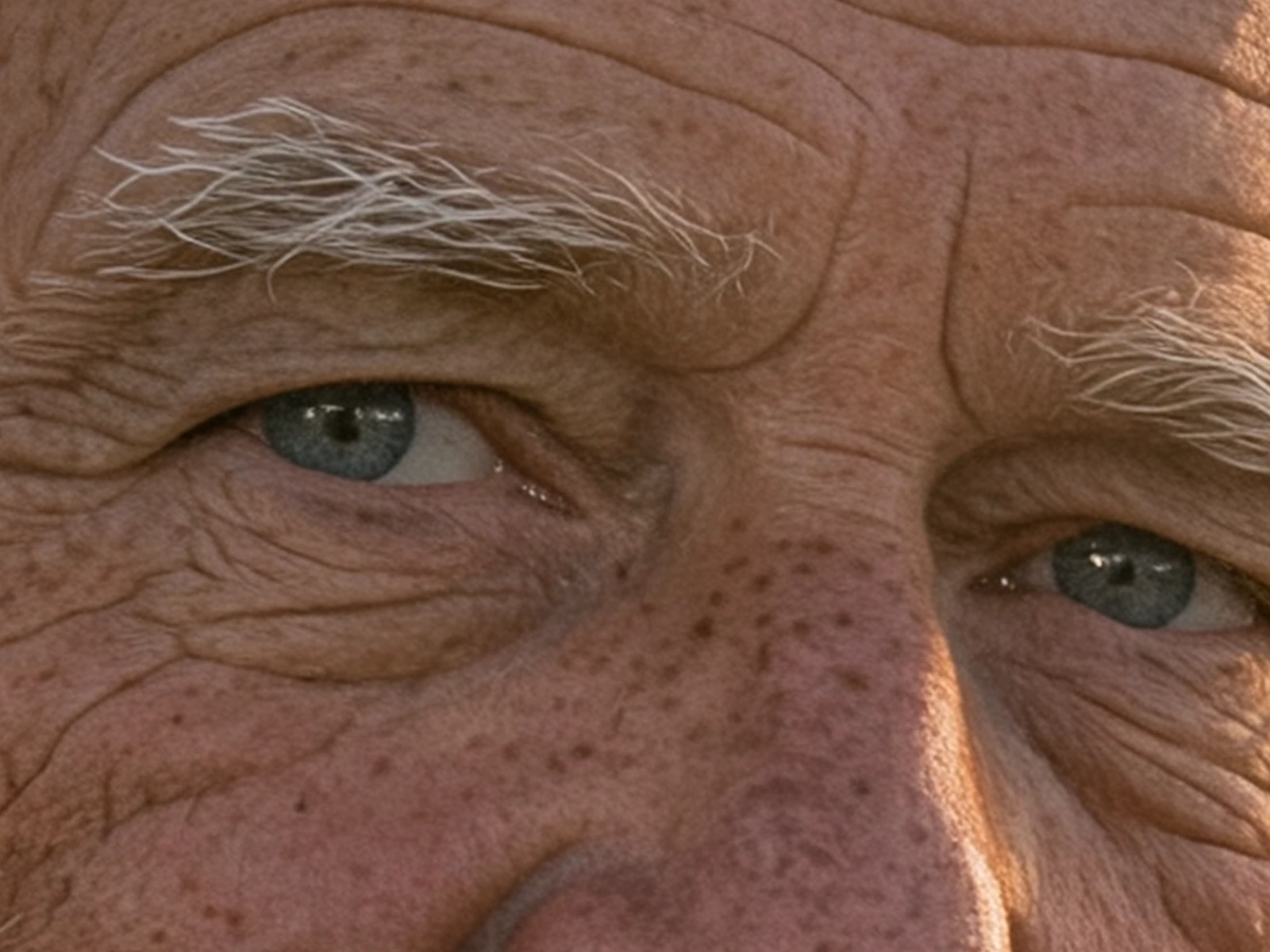 100% crop
Prompt: A photorealistic close-up portrait of an elderly fisherman at golden hour on a wooden pier, a small chalkboard sign beside him reading "FRESH CATCH TODAY - OPEN 6AM", soft natural light, 35mm film look
Long, readable text inside the image
Put the exact words in quotes and Kling Image 4.0 sets them in the layout: step-by-step infographics, menus with prices, signs and posters. Both images below are 2K.
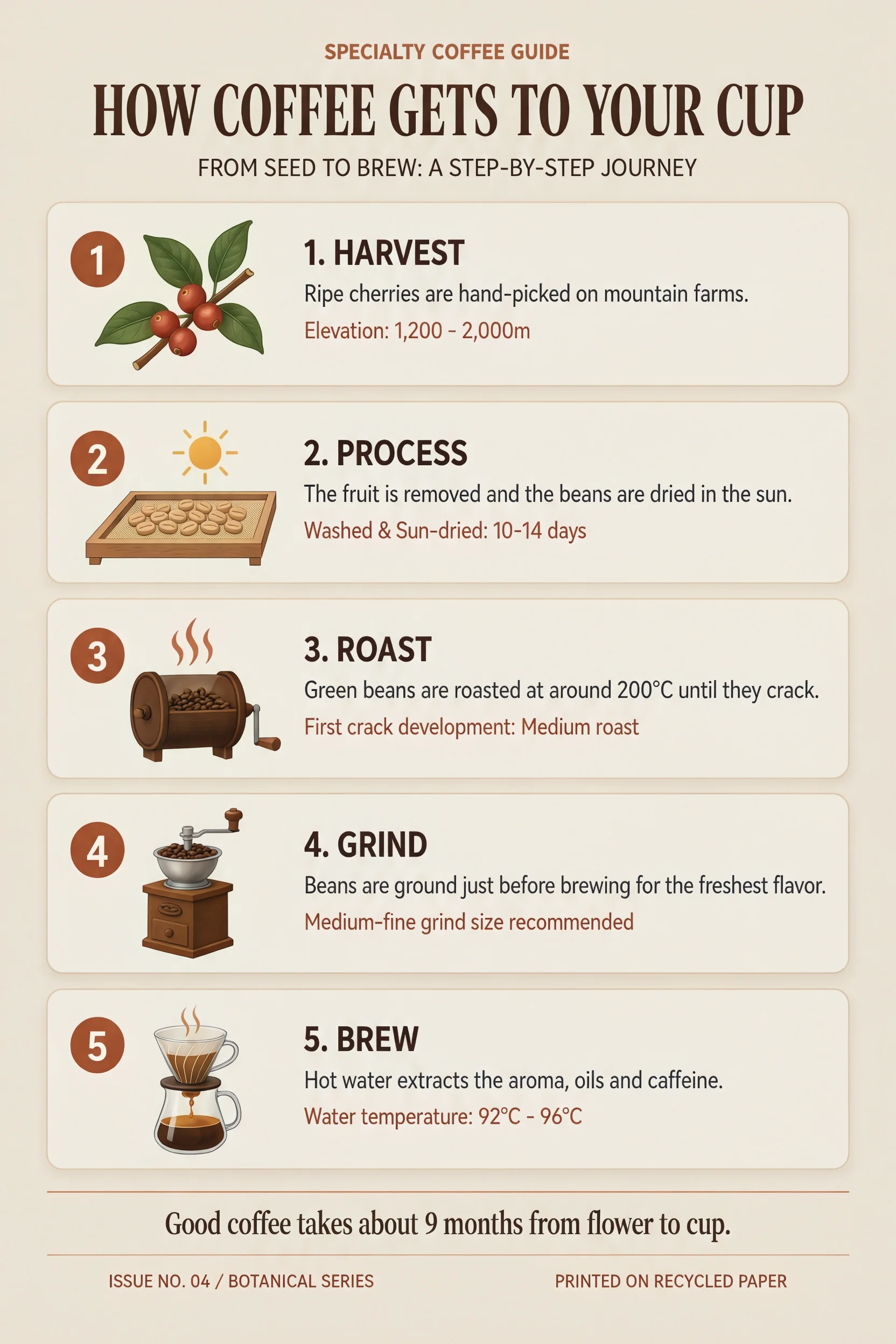 2K
Infographic
Prompt: A clean editorial infographic poster titled "HOW COFFEE GETS TO YOUR CUP" in bold serif type. Five numbered steps arranged top to bottom, each with a small flat illustration and a short caption: "1. HARVEST - Ripe cherries are hand-picked on mountain farms." "2. PROCESS - The fruit is removed and the beans are dried in the sun." "3. ROAST - Green beans are roasted at around 200°C until they crack." "4. GRIND - Beans are ground just before brewing for the freshest flavor." "5. BREW - Hot water extracts the aroma, oils and caffeine." Footer text: "Good coffee takes about 9 months from flower to cup." Warm cream background, coffee brown and terracotta accents, generous margins, crisp legible typography.
 2K
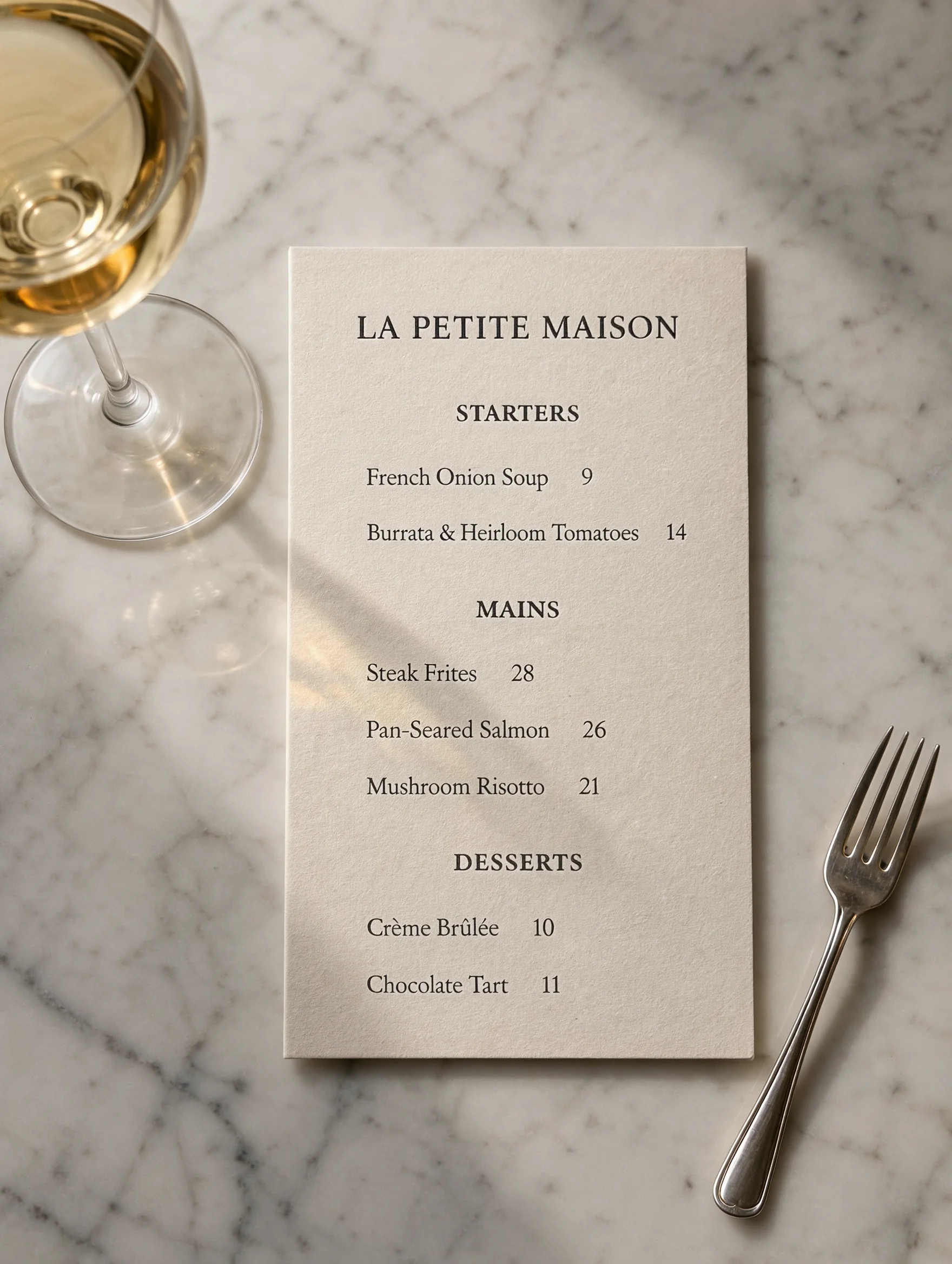
Menu
Prompt: Photorealistic top-down photo of a printed bistro menu card on a marble table next to a glass of white wine. The menu is titled "LA PETITE MAISON" and lists: STARTERS - "French Onion Soup 9", "Burrata & Heirloom Tomatoes 14"; MAINS - "Steak Frites 28", "Pan-Seared Salmon 26", "Mushroom Risotto 21"; DESSERTS - "Crème Brûlée 10", "Chocolate Tart 11". Elegant black serif typography on off-white paper, soft afternoon window light.
The model may add small supporting lines of its own, like the subheadings in the infographic. If you need only your text, say so in the prompt.
One prompt, a consistent image series
Switch the output to Series and get 2 to 10 related images from one request, with the same subject, style and lighting across the set. Use it for storyboards and multi-angle product shots.
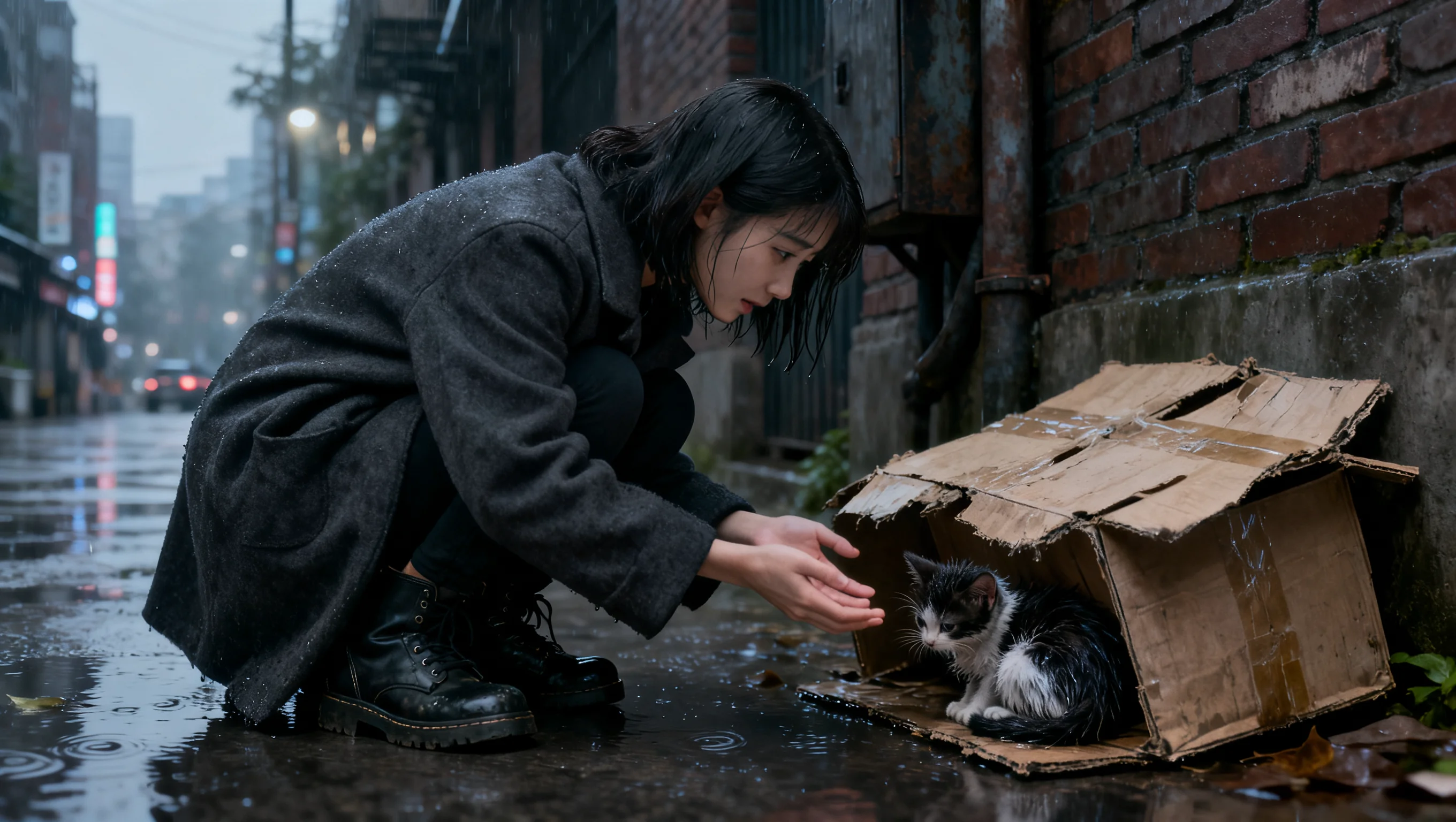
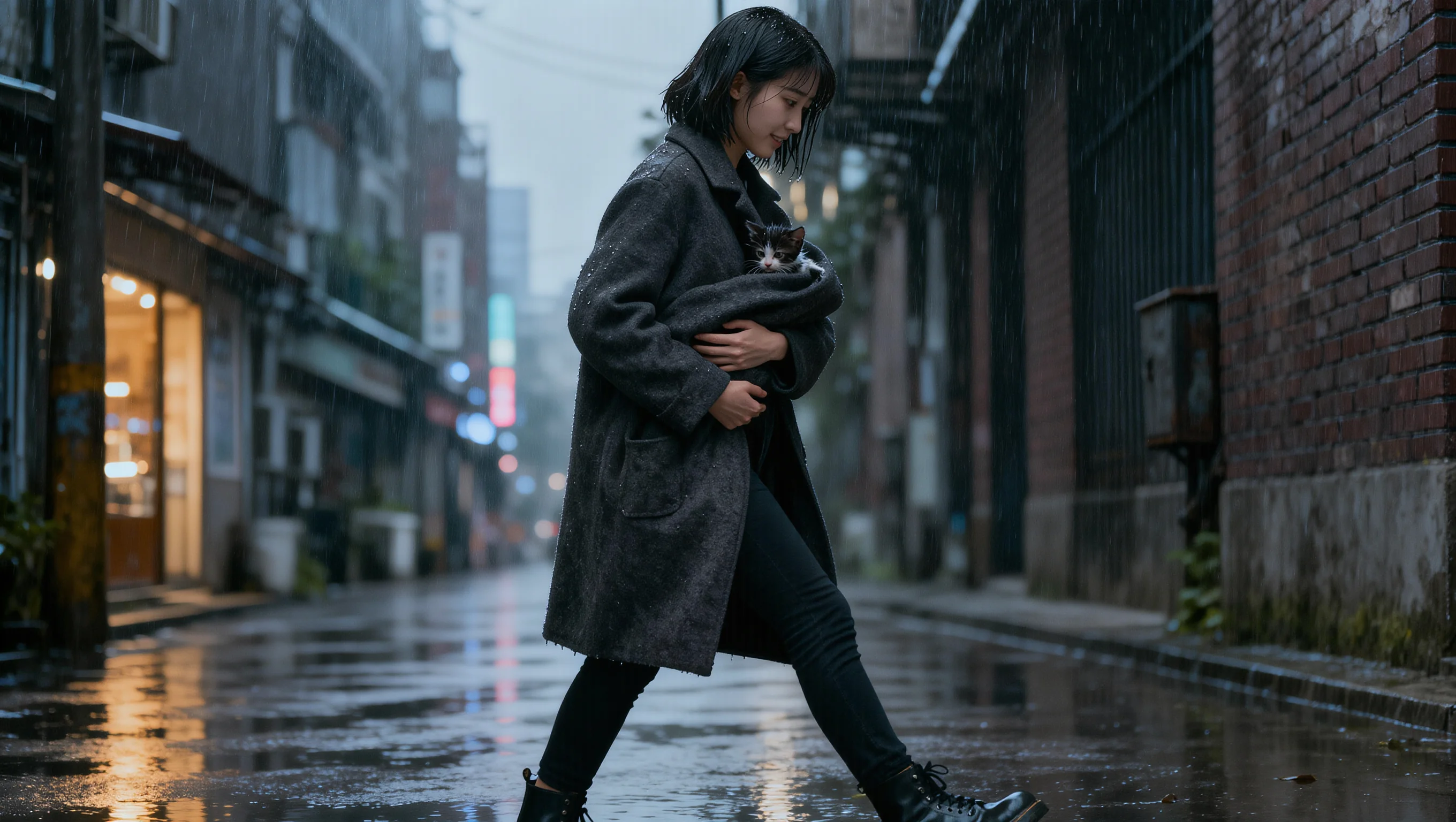
Storyboard, 2 frames
 1 / 2
 2 / 2
Prompt: A two-panel storyboard: a girl finds a stray kitten in the rain, then carries it home under her coat
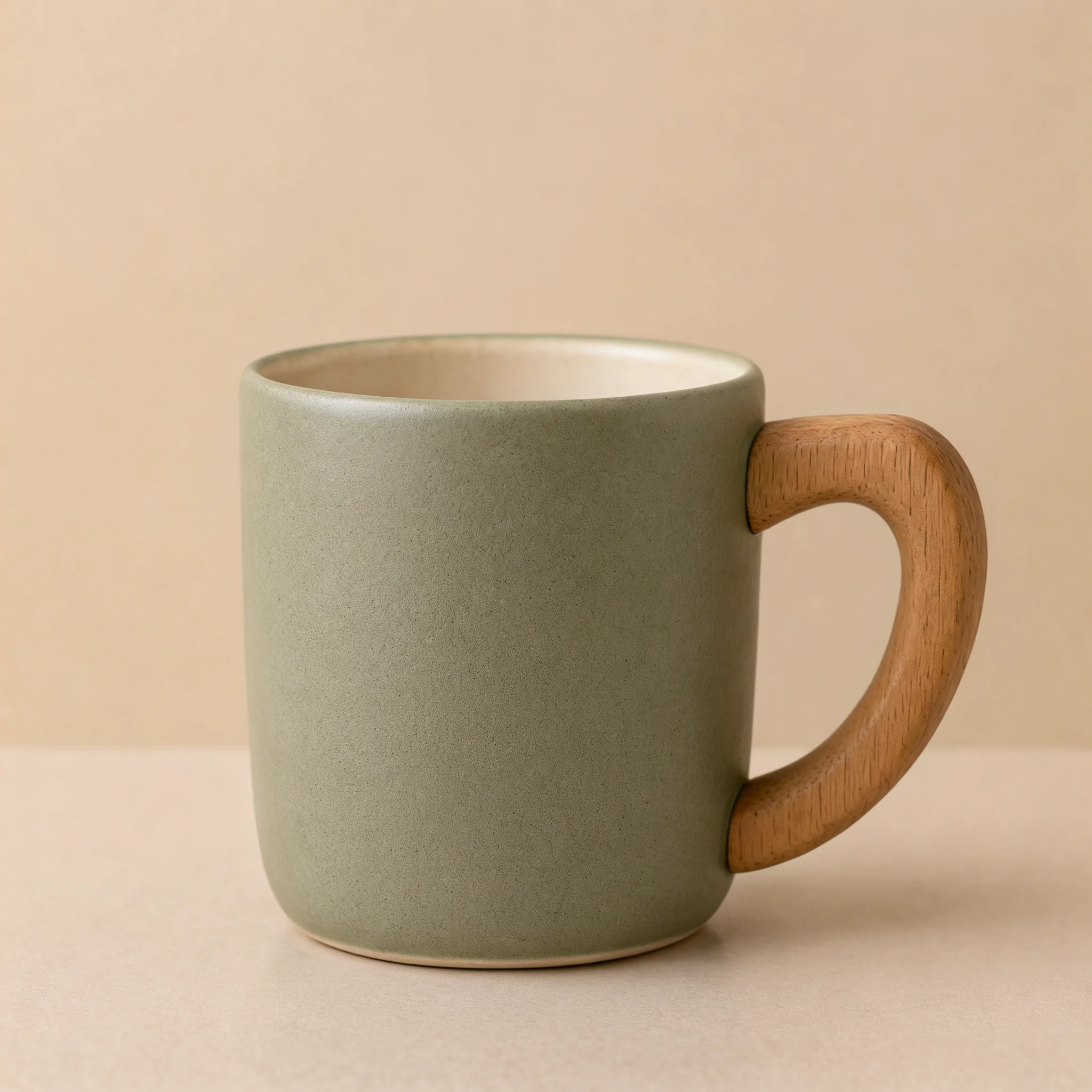
Product angles, 4 images
 1 / 4
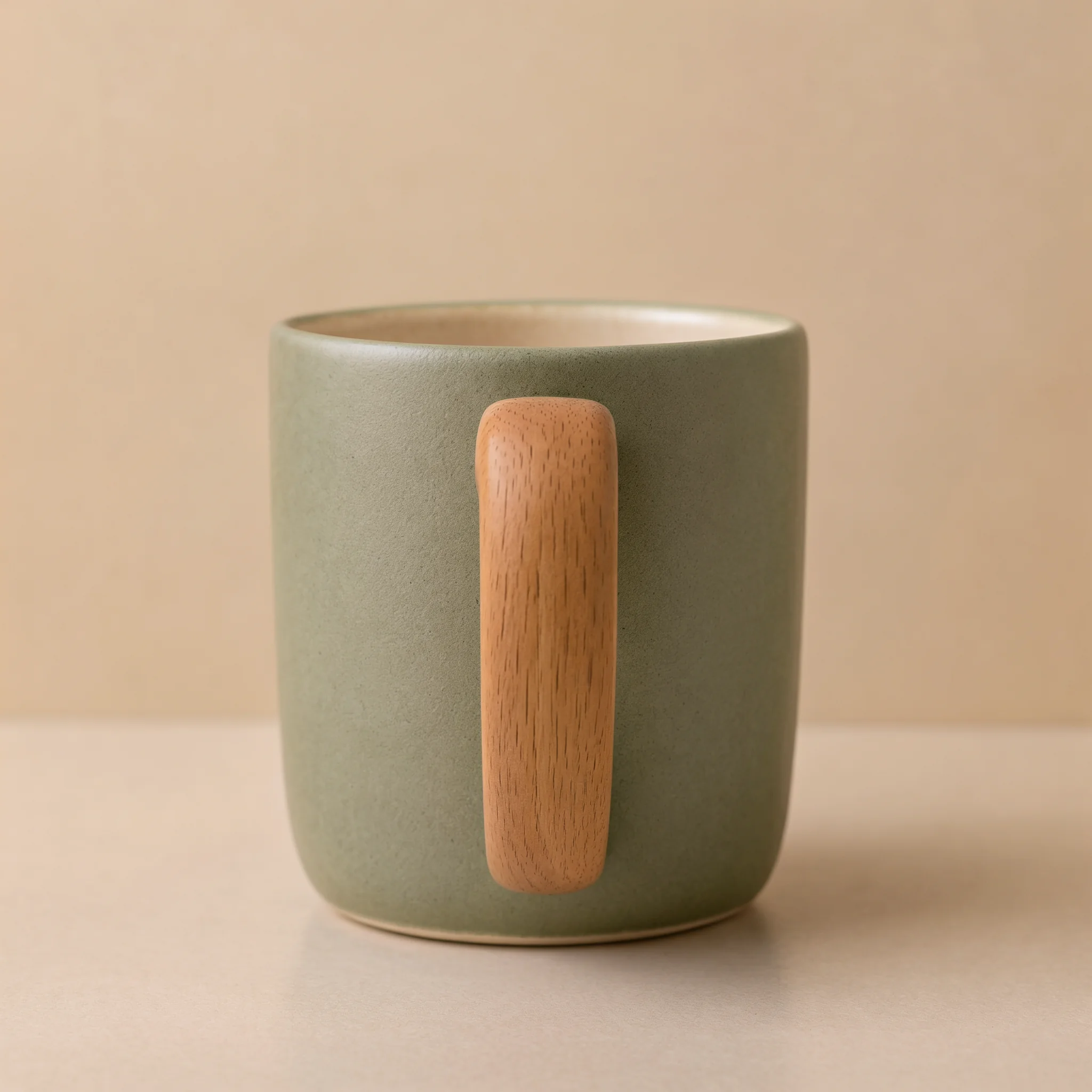 2 / 4
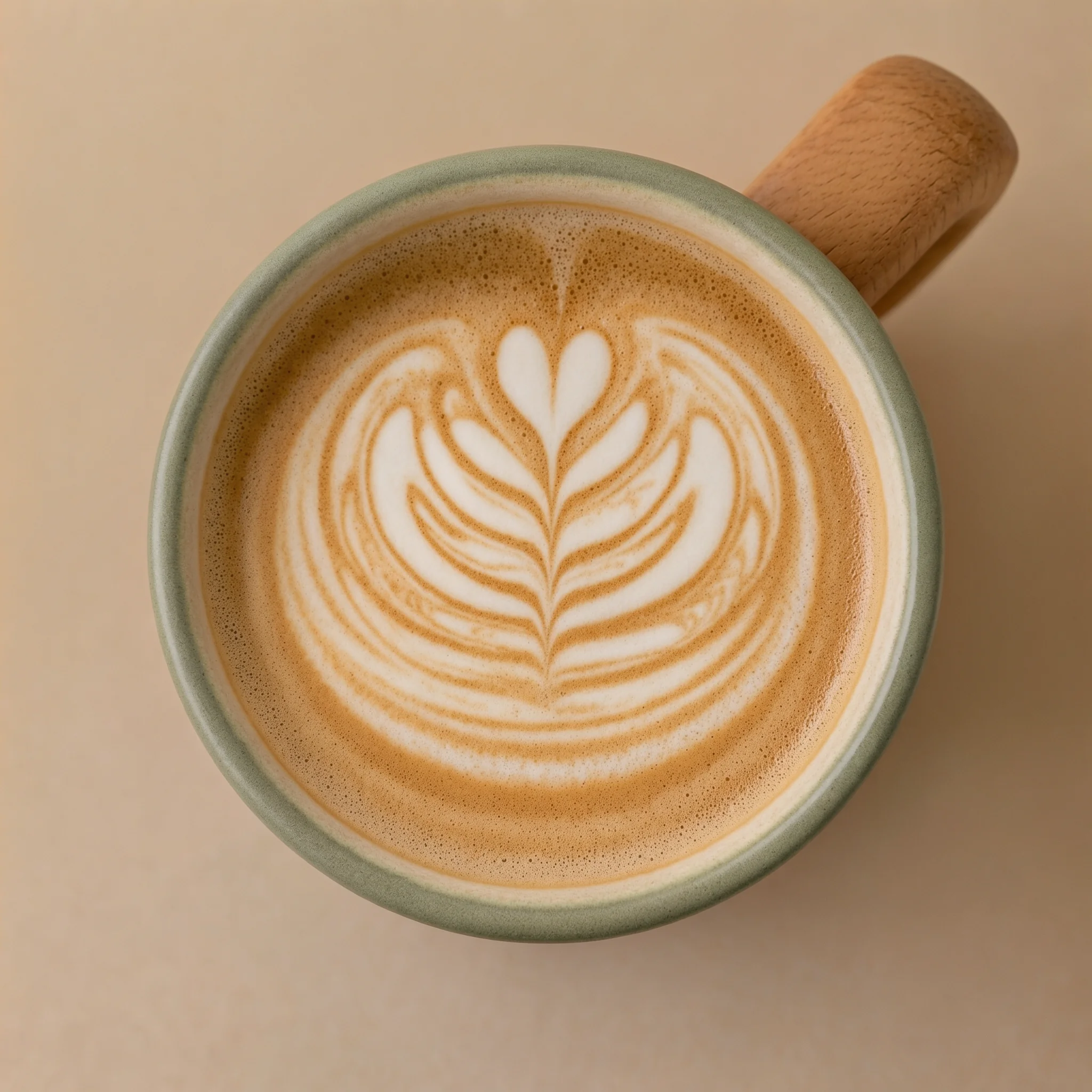 3 / 4
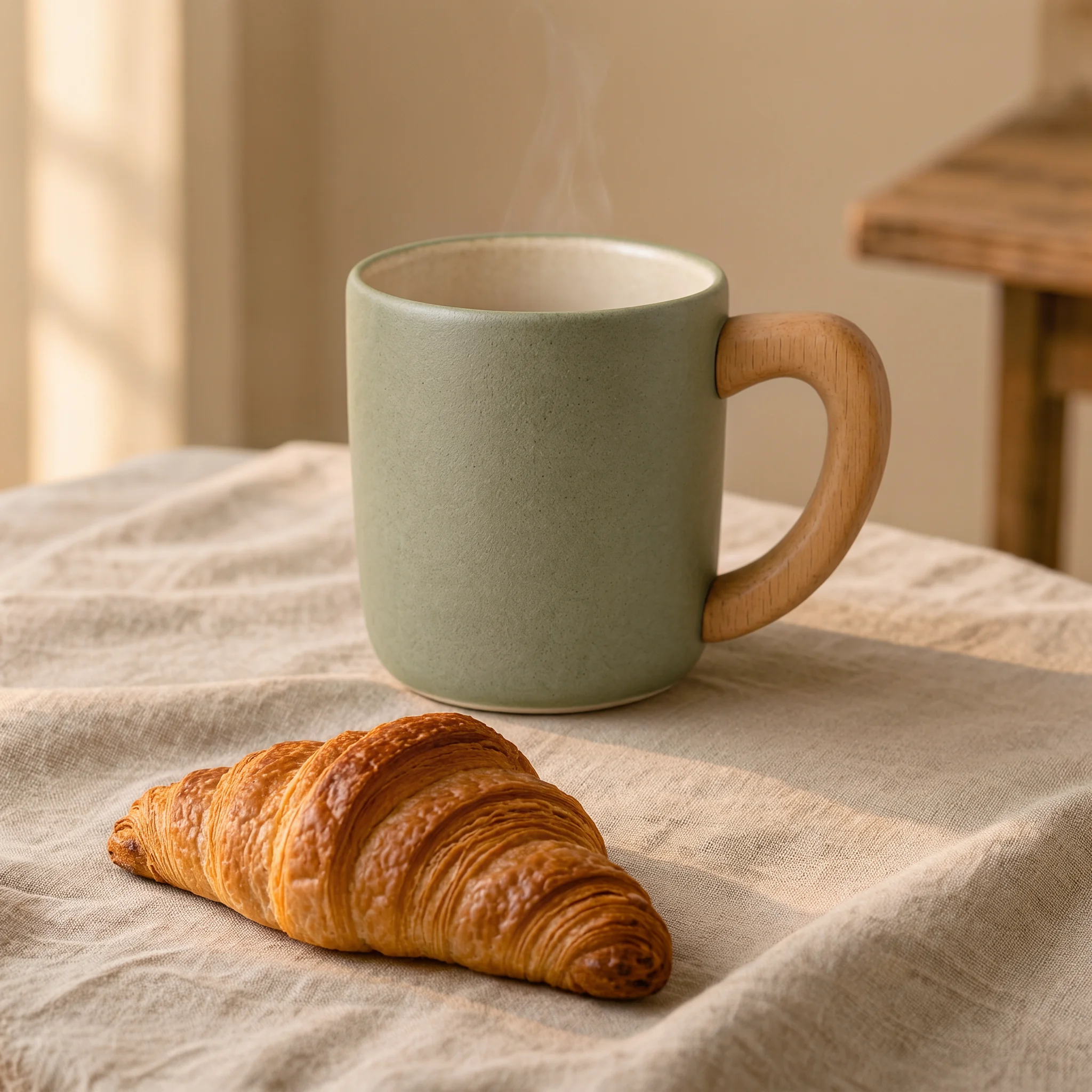 4 / 4
Prompt: A product photo series of the same matte sage-green ceramic coffee mug with a natural wooden handle: front view, side view showing the handle, top-down view showing latte art, and a lifestyle shot on a linen tablecloth beside a croissant. Consistent soft studio lighting and warm beige background, no logo, no text.
Edit with up to 10 reference images
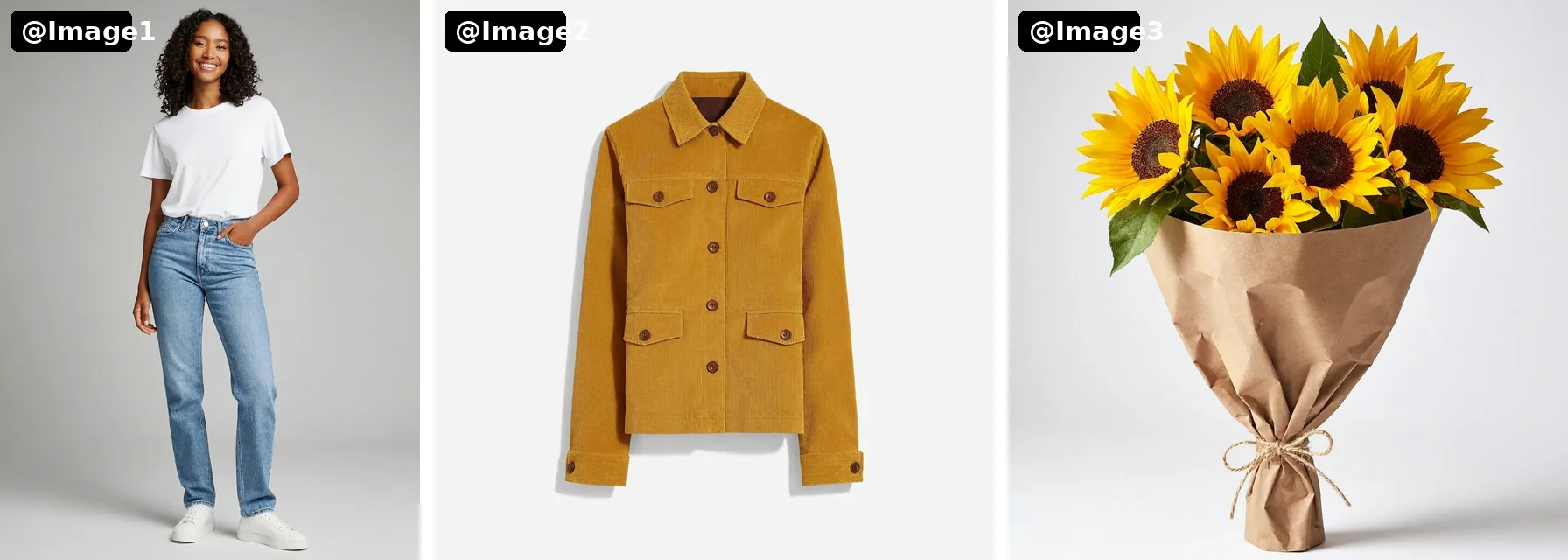
Upload references and call them @Image1, @Image2… in your prompt, in upload order. Keep a product's design while changing the scene, or combine a person, an outfit and a prop into one photo.
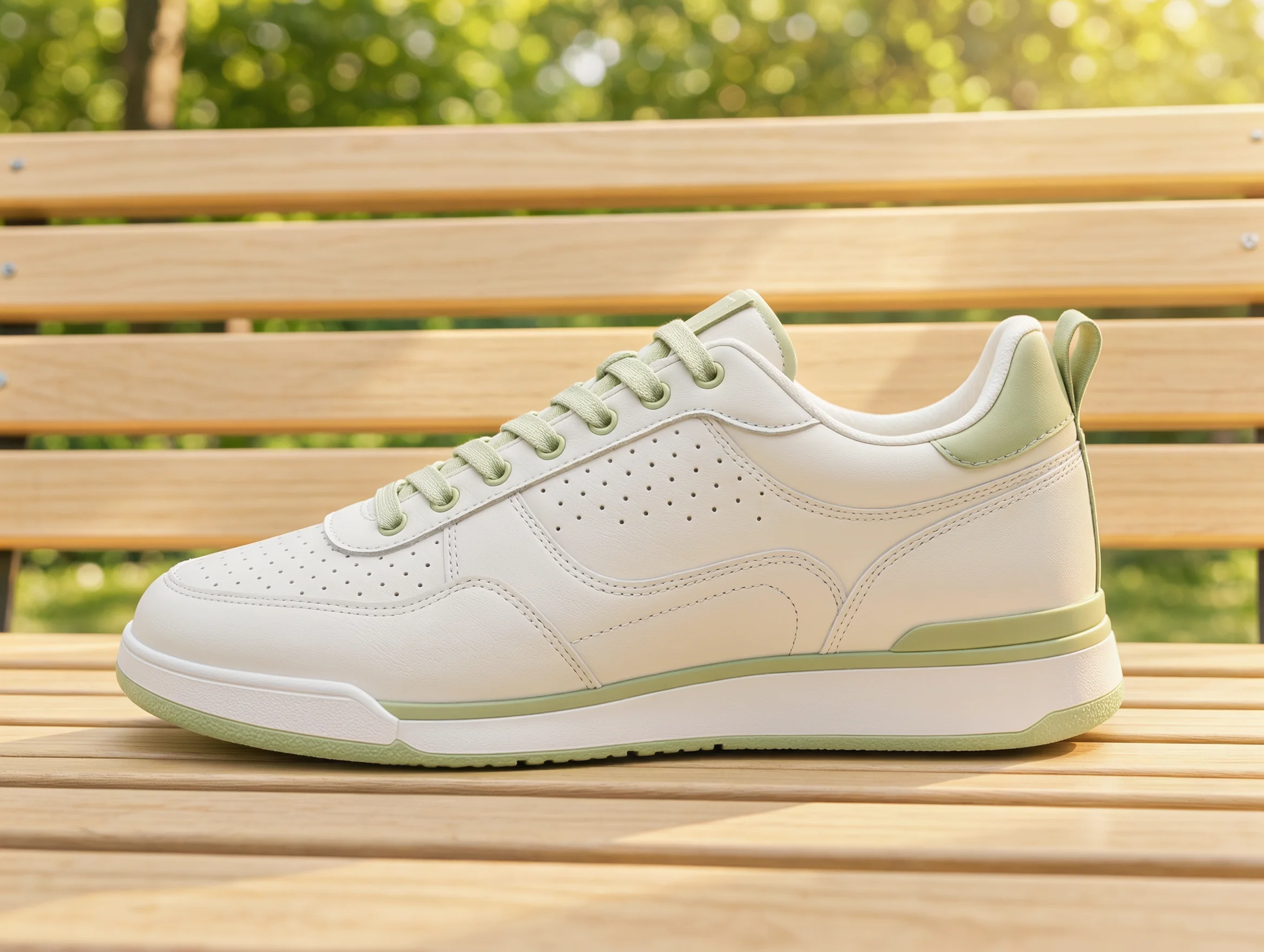
Product in a new scene
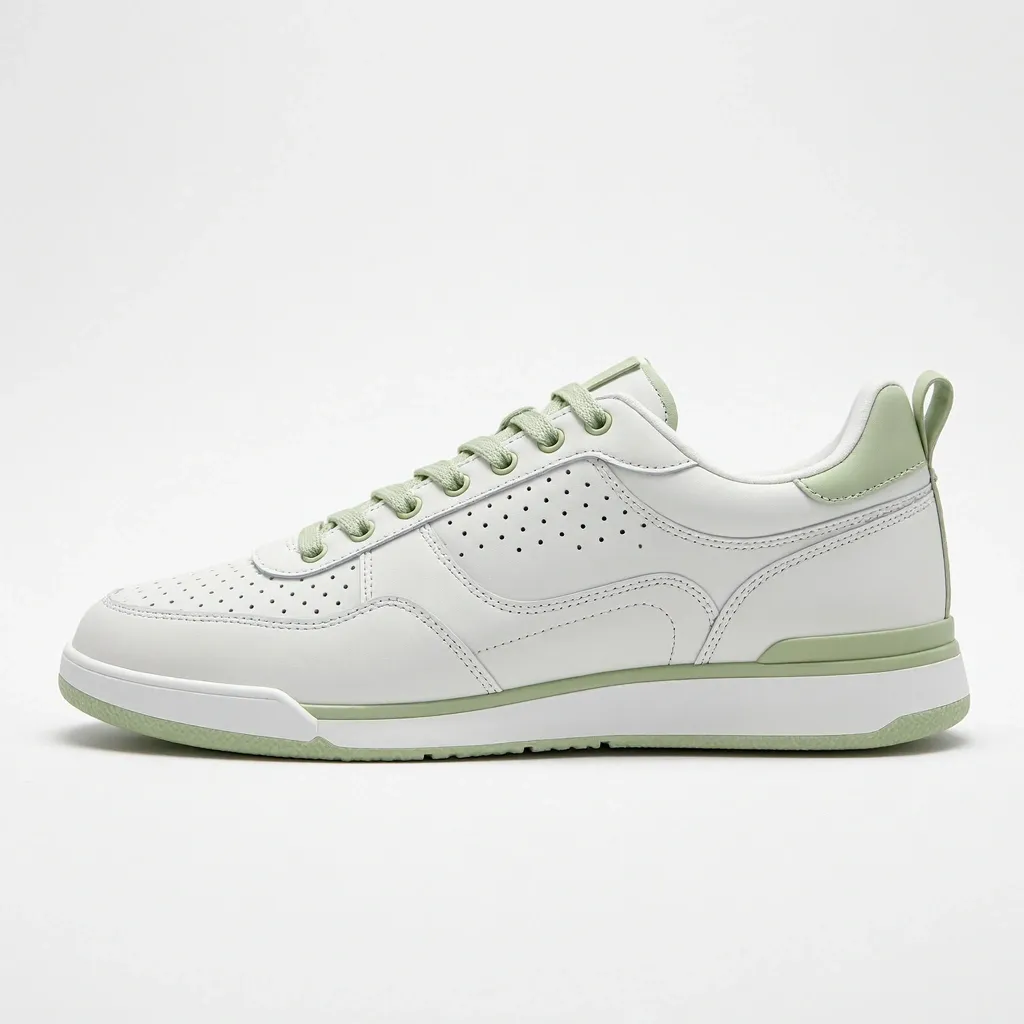 @Image1
 Result
Prompt: Place the sneaker from @Image1 on a light wooden park bench in bright morning sunlight, green trees softly blurred in the background, lifestyle product photography. Keep the sneaker design unchanged.
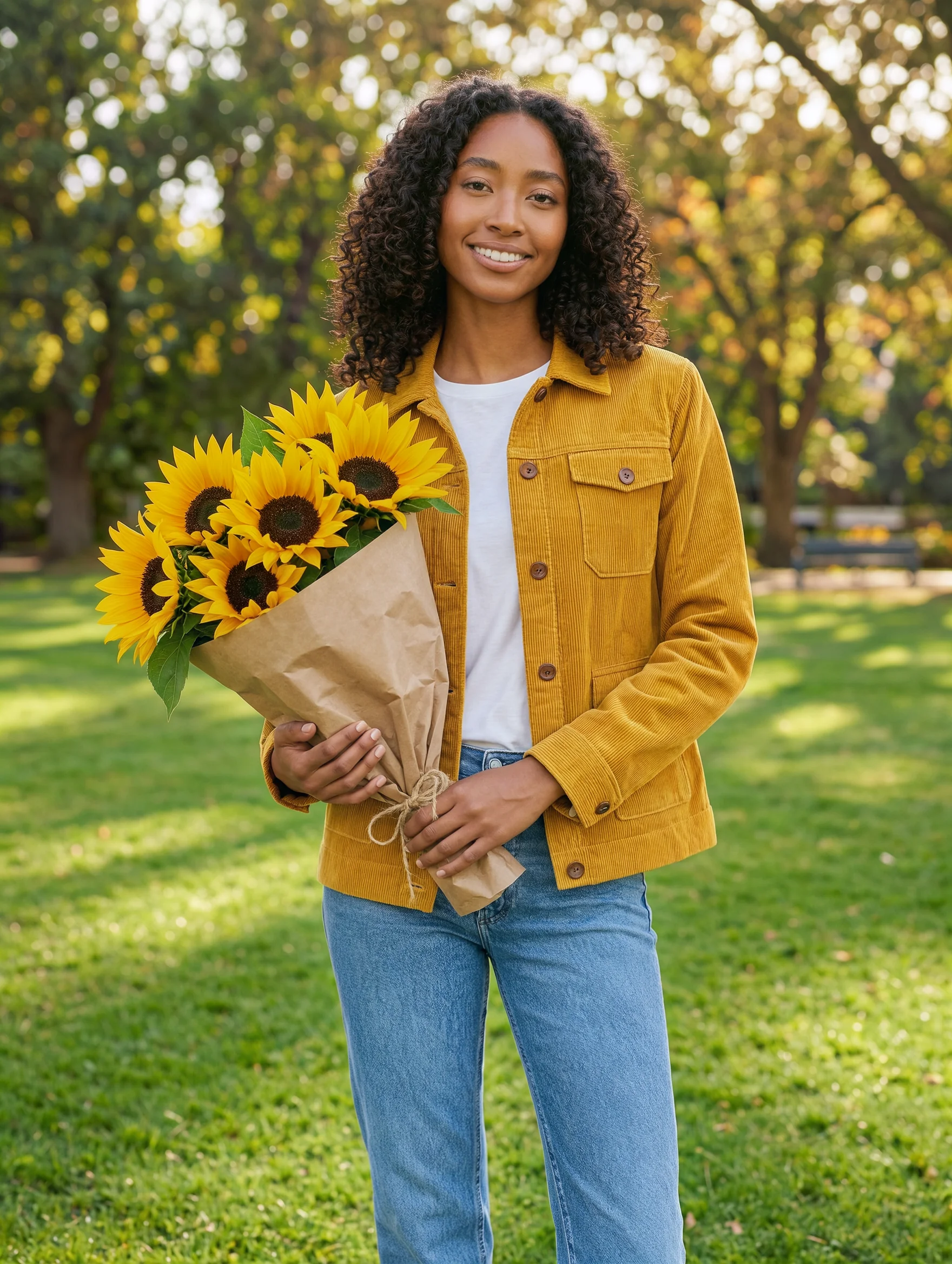
Three references, one photo
 Result
Prompt: The woman from @Image1 wearing the jacket from @Image2 and holding the sunflower bouquet from @Image3, standing in a sunny park, candid fashion photography.
Photorealistic light and skin texture
Natural light, lifelike skin and readable signage in a single 2K render.
2KPrompt: A photorealistic close-up portrait of an elderly fisherman at golden hour on a wooden pier, a small chalkboard sign beside him reading "FRESH CATCH TODAY - OPEN 6AM", soft natural light, 35mm film look
Why Use Kling Image 4.0
Kling AI's image model for photorealistic generation, long in-image text, consistent image series and reference-based editing, with output up to native 8K.
Native 8K Output
Choose 2K, 4K or 8K. At 8K a 3:4 image is 7040 × 9344 pixels, so close-ups and heavy crops stay sharp for print, large displays and outdoor ads.
Photorealistic Light and Texture
Soft natural lighting, lifelike skin and fine surface detail. In group shots the model varies faces, ages, body types and poses instead of repeating one person.
Long Text in the Image
Kling AI says a single image can hold up to about 2,000 characters. Posters, menus, infographics and product pages come out with legible, correctly spelled text when you quote the exact words.
2-10 Image Series
One prompt returns a set of related images that keep the same subject and style while changing the framing, angle or moment: storyboards, product angles and presentation visuals.
Up to 10 Reference Images
In Image to Image, upload 1 to 10 references and refer to them as @Image1, @Image2 and so on to place products, people and outfits into new scenes.
9 Aspect Ratios, Up to 9 Images
Auto, 1:1, 16:9, 9:16, 4:3, 3:4, 3:2, 2:3 and 21:9. In Single mode you can generate 1 to 9 independent images per request.
How to Use Kling Image 4.0 Online
From a prompt or a few reference photos to finished images in three steps.
Pick Text or Image Input
Use the generator at the top of this page. Stay on Text to Image to start from a prompt, or switch to Image to Image and upload up to 10 reference images.
Describe the Image
Write the scene and put any text that should appear in quotes. When editing, refer to uploads as @Image1, @Image2… in upload order.
Choose Size and Output, Then Generate
Pick 2K, 4K or 8K, an aspect ratio, and Single images or a Series with the number of images. The price shows before you submit, and results are saved to My Creations.
Frequently Asked Questions
What to know before you create with Kling Image 4.0 on Veevid.
Kling Image 4.0 is Kling AI's image generation model, released in November 2026. It generates photorealistic images at up to native 8K, renders long text inside images, produces consistent image series from one prompt and edits with reference images. On Veevid you can use it in your browser with no setup.
Yes. Choose 8K in the generator. A 3:4 image comes out at 7040 × 9344 pixels. 2K is the fastest option for drafts, and 4K sits in between. 8K files are large PNGs (around 100 MB), so allow time to download them.
Kling AI says up to about 2,000 characters in one image. For best results, put every word you want in quotes, describe where it goes, and keep the layout simple. The model sometimes adds small supporting lines; tell it to use only your text if you need that.
Single gives you 1 to 9 independent images from the same prompt. Series gives you 2 to 10 related images that keep the same subject and style, such as storyboard frames or product angles. You choose the number of images before generating, and the price scales with it.
In Image to Image, upload 1 to 10 images (each at least 300 × 300 pixels) and name them in your prompt as @Image1, @Image2 and so on, following upload order. Each request with references costs slightly more than a text-only request.
A single 2K image usually takes under a minute. 4K and multiple images take longer, and 8K can take several minutes. You can leave the page while it runs; finished images are saved to My Creations.
Every result is a PNG. When a request returns several images, all of them appear in the result panel and in My Creations, and each can be downloaded.
It is credit-based. The price depends on resolution, the number of images and, for edits, the number of reference images. The generator shows the exact cost before you submit.
Discover More AI Image Tools
Try other image models on Veevid, or turn your images into video.
Create with Kling Image 4.0
Generate an 8K photo, a poster full of text or a whole image series from one prompt.
Start creating