
Seedream 5.5
Seedream 5.5 AI Image Generator
Generate and edit images with ByteDance Seedream 5.5 online. Keep editing the same picture without the rest of it drifting, create transparent PNG assets, and get readable small text in English and Chinese, in 1K, 1.5K or 2K.
A tall clear glass of iced lemonade with lemon slices, mint leaves and ice cubes, condensation droplets on the glass, product cutout on a transparent background

 Sample Image
Describe what you want to generate
Made with Seedream 5.5
Every image below came out of Seedream 5.5 with the prompt shown. Nothing was retouched afterwards.
Five edits in a row, and the rest of the photo stays put
Each round used the previous result as its input and changed one thing. Her face, the light, the bookshelf and the framing carried over from round to round without color shifts. ByteDance says the model keeps working across 100 rounds of editing; this is the first five.
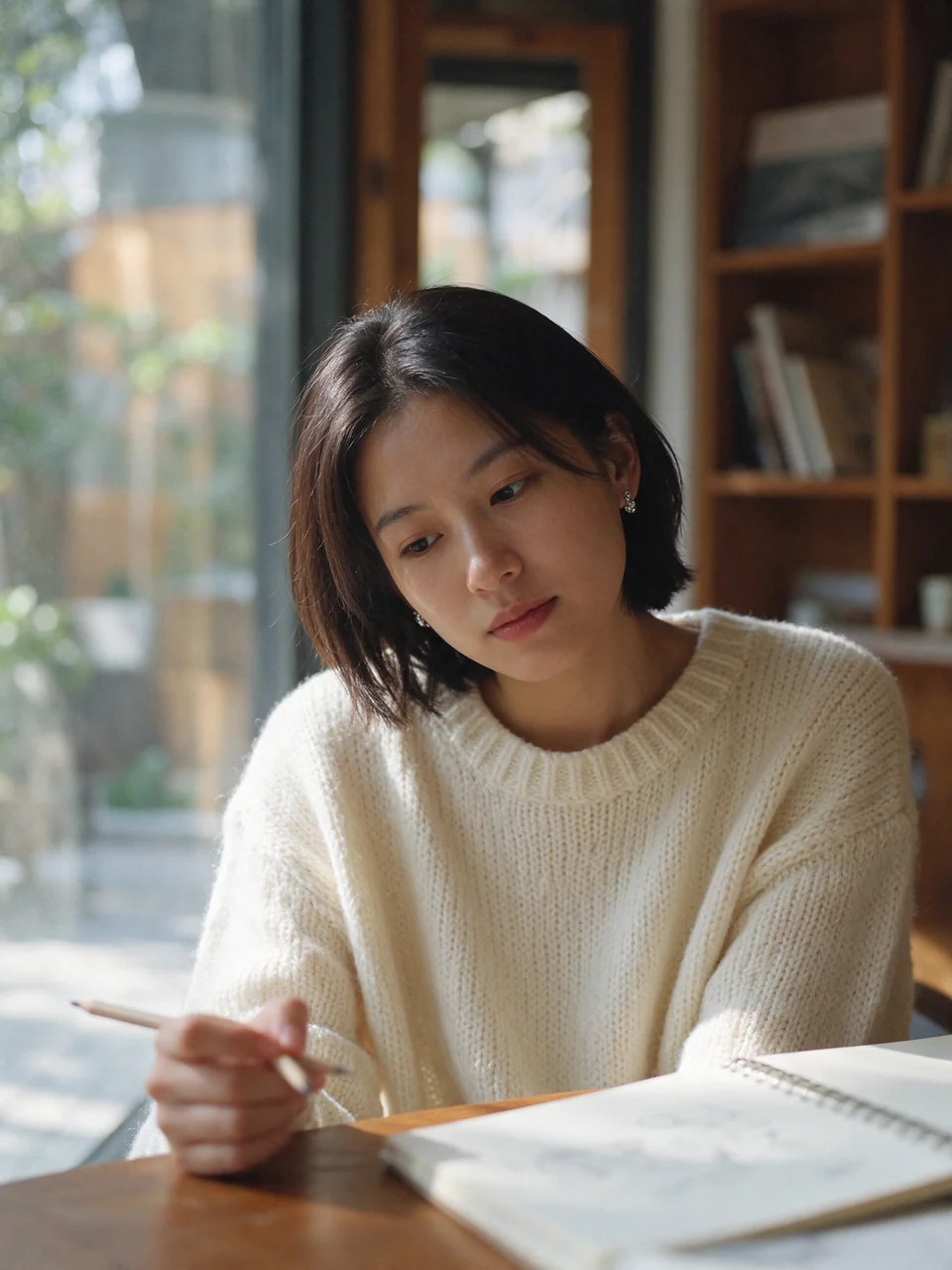 Original
Candid photo of a young woman with short dark hair sitting at a wooden cafe table by a large window, wearing a cream knit sweater. An open notebook and a pencil lie on the table. Soft afternoon window light, natural skin texture, 50mm lens, shallow depth of field.
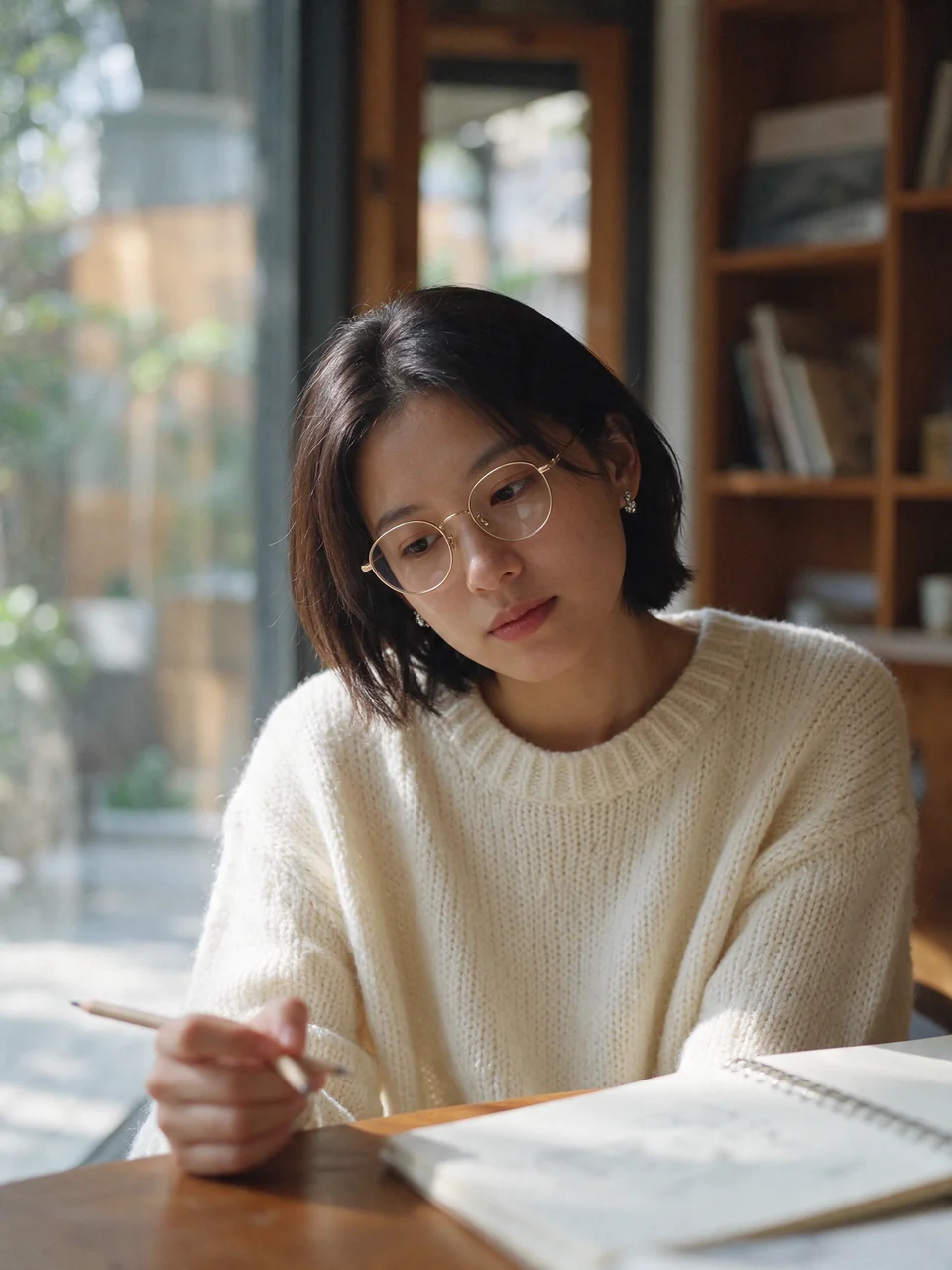 Round 1
Add thin round gold-rimmed glasses to her face. Keep everything else unchanged.
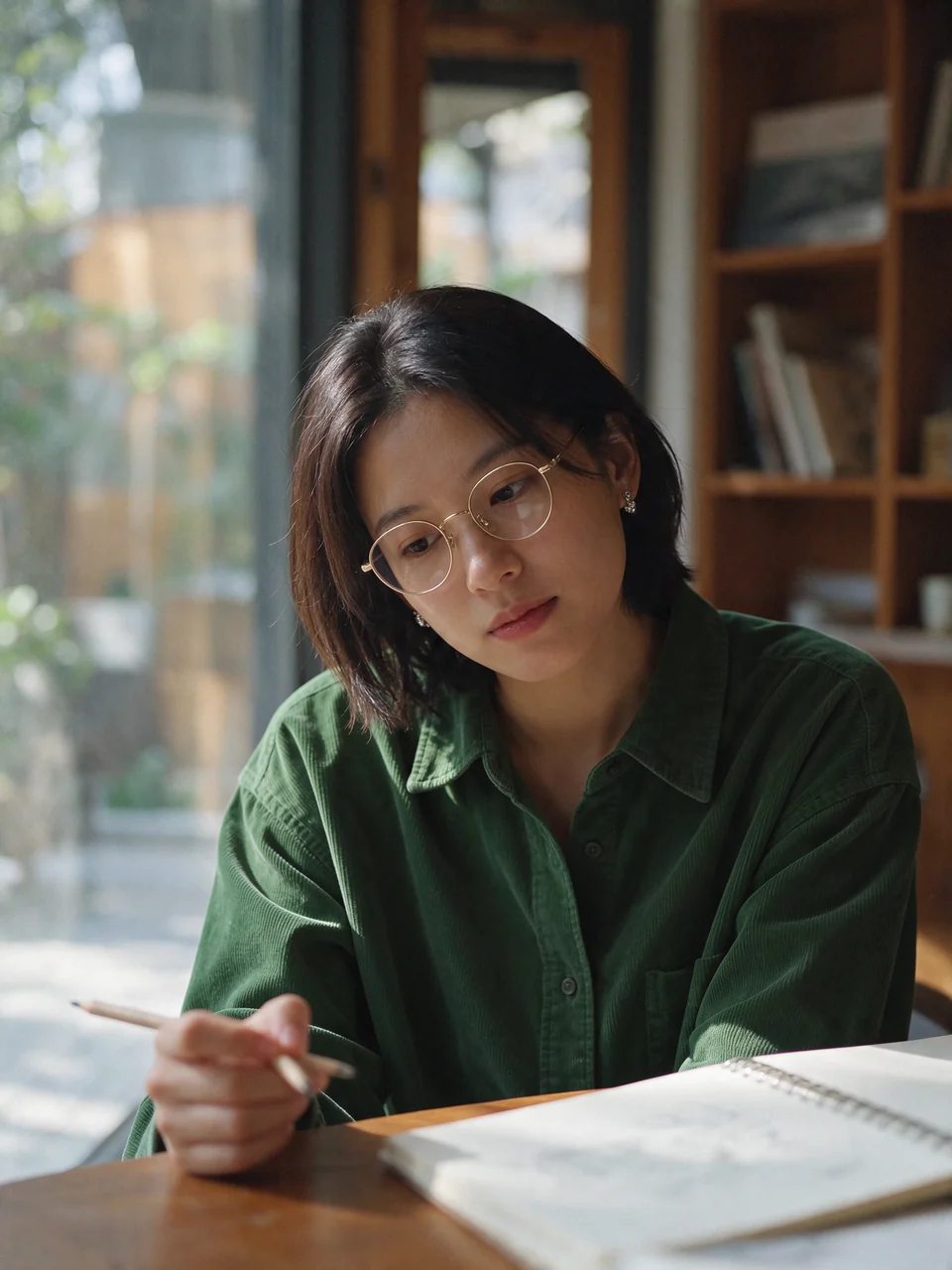 Round 2
Change her cream knit sweater to a forest green corduroy shirt. Keep everything else unchanged.
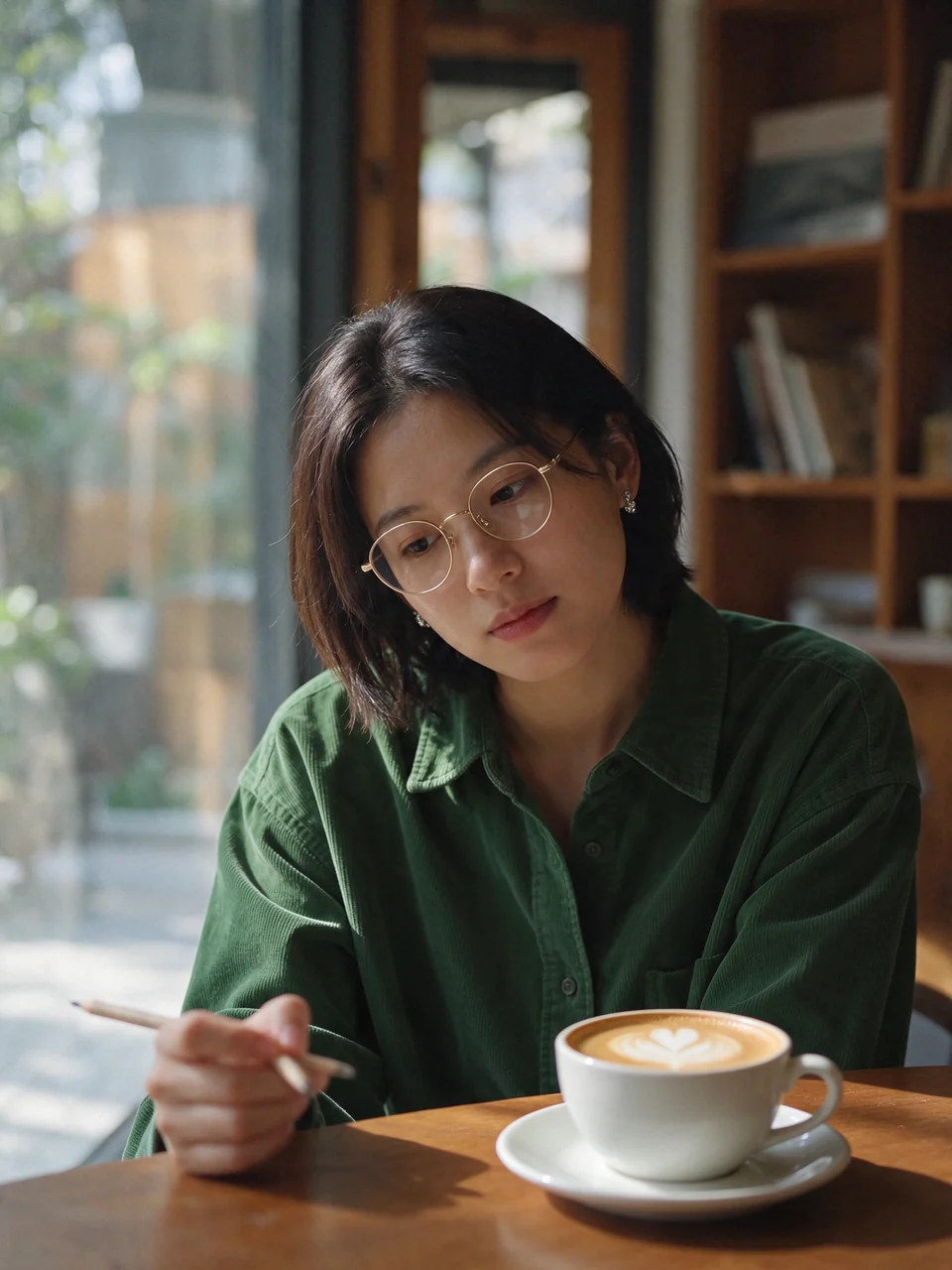 Round 3
Replace the open notebook with a white ceramic cup of cappuccino with latte art on a saucer. Keep everything else unchanged.
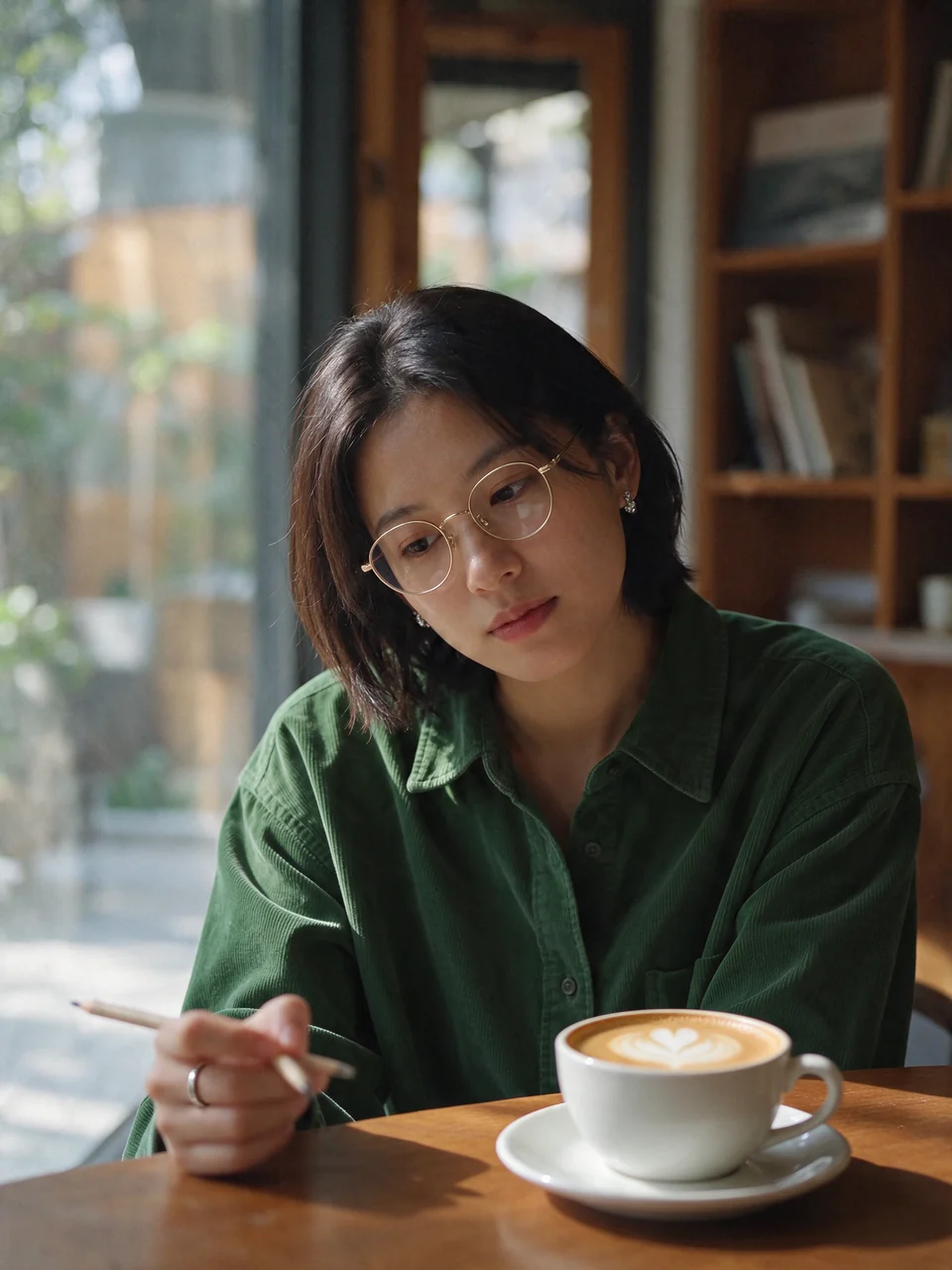 Round 4
Add a thin silver ring to the hand resting on the table. Keep everything else unchanged.
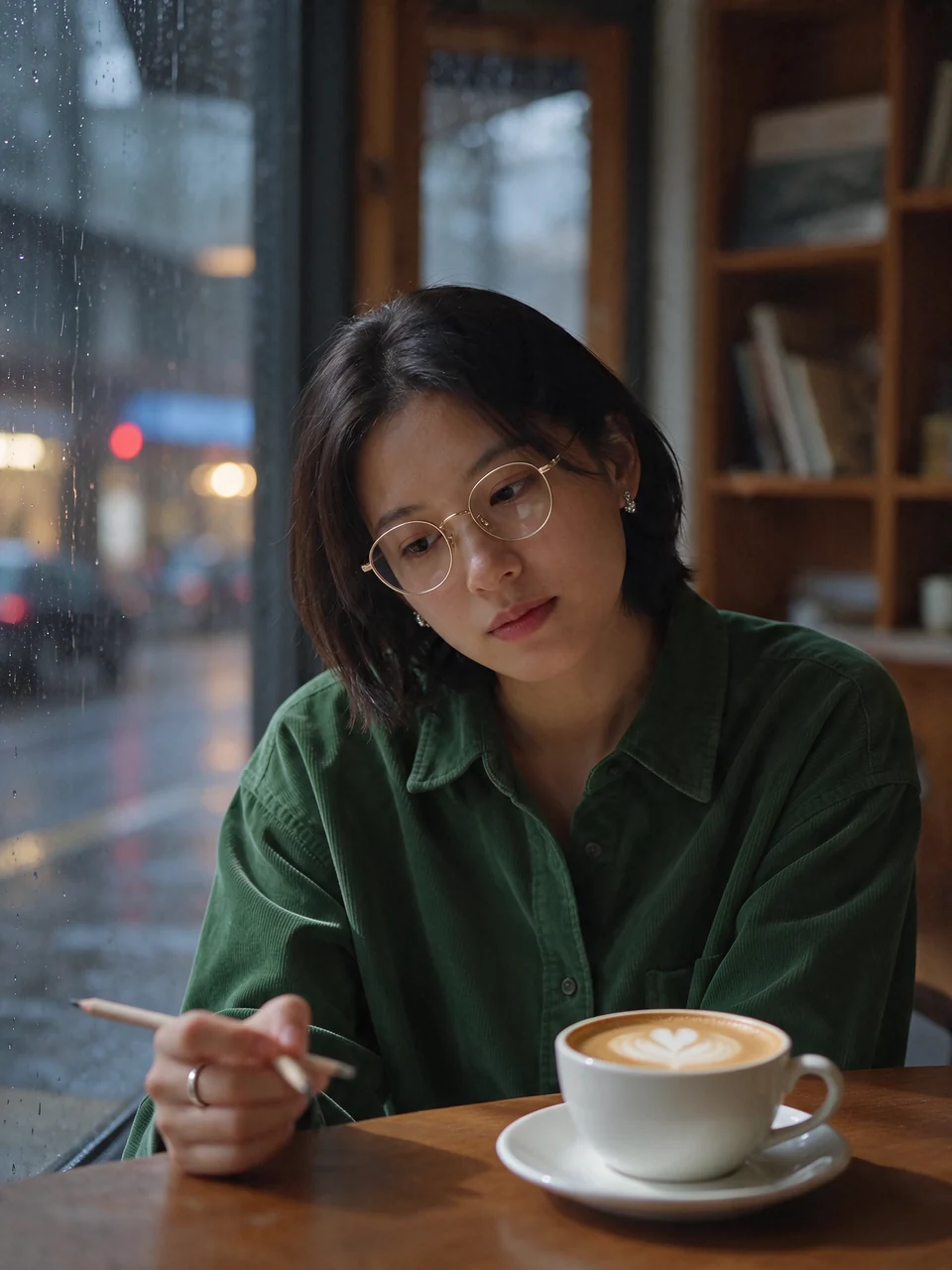 Round 5
Change the view outside the window to a rainy evening street with blurred city lights. Keep her, her clothes and the table unchanged.
Transparent PNGs, straight from the prompt
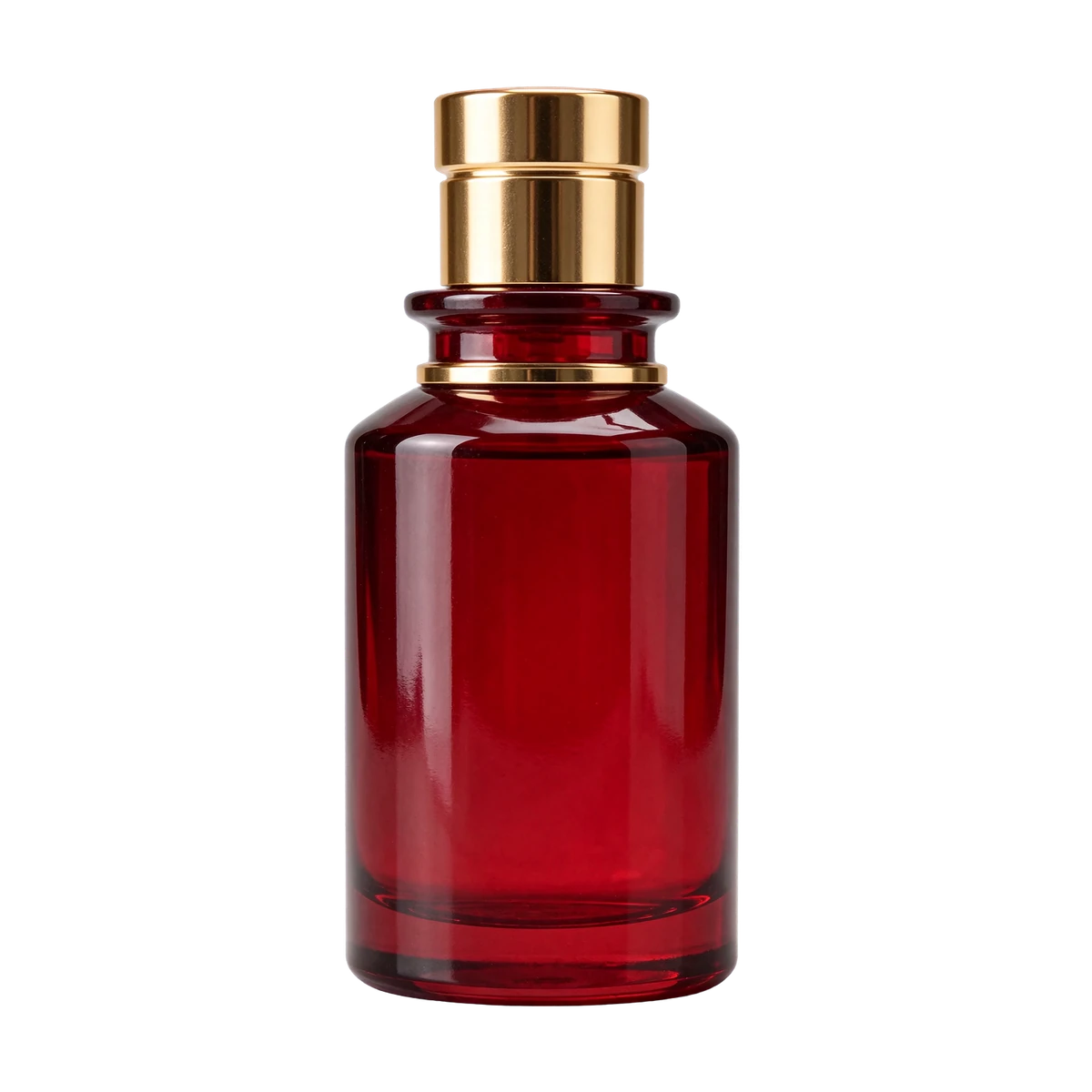
Turn on Transparent background and you get a PNG with a real alpha channel, including partly see-through areas like glass and ice. No background removal step. The checkerboard behind each image is the page, not part of the file.
PNGPrompt: A tall clear glass of iced lemonade with lemon slices, mint leaves and ice cubes, condensation droplets on the glass, product cutout on a transparent background
 PNG
Prompt: A glossy red glass perfume bottle with a gold cap, product cutout, isolated object, soft shadow-free studio lighting
 PNG
Prompt: The words "SUMMER SALE" in chunky glossy 3D balloon letters, coral pink and gold, with a few small sparkles, isolated lettering asset on a transparent background
Light and skin that look photographed
Seedream 5.5 renders skin texture, stray hairs and soft window light more naturally, with less of the glossy, overexposed look. Both portraits were made at 2K.
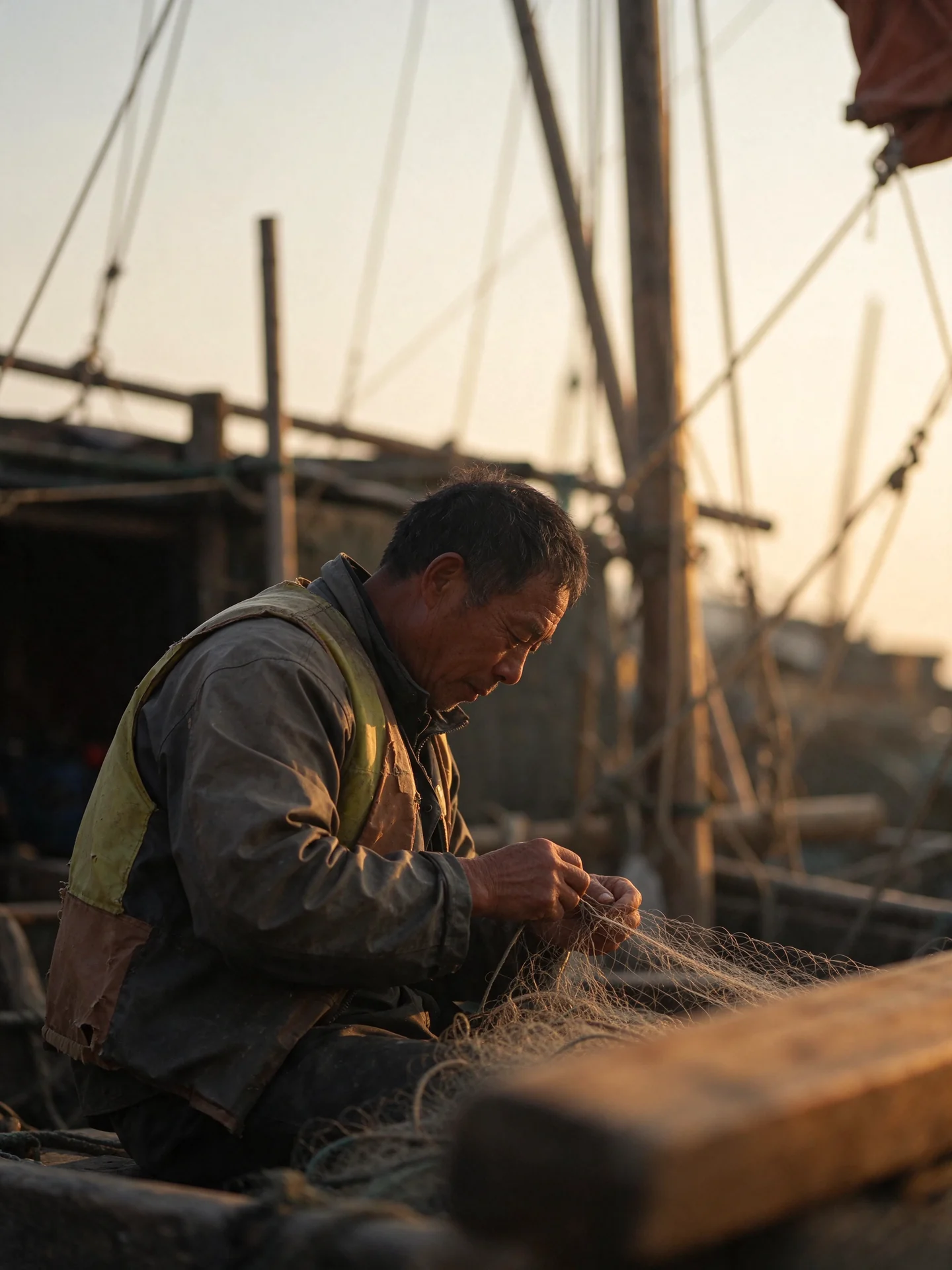 2K
Prompt: Candid portrait photo of an elderly fisherman mending a net on a wooden pier at golden hour, weathered skin with fine wrinkles and pores, natural rim light, shallow depth of field, 85mm lens
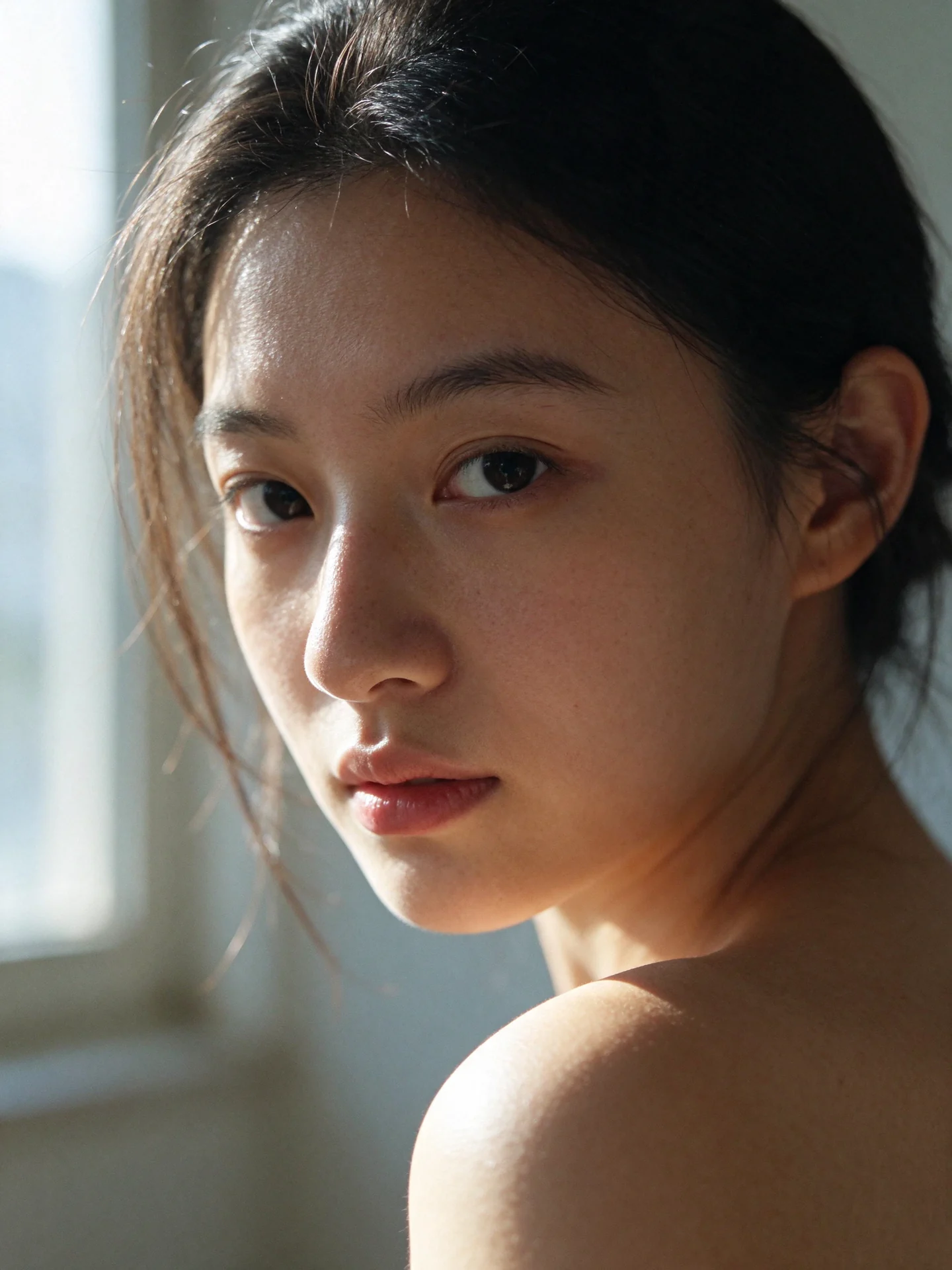 2K
Prompt: Close-up portrait of a young woman with freckles by a window in late afternoon, warm side light falling across her face and shoulder, loose strands of hair catching the backlight, natural skin texture with visible pores, no makeup, 85mm photo
Dense small text, including complex Chinese characters
A full bilingual menu board in one prompt: traditional Chinese dish names, English translations, prices and a line of small print. On the right is a crop at full resolution from the same 2K file.
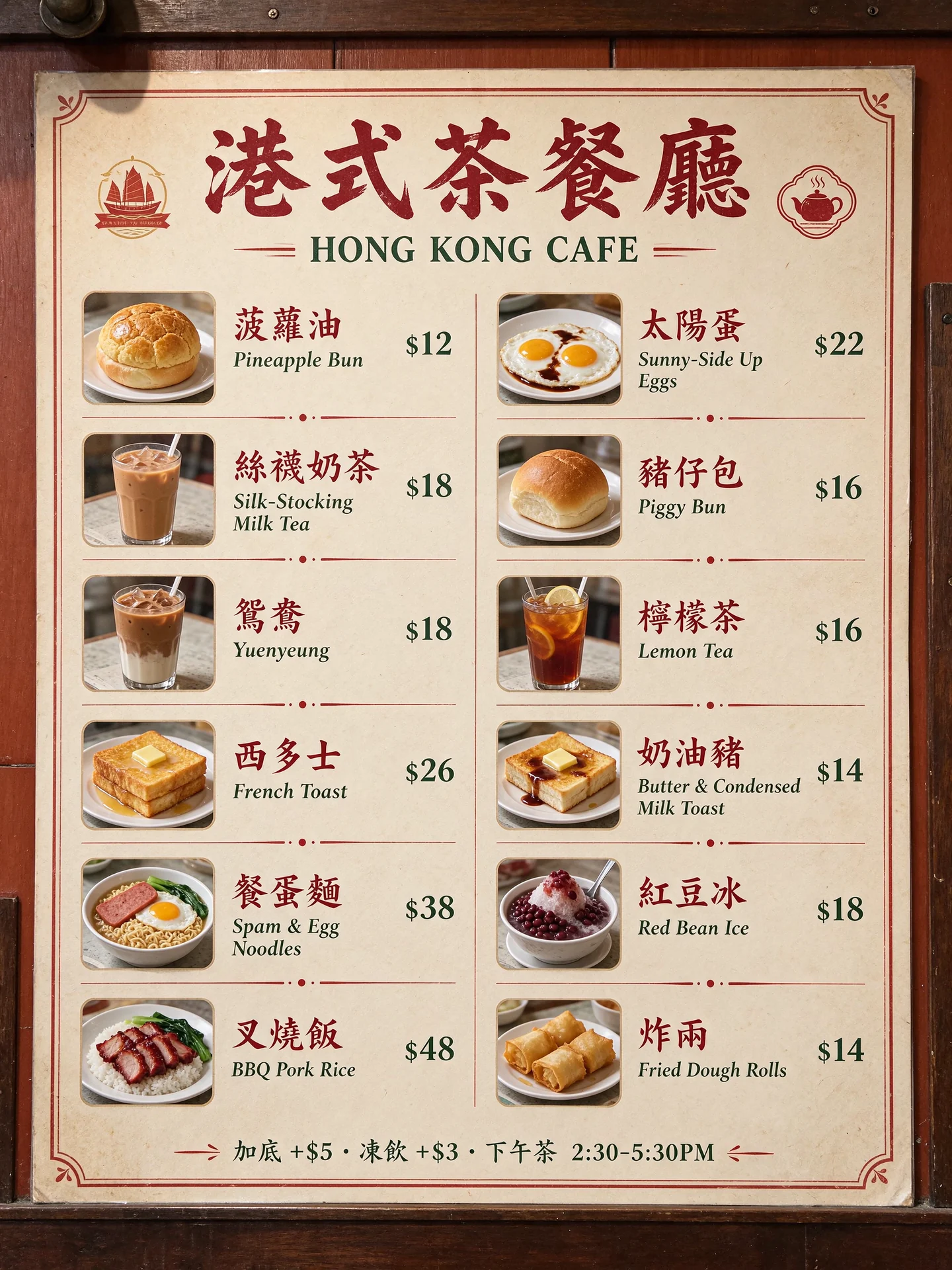 Full frame
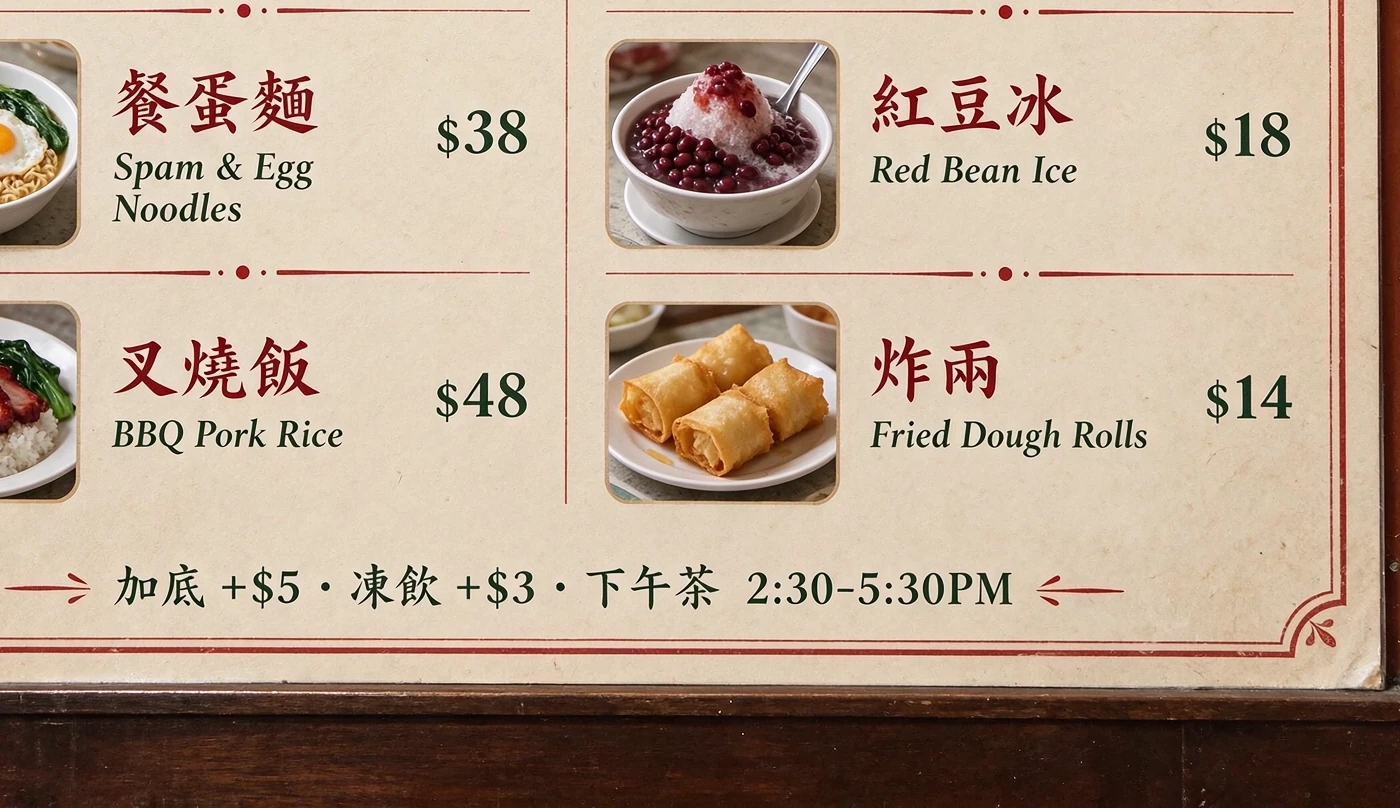 Crop
Prompt: A dense Chinese-English restaurant menu board photographed in a Hong Kong cha chaan teng. Title "港式茶餐廳 HONG KONG CAFE". 12 lines of dishes with prices: 菠蘿油 Pineapple Bun $12, 絲襪奶茶 Silk-Stocking Milk Tea $18, 鴛鴦 Yuenyeung $18, 西多士 French Toast $26, 餐蛋麵 Spam & Egg Noodles $38, 叉燒飯 BBQ Pork Rice $48. Small print at bottom: "加底 +$5 · 凍飲 +$3 · 下午茶 2:30-5:30PM"
What Seedream 5.5 Does Well
ByteDance Seed's image model for generating and editing images, released in November 2026.
Stable Multi-Round Editing
Keep editing the same image one change at a time. Areas you did not ask to change stay as they were, without color shifts or detail slowly wearing away. ByteDance demonstrates 100 rounds on one image.
Native Transparent PNGs
Switch on Transparent background to get a PNG with an alpha channel, including soft and partly transparent edges. Use it for product cutouts, stickers, logos and lettering without removing a background.
More Realistic Light and Skin
Lighting, materials and skin texture look closer to a real photo, with less excessive gloss and overexposure than Seedream 5.0.
Dense Small Text
Menus, newspapers, labels and infographics with lots of small words come out more readable, including Chinese characters with many strokes. Put the exact wording in quotation marks.
Up to 10 Reference Images
Upload one photo to edit, or up to 10 to combine people, products and places in one picture.
1K, 1.5K or 2K, 8 Aspect Ratios
Choose 1:1, 4:3, 3:4, 16:9, 9:16, 2:3, 3:2 or 21:9, and download as PNG or JPEG. 1.5K costs the same as 1K.
How to Use Seedream 5.5 Online
From prompt to finished image in three steps.
Write a Prompt or Upload Photos
Use the generator at the top of this page. Describe the image in Text to Image, or switch to Image to Image and upload up to 10 photos. To keep editing the same picture, upload your last result and describe one change.
Pick Ratio, Resolution and Background
Choose an aspect ratio and 1K, 1.5K or 2K. Turn on Transparent background if you need a PNG cutout.
Generate and Download
Most images are ready in about a minute. Your image is saved to Creations, so you can close the tab and come back to download it later.
Frequently Asked Questions
What to know before you run Seedream 5.5 on Veevid.
Seedream 5.5 is ByteDance Seed's image creation model, released on November 9, 2026. ByteDance highlights three upgrades: more stable multi-round editing that keeps unedited areas intact, native images with transparent backgrounds, and more realistic images with clearer text, including dense small text.
In ByteDance's own evaluations across e-commerce, marketing, film and TV, gaming, office and fashion design, Seedream 5.5 scored higher than Seedream 5.0 Pro on both quality and usability in all six, with usability more than doubled in film and TV and in office work. On Veevid it is also the only Seedream version with a Transparent background option.
Yes. Download your result, switch to Image to Image, upload it and describe the next change. Each round is a separate generation. ByteDance says unedited areas stay intact at the pixel level and showed 100 rounds of edits on one image; in our own five-round test the face, light and framing did not drift.
Turn on Transparent background in the generator. The output is always PNG with an alpha channel, so glass, smoke and soft edges can be partly see-through. JPEG cannot hold transparency, so it is turned off while the switch is on. Describing the subject as a cutout or isolated object helps.
It is noticeably better with dense layouts and small print, in both English and Chinese. ByteDance reports a severe text error rate of 0.4% and a minor error rate of 1.7% in its tests. Very long paragraphs of tiny body text can still contain mistakes, so check the words before you publish.
Up to 10 per image-to-image request. Refer to them by order in your prompt, for example image 1 and image 2. Each reference image adds to the price.
1K, 1.5K or 2K, in 1:1, 4:3, 3:4, 16:9, 9:16, 2:3, 3:2 and 21:9. For example, 3:4 at 2K is 1776 x 2368 pixels. Output is PNG or JPEG.
Text to image costs 4 credits at 1K or 1.5K and 7 credits at 2K. Image to image adds a small charge for each reference image and the total is rounded up: with one reference image it is 6 credits at 1K or 1.5K and 8 at 2K. Transparent backgrounds cost nothing extra. If a generation fails, the credits are returned.
Discover More Image Tools
Explore the full suite of AI image and video generators on Veevid.