AI Bicep Heart Video Generator
Turn one photo into the viral bicep heart trend: flex one arm, curl the other hand into a half heart on the bicep, and frame your pet or partner right inside the heart.
Create Your Bicep Heart Video
Your pet needs to be in the photo, close to you.
Added to the template. Up to 300 characters.
0 / 300Customize the full prompt
Filled in from the template you picked. Edit it to change the expressions, motion or vibe; put outfit or accessory changes in Extra details. The bicep heart pose itself stays built in.
357 / 2000Always added when you generate: keep every face the same, modest clothing, no nudity.
Each video: 8 seconds, 720p, with sound
AI Bicep Heart Video Examples
One photo in, one bicep heart video out. Each clip was made with this generator; the people and the cat are AI-generated, not real.
Photo
Video
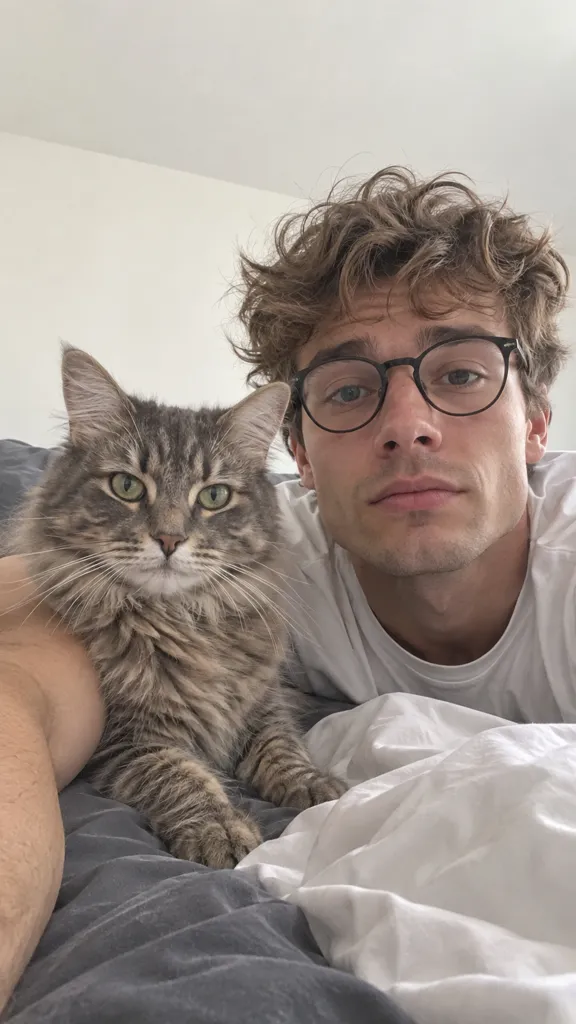
Frame your pet
A deadpan flex with the cat's face right inside the heart.
Photo
Video
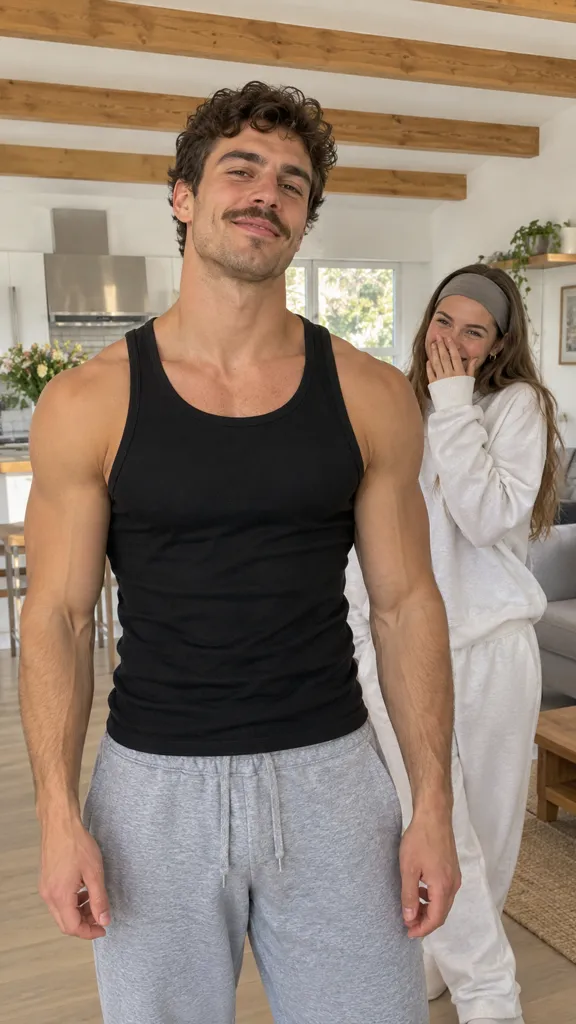
Frame your partner
He flexes up front while she puckers up through the heart.
Photo
Video
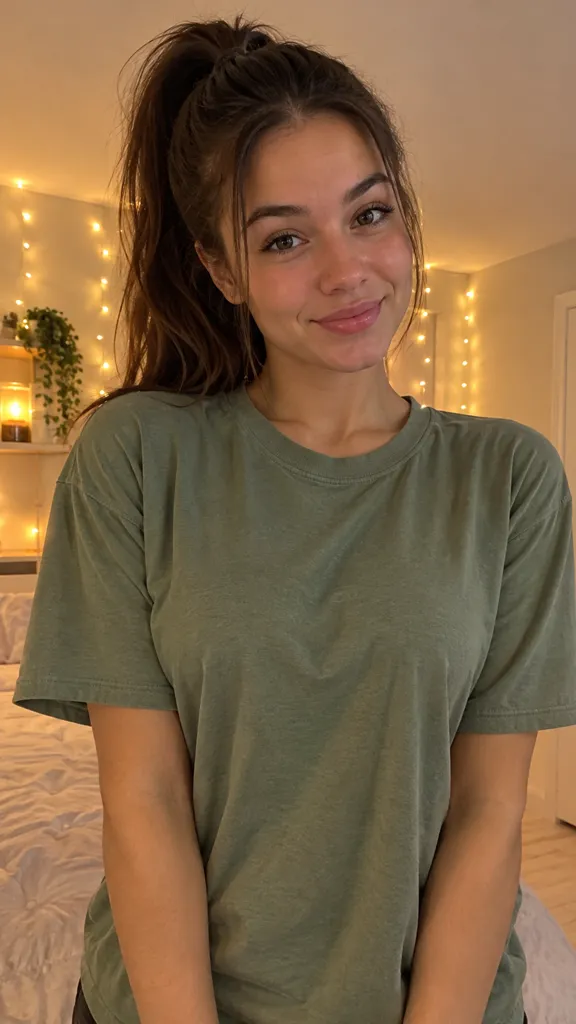
Solo bicep heart
A shy smile, a proud flex and a sweet head tilt.
What Is the Bicep Heart Trend?
The bicep heart trend took off on TikTok in late October 2026. Someone asks "have you ever heard of a bicep heart?", flexes one arm and curls the other hand into a half heart on top of the bicep, so the arm and hand make one big heart. The most viral versions hold that heart up so a pet or a girlfriend shows up right inside it, filmed as a close selfie.
How to do the bicep heart pose
- 1.Raise one arm and flex it: forearm up, fist curled over and pointing down.
- 2.Shape your other hand like a C, one half of a finger heart.
- 3.Touch your fingertips to the fist and rest the heel of that hand on your bicep. Arm and hand now outline one heart.
The beat-by-beat
- 0:00Look at the camera with a smile or a deadpan face.
- 0:02Raise one arm and flex the bicep.
- 0:04Curl the other hand into a half heart on the bicep.
- 0:05Hold the heart, frame your pet or partner, and give the camera a look.
This AI bicep heart video generator makes the whole clip from one photo, so you don't need big arms, a second take or someone to hold the phone.
3 Bicep Heart Ideas
Frame your pet
Hold the heart in front of your cat or dog so its face sits right in the middle. A straight face makes it funnier.
Frame your partner
Step toward the camera and flex while your partner puckers up inside the heart behind you.
Solo deadpan flex
No pet, no partner: flex, make the heart beside your face and give the camera a proud little smile.
Photo tips
- Use one clear upper-body photo, not a collage or a crowded group shot.
- Keep your arms in the frame so there's room to flex.
- Face the camera with good light on your face.
- For the pet or couple version, your pet or partner has to be in the same photo, close to you.
How to Make a Bicep Heart Video with AI
Three steps, one click, a few minutes.
Upload one photo
Add a clear upper-body photo of you, with your pet or partner in it if you want them inside the heart.
Pick a template
Choose Frame my pet, Frame my partner or Just me, edit the video prompt if you like, and pick a length from 7 to 12 seconds.
Generate and post
Press Generate. The AI poses the bicep heart first, then animates it into a short video you can download and post with the trending sound.
AI Bicep Heart Video Generator FAQ
What to know before you make your first bicep heart video.
A bicep heart is a pose where you flex one arm and curl your other hand into a half heart that rests on the bicep, so arm and hand form one heart. On TikTok it's often used to frame a pet or a partner inside the heart.
One clear upper-body photo with your arms visible and your face toward the camera. JPG, PNG or WEBP files up to 10MB. For the pet or couple template, your pet or partner must be in the same photo.
Yes. Pick Frame my pet and upload a photo of you with your pet close by. The heart is held in front of your pet so its face sits right inside it.
No. The AI does the flex for you and keeps your face, clothes and room the same as in your photo.
A few minutes. The AI first poses the bicep heart, then animates it into a short video, and you can close the page while it works. Powered by Kling 4.0.
Every template costs the same: a little more than one standard 720p video of the same length, because the AI makes the posed frame first, so longer videos cost a bit more. The exact number is shown on the Generate button before you start, and you're charged once per video. See pricing for plans and credit packs.
If either step fails, all the credits for that video are returned to your account automatically.
Yes. Download the video, upload it to TikTok or Instagram Reels and add the trending audio there when you post.
Only of adults who agreed to it. You confirm you have permission before each generation, and the photo is only used to make your video.
Ready to Show Off Your Bicep Heart?
One photo is all it takes. Frame your pet, your partner or just yourself.
Make a Bicep Heart Video