Nano Banana 2.1
Nano Banana 2.1 AI Image Generator
Generate and edit images with Google's Nano Banana 2.1 online. Cleaner text, stronger design, the same face across new scenes, and up to 14 reference images per edit. 1K, 2K or 4K, from 3 credits per image.
A minimalist coffee shop poster. Bold serif headline reads "SLOW MORNINGS". Smaller line below reads "Pour-over bar - open 7 AM". Warm cream background, a single ceramic cup, soft paper texture.
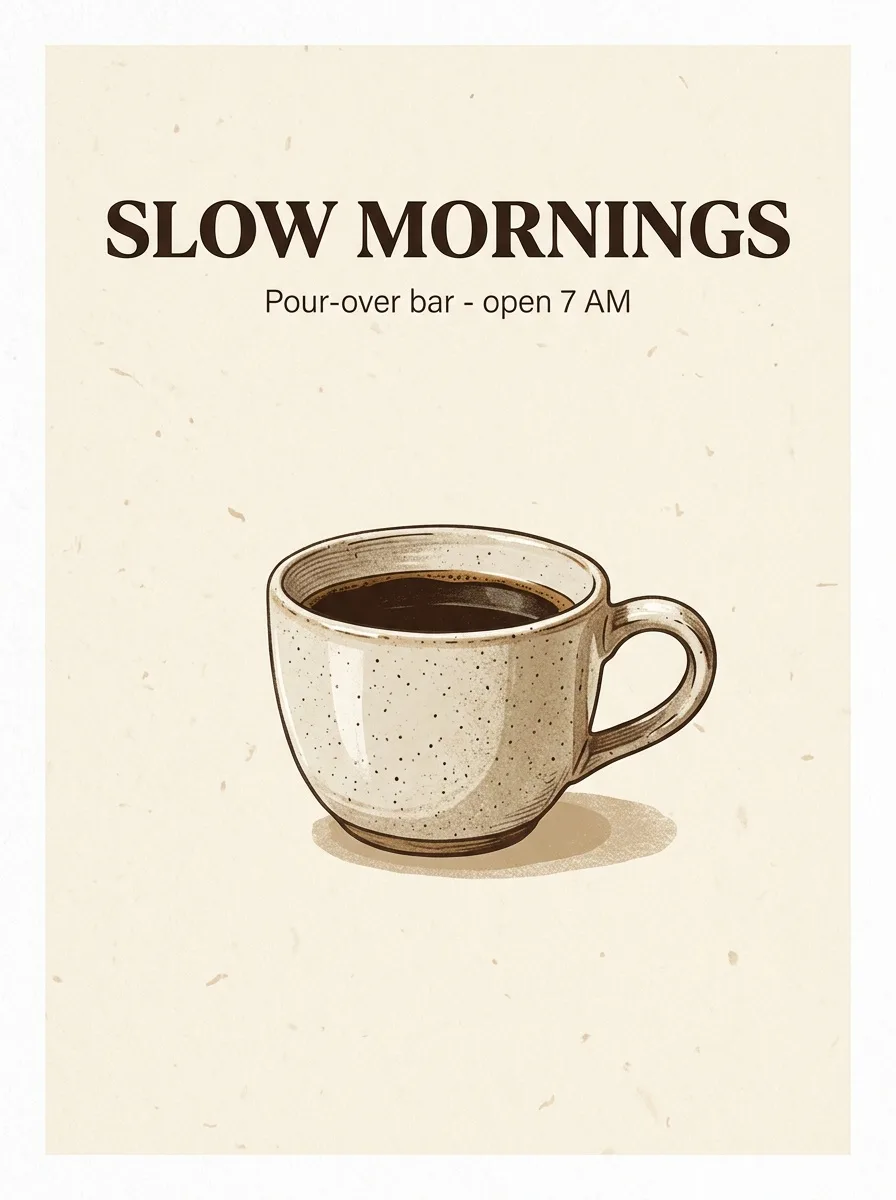
 Sample Image
Describe what you want to generate
Made with Nano Banana 2.1
Every image below came out of Nano Banana 2.1 with the prompt shown. Nothing was retouched afterwards.
A person and two products in one photo
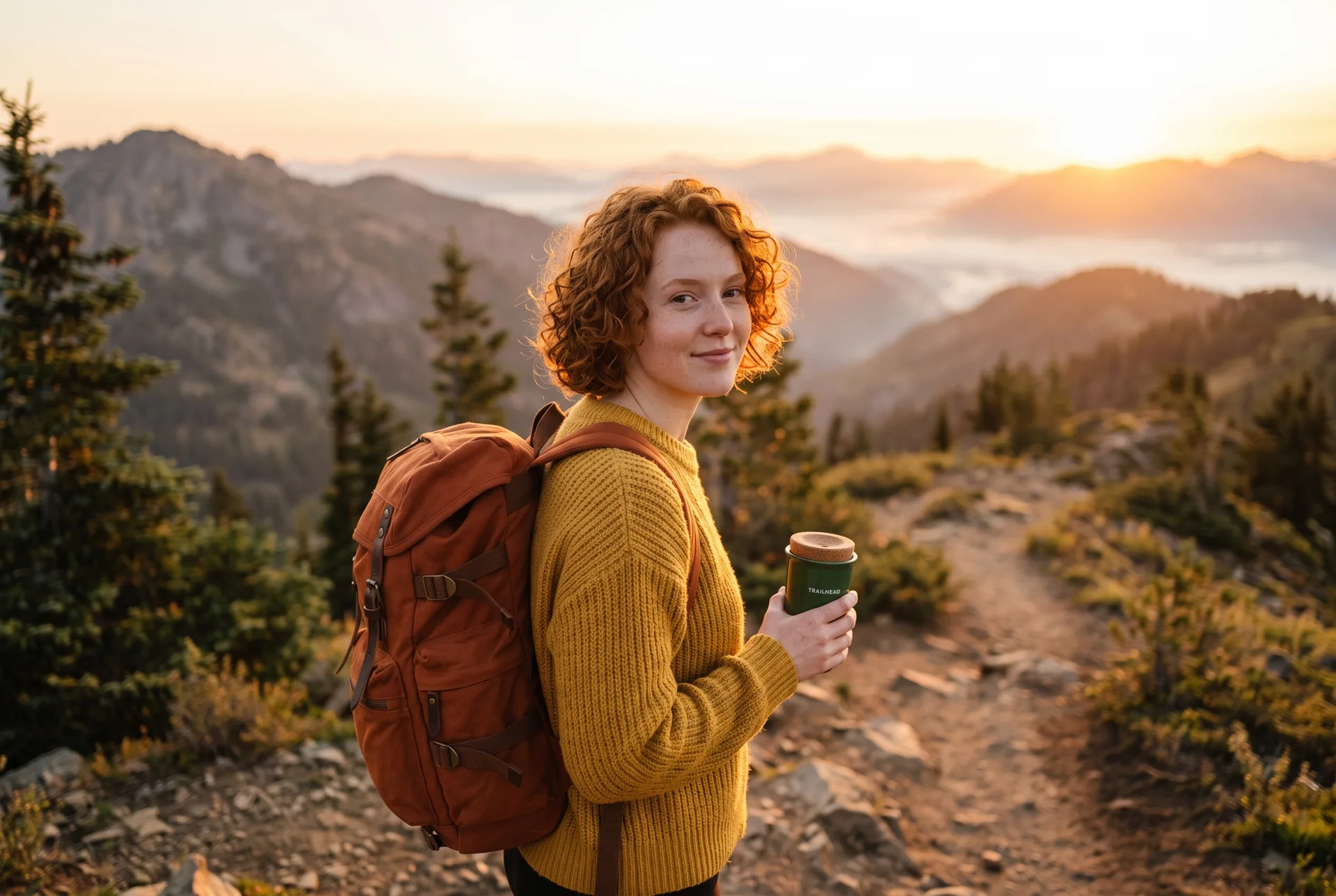
Three uploads in, one picture out. Refer to each upload by its order in the prompt: image 1, image 2, image 3. Her face, hair and sweater carried over, and so did the mug and the backpack.
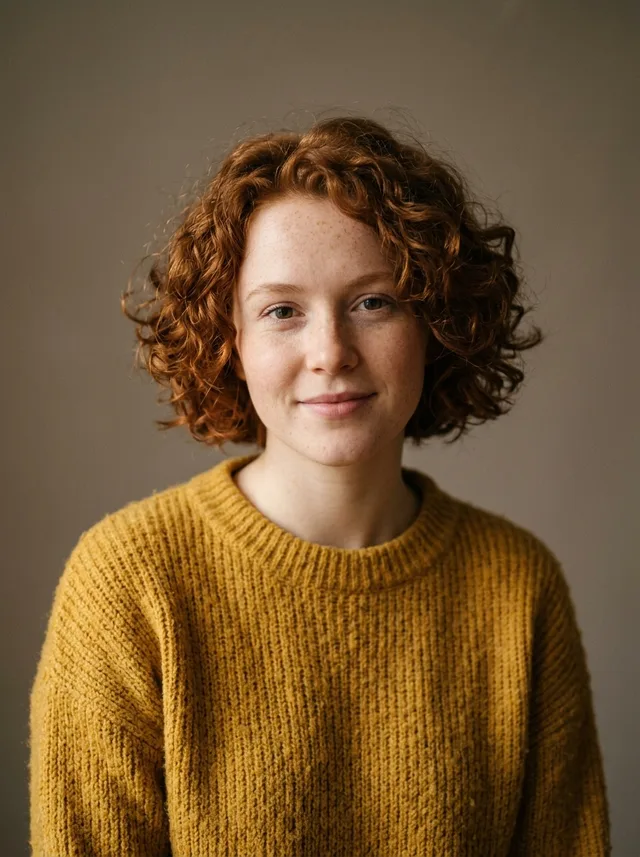 Image 1
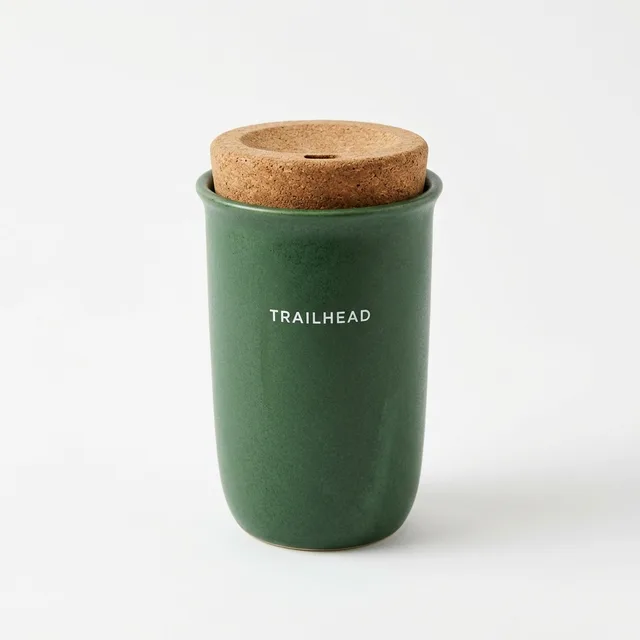 Image 2
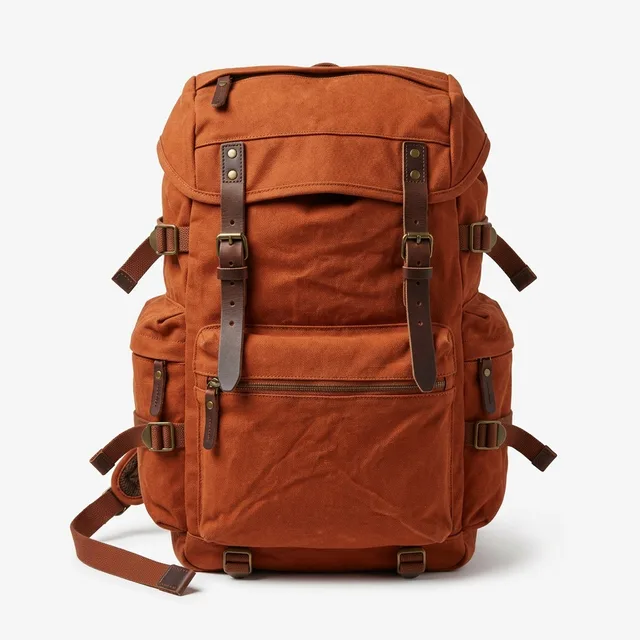 Image 3
 Result
Prompt: The woman from image 1 stands on a mountain trail at sunrise, wearing the backpack from image 3 and holding the travel mug from image 2. Keep her face, curly red hair and yellow sweater unchanged. Natural outdoor photo, warm golden light.
The same person in three new scenes
One reference portrait, three separate requests. The face, the curls and the freckles stay the same from scene to scene.
Reference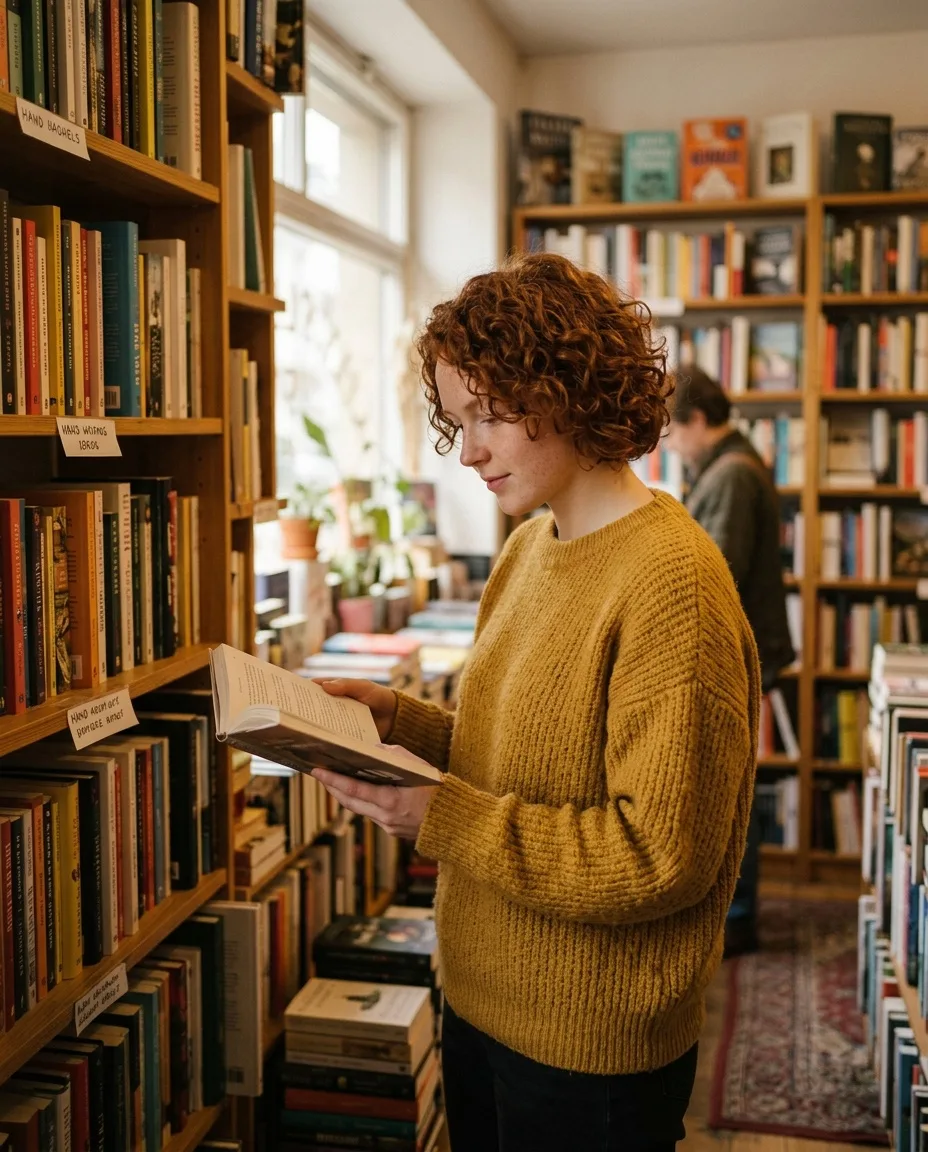
The same woman browsing books in a small cozy bookshop, holding an open book, candid photo. Keep her face, curly red hair and freckles unchanged.
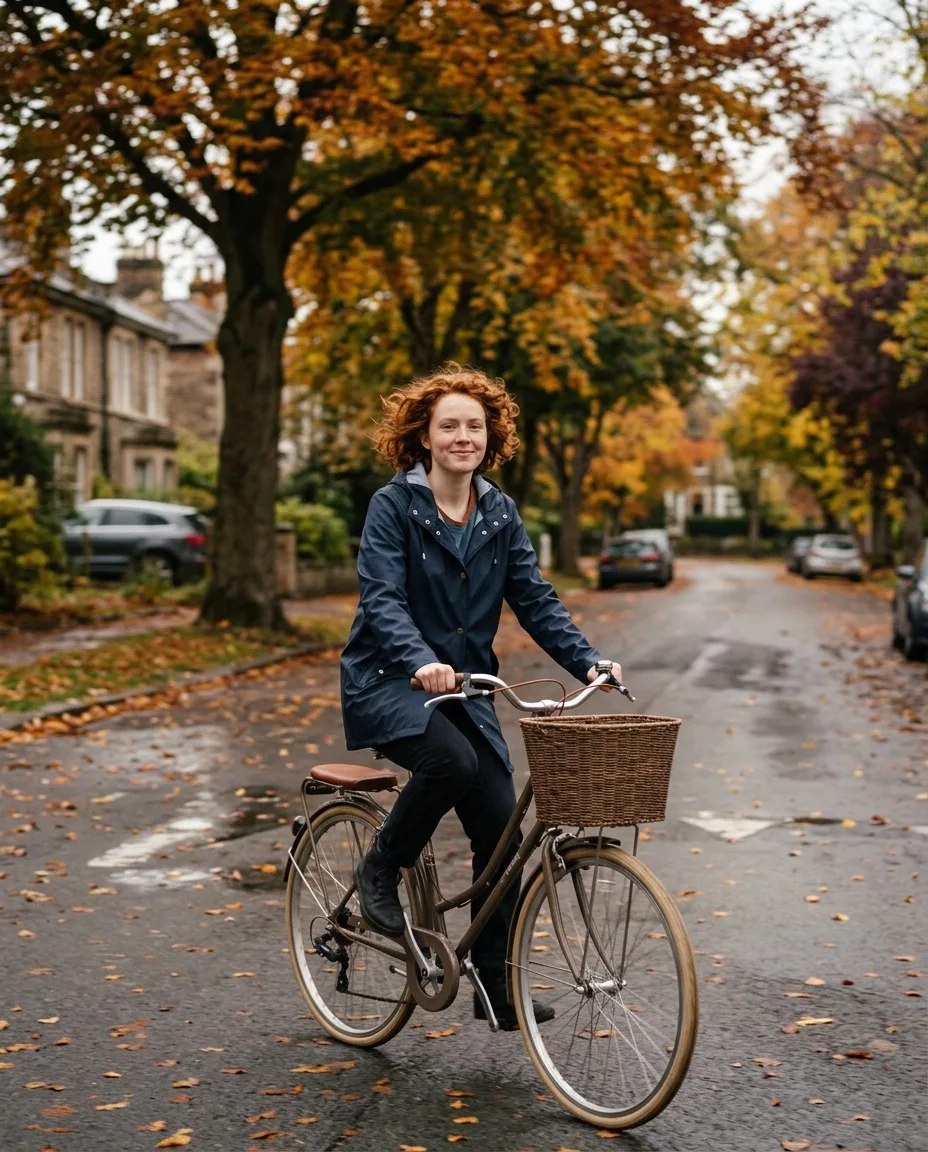
The same woman riding a vintage bicycle down a tree-lined street in autumn, wearing a navy raincoat, candid photo. Keep her face, curly red hair and freckles unchanged.
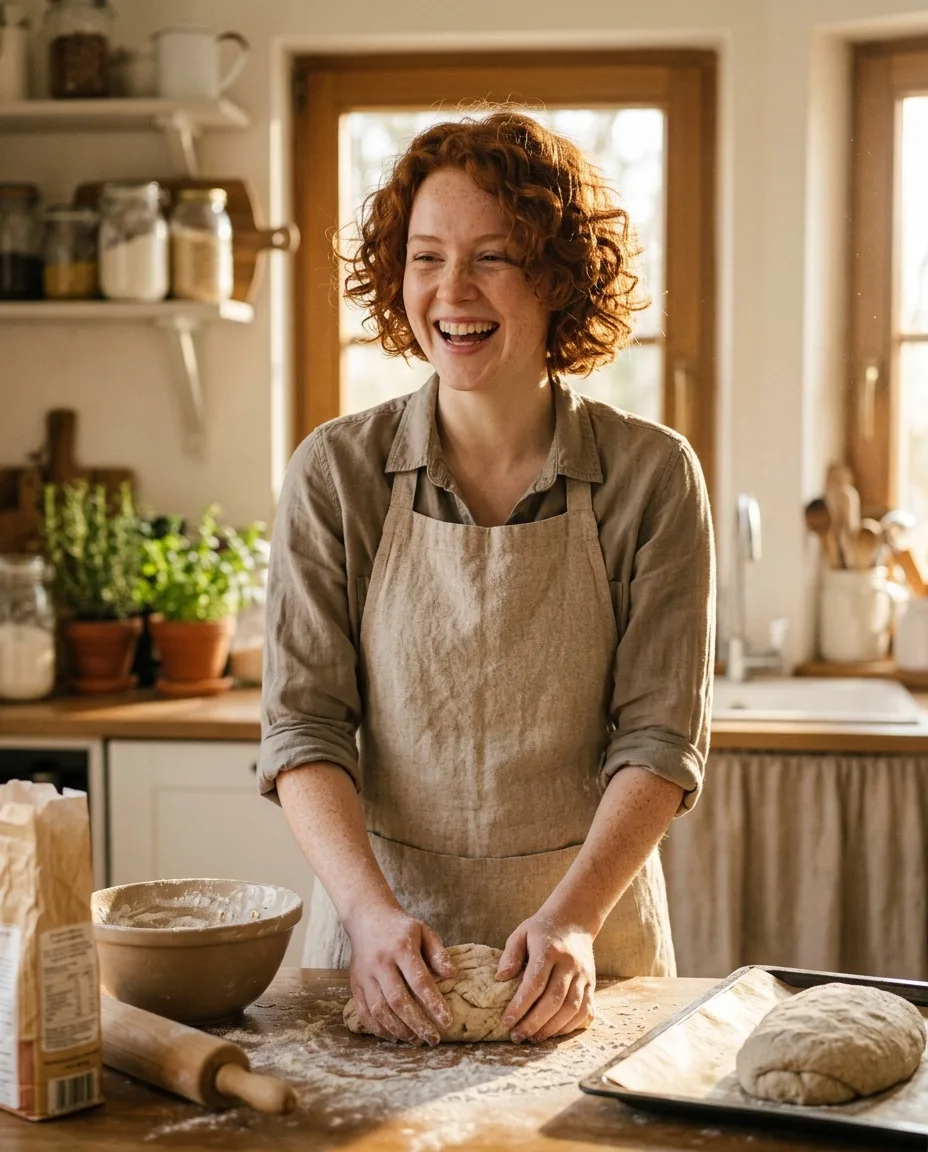
The same woman laughing while baking bread in a sunny kitchen, flour on her hands, wearing a linen apron. Keep her face, curly red hair and freckles unchanged.
Edit a photo with one instruction
Upload a picture and say what to change. The outfit and the background changed; her face, hair and pose did not.
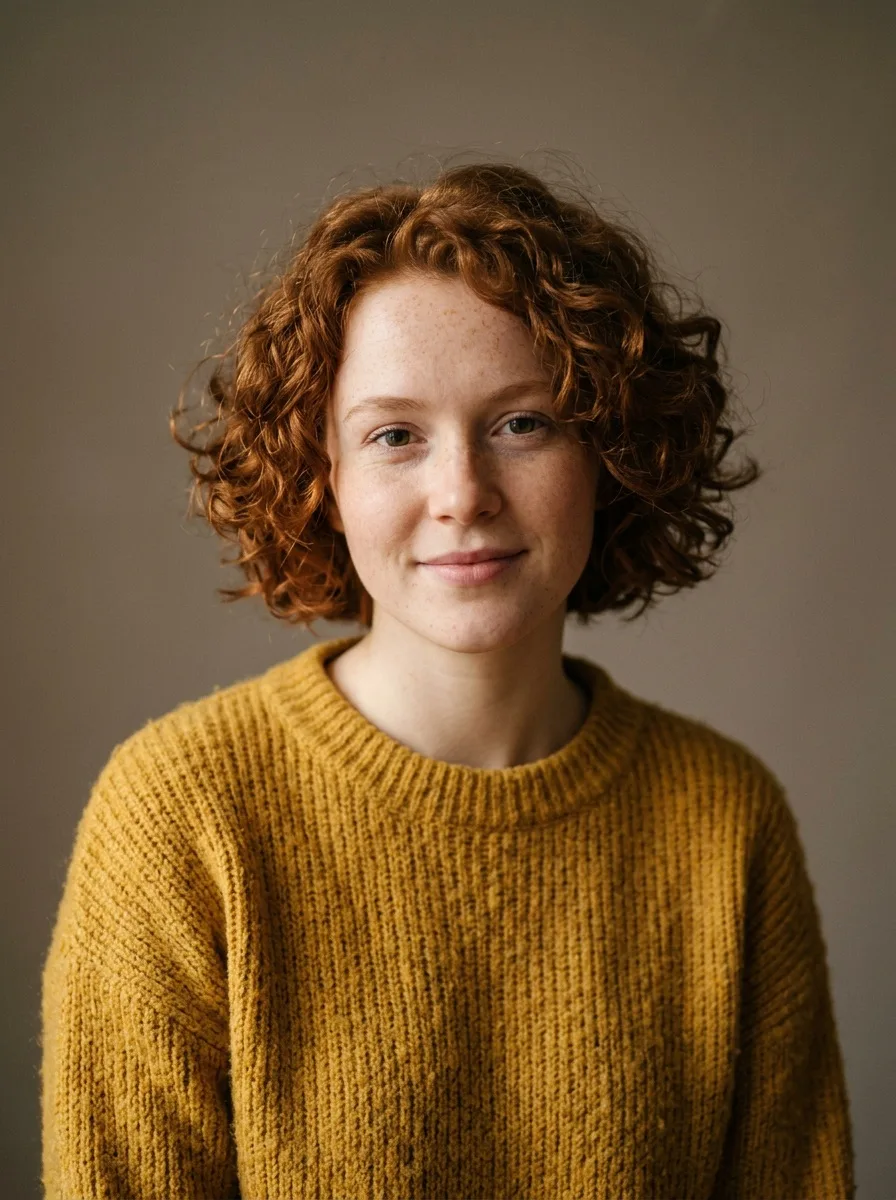 Before
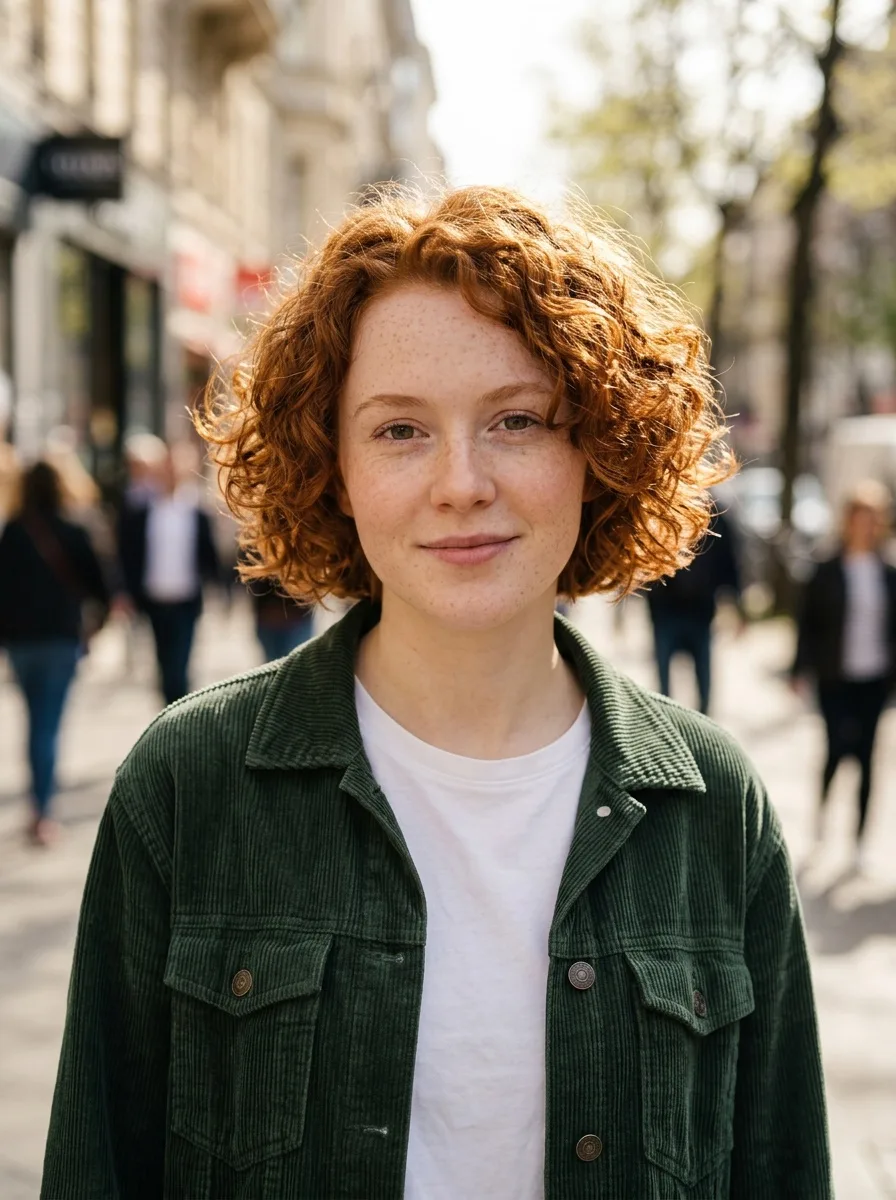 After
AfterPrompt: Change the yellow sweater to a dark green corduroy jacket over a white t-shirt, and replace the grey backdrop with a sunny city street. Keep her face, hair and pose unchanged.
Clean text and real design sense
Headlines, numbered steps, labels and small print come out as the words you asked for, laid out like a designer would. The infographic was made at 2K, the packaging at 1K.
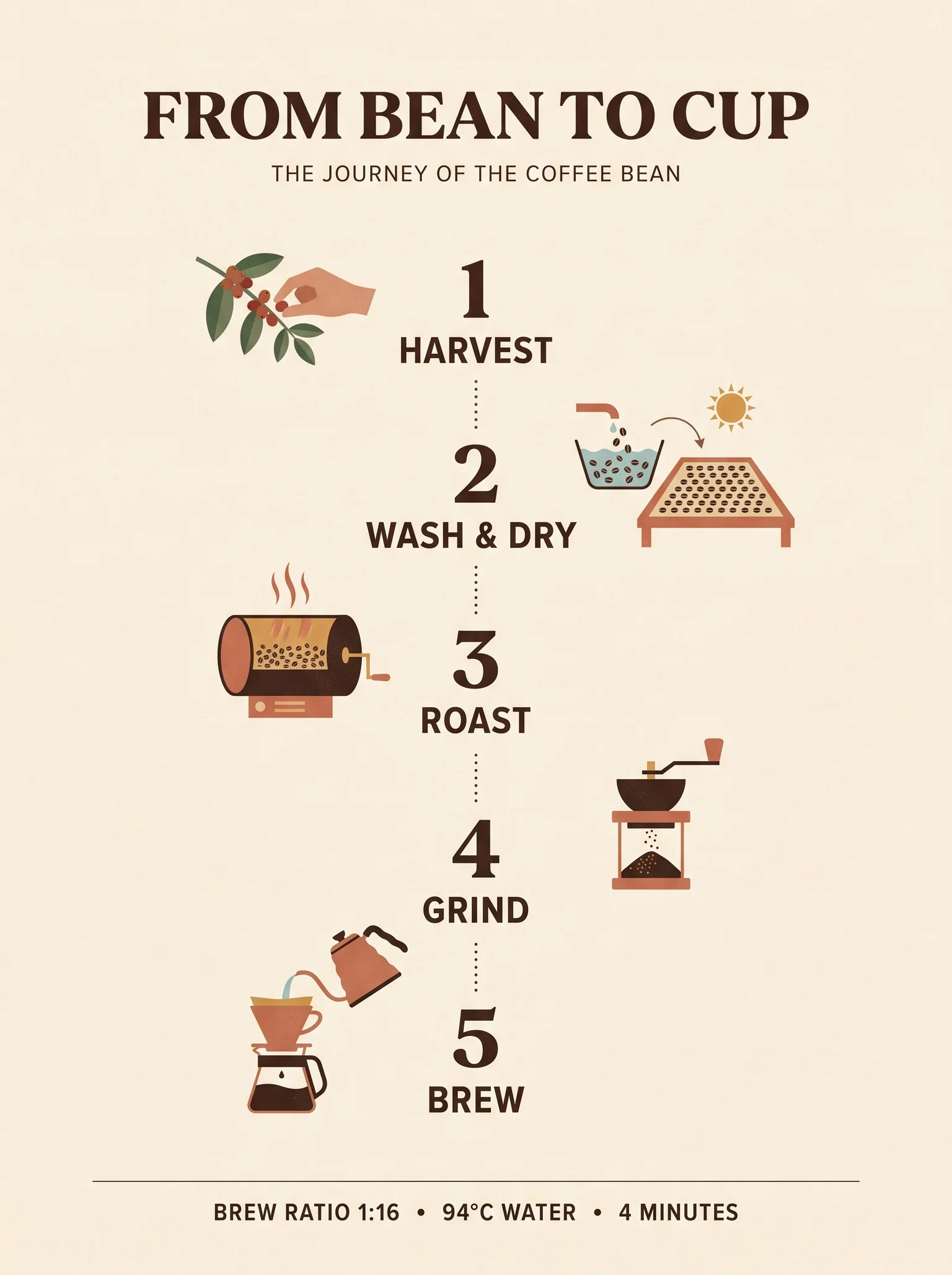 2K
2KPrompt: A clean editorial infographic poster titled "FROM BEAN TO CUP". Five numbered steps in a vertical flow, each with a small flat illustration and a short label: 1 "Harvest", 2 "Wash & Dry", 3 "Roast", 4 "Grind", 5 "Brew". A footer line reads "Brew ratio 1:16 - 94 C water - 4 minutes". Cream background, dark brown and terracotta palette, crisp typography.
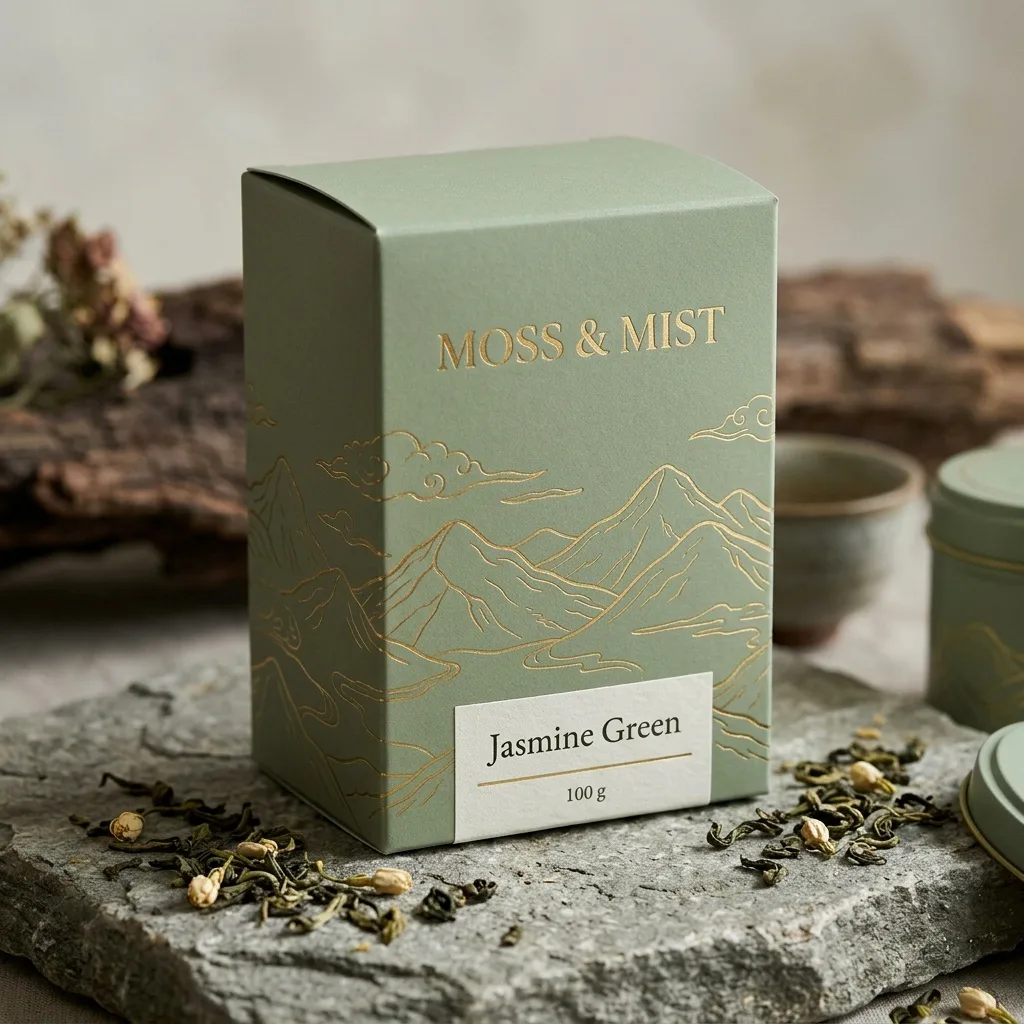 1K
1KPrompt: Packaging design for a premium loose-leaf tea brand called "MOSS & MIST". A matte sage green box with gold foil line art of mountains and clouds, the product name in an elegant serif, and a small label that reads "Jasmine Green - 100 g". Shot as a styled product photo on a stone surface with a few tea leaves.
Banners up to 8:1
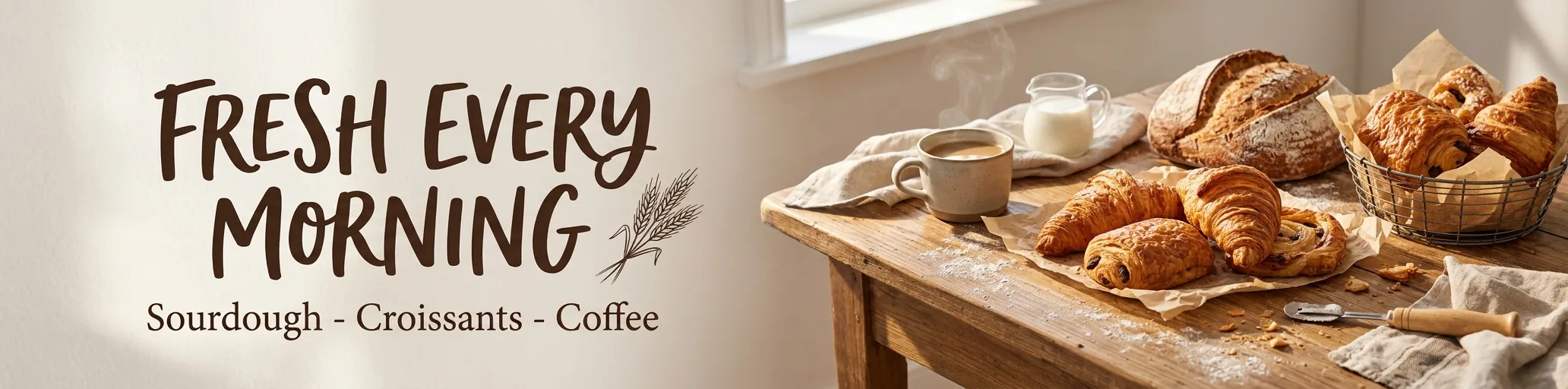
Besides the usual ratios, Nano Banana 2.1 can render very wide and very tall frames: 4:1, 1:4, 8:1 and 1:8. This web banner is 4:1.
 4:1
4:1Prompt: A wide website hero banner for a neighborhood bakery. On the left, large hand-lettered text reads "FRESH EVERY MORNING" with a smaller line "Sourdough - Croissants - Coffee". On the right, a wooden table with crusty loaves and croissants in warm morning light. Clean, cozy, editorial style.
4K detail
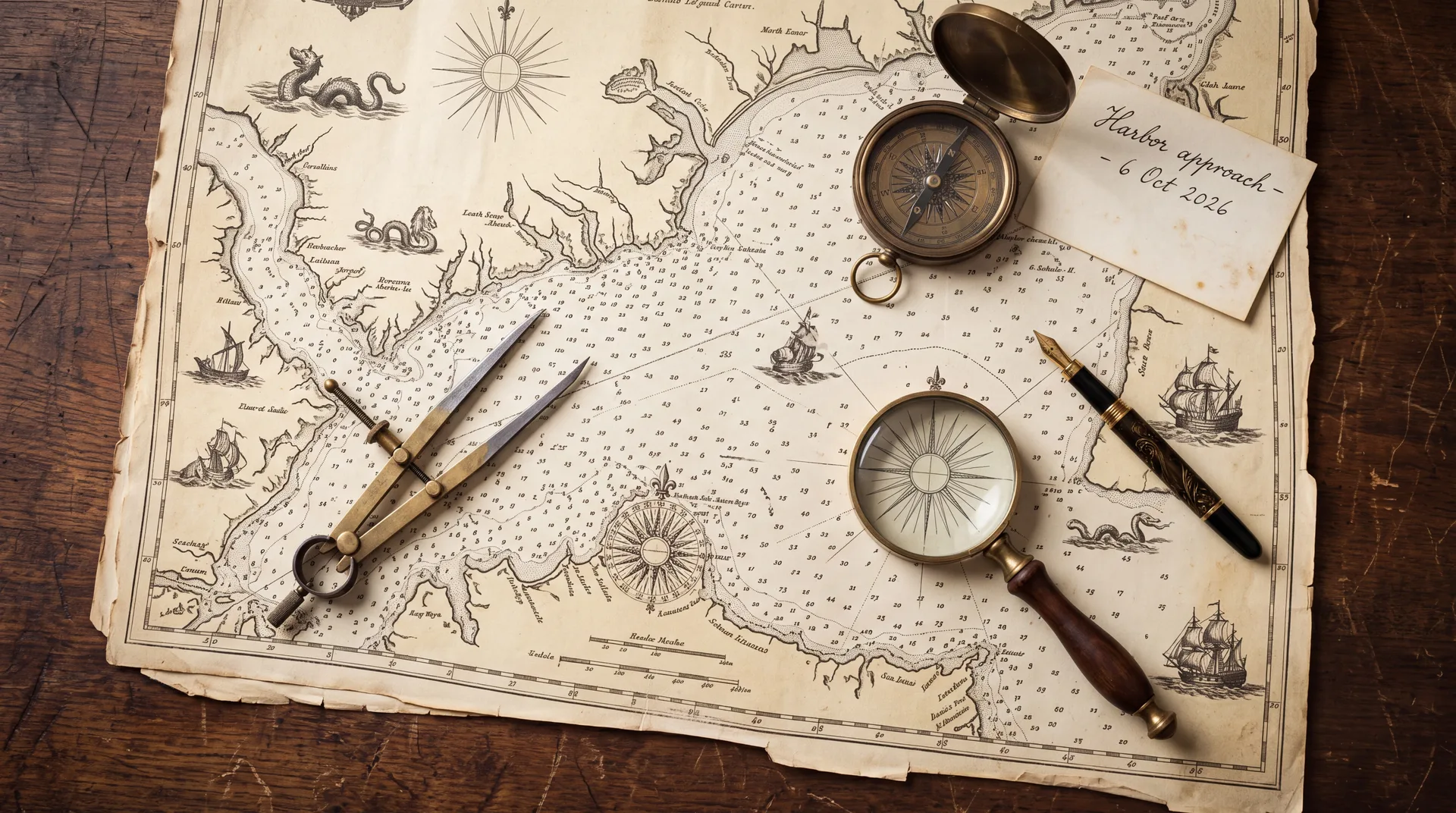
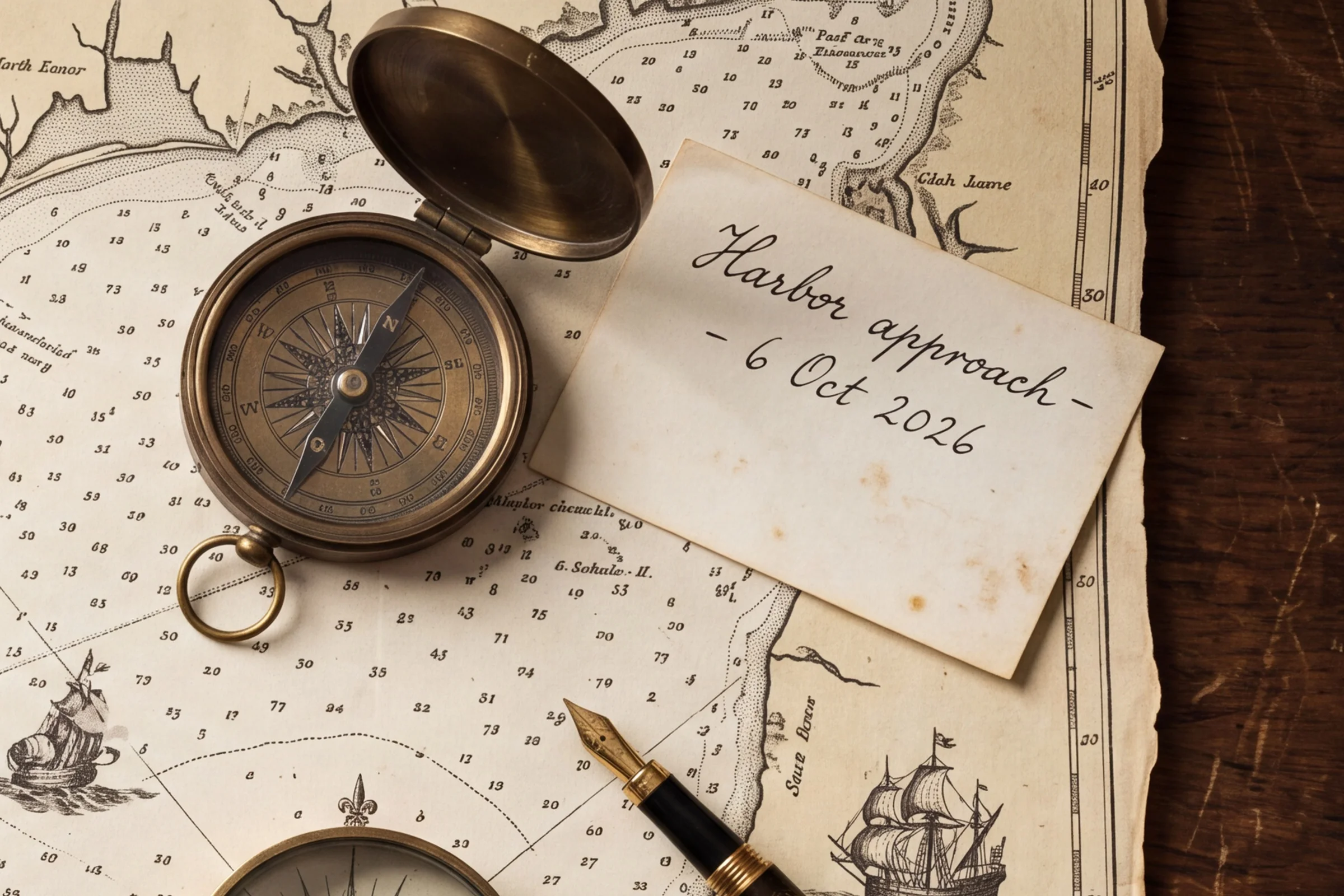
This frame is 5504 x 3072 pixels. On the left is the whole frame scaled down to fit the page; on the right is a crop from the same file.
 Full frame
 Crop
CropPrompt: An overhead photo of an antique sea chart spread across a dark walnut desk: a brass compass, a pair of dividers, a magnifying glass, a fountain pen and a handwritten note card that reads "Harbor approach - 6 Oct 2026". Fine engraved coastlines, tiny depth numbers and compass roses on the chart. Soft window light, extremely fine detail.
What Nano Banana 2.1 Does Well
Google's update to Nano Banana 2 for generating and editing images, at up to 4K.
Cleaner Text in Images
Posters, packaging, menus and infographics come out with the exact words you asked for, including small print. Put the wording in quotation marks.
Stronger Visual Design
Layouts, type and color look art-directed rather than generic. Ask for a poster, a package or a banner and describe the style you want.
Same Person Across Scenes
Upload one portrait and place the same person in new settings and outfits. Faces, hair and details hold from one image to the next.
Up to 14 Reference Images
Combine people, products and places from as many as 14 uploads in one picture. Refer to them by order in the prompt, for example image 1 and image 2.
Edit With One Instruction
Upload a photo and say what to change, like the outfit, the background or the text on a label. The parts you did not mention stay as they were.
1K to 4K, 14 Aspect Ratios
From 8:1 banners to 1:8 strips, plus 16:9, 9:16, 4:5 and 1:1. Edits can also keep the shape of your photo with Auto. Download as JPEG or PNG.
How to Use Nano Banana 2.1 Online
From prompt to finished image in three steps.
Write a Prompt or Upload Photos
Use the generator at the top of this page. Describe the image in Text to Image, or switch to Image to Image and upload up to 14 photos to edit or combine. Not sure what to type? Click one of the examples.
Pick a Ratio and a Resolution
Choose an aspect ratio (or Auto when editing) and 1K, 2K or 4K. The price depends only on the resolution.
Generate and Download
Most images are ready in under a minute. Your image is saved to Creations, so you can close the tab and come back to download it later.
Frequently Asked Questions
What to know before you run Nano Banana 2.1 on Veevid.
Nano Banana 2.1 is Google's image generation and editing model released in October 2026, an update to Nano Banana 2 (Gemini 3.1 Flash Image). Google says it improves visual quality, prompt following, character consistency over several turns, and text rendering, while keeping Flash-level speed.
2.1 is the newer version of the same model family. Google says it improves visual design, text rendering and subject consistency over Nano Banana 2. The models themselves run at about the same speed: in our tests both took around 10 seconds of generation time per 1K image. Both are on Veevid, so you can pick: Nano Banana 2 costs fewer credits per image, 2.1 is the one to use when text, layout or a consistent face matters.
Use the generator at the top of this page: Nano Banana 2.1 is already selected. Write a prompt or click an example, pick a ratio and a resolution, and generate. Veevid runs the model for you, so there is nothing to install.
Up to 14 per image-to-image request. Refer to them by upload order in the prompt, for example "the woman from image 1 holding the mug from image 2". The number of references does not change the price.
Yes. Upload a portrait and describe the new scene, and add "keep her face and hair unchanged" to the prompt. The three scenes in the showcase above were each made from the same single portrait.
Yes, that is one of the main improvements. Headlines, labels, numbered steps and small print usually come out as written. Put the exact wording in quotation marks and keep each text block short.
1K, 2K and 4K, in 14 aspect ratios: 1:1, 16:9, 9:16, 4:3, 3:4, 3:2, 2:3, 5:4, 4:5, 21:9, 4:1, 1:4, 8:1 and 1:8. When editing you can also pick Auto to keep the shape of your first photo. A 4K 16:9 image is 5504 x 3072 pixels.
Yes. Download the image and upload it in Veevid's Image to Video tool to animate it with a video model of your choice.
Each image costs 3 credits at 1K, 5 at 2K and 8 at 4K. Text to image and image to image cost the same, and the aspect ratio and number of reference images do not change the price. If a generation fails, the credits are returned.
Discover More Image Tools
Explore the full suite of AI image and video generators on Veevid.
Try Nano Banana 2.1 now
Clean text, consistent people and up to 14 references, from 3 credits per image.
Try Nano Banana 2.1