
Ideogram 4.6
Ideogram AI Image Generator
Create posters, logos, packaging and menus with crisp, correctly spelled text using Ideogram 4.6. Edit any image by describing the change, render up to native 4K, export transparent PNGs, and refine a single area with a mask.
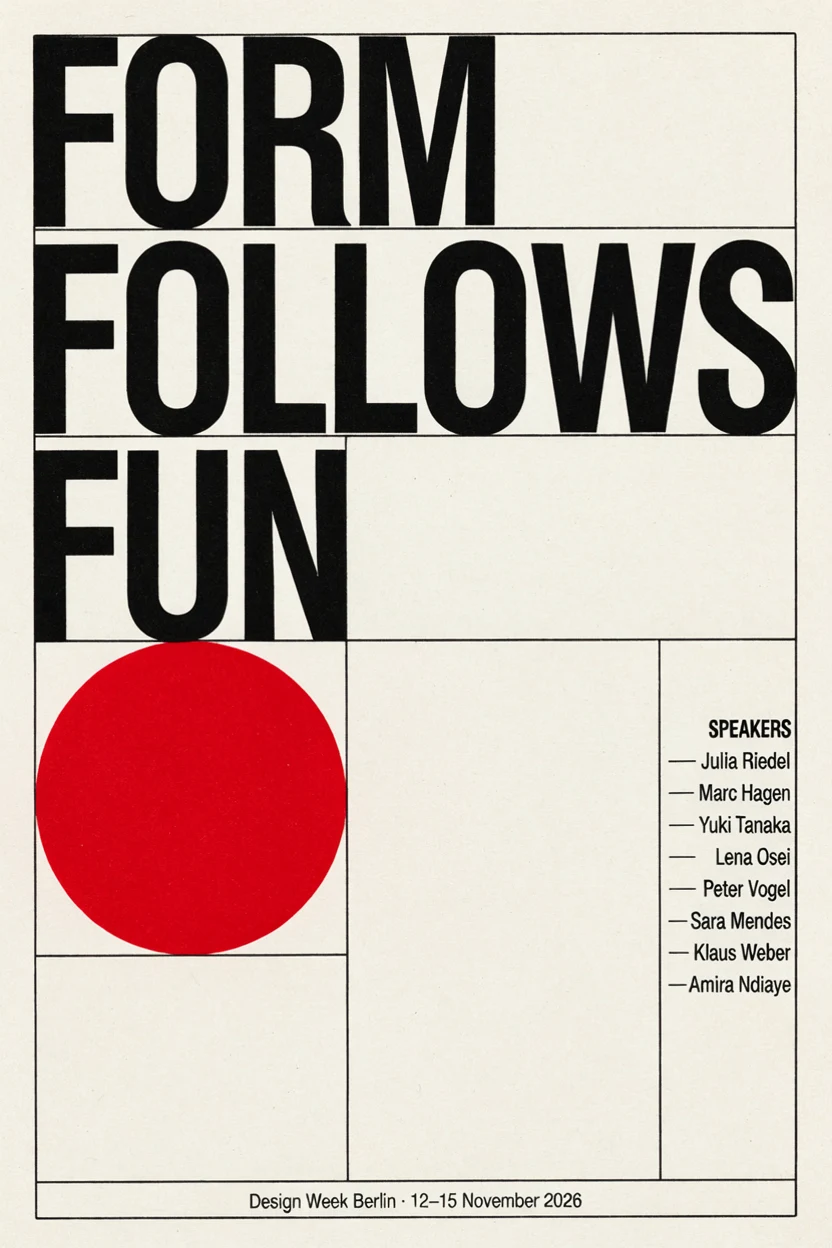
A Swiss-style typographic poster for a design festival. A huge bold headline "FORM FOLLOWS FUN" stacked on three lines, a big red circle and thin black grid lines, a small line of text at the bottom that reads "Design Week Berlin · 12–15 November 2026", and a narrow column of speaker names on the right. Off-white paper, crisp offset print.
 Sample Image
Describe what you want to generate
What You Can Make with Ideogram AI
Every image below is a real Ideogram 4.6 result, shown with the exact prompt. Click Try this to load the same settings into the generator above.
Readable Text on Packaging, Menus and Posters
Brand names, prices, dates and long lists come out spelled the way you typed them, laid out like real print design.
Coffee bag label
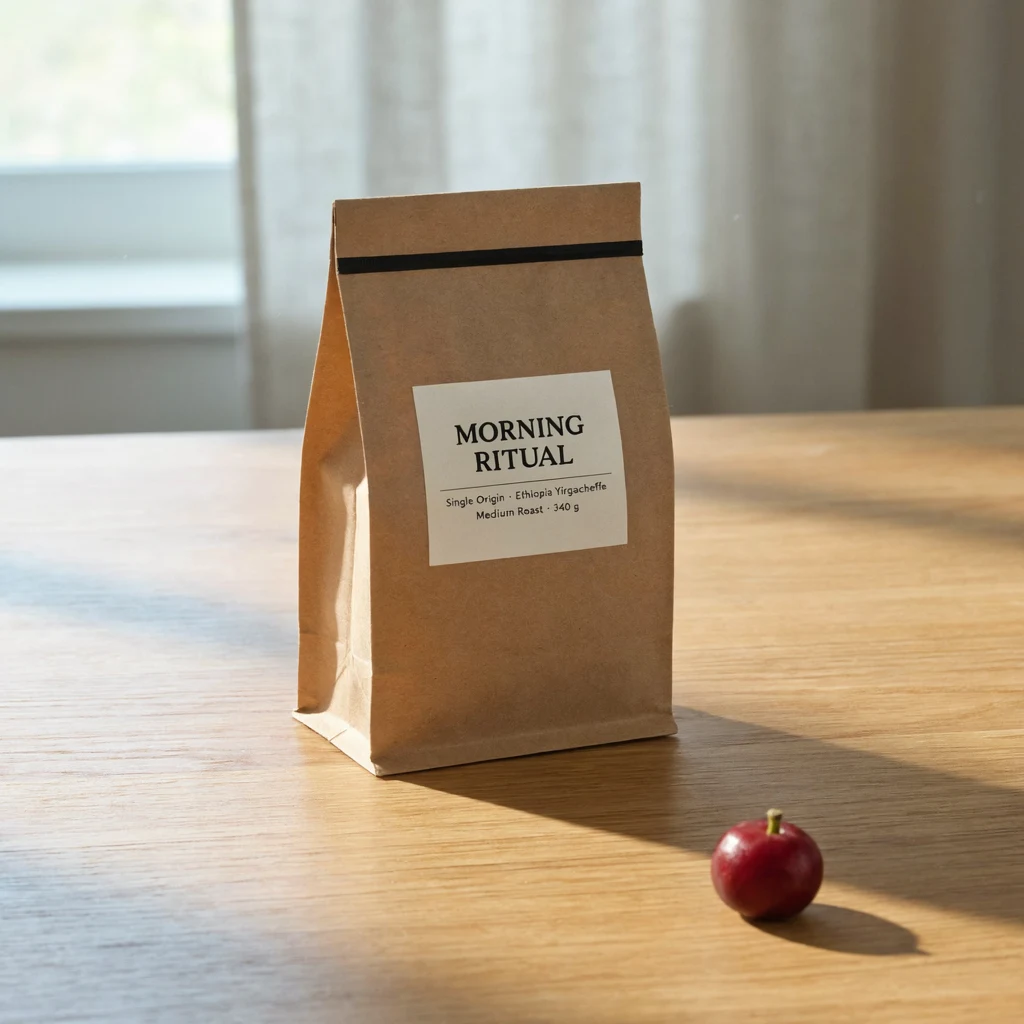
Prompt: A matte kraft paper coffee bag standing on a light oak counter. Minimalist label with the brand name "MORNING RITUAL" in bold black serif letters, and two small lines below it: "Single Origin · Ethiopia Yirgacheffe" and "Medium Roast · 340 g". Soft morning daylight, clean product photography.
Chalkboard cafe menu
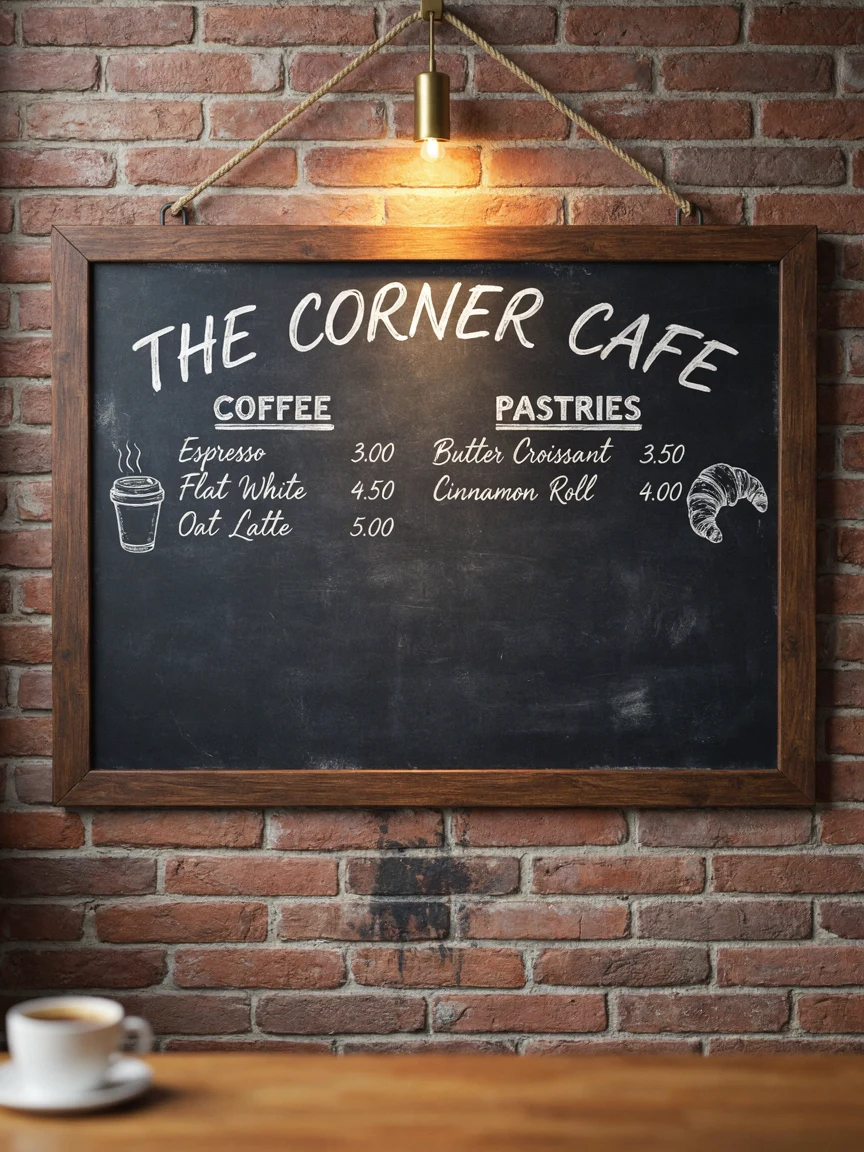
Prompt: A hand-lettered chalkboard menu hanging on a red brick wall in a cozy cafe. Title "THE CORNER CAFE" at the top, then two sections. "COFFEE": Espresso 3.00, Flat White 4.50, Oat Latte 5.00. "PASTRIES": Butter Croissant 3.50, Cinnamon Roll 4.00. Small chalk doodles of a cup and a croissant, warm cafe lighting.
Typographic event poster
Prompt: A Swiss-style typographic poster for a design festival. A huge bold headline "FORM FOLLOWS FUN" stacked on three lines, a big red circle and thin black grid lines, a small line of text at the bottom that reads "Design Week Berlin · 12–15 November 2026", and a narrow column of speaker names on the right. Off-white paper, crisp offset print.
Edit an Image by Describing the Change
Upload an image and write what should change. The rest of the picture stays as it was: the lighting, the pose, the layout.
Change product details
Original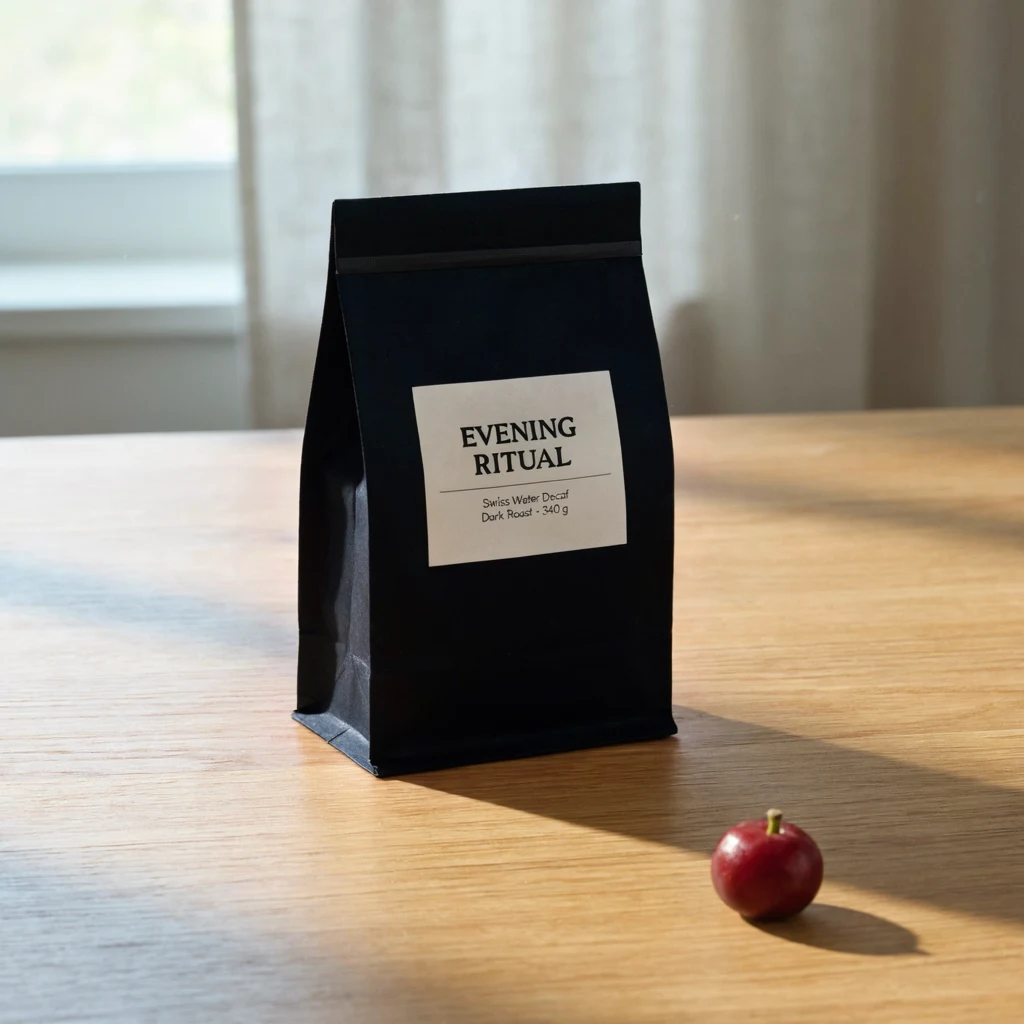 Result
Prompt: Change the label to read "EVENING RITUAL" with the lines "Swiss Water Decaf" and "Dark Roast · 340 g" below it, and make the bag matte black. Keep the counter, the lighting and the composition the same.
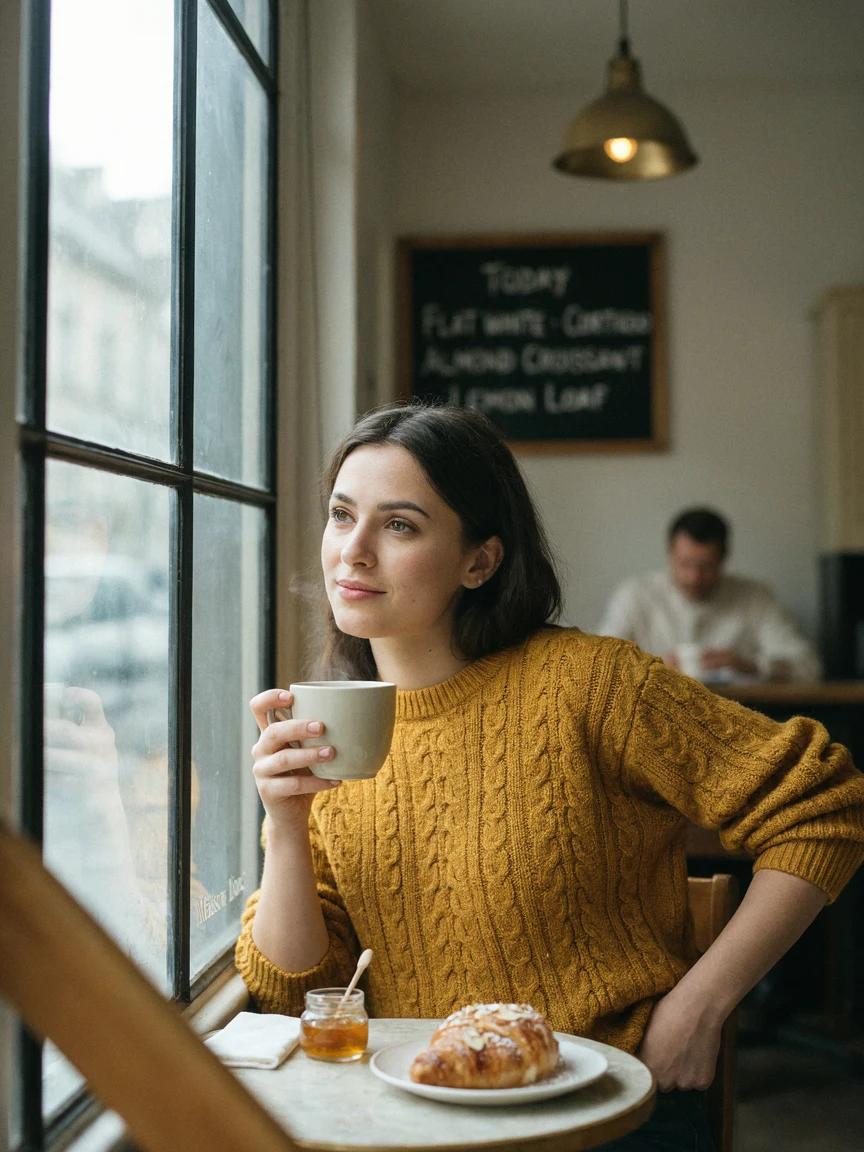
Change the color of clothing
 Original
 Result
Prompt: Change only her sweater to a deep forest green cable-knit sweater. Keep her face, hair, pose, the mug, the lighting and the background exactly the same.
Rewrite poster text and colors
Original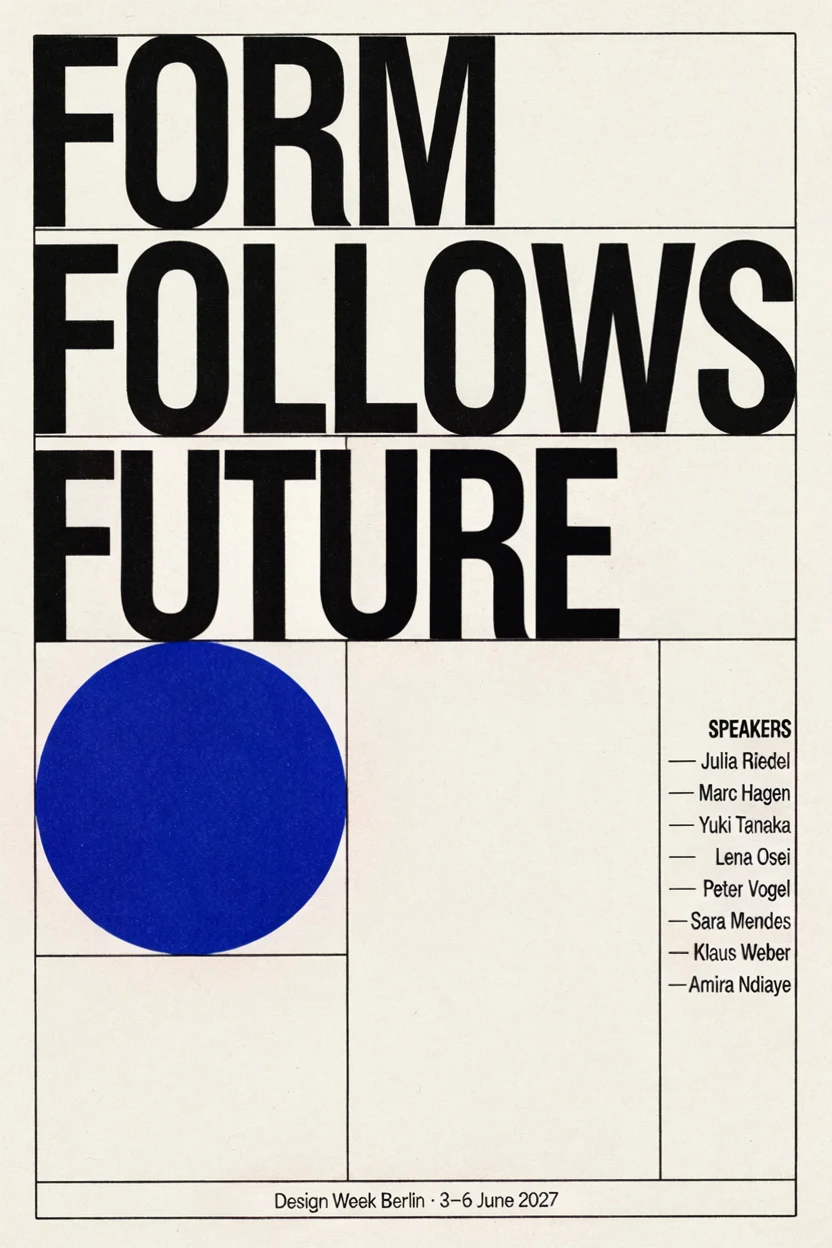 Result
Prompt: Change the headline to "FORM FOLLOWS FUTURE" and the bottom line to "Design Week Berlin · 3–6 June 2027". Make the red circle cobalt blue. Keep the layout, the grid and the speaker list the same.
Native 4K Output
Choose 4K to render up to 4096 pixels on the long side, so skin texture, fabric and painted lettering hold up when you crop or print.
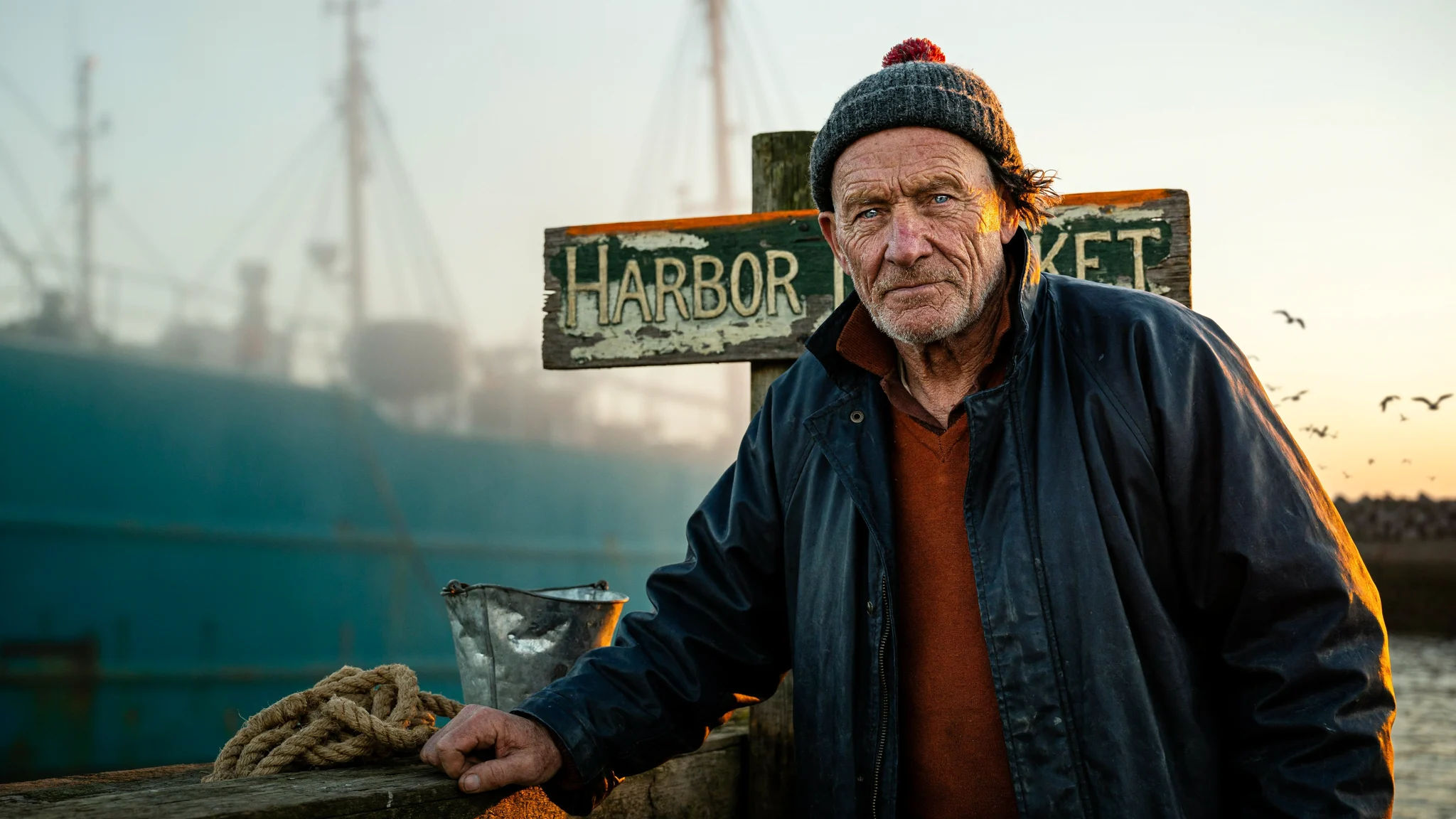 4K · 4096×2304
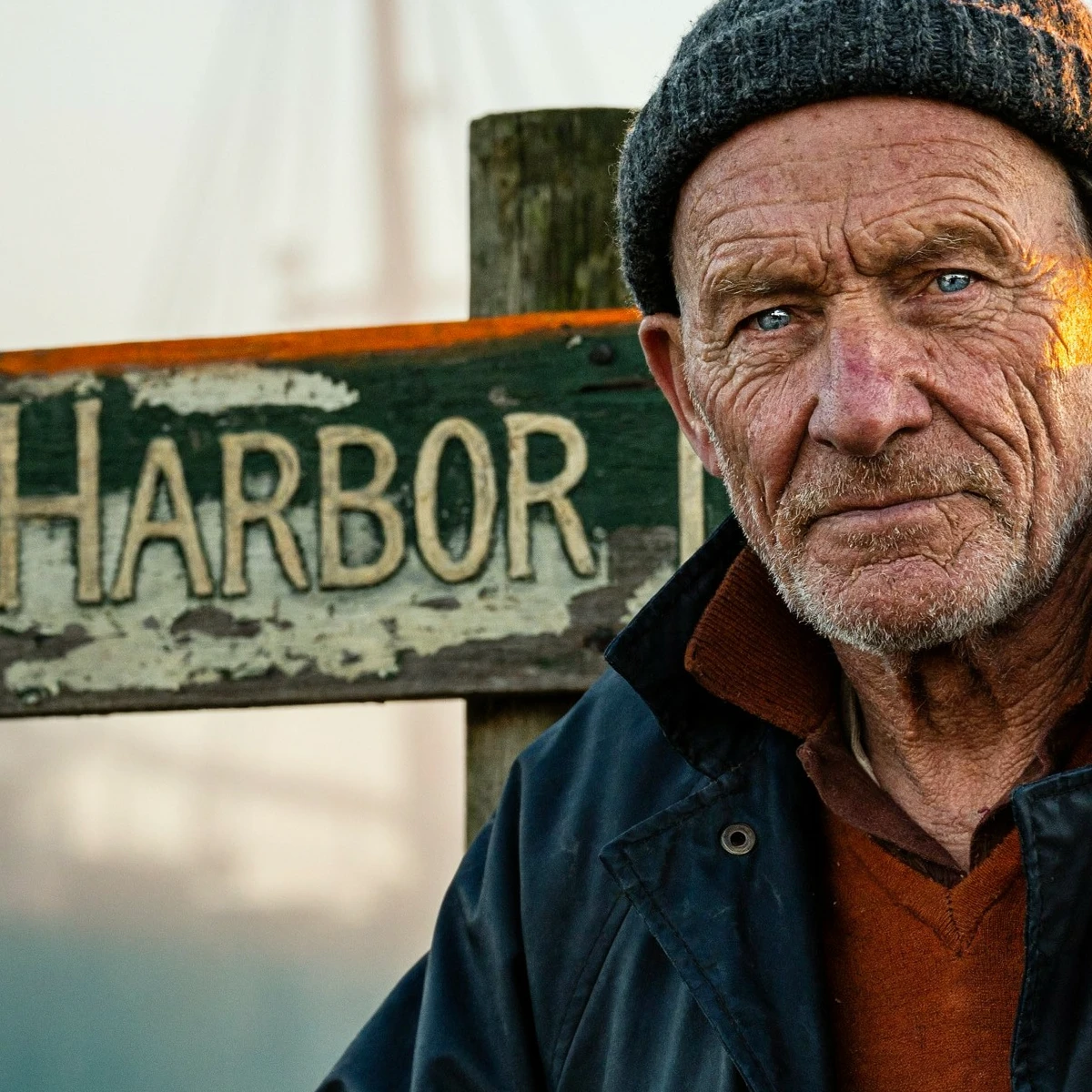 100% crop
Prompt: Photorealistic close-up portrait of an elderly fisherman on a harbor at golden hour, weathered skin, knitted wool cap, sharp detail, a painted wooden sign behind him reading HARBOR MARKET
Transparent Backgrounds
Turn on Transparent background to get a PNG with an alpha channel: product shots, logos and stickers ready to drop into a layout.
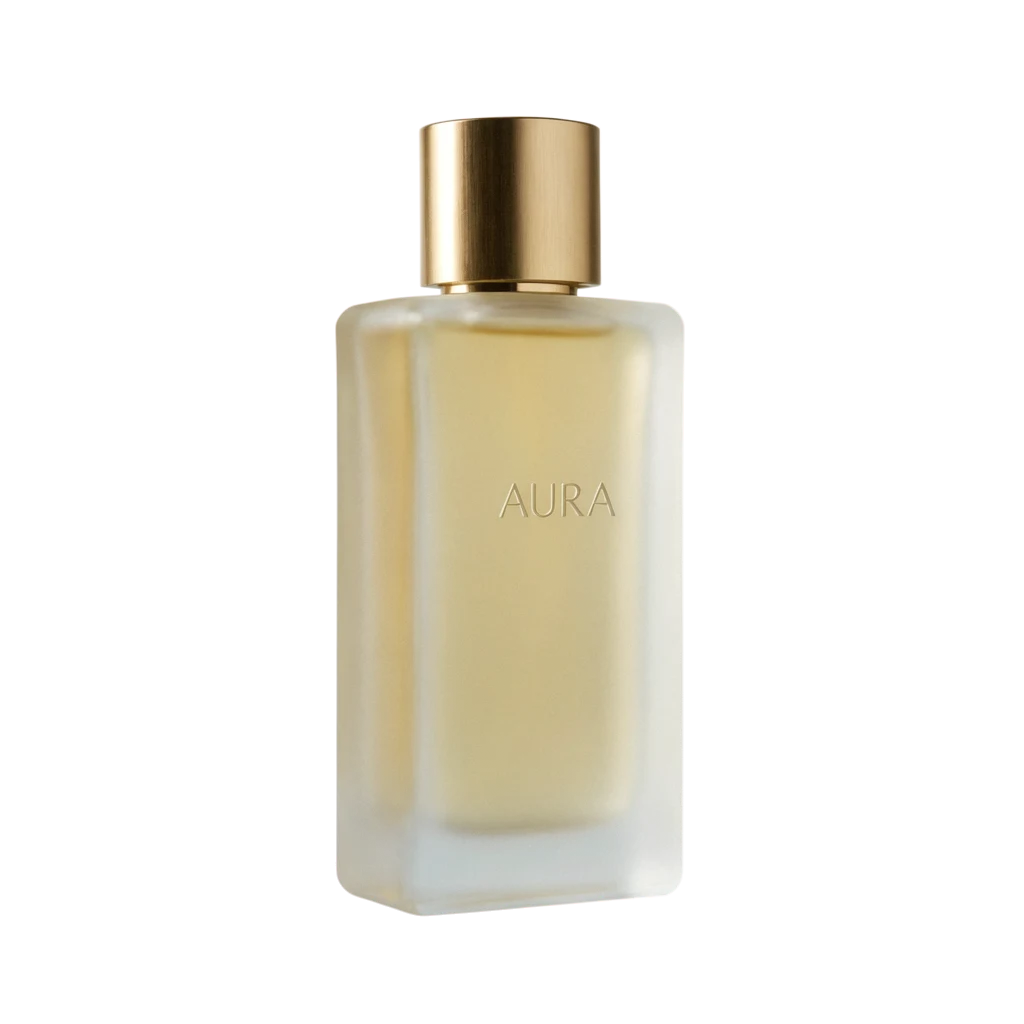 Transparent PNG
Prompt: A frosted glass perfume bottle with a brushed gold cap, the word "AURA" engraved on the front in thin elegant capitals, three-quarter view, studio product shot, product only
Refine One Area with a Mask
Paint over just the part you want to change. With High edit precision, everything outside the painted area is restored from the original.
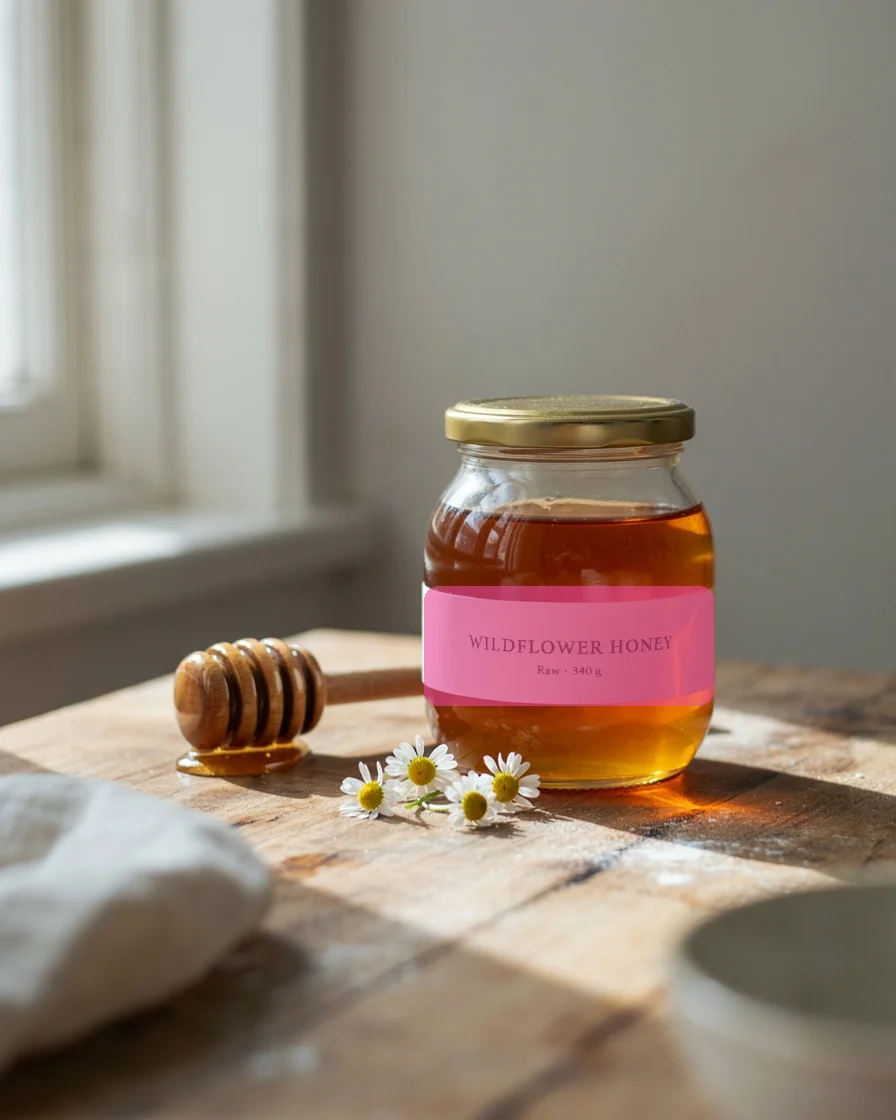 Painted area
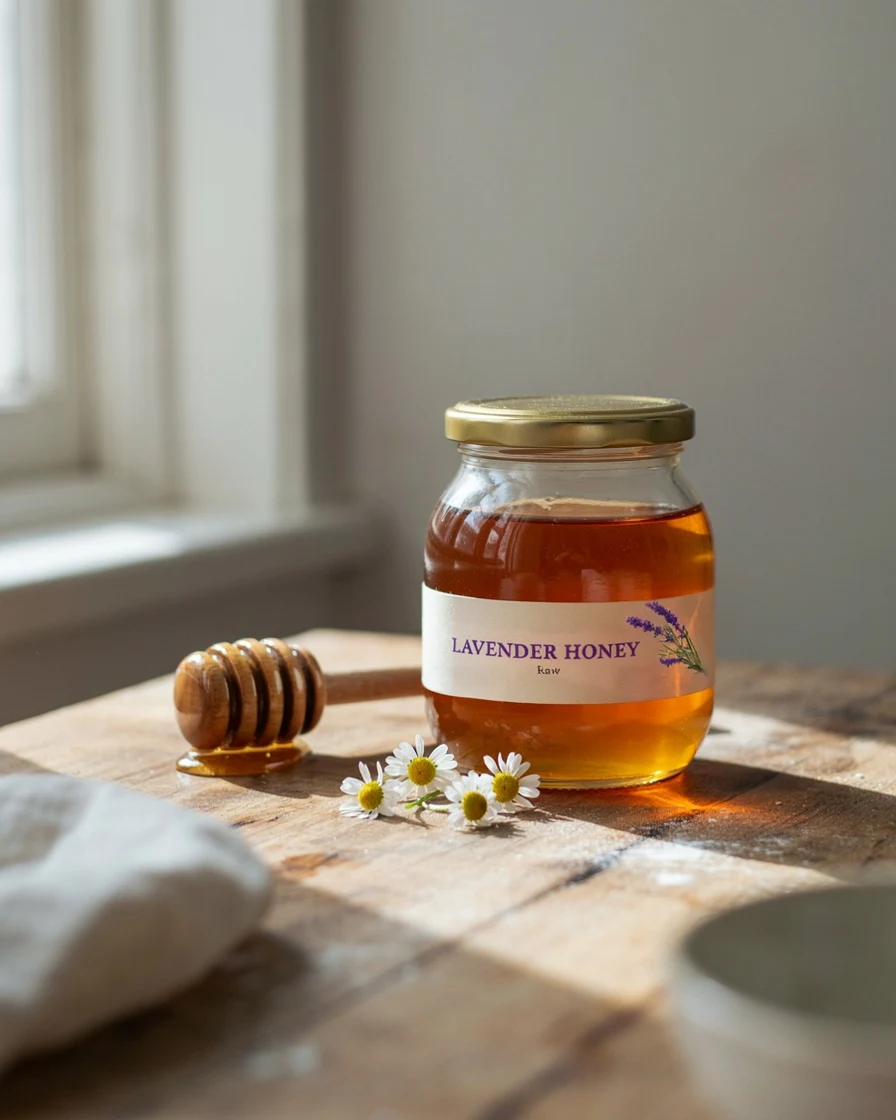 Result
Prompt: Turn the label into a lavender honey label: the words "LAVENDER HONEY" in deep purple serif letters and a small sprig of lavender beside them.
Why Use Ideogram AI on Veevid
Ideogram 4.6 in your browser: text-accurate image generation, natural-language editing, 4K output and transparent PNGs, with no setup.
Text that reads right
Headlines, slogans, prices and small print are rendered as written, which makes Ideogram a strong pick for posters, logos, labels, menus and social graphics.
Edits in plain English
Describe the change, such as a new label, a different color or a rewritten headline, and keep the rest of the image intact. Add up to 4 reference images for logos, products or style.
1K, 2K and native 4K
Pick 1K for quick drafts, 2K for everyday work, or 4K (up to 4096 px on the long side) when you need detail for print or large screens.
Transparent PNG output
Generate cutout products, logos and stickers on a transparent background. Works for new images and for Regular-precision edits.
Masked, pixel-safe edits
Paint the area to change. High edit precision restores every untouched pixel from your original, so a label or sign can change without the scene drifting.
23 aspect ratios, up to 8 images
From square to 3:1 banners and 1:3 tall formats, generate up to 8 variations per run, choose a quality level, and reuse a seed to iterate.
How to Use Ideogram AI
Three steps from idea to finished image.
Write a prompt or upload an image
Describe the image you want and put any words that should appear in quotes. To edit, switch to the Image to Image tab and upload your picture.
Choose quality, size and background
Pick a quality level, an aspect ratio and 1K, 2K or 4K. Turn on Transparent background for cutouts, or paint a mask to change one area.
Generate and download
Click Generate. Results usually arrive in under a minute and are saved to your creations, ready to download as PNG.
Ideogram AI FAQ
Common questions about using Ideogram AI on Veevid.
Ideogram is an AI image model known for rendering accurate, readable text inside images. On Veevid you can use it to generate new images from a prompt and to edit existing images, right in your browser.
Veevid runs Ideogram 4.6, the latest version available to us. It adds native 4K output, transparent backgrounds and a Very Low quality level for fast text-to-image drafts, on top of the text rendering and precise editing of earlier versions.
Put the text in quotes in your prompt, for example a headline "GRAND OPENING" and a line "Saturday 9 AM". Keep each text element short and say where it goes. Higher quality levels render small text more cleanly.
Yes. Switch to Image to Image, upload your picture and describe the change, such as new label text, a different clothing color or a rewritten poster headline. You can add up to 4 reference images, or 3 when you use a mask.
Yes. Choose 4K under Resolution to render up to 4096 pixels on the long side. 4K costs more than 1K or 2K and is not available at Very Low quality. When you edit with Original size, an upload larger than 2048×2048 is also output and priced as 4K, except at Very Low quality, which renders at most 2K.
Yes. Turn on Transparent background and the result is a PNG with an alpha channel. It works for new images and for edits with Regular precision; it is not available with High edit precision.
A mask tells Ideogram which area to change: paint over it and describe the new content. High edit precision restores everything outside the change from the original pixels, which is ideal for fixing a label or sign without touching the rest.
Each image costs credits based on the quality level, whether the output is 4K, and how many images you generate. The exact cost is shown under the Generate button before you start, and credits for images that fail are refunded automatically.
Explore More AI Image Models
Compare Ideogram with other image models on Veevid, or turn your image into a video.
Start Creating with Ideogram AI
Write a prompt with the words you need, or upload an image to edit. Your first result is about a minute away.
Try Ideogram AI