Reference to Video AI Generator
Upload reference images and generate AI videos where characters look exactly the same in every scene. No editing skills needed.
Kling 4.0 examples:
Reference to Video Examples
See how reference images guide AI to generate consistent, high-quality videos that match your character and style.


"Close up shot of woman with sunglasses on top of her head, gold hood earrings, is walking in the garden, she is lost and asks where everyone is and what's going on."
Product in a new scene
References
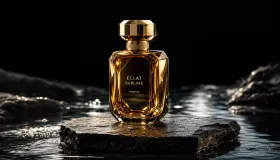
Prompt: The perfume bottle from @Image1 stands on a mossy rock in the middle of a misty forest stream at dawn. Soft sunbeams cut through the trees, clear water flows gently around the rock and a few petals drift past. Slow cinematic push in, the bottle keeps the exact shape and golden label from the reference. Gentle water and birdsong.
Character + location
References


Prompt: The old fisherman from @Image1, in his yellow raincoat and knit cap, on the green hill with the blooming cherry tree from @Image2. A wooden bench stands on the grass in front of the cherry tree, facing the camera, with the tree trunk behind it. 0-2s: the fisherman walks slowly across the grass from the right toward the bench. 2-4s: he stops in front of the bench, turns around with his back to the backrest and sits down on the seat, facing the camera. 4-5s: he rests his hands on his knees and smiles as pink petals drift down around him. Warm spring afternoon, gentle breeze, birdsong. Wide shot with a very slow push in, the whole bench stays in frame.
Copy moves from a video
References
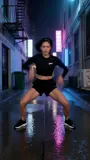
Prompt: The old fisherman from @Image1 dances on a wooden harbor pier at sunrise, copying the exact moves, rhythm and camera framing of the dancer in @Video1. His yellow raincoat swings as he moves and fishing boats bob in the background. Upbeat electronic beat, seagulls calling.
Motion sketch
References
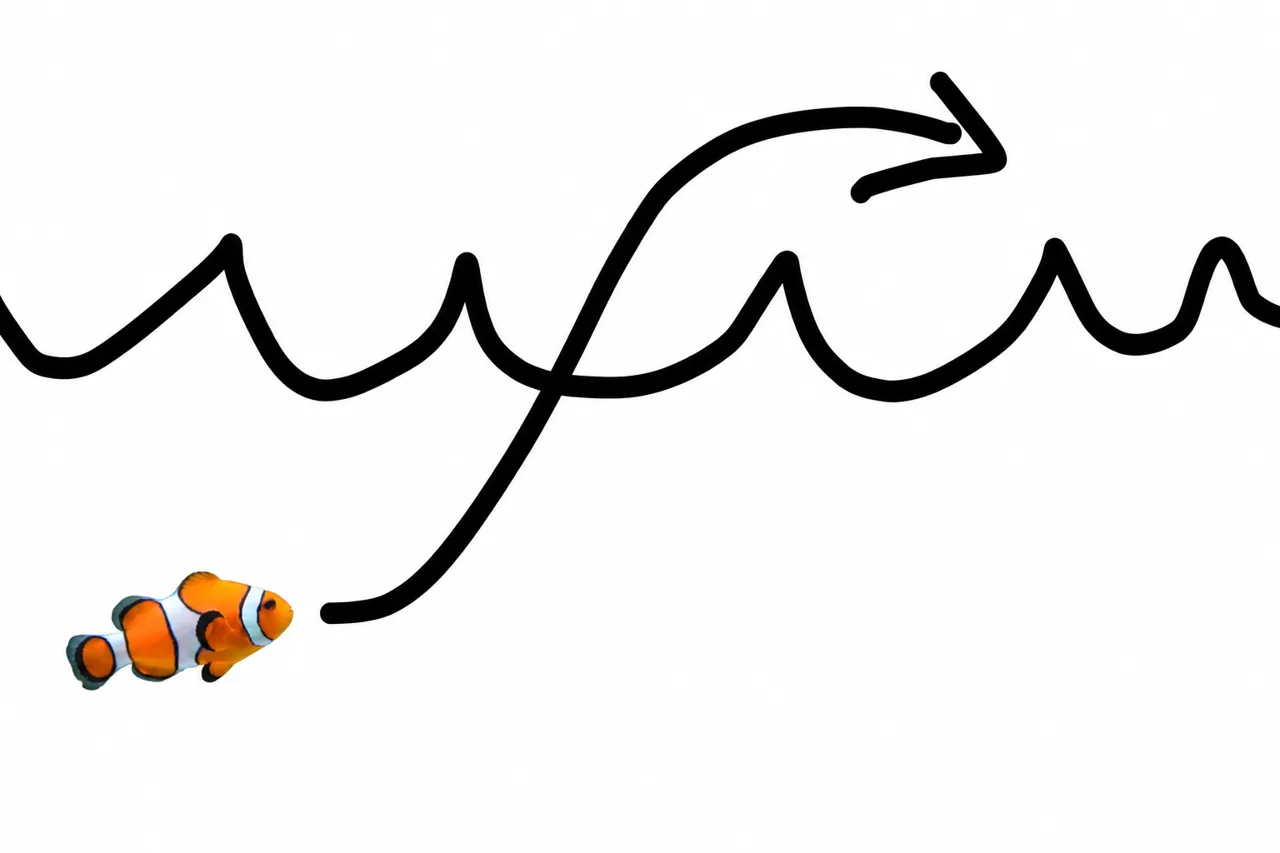
Prompt: turn this into realistic footage, using the drawing only as a guide for movement, do not show the drawing in the final video
Object swap
References
Prompt: Change the butterfly to a bee.
How to Use Reference to Video Generator
Create character-consistent videos from reference images in 3 simple steps
Step 1: Upload Reference Images
Select 1–3 reference images that define your character, style, or scene. These images guide the AI to maintain visual consistency throughout the video.
Step 2: Describe Your Scene
Write a text prompt describing the action, camera movement, and setting you want. The AI combines your prompt with the reference images to generate a coherent video.
Step 3: Generate & Download
Click "Generate" and watch as AI creates a video that matches your references perfectly. Preview the result and download your creation in high quality.
What Can You Do with Reference to Video AI?
Keep your characters and styles perfectly consistent across every generated video using reference images
Create Consistent Character Videos
Upload reference images of your character and generate videos where they appear exactly as intended - same face, same outfit, same proportions. Perfect for series content, brand mascots, and storytelling across multiple scenes.
Compose Complex Multi-Reference Scenes
Combine up to 3 reference images to define characters, environments, and props independently. Our AI blends them into a cohesive video scene with accurate spatial composition and natural interactions.
Why Choose Veevid Reference to Video?
Generate AI videos with unmatched character and style consistency using reference images and text prompts together.
Multi-Reference Image Support
Upload 1–3 reference images to define characters, styles, and scenes. Our AI understands each reference and combines them into coherent video output.
Subject Identity Lock
Maintain perfect character consistency across frames. Faces, clothing, and proportions stay true to your reference throughout the entire video.
Cinematic Prompt Control
Describe camera movements, lighting, and scene actions via text prompts while your references define the visual identity. Full creative control over every shot.
Smooth Natural Motion
AI-generated motion that looks natural and fluid. Characters move realistically while maintaining their reference appearance frame by frame.
High-Fidelity Output
Generate videos in HD quality with sharp details and accurate colors. Every reference detail is preserved in the final output.
Flexible Aspect Ratios
Generate reference-to-video content in both 16:9 landscape and 9:16 portrait formats. Perfect for YouTube, TikTok, Instagram Reels, and any platform you create for.
Frequently Asked Questions
Everything you need to know about Veevid Reference to Video AI
Reference to Video is an AI-powered tool that generates videos based on reference images you provide. Unlike standard image-to-video which simply animates a single image, Reference to Video uses your images as identity and style references - maintaining character appearance, clothing, and art style consistently throughout the generated video while following your text prompt for scene and action.
You can upload 1 to 3 reference images per generation. Using multiple references allows you to define different aspects of your video - for example, one image for the character's face, another for the environment, and a third for the art style or additional character.
Veevid uses a credit-based system. New users receive starter credits to try the feature. For regular usage, choose a plan that fits your needs - credits refresh monthly and work across all Veevid tools.
Absolutely. All videos you create with Veevid's Reference to Video AI are yours to use for personal and commercial purposes - including social media content, advertising, client projects, e-commerce, and more - without additional licensing fees.
Reference to Video supports HD resolution output in both 16:9 landscape and 9:16 portrait formats. Videos are exported in MP4 format, ready for use on any platform. Choose between fast mode for quick previews or quality mode for polished final output.
Image to Video animates a single input image directly - the image becomes the first frame and AI adds motion. Reference to Video uses your images as style and identity references - the AI generates an entirely new scene based on your text prompt while keeping the character appearance and style consistent with your references. This gives you much more creative control over the output.
Create Character-Consistent AI Videos with Veevid!
Upload your reference images and generate stunning videos with perfect character and style consistency. No editing skills required - fast, easy, and fully customizable.
Get Started Now